PC Slower Than It Used to Be?
A free scan shows the junk files, broken settings and background clutter dragging Windows down - then fixes them in one click.Free scan · Windows 10 & 11Crashes, No Sound, or Screen Glitches?
Random freezes, missing sound and display glitches usually trace back to one bad driver. Find and replace yours safely.Free scan · under a minuteThere is no one best business expense tracker for every small business. QuickBooks is a sensible candidate if you want expense capture inside your accounting workflow; Xero is worth considering for employee claims, mileage, and project or department reporting; Expensify focuses on submissions and reimbursements. A paper ledger can work for a low-volume, paper-first business. The right choice depends on how you capture transactions, whether staff submit expenses, and how you need to report and substantiate spending.
The product capabilities below reflect official US product pages reviewed on October 8, 2026—not a verified comparison of what each product offered in 2025. They are vendor descriptions, not results of hands-on testing.

How to choose an expense-tracking system
Start with the work you need the system to do, rather than the app name. A solo owner with a few monthly purchases may need only a clear ledger and organized receipts. A business with frequent card transactions, employees, mileage claims, or project budgets may benefit from software that imports transactions and routes claims for approval.
- Who records expenses? A solo owner can often manage a simpler workflow; a team may need employee submissions, approvals, and reimbursement tracking.
- How much activity do you have? Consider the number of transactions and paper receipts you handle, and whether manual entry is sustainable.
- Where does bookkeeping happen? If you already use accounting software, check whether expense data is captured there or must be exported or synced from a separate tool.
- What needs to be tracked? Decide whether you need mileage, customer or project costs, departments, or only broad expense categories.
- What will the full workflow cost? Verify current plan features, user limits, and pricing for the workflows you need. The product pages reviewed here do not establish comparable plan limits or prices across all three products.
Compare the main options
| Option | What the official source describes | May suit | What to check |
|---|---|---|---|
| QuickBooks Online | Connected bank accounts, credit cards, PayPal, and Square; imported and categorized expenses; categorization rules; spending reports; receipt-photo capture and matching through its mobile app. QuickBooks expense tracking | Owners who want expense capture alongside accounting and reporting. | Current plan, user limits, integrations, and price for the features you need. The page shows live US offers that can change. |
| Xero | Receipt capture, employee expense claims, approvals, mileage, and reporting by tracking categories such as project, department, or location. Xero expense reports Xero business expenses | Businesses that need accounting plus staff claims, mileage, or more detailed reporting. | Confirm which features and workflows are included in the plan available to your business. |
| Expensify | Receipt scanning, categorized expenses, mileage, reimbursement and policy workflows, and integrations with QuickBooks, NetSuite, Xero, and Sage Intacct. Expensify for small businesses | Teams for whom expense submissions and reimbursements are a distinct workflow alongside the general ledger. | Confirm the integrations, plan features, and reimbursement process you need; no error rate or hands-on performance is established here. |
| Paper ledger | The IRS recognizes journals and ledgers as recordkeeping methods. A ledger does not itself import bank activity, reconcile accounts, or capture receipts. IRS Publication 583 | Low-volume businesses that prefer manual records and can reliably organize supporting documents. | Set up a consistent method for recording transactions and retaining receipts and other support. |
When QuickBooks may fit
QuickBooks’ official expense page describes a workflow that brings bank and card activity into the accounting environment, lets users categorize expenses and create rules, and supports spending reports. Its mobile app can capture receipt photos and match receipt details to transactions. That combination makes it a candidate if you want expense tracking and accounting in one workflow rather than maintaining a separate expense tool.
#1 Best Overall

- Easy To Track Your Finances: HAUTOCO accounting ledger book keeps you on top of your expenses and income! Help you keep your money organized, spend well, and set and achieve financial goals
- Premium Material: The A5 accounting ledger book has a total of 120 pages and 2040 lines of entries. It is made of 100gsm thick paper to reduce ink leakage; it is equipped with a waterproof and sturdy PP cover to protect the inner pages
- Practical Design: Compact 8.3 x 6.2'' expense tracker notebook is easy to carry and features information pages, 2025 calendar, yearly financial goals page, and PVC pocket for storing important tickets and loose items
- Manage Your Finances Effectively: Undated accounting books with number, date, description, account, payment or deposit amount, and total balance. You will be able to easily analyze your financial activities and quickly prepare accurate financial statements
- Ideal For Small Business or Personal Use: An accounting log journal can track your business or personal financial status. With a clear record of transactions, you can find unnecessary expenses or fraudulent charges
Those are vendor-described capabilities, not an independent assessment of ease of use or accuracy. Check the current US plan details and offer directly before choosing; the displayed pricing and promotions are time-sensitive.
When Xero may fit
Xero describes two related expense paths: transactions paid directly by the business and employee-paid costs submitted as claims for reimbursement. Its US materials also describe receipt capture, approval steps, mileage claims, and reporting with tracking categories such as project, department, or location. That makes it a candidate for businesses that need both accounting and structured staff expense workflows.
Rank #2

- Neatly Track & Organize Your Finances: The accounting ledger book is here for you to stay on top of your spendings & income! Clearly & neatly structured, it offers ample space for all crucial information about checks, savings, bills & other expenses or income
- Perfect For Small Business Owners: Keep it simple, yet super effective - the undated income and expense log book is an absolute must-have among small business supplies! Register your financial data and use your debit & credit records to compile a trial balance
- Premium Style With A Sturdy Cover: With the 120-page finance tracker, you can manage your finances conveniently in one place. A solid cover, thick paper and a reliable ring binding ensure maximum durability
- Beautiful Modern Minimalistic Design: A visual highlight just like you can expect from ZICOTO! The sage green cover of the ledger book, look stunning with a modern golden floral on the front - makes bookkeeping simply beautiful!
- Super Handy - Always At Hand: Thanks to its practical size, the 8.6x6.1” ledger book fits into any bag easily and is therefore always by your side. Whether used as a checkbook register or to track other financial flow, with the log book you’ve got it all sorted!
Before adopting it, confirm the plan and settings support the claims, approvals, and reporting dimensions your team actually uses. The cited pages describe features, but do not provide a like-for-like price or plan-limit comparison with the other options.
When Expensify may fit
Expensify’s small-business page presents receipt scanning, categorized expenses, mileage, expense policies, reimbursement use cases, and integrations with several accounting platforms. It is worth considering when employees submit expenses and managers need a dedicated process for reviewing or reimbursing them, particularly if the business already uses an accounting platform it integrates with.
Rank #3
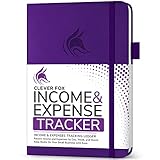
- PERFECT LEDGER BOOK FOR SMALL BUSINESSES: This accounting ledger book for small businesses will help you organize finances, sort and summarize transactions, create balance summaries and set you up for financial success.
- SWITCH TO EFFICIENT & STRESS-FREE ACCOUNTING: This accounting book is undated and lasts a whole year and has 113 pages, including 53 weekly views, an annual summary, empty note pages, and, at the back, a spacious pocket for receipts.
- TAKE CONTROL OF YOUR FINANCES & SUCCEED: With this detailed record of all transactions and totals, you will be able to easily analyze your finances and quickly prepare accurate financial statements.
- COMPACT A5 FORMAT & DURABLE DESIGN: This bookkeeping record book comes in A5 format (5.8 by 8.3 inches) and has an eco-leather hardcover, 120gsm no-bleed paper, elastic, pen loop, bookmark, pocket for notes, and a user guide.
- 60-DAY MONEY-BACK GUARANTEE: We will exchange or refund your receipt book for small business if you aren’t satisfied with your expense tracker notebook for any reason. Reach out to us via message to refund your small business supplies.
Confirm that the specific integration and reimbursement workflow you need are available on the plan you would use. The vendor page does not establish that automation is error-free, and no independent product test is available here.
When a paper ledger is enough
A paper journal or ledger is a legitimate option if transaction volume is manageable and someone can keep entries complete and organized. The IRS allows businesses to choose a recordkeeping system suited to their needs; a physical ledger is simply a way to record transactions, not a substitute for evidence supporting them.
For a paper-first setup, record each transaction consistently and file receipts, invoices, account statements, and other supporting documents so they can be connected to ledger entries. A ledger book will not import bank activity or reconcile an account for you.
Independent reader supportYour contribution helps us test, update, and keep practical guides available for everyone.Keep records that support the expense
For US federal recordkeeping, the IRS says, “You may choose any recordkeeping system suited to your business that clearly shows your income and expenses.” The IRS also identifies supporting documents such as account statements, credit-card sales slips, invoices, receipts, and petty-cash slips. A payment record alone may not establish that a cost qualifies for a deduction. IRS Publication 583, revised December 2024.
Best Value

- PERFECT FOR RECORD KEEPING: The 2 Pack account ledger books are versatile and can be used to track finances, budgets, expenses, and other business or personal records. They are perfect for individuals, or small business owners who need a reliable and efficient way to keep track of their finances. With 100 pages, customers can record transactions over an extended period, making it a handy tool for bill planner, weekly budget planner, monthly budget planner.
- COMPACT AND LIGHTWEIGHT: The Budget Planner is compact and lightweight with each book weighing 7 ounces and measuring 8.5 x 6.25 inch, making them easy to carry around. You can take the budget notebook in a bag or briefcase, making them ideal for on-the-go use. This feature ensures that you can access your records at any time, whether you are at work or on the move.
- PREMIUM QUALITY: Elegant style with the words ''Account Tracker'' embossed in fancy Gold Foils. Water-proof and scratch resistant hard cover. Coil ring binding is a practical design feature that enhances the functionality of the account ledger books. It allows pages to turn smoothly and easily, making it effortless to flip through the book while keeping pages in place. The ring binding also ensures that pages won't fall out, preventing the loss of vital information.
- DURABLE WATER-PROOF COVER WITH GOLD FOIL LETTERS: The words ''Account Tracker'' embossed in shiny Gold Foil letters gives it a professional and fancy look that can fit in any setting. Additionally, the durable cover is scratch resistant, It provides a durable layer of protection that can withstand daily wear and tear, making it suitable for long-term use.
Software can organize transactions and documents, but using an app does not by itself make an expense deductible. Keep enough context and support to substantiate what the expense was and why it was business-related.
The IRS advises keeping records as long as they may be needed to administer the Internal Revenue Code; the appropriate period depends on the return and the event. Employment-tax records must be kept at least four years under the IRS’s current guidance. Do not apply a single retention period to every business record. IRS recordkeeping guidance. These are US federal guidelines; other jurisdictions may have different requirements.
A practical decision
- Choose an accounting-centered option such as QuickBooks or Xero if you want expenses to flow into bookkeeping and reporting.
- Give Xero a closer look if employee claims, approvals, mileage, or project and department reporting are central to your workflow.
- Consider Expensify if collecting and approving employee submissions is a distinct need and its integration fits your accounting setup.
- Use a paper ledger if activity is limited and you can reliably keep records and supporting documents together.
Before committing, map one typical expense from purchase to categorization, receipt storage, approval if relevant, and reporting. Then verify that the chosen product or manual process covers each step at a cost and level of complexity your business can sustain.
Quick Recap
Product prices and availability are accurate as of the date/time indicated and are subject to change. Any price and availability information displayed on Amazon at the time of purchase will apply.




