Fun retrospective templates can make a sprint review feel fresh, but the template is only a prompt. The useful result is a small, agreed improvement the team tries and checks in its next Sprint. Choose an exercise for the conversation you need—action planning, emotional reflection, root-cause analysis, risk mapping, workload reflection or prioritization—rather than assuming one format is best for every team.
What makes a retrospective useful?
A retrospective is a team reflection on how work went and how the team can improve its working practices. Scrum.org describes the Sprint Retrospective as time for the Scrum Team to improve its effectiveness and how it works together: Scrum.org’s overview explains its purpose. The discussion can cover interactions, impediments, the Definition of Done and potential improvements.
A lively activity can help people look at familiar work from a different angle, but there is no established evidence here that one template is objectively more fun or more effective than another. Pick a format that suits the team, then see whether it helps surface useful observations.
How to choose a format
- Generate practical changes: Use Start/Stop/Continue.
- Broaden the reflection: Try 4Ls.
- Discuss reactions: Use Mad/Sad/Glad, with anonymous input if people would find open sharing uncomfortable.
- Map momentum, blockers and risks: Choose Sailboat.
- Investigate a problem: Try Five Whys.
- Move from an event to a response: Use What/So What/Now What.
- Reflect on workload: Try Energy Levels.
- Choose among many ideas: Use Dot Voting.
Also consider the time available, how comfortable the team is with open discussion, and whether participants share a physical room or a digital workspace. These are practical selection criteria, not a tested ranking.
#1 Best Overall
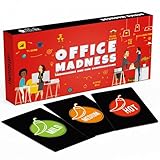
- TEAM BUILDING GAMES FOR WORK: 150 icebreaker question cards that help spark real conversations at business meetings, office lunches, corporate offsites, and retreats, from new hires to executives
- FUNNY CARD GAMES FOR ADULTS: Workplace-friendly humor written for coworkers, these conversation cards for adults help break the ice, get the room laughing, and turn small talk into genuine connection
- 3 LEVELS OF PLAY: Mild, Medium, and Hot decks let you match the mood, start with light get to know you games, move into deeper questions, and dial up the fun as your team gets comfortable
- OFFICE GAMES FOR ANY OCCASION: A go-to pick among office party games and conversation starter cards for team meetings, onboarding, happy hours, holiday parties, and employee engagement activities
- THOUGHTFUL COWORKER GIFT: Packaged in a sturdy giftable box, this conversation game makes a fun choice for team building gifts for employees, work anniversaries, secret santa, and white elephant swaps
18 fun retrospective templates
Action and improvement
1. Start, Stop, Continue
Ask what the team should start doing, stop doing and continue doing. Invite people to add notes under each prompt, then discuss and choose a specific behavior to try. This format is useful when the team wants to turn reflection into actions quickly.
2. One small experiment
Ask each person to suggest one small change the team could test in its next Sprint. Discuss the suggestions and agree on an owner or a clear way to check whether the change happened. Keep the experiment narrow enough to revisit at the next retrospective.
3. Keep, Change, Try
Collect practices the team wants to keep, change or try. “Keep” captures what is worth protecting, “change” names a practice that is not working as intended, and “try” makes room for a new experiment. Group related notes before choosing a next step.
4. What would make next Sprint easier?
Have participants name one thing that would make the next Sprint easier or smoother. Compare responses, identify a shared theme and turn it into an improvement the team can act on.
Reflective and emotional
5. 4Ls
Ask what people Liked, Learned, Lacked and Longed for during the Sprint. The categories invite positive observations, learning and unmet needs. Some versions replace one category with “Loathed,” so explain the wording before people contribute.
Rank #2

- BUILD STRONGER BONDS AND TEAM SPIRIT: Break the ice and inspire meaningful conversation with our Team Building Chips! Designed especially for workplaces, these chips inspire laughter, stories, and shared insights. They’re ideal for fostering collaboration in meetings, work retreats, or casual office settings. There’s something for every team - whether you’re a new team that is just getting to know each other, or an established team that’s ready to delve into deeper conversations.
- 200 PROMPTS, 4 THEMES, 3 LEVELS: This game comes with 100 double sided chips for a total of 200 conversation prompts and endless opportunities for connection! Prompts cover the themes Work & Career, Goals, About You, and Favorites. And the questions are designed to meet everyone’s comfort level, offering a choice of Light, Medium, and Deep prompts.
- THREE WAYS TO PLAY: Enjoy adaptable gameplay with options like Group Sharing, Facilitator’s Choice, or Pick Your Question (see the included instructions booklet for details). Allowing participants to choose what level they feel comfortable sharing at creates an inclusive environment where introverts and extroverts alike can engage in meaningful ways.
- PORTABLE DRAWSTRING BAG: In addition to the sturdy storage box, the game comes with a convenient drawstring bag that makes it easy to transport the chips between meeting rooms or to offsite meetings. Each 2.25” diameter chip is the perfect size to draw out of the bag and read out loud. And the chips are made from thick, matte laminated cardstock to ensure they last for countless years of use!
- FUN AND WORK APPROPRIATE: The 200 thoughtfully curated questions in this game are designed to help coworkers have fun connecting and getting to know each other better. Whether laughing over embarrassing childhood fashion trends, or sharing deeper thoughts on how to grow as a team, you may be surprised at the fun insights and thoughtful discussions that unfold! Suitable for gifting, this game is a great choice for coworkers, teams, managers, and workplace celebrations.
6. Mad, Sad, Glad
Invite the team to name what made them mad, sad or glad. The prompts make emotional reactions discussable alongside practical events. If people are not comfortable sharing openly, collect input anonymously before discussing themes.
7. High, Low, Hope
Ask each person to share a high point, a low point and one hope for the next Sprint. This simple sequence balances what went well with what was difficult and gives the conversation a forward-looking prompt.
8. Appreciation round
Invite participants to recognize a helpful action or contribution from a teammate during the Sprint. Keep the focus on specific behaviors, then move to the team’s improvement topics so appreciation does not replace discussion of problems.
Recommended Free Tools
Visual, narrative and forward-looking
9. Sailboat
Draw a boat heading toward an island or destination. Ask the team to add wind for what propels progress, anchors for what holds it back and rocks for risks ahead. Group similar notes, check that the groupings reflect participants’ meaning, then vote on important themes and develop an outcome.
10. The Sprint as a journey
Ask participants to describe the Sprint as a journey: where the team made progress, where it got stuck and what helped it move forward. Record the concrete events behind each description, then identify a change that could improve the next leg.
Rank #3
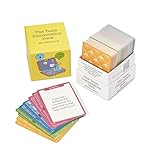
- 100% Work-Safe, Zero Pre-Screening Needed - Every card tested with real teams across all hierarchy levels. No awkward personal questions. No uncomfortable power dynamics. Just meaningful conversations that build trust without crossing professional boundaries.
- 4 Strategic Categories, Choose Your Depth - 160 cards organized by connection level: Light Connection (quick warmups), Deeper Connection (build understanding), Work Connection (strengthen collaboration), Team Connection (develop trust). Color-coded for instant selection.
- Designed for Lasting Impact, Not One-Time Use - Unlike generic decks with recycled content, every question is purpose-built for workplace teams. Deep enough to revisit as your team evolves. Use weekly for years without repetition or eye-rolling.
- Works Anywhere Your Team Meets - Perfect for virtual meetings, in-person workshops, one-on-ones, team offsites, daily standups, or new employee onboarding. Compact box fits in your desk or laptop bag. No facilitator training required.
- Premium Quality for Professional Teams - Durable card stock built for years of use. Standard playing card size (not miniature). From Leader Tools - practical tools for leaders too busy for theory, too smart for generic advice.
11. Weather report
Ask each person to describe the Sprint’s “weather”—for example, clear skies, cloudy patches or a storm—and explain what work event the image represents. Treat the metaphor as an opening prompt, not a substitute for identifying the actual conditions behind it.
12. Timeline rewind
Sketch a timeline of the Sprint and ask people to add moments that affected the work: a decision, blocker, release or change in direction. Discuss why those moments mattered and which are within the team’s influence to improve.
Root cause and learning
13. Five Whys
Start with a specific problem and ask “why?” repeatedly to explore what contributed to it. Atlassian presents five prompts as a guide; not every issue has exactly five causal layers. Stop when the team has identified a useful, actionable cause rather than forcing the count.
14. What, So What, Now What
Move through three questions: What happened? So what was its impact? Now what should the team do next? The sequence helps keep a discussion connected to an event, its consequence and a potential response.
15. Learning review
Ask what the team expected, what actually happened and what it learned from the difference. Use a specific example from the Sprint, then decide whether the learning calls for a change to planning, collaboration or another working practice.
Rank #4
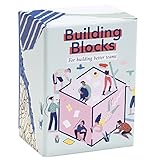
- BUILD TRUST, BUILD A TEAM: 150 questions to help form closer relationships, better communication and remove personal barriers in teamwork. Pick a card. Take turns answering. Get to know each other. Play on ZOOM calls and keep the team close!
- 6 WAYS TO CONNECT & SPARK DISCUSSION: Our deck of cards is divided in 6 categories to make sure every aspect of life is approached: Personal, Team, Education, Hobby, Future and Scenarios. You can either focus on one category you wish to deepen with the people around you, or mix them all.
- FUN & EFFECTIVE TOOL FOR TEAM ENGAGEMENT: Whether you’re management, HR, or just want to get a stronger relationship with coworkers, friends & family, our card game will help you take things to the next level. Ideal for managers, program directors, facilitators, project directors, team leaders, teachers, instructors, etc.
- TEAM BUILDING ACTIVITIES FOR ALL OCCASIONS: With a practical format, you can play anytime, anywhere. Great for meetings, workshops, retreats and get-togethers; there’s never a bad time to strengthen bonds between coworkers, friends, and family.
Workload and prioritization
16. Energy Levels
Sort work into what energized people, what drained them and how they feel about the upcoming Sprint. Look for patterns in the work rather than treating individual reactions as a performance score.
17. Team temperature check
Ask participants to rate how the Sprint felt using a simple scale or visual marker, then invite them to explain what shaped their response. Use the discussion to uncover a concrete source of strain or momentum, rather than treating the rating alone as the result.
18. Dot Voting
After the team has generated improvement ideas, give participants dots or digital votes to mark the ideas they want prioritized. Discuss the highest-priority themes and agree what to act on; voting narrows the list but does not decide the action by itself.
Independent reader supportYour contribution helps us test, update, and keep practical guides available for everyone.How to run the session and leave with an action
- Set up the space. In person, use a whiteboard and sticky notes. For a remote team, use a shared digital whiteboard or online template so everyone can contribute.
- Make room for input. Give participants time to add their observations before the group discusses them. A basic structure is three areas: what went well, what did not go well and what could improve.
- Discuss and clarify. Ask what each note means, group related observations and check the groupings with participants rather than assuming similar wording means the same thing.
- Choose improvements. Order the ideas and agree on one or two improvements for the next Sprint. Scrum.org recommends making suggestions visible in the Sprint Backlog so they remain part of the team’s work.
- Follow up. At the next retrospective, check whether the improvement was tried and what the team learned. A template without follow-through is only a conversation format.
Scrum.org’s example flow uses a whiteboard and sticky notes and includes discussion, agreement, ordering and selection of improvements: How to Facilitate a Sprint Retrospective. Facilitation need not always fall to the Scrum Master; team members can take turns facilitating.
How long should a retrospective take?
There is no single duration that applies to every team or meeting. Scrum.org lists a three-hour timebox for a one-month Sprint in its Sprint Retrospective at a Glance. Atlassian gives a range of 45 minutes to three hours depending on Sprint duration and recommends enough time for meaningful conversation in its retrospective play. Treat these as context-specific guidance, not a universal rule; allow time to discuss themes and choose improvements, not just complete the activity.
The Tool Desk
Outbyte Driver Updater FREEFix the driver behind crashes, sound loss and screen glitchesFind Drivers →Outbyte PC Repair FREEClear out junk files and repair common Windows errorsFree Scan →Quick Recap
Product prices and availability are accurate as of the date/time indicated and are subject to change. Any price and availability information displayed on Amazon at the time of purchase will apply.




