What’s actually slowing this PC down?
Pick the symptom - the matching free tool is one click away.
There is no evidence-based universal safest wallet among Plus Wallet, Ledger, Exodus, and Trust Wallet. They make different trade-offs: Ledger offers a hardware signer designed to keep keys in a Secure Element, while Plus Wallet, Exodus, and Trust Wallet are software self-custody wallets. In every case, your recovery information, device security, and transaction approvals matter. The comparison below reflects product information available as of October 8, 2026; vendor security claims are identified as such.
What makes one crypto wallet safer than another?
Crypto assets are recorded on a blockchain. A wallet manages the keys that let you access those assets and authorize transactions; it does not remove blockchain risks or protect you from every mistake. The practical security question is where the keys are used, who controls recovery, and how carefully you verify each transaction.
- Key exposure: A hardware signer can keep signing keys isolated from an internet-connected phone or computer. With a software wallet, keys are used on the device running the wallet.
- Recovery responsibility: In self-custody, you control the recovery data—and must protect it. Losing it can mean losing access; exposing it can let someone else take control.
- Transaction checks: Device confirmations, app warnings, and other checks can help you catch suspicious activity, but they cannot make an unsafe approval safe.
- Evidence: A vendor’s feature description or audit list is not a guarantee. Audits cover particular components and versions, not every possible risk.
No independent head-to-head security test or comparative loss-rate data for these four wallets is established by the cited materials, so a numerical safety ranking would be misleading.
How the four wallets compare
| Wallet | Custody and key approach | Recovery and security evidence | Notable trade-off |
|---|---|---|---|
| Plus Wallet | Its official site describes an Android and iOS self-custody wallet with multi-chain support and user control of private keys. | The site lists biometric authentication and encrypted backup. It says audits by Hacken and CertiK “will be” conducted; that is prospective language, not evidence of completed audits. | Mobile convenience and stated security features, but the cited public page does not establish completed independent audit results or their scope. |
| Ledger | Ledger describes a hardware-anchored signer: keys stay in a Secure Element, and transactions are confirmed on the device screen. | Ledger says recovery uses a BIP-39 seed phrase by default, with optional hardware- or service-based recovery options. Its comparison page identifies EAL5+ and EAL6+ Secure Element variants by device model. | Device-based signing adds a separate confirmation step, but you still have to secure recovery data and check the transaction details on the device. |
| Exodus | Exodus describes its wallet as self-custody. Its guide says a user-created 12-word secret key controls access. | Exodus says it cannot recover a lost secret key and advises keeping it offline rather than in an unencrypted digital copy. Its guidance recommends hardware wallets for significant holdings. | Its software wallet can be paired with supported hardware, but the software wallet itself is not an offline signer. |
| Trust Wallet | Trust Wallet says it is self-custody and that keys remain on the user’s device. | Its security overview describes AES encryption, device passcode protections, in-app security notifications, and external audits. The published inventory lists component-specific work, including Smart Account reports by Quantstamp in March 2025 and Halborn in April 2025. | The listed audits apply to particular components and dates; they do not establish that every part of the wallet is risk-free. |
Wallet descriptions, compatibility, and audit information above are vendor-published claims, not results of a shared independent test. Ledger’s comparison page, updated July 15, 2026, reports support for 15,000+ assets across 50+ networks; this is Ledger’s own coverage figure and may change.
The Tool Desk
Outbyte PC Repair FREEClear out junk files and repair common Windows errorsFree Scan →Outbyte Driver Updater FREEFix the driver behind crashes, sound loss and screen glitchesFind Drivers →#1 Best Overall

- Effortlessly build your crypto portfolio via the all in one Ledger Wallet app: buy, sell, send, receive, swap, stake and more across popular blockchains. 15,000+ coins & tokens in a single dashboard. Keep a close eye on the market. Compare service providers. Track performance. Get timely alerts. Build your portfolio with confidence.
- Effortlessly build your crypto portfolio via the all in one Ledger Wallet app: buy, sell, send, receive, swap, stake and more across popular blockchains. 15,000+ coins & tokens in a single dashboard. Keep a close eye on the market. Compare service providers. Track performance. Get timely alerts. Build your portfolio with confidence.
- Enjoy Bluetooth connectivity, iOS access, and hours of battery use with this mobile-first, secure backup signer. Freedom you can depend on.
- Genuine Check: confirm your signer is authentic during setup with the Ledger Wallet app.
- Protect your signer: keep it in mint condition at all times with a bespoke Pod or Case to avoid scratches and everyday wear and tear.
Is Ledger safer than Exodus?
For reducing exposure of signing keys to an internet-connected device, Ledger’s hardware architecture offers a meaningful distinction: Ledger says the keys stay in a Secure Element and the transaction is confirmed on the hardware device. Exodus is a software self-custody wallet, although Exodus supports hardware wallets alongside its software wallet.
That does not make Ledger universally safer for every person or situation. A hardware device cannot protect a seed phrase that has been disclosed, and a user can still approve a harmful transaction. Exodus may be more convenient for someone who prefers a software wallet, but its 12-word secret key needs careful offline protection. Exodus says it cannot recover a lost key.
Rank #2

- All your digital assets in one place. You can manage thousands of crypto including Bitcoin, Ethereum, Solana, Tether and more.
- Defend your identity against hackers: secure your online accounts with passwordless, hardware backed, 2FA logins for all your favorite apps and websites.
- Connectivity: USB-C cable connection only. No Bluetooth.Compatible with the Ledger Wallet crypto app, both desktop (Windows, macOS, Linux) and mobile (Android only). Not compatible with iOS.
- Protect your digital assets with the industry's best security: keep your private keys offline in your private signer, battle-tested by the Donjon's white hat hackers, CC EAL 6+ certified Secure Element, constantly updated Ledger OS.
- Effortlessly build your crypto portfolio via the all in one Ledger Wallet app: buy, sell, send, receive, swap, stake and more across popular blockchains. 15,000+ coins & tokens in a single dashboard. Keep a close eye on the market. Compare service providers. Track performance. Get timely alerts. Build your portfolio with confidence.
Exodus’s current getting-started information lists Ledger Nano X and Ledger Flex support on Mobile, and Trezor devices on Desktop. Confirm current device, app, and regional compatibility before relying on a particular combination.
Which wallet fits your use?
Choose a hardware signer when key isolation is a priority
If you hold a significant amount or want signing to require a separate device confirmation, consider a hardware wallet such as Ledger. Exodus itself recommends hardware wallets for significant holdings. This is a risk-reduction option, not a guarantee or a requirement for every user.
PC Slower Than It Used to Be?
A free scan shows the junk files, broken settings and background clutter dragging Windows down - then fixes them in one click.Free scan · Windows 10 & 11Crashes, No Sound, or Screen Glitches?
Random freezes, missing sound and display glitches usually trace back to one bad driver. Find and replace yours safely.Free scan · under a minuteRank #3

- Simply & securely take control of your digital assets and identity with the all-in-one Ledger Wallet crypto app and Ledger Flex touchscreen signer.
- Digital asset control at your fingertips: manage 15,000+ crypto across multiple chains. Earn rewards. Top up & share with ease. Explore DeFi with confidence. Collect and showcase NFTs. Make informed choices with clarity.
- Connect effortlessly with Ledger Wallet: pair your secure Ledger signer with the all in one Ledger Wallet crypto app to manage thousands of digital assets across multiple devices and accounts with Ledger Sync from a single, secure dashboard.
- Cutting-edge design: monitor the market, compare rates, and Clear Sign transactions on the secure, high resolution, 2.8'' E Ink touchscreen.
- This is what security feels like: Ledger touchscreen signers all come with a private, offline, PIN-protected backup, Ledger Recovery Key, to never lose access to your assets.
Consider a software wallet for mobile access and convenience
Plus Wallet, Exodus, and Trust Wallet describe mobile or software self-custody options. Their convenience comes with responsibility: the device and its recovery information become central to protecting access. Review the provider’s current supported chains, recovery process, and security documentation before moving funds.
Evaluate audit claims by scope, not by the word “audited”
Trust Wallet’s published security overview, updated January 20, 2026, lists named, dated reports for particular components, including Smart Account-related work in 2025. That inventory is useful context, but an audit of one component does not certify the entire wallet or eliminate future vulnerabilities.
Rank #4

- Protect your privacy, identity & digital assets while growing your wealth with the all-in-one Ledger Wallet app and this premium touchscreen signer.
- Digital asset control at your fingertips: manage 15,000+ crypto across multiple chains. Earn rewards. Top up & share with ease. Explore DeFi with confidence. Collect and showcase NFTs. Make informed choices with clarity.
- Connect effortlessly with Ledger Wallet: pair your secure Ledger signer with the all in one Ledger Wallet crypto app to manage thousands of digital assets across multiple devices and accounts with Ledger Sync from a single, secure dashboard.
- Award-winning design: confidently monitor the market, compare rates and Clear Sign transactions on the secure high resolution, 3.7'' curved E Ink touchscreen.
- This is what security feels like: Ledger touchscreen signers all come with a private, offline, PIN-protected backup, Ledger Recovery Key, to never lose access to your assets.
Plus Wallet’s official security page says Hacken and CertiK audits “will be” conducted. Based on that public wording, do not treat those audits as completed. The page does not establish their final scope or results.
Independent reader supportYour contribution helps us test, update, and keep practical guides available for everyone.How to reduce risk with any self-custody wallet
- Protect the recovery phrase or key offline. Ethereum.org’s security guidance says never to share a recovery phrase or private key, and that no legitimate support agent should ask for one. Exodus likewise advises offline storage and warns against an unencrypted digital copy.
- Secure the device and wallet access. Use a strong device passcode, keep the operating system and wallet software current, and use biometric or app protections where available. These reduce selected risks; they do not replace recovery-phrase security.
- Verify every transaction before approving it. Check the destination, amount, network, and permissions being requested. Be cautious with unfamiliar links, QR codes, and messages claiming to be support.
- Keep recovery and account security distinct. Exodus says its locally stored wallet data does not support conventional two-factor authentication. Use strong authentication on related accounts such as email, but do not confuse that protection with control of a self-custody wallet’s keys.
- Test your recovery plan before relying on it. Make sure you understand the provider’s recovery steps and can access the information you need without exposing it to another person or an untrusted site.
What to take from the comparison
Choose based on the risks you want to reduce. Ledger’s hardware signer is the clearest option here for keeping signing keys off an internet-connected phone or computer. Exodus and Trust Wallet describe software self-custody protections, while Plus Wallet describes mobile security features and prospective audits. None removes the need to safeguard recovery information and scrutinize approvals.
Quick Recap
Best Value
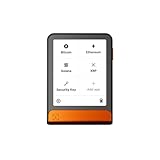
- Simply & securely take control of your digital assets and identity with the all-in-one Ledger Wallet crypto app and Ledger Flex touchscreen signer.
- Digital asset control at your fingertips: manage 15,000+ crypto across multiple chains. Earn rewards. Top up & share with ease. Explore DeFi with confidence. Collect and showcase NFTs. Make informed choices with clarity.
- Connect effortlessly with Ledger Wallet: pair your secure Ledger signer with the all in one Ledger Wallet crypto app to manage thousands of digital assets across multiple devices and accounts with Ledger Sync from a single, secure dashboard.
- Cutting-edge design: monitor the market, compare rates, and Clear Sign transactions on the secure, high resolution, 2.8'' E Ink touchscreen.
- This is what security feels like: Ledger touchscreen signers all come with a private, offline, PIN-protected backup, Ledger Recovery Key, to never lose access to your assets.
Product prices and availability are accurate as of the date/time indicated and are subject to change. Any price and availability information displayed on Amazon at the time of purchase will apply.




