Do these 3 things before closing this tab:
1Clear out junk files and repair common Windows errors2Scan for outdated or missing drivers - takes under a minute3Repair Windows errors before they cause bigger problemsMagento’s native Table Rates let you charge different shipping amounts by destination and one cart variable: weight, order subtotal, or item count. The feature is included in both Magento Open Source and Adobe Commerce, requires no carrier account, and is configured per website.
The reliable workflow is: select the correct website scope, choose a condition, export Magento’s condition-specific CSV template, populate and import it, save the configuration, and test checkout at threshold and destination boundaries.
As an Amazon Associate I earn from qualifying purchases.
What Magento Table Rates can and cannot do
Table Rates use a merchant-maintained CSV matrix instead of requesting a live quote from a carrier. Magento compares the customer’s destination—country, region or state, and ZIP or postal code—with one selected cart condition, then returns the matching shipping price.
Quick wins for a faster PC:
Scan for outdated or missing drivers - takes under a minuteDriver Scan →Repair Windows errors before they cause bigger problemsFix Now →Fix the driver behind crashes, sound loss and screen glitchesFind Drivers →The native method supports three conditions:
| Condition | Best for | Limitation |
|---|---|---|
| Weight vs. Destination | Rates that increase with product or order weight | Requires accurate product weights and a consistent weight unit |
| Price vs. Destination | Subtotal tiers and free-shipping thresholds | Confirm how discounts, tax, and virtual products affect the calculated amount |
| Number of Items vs. Destination | Per-item or quantity-based policies | Item count may not reflect package size or carrier cost |
Only one of these conditions can drive a native table at a time. Magento does not natively combine weight, subtotal, and item count in one table. Native Table Rates also do not provide live carrier quotes, dimensional-weight calculations, delivery estimates, customer-group rules, or ZIP-code ranges. Adobe’s current documentation says native postal-code matching supports a wildcard or a single specific postal code, not a range.
#1 Best Overall
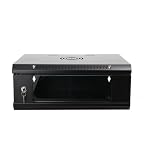
- 『Network Organizer』: Do you find a suitable storage device for multi server in home or office? Our network cabinet is specially designed to keep network accessories in order. We provide 2U/4U/9U/15U server cabinets, you can choose any size according to your needs.
- 『Better Heat Dissipation』: The vents on the server rack cabinet speed up airflow level and reduce IT equipment's overheating. And the top cooling fan holes to increase wall mount server rack's cooling performance.
- 『Safe Server Case』: The reinforced tempered glass door on the network rack wall mount makes you clear to see all network equipments. Besides, the key can ensure the security of data and equipment. Our wall mount server rack is ideal for use in public places such as office, school and factories.
- 『Durable Network Enclosure』: Crafted from cold-rolled steel and powder coated with black finishing surface, the wall mount network rack is sturdy and not easy to deform, providing a long service life.
- 『Easy to Assemble』: Our wall mount server cabinet has all accessories in a package, and the item structure is very simple, you can install it quickly.
Table Rate configuration is website-scoped rather than simply global. A multisite installation can therefore have different settings and tables for different websites. Exact field labels can vary slightly by Magento release, theme, and administrative customization.
For the current Adobe Commerce and Magento Open Source workflow, see Adobe’s Table Rate documentation.
Before you begin
- Admin access with permission to change configuration.
- A configured website and store structure. Magento’s hierarchy is website, store, then store view; shipping settings commonly apply at the website level. See Adobe’s scope documentation.
- Your shipping origin and allowed destination countries.
- Accurate product weights if you will use Weight vs. Destination.
- A written rate policy, including fallback rates and threshold behavior.
- A spreadsheet editor that can save an uncorrupted CSV file.
- Test products, including a physical product and, if relevant, a virtual product.
- Test addresses for exact, wildcard, restricted, and unsupported destinations.
Step 1: Open and configure Table Rates
- In the Admin, go to Stores > Settings > Configuration.
- Open Sales > Delivery Methods.
- Expand Table Rates.
- Use the scope selector in the upper-left corner to choose the target website, such as Main Website. Do this before exporting or importing the table.
- If a setting is locked, clear Use system value before editing it.
Configure the method fields as follows:
| Field | What it controls |
|---|---|
| Enabled | Turns Table Rates on or off for the selected website |
| Title | The shipping-method group heading shown during checkout |
| Method Name | The label shown beside the calculated rate |
| Condition | Weight, price, or number of items—the one variable used by this table |
| Include Virtual Products in Price Calculation | Determines whether virtual products count for applicable price- or item-based calculations |
| Calculate Handling Fee | Applies a fixed or percentage handling charge |
| Handling Fee | The amount or percentage to add to the table rate |
| Ship to Applicable Countries | Allows all configured countries or restricts shipping to selected countries |
| Show Method if Not Applicable | Controls whether the method remains visible when no usable rate exists |
| Sort Order | Controls the method’s position relative to other shipping methods |
Handling fees can be calculated as a fixed amount or a percentage and may be applied per order or per package, depending on the available configuration. Check the checkout total: the CSV price is not necessarily the final amount because handling fees and tax can change what the shopper pays. Adobe’s configuration reference is available at Delivery Methods configuration.
What’s actually slowing this PC down?
Pick the symptom - the matching free tool is one click away.
Step 2: Export the correct CSV template
Select the condition first, then click Export CSV. Magento downloads a template, often named something like tablerates.csv.
Rank #2

- [Size]: 25" H x 22.4" W x 17.7" D. Total Usable Space of 13.75" front to back.
- [Heavy Duty]: Tedgetal SE series wall mount cabinet is made from SPCC cold-rolled steel with maximum loading capacity of 133lbs(60kgs) for equipments.
- [Security and Protection]: Locking front door and side panel prevent unauthorized access to equipments.
- [Easy Access]: Quick open side panel for easy maintenance.
- [Warranty]: 3 years limited warranty and lifetime technical supports.
Use the exported file as the authoritative format for your installation. Do not create the headers from memory or reuse a file built for a different condition. The threshold column changes depending on whether the table uses weight, subtotal, or item count, and labels can vary by version.
A typical file contains columns similar to:
Country,Region/State,Zip/Postal Code,[Condition Value],Shipping PriceStep 3: Fill out the CSV correctly
Destination fields
- Use a valid three-character country code in the Country column.
- Use a valid region or state value where required.
- Use
*to match all values in a destination field. - Native Table Rates do not support ZIP or postal-code ranges. Use a wildcard or an individual postal code.
Threshold and price fields
Enter the threshold in the condition column and the merchant-defined shipping amount in Shipping Price. Keep numeric values free of currency symbols and thousands separators. Adobe specifies that weight and related threshold values may contain no more than four decimal places.
Threshold rows should be designed deliberately. For a tier that applies at $50 and above, include a row with 50; for the lowest tier, include an appropriate baseline such as 0. Test values just below, exactly at, and just above every threshold.
Free tools Windows power users keep installed
One-click scans. No signup required.
Specific destinations before wildcard destinations
Organize the table from most specific to least specific:
Rank #3

- 📎 Rugged & Durable: The structure and finish of the server cabinet are built to perfection. The lock-in electronics/data cabinet is constructed of SPCC cold-rolled steel with a black powder coat finish that makes the 6U cabinet resistant to scratches and rust.
- 📎 Efficient Storage: Wall-mounted server cabinet is a must-have for anyone who needs to manage servers efficiently. The removable top panel allows for cable management, the removable and lockable side panels make it easy to organize your cables and protect your equipment.
- 📎 Ventilation Design: There are ventilation holes on the top and front door of the 12U server cabinet, and mesh design on the sides to increase airflow and prevent equipment from overheating.
- 📎 Adjustable Rails: Adjustable mounting rails and square rack holes for easy equipment installation, suitable for routers, switches, and AV/video equipment, etc.
- 📎 Comply with EIA-310-E, IEC297-2, DIN41491, PART1, DIN41494, PART7, GB/T3047.2-92 standards, compatible with ETSI standards.
- Exact country, region, and postal code.
- Country and region with a wildcard postal code.
- Country-wide rows with wildcard region and postal code.
- Broader fallback rows.
Adobe recommends placing specific regions or states before wildcard locations. Avoid overlapping rows with the same specificity and threshold. Do not rely on an assumption that the first visually convenient row always wins across every Magento version or implementation.
Price-based example
This illustrative table charges different subtotal-based rates for Alaska and Hawaii. The exact header must come from your exported Magento file.
Country,Region/State,Zip/Postal Code,Order Subtotal (and above),Shipping Price
USA,HI,*,100,10.00
USA,HI,*,50,15.00
USA,HI,*,0,20.00
USA,AK,*,100,10.00
USA,AK,*,50,15.00
USA,AK,*,0,20.00
USA,*,*,100,5.00
USA,*,*,50,10.00
USA,*,*,0,15.00
Weight-based example
Country,Region/State,Zip/Postal Code,Weight (and above),Shipping Price
USA,CA,*,0,8.00
USA,CA,*,5,12.00
USA,CA,*,10,18.00
USA,*,*,0,12.00
USA,*,*,5,16.00
USA,*,*,10,24.00
Item-count example
Country,Region/State,Zip/Postal Code,Number of Items (and above),Shipping Price
USA,*,*,0,6.00
USA,*,*,3,9.00
USA,*,*,6,14.00
Save the CSV safely
- Keep the file in CSV format, not XLSX.
- Preserve leading zeros in ZIP and postal codes.
- Keep the expected comma delimiter.
- Do not rename headers or add unsupported columns.
- Remove blank or malformed rows.
- Reopen the saved file in a plain-text editor if import fails.
Step 4: Import the table
- Return to Stores > Settings > Configuration > Sales > Delivery Methods > Table Rates.
- Confirm that the same target website is selected.
- Choose the completed CSV in Import.
- Click Save Config.
Importing replaces the active native Table Rate dataset for that website; Magento does not maintain multiple independent native tables for the same scope. Keep a dated backup of the previous CSV before replacing it.
Step 5: Test the rates at checkout
Use the cart shipping estimator and complete enough of checkout to confirm the result. Test this matrix:
Rank #4

- Entry-level NAS Personal Storage:UGREEN NAS DH2300 is your first and best NAS made easy. It is designed for beginners who want a simple, private way to store videos, photos and personal files, which is intuitive for users moving from cloud storage or external drives and move away from scattered date across devices. This entry-level NAS 2-bay perfect for personal entertainment, photo storage, and easy data backup (doesn't support Docker or virtual machines).
- Set Your Devices Free, Expand Your Digital World: This unified storage hub supports massive capacity up to 64TB.*Storage drives not included. Stop Deleting, Start Storing. You can store 22 million 3MB images, or 2 million 30MB songs, or 43K 1.5GB movies or 67 million 1MB documents! UGREEN NAS is a better way to free up storage across all your devices such as phones, computers, tablets and also does automatic backups across devices regardless of the operating system—Window, iOS, Android or macOS.
- The Smarter Long-term Way to Store: Unlike cloud storage with recurring monthly fees, a UGREEN NAS enclosure requires only a one-time purchase for long-term use. For example, you only need to pay $459.98 for a NAS, while for cloud storage, you need to pay $719.88 per year, $2,159.64 for 3 years, $3,599.40 for 5 years. You will save $6,738.82 over 10 years with UGREEN NAS! *NAS cost based on DH2300 + 12TB HDD; cloud cost based on 12TB plan (e.g. $59.99/month).
- Blazing Speed, Minimal Power: Equipped with a high-performance processor, 1GbE port, and 4GB RAM on Board, this NAS handles multiple tasks with ease. File transfers reach up to 125MB/s—a 1GB file takes only 8 seconds. Don't let slow clouds hold you back; they often need over 100 seconds for the same task. The difference is clear.
- Let AI Better Organize Your Memories: UGREEN NAS uses AI to tag faces, locations, texts, and objects—so you can effortlessly find any photo by searching for who or what's in it in seconds. It also automatically finds and deletes similar or duplicate photo, backs up live photos and allows you to share them with your friends or family with just one tap. Everything stays effortlessly organized, powered by intelligent tagging and recognition.
| Test | Purpose |
|---|---|
| Exact state or postal-code match | Confirms the specific rule is used |
| Wildcard-only destination | Confirms the fallback row works |
| Just below a threshold | Catches missing or incorrectly ordered tiers |
| Exactly at a threshold | Confirms “and above” behavior |
| Just above a threshold | Confirms the next tier activates correctly |
| Multiple physical products | Checks total weight or item count |
| Physical plus virtual product | Checks the virtual-product inclusion setting |
| Cart above the highest threshold | Confirms a usable high-end or fallback rate exists |
| Restricted or unsupported country | Confirms the method is hidden or unavailable as intended |
| Another shipping method enabled | Confirms labels and sort order |
For automated regression testing, developers can use Magento’s shipping estimation endpoints, including POST /rest/<store_code>/V1/carts/mine/estimate-shipping-methods and POST /rest/<store_code>/V1/carts/mine/shipping-information. These are optional; ordinary Admin setup does not require them. See Adobe’s REST checkout documentation.
Troubleshooting Table Rates
The method does not appear
- Confirm Table Rates is enabled.
- Confirm the storefront belongs to the website where the table was imported.
- Check that the destination country is allowed.
- Verify that the CSV contains a matching country, region, and postal-code row.
- Confirm that the cart meets a configured threshold.
- Review Show Method if Not Applicable.
- Check product weights for weight-based tables.
- Check for checkout customizations or other shipping restrictions.
- Apply and verify configuration changes, then refresh relevant cache if necessary.
Cache refresh cannot repair a bad country code, incorrect website scope, unsupported postal-code range, or nonmatching row.
The CSV import fails
- Use valid three-character country codes.
- Match the exported headers exactly.
- Make sure the selected condition matches the threshold column.
- Remove currency symbols and thousands separators from numeric fields.
- Limit threshold precision to four decimal places.
- Confirm the file is CSV rather than XLSX.
- Check that spreadsheet software did not alter postal codes.
- Remove blank and malformed rows.
- Verify the expected delimiter and encoding.
The wrong rate is selected
Look for overlapping wildcard rows, broad rows placed before specific rows, missing baseline thresholds, incorrect country or state values, and imports made under another website. Simplify the table, add explicit fallback rows, sort specific locations first, and test one condition at a time.
PC Slower Than It Used to Be?
A free scan shows the junk files, broken settings and background clutter dragging Windows down - then fixes them in one click.Free scan · Windows 10 & 11Outdated Drivers Are Slowing You Down
One free scan finds every outdated or missing driver and matches the right update for your exact hardware.Free scan · exact hardware matchThe rate is correct but the checkout total is higher
Inspect the fixed or percentage handling fee, whether it applies per order or package, tax configuration, shipping taxability, and any extension that adds another charge. The CSV amount is the table rate, not necessarily the final checkout charge.
Best Value
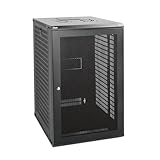
- Sturdy Construction: Made of high quality cold rolled steel, supports up to 110lbs (50kg), providing a durable resilient base for your IT equipment
- Ventilation and Security: One-built-in top fan(with power cable) and flow through mesh doors to prevent overheating of the network rack
- Easy equipment configuration: Fully adjustable mounting rails and numbered U positions, with square holes for easy equipment mounting with top and bottom punchout panels for easy cable access.The inner mountable depth is 14.2inch
- Convenient Design: Reversible front door,can be installed on either side to satisfy your door swing orientation preference. Removable top and bottom panels for easy cable management. Compact design of 21.65"Lx17.72"Dx34.76"H and 16inch apart mounting holes are to accommodate stud placement
- Safety& Compliance: PCI & HIPPA and EIA/ECA-310-E compliant for the server rack cabinet
Postal-code ranges do not work
This is expected with native Magento Table Rates. Use a wildcard or individual postal-code rows, or use an extension that explicitly adds range support.
Virtual products change the tier unexpectedly
Review Include Virtual Products in Price Calculation. Virtual products normally have no physical weight, but they can affect price- or item-count-based calculations when inclusion is enabled. Test a cart containing both physical and virtual products.
When native Table Rates are enough—and when they are not
| Need | Best fit | Reason |
|---|---|---|
| One destination-plus-weight, price, or item-count table | Native Table Rates | Included, offline, and does not require a carrier account |
| Postcode ranges, customer groups, shipping groups, or multiple tables | Third-party extension | These rules exceed the native method |
| Dimensions, volumetric weight, delivery estimates, or complex exclusions | Extension or custom shipping module | Native CSV rules do not model these inputs |
| Current carrier prices, service levels, packaging, or negotiated rates | Live carrier integration or shipping platform | Table Rates are merchant-defined, not real-time quotes |
Extensions add capabilities but also introduce compatibility, upgrade, security, and maintenance considerations. Before installing one, verify the Magento and PHP versions, Open Source versus Adobe Commerce edition, Luma or Hyvä checkout compatibility, API or GraphQL needs, multi-source inventory behavior, and support and renewal terms.
Live carrier integrations similarly require account credentials and can be affected by carrier API changes or outages. Availability varies by Magento release and carrier policy; consult Adobe’s current delivery-method documentation before relying on a particular integration.
Practical examples
Free shipping above a subtotal
To offer free shipping only in selected countries, configure:
- Condition: Price v. Destination
- Method Name: Free Shipping
- Ship to Applicable Countries: Specific Countries
- Show Method if Not Applicable: No
- A zero-price row at the qualifying subtotal for each permitted destination
Test both an order just below the threshold and one exactly at it.
Different rates for Alaska and Hawaii
Place Alaska and Hawaii rows before the country-wide U.S. fallback rows. Use wildcard postal codes when the state-level rate applies everywhere in that state. Do not use a ZIP range to approximate the states; native Table Rates do not support ranges.
The Tool Desk
Outbyte PC Repair FREEClear out junk files and repair common Windows errorsFree Scan →Outbyte Driver Updater FREEScan for outdated or missing drivers - takes under a minuteDriver Scan →Quick Recap
Frequently overlooked details
- The table is tied to a website, so a correct CSV can appear ineffective if imported under the wrong scope.
- The exported template is safer than a copied tutorial because its condition-specific header and formatting match the installation.
- Specific destination rows should precede wildcard rows.
- Virtual products can affect subtotal- and item-count-based rules.
- Handling fees and tax can make the checkout amount differ from the CSV price.
- A missing
0threshold or missing high-end fallback can make a method disappear for otherwise valid carts.
Product prices and availability are accurate as of the date/time indicated and are subject to change. Any price and availability information displayed on Amazon at the time of purchase will apply.




