Free tools Windows power users keep installed
One-click scans. No signup required.
Maxim Integrated Products announced on April 12, 2010, that it would acquire privately held Teridian Semiconductor for approximately $315 million in cash. The agreement was signed on April 9, and the acquisition closed on May 11, 2010. Maxim’s fiscal 2010 filing later recorded total cash consideration of $314.9 million.
Deal timeline and price
| Milestone | Date or amount | What it means |
|---|---|---|
| Merger agreement | April 9, 2010 | Maxim and Teridian entered into the agreement. |
| Public announcement | April 12, 2010 | Maxim announced the proposed cash acquisition for approximately $315 million. |
| Completion | May 11, 2010 | Maxim completed the acquisition; its completion filing described approximately $315 million in consideration, subject to a post-closing adjustment, with part held in escrow. |
| Recorded consideration | $314.9 million | Maxim reported this total cash consideration in its fiscal 2010 filing. |
The announced figure and the later accounting figure describe the same transaction at different stages: the announcement rounded the proposed price, while the fiscal-year filing reported the recorded cash consideration.
What Teridian did
Teridian was a fabless mixed-signal semiconductor company focused on electricity metering and energy measurement for smart-grid applications. Its system-on-chip products combined an analog front end, a microcontroller, and a display driver for smart meters.
Why Maxim wanted the company
Maxim said the acquisition would strengthen its position in smart-meter energy measurement and communications. It also expected the deal to help accelerate sales into that market of Maxim products for power management, real-time clocks, interfaces, and security.
#1 Best Overall

- Multi-function power monitor: Our electric usage monitor can monitor the power (W), electricity(kWh), voltage(V), frequency(Hz), current(A), power factor(PF), unit price($/kWh), total cost($) of your appliances. By switching 8 display modes, you can easily know the various parameters while the appliance is working. The “electricity” mode can calculate and display how much power your appliance uses. And the “total cost” mode will show how much electricity bill it cost in cumulative time
- Overload protection: When the loading power of the appliance is over the default overload threshold 1800W, the whole display with backlight and the word “OVERLOAD” will keep flashing to warn the users. Please turn off the appliance for safety concern
- Premium Material: The whole body of our energy meter is made of high-quality ABS material. It makes our home electricity usage monitor more long lasting, fireproof and anti-drop. The standard US socket and plug is suitable for all US standard appliances
- Backlight Display: With white backlight and black words, the LCD display of our home power monitor can display the data clearer and help you to read the data easier no matter day or night. The backlight will only lights up when the device is connected to AC power. If no button is pressed, the backlight turns off automatically after 10 minutes. You can also press the "UP" button to turn off the backlight manually, and press any button to turn on backlight again
- Easy to reset: No reset tool needed, our appliance power usage meter is easy to reset. You can press the “M” button for 5 seconds directly to reset the device. After reset, all cumulative data (electricity quantity, cost) will be cleared, and all settings will be restored to factory settings
Maxim’s April 2010 announcement claimed Teridian had “50% share in the fast growing system-on-chip (SoC) energy measurement market.” That was Maxim’s characterization at the time, not independently established market-share data in the cited company filings and release.
What happened to the companies and products
Analog Devices completed its acquisition of Maxim on August 26, 2021. ADI’s product documentation still describes Teridian’s 71M6513 three-phase energy-meter IC family, but identifies the IC as obsolete. ADI also documents a 71M6513H-DB evaluation board for engineering evaluation; that documentation does not establish current availability, so engineers considering it for legacy work should verify lifecycle status and stock.
Quick Recap
Best Value
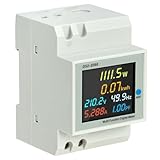
- 6-IN-1 MULTIFUNCTIONAL MONITORING: Simultaneously tracks AC voltage (40-300V), current (0-100A), active power (0-30000W), energy (0-99999kWh), frequency, and power factor on one vibrant interface.
- VIVID COLOR LCD DISPLAY: Engineered with a 178-degree wide viewing angle and HD backlight, the screen ensures clear visibility of all parameters from any side, even in dark electrical cabinets.
- AUTOMATIC DATA STORAGE: Features a built-in memory function that saves cumulative electricity data during power outages. Encased in a flame-retardant ABS shell for reliable and safe operation.
- BROAD COMPATIBILITY: Supports non-standard sine wave measurements from inverters, making it perfect for solar systems and DIY power setups. Includes a built-in CT for streamlined wiring.
- SIMPLE RESET & INSTALLATION: Easily clear kWh data by holding the reset button for 5 seconds. Designed for standard 35mm DIN rail mounting, ensuring a quick and secure fit in distribution boxes.
Rank #4

- Easy Installation: This digital energy meter is designed for simple installation in standard form 2S socket bases, making it ideal for RV, garage, and workshop electrical upgrades. The single-phase 120/240V design fits common power systems, allowing fast wiring into a breaker panel, meter box, or sub-panel without special tool. Its labeled terminals simplify connecting line, load, and neutral so you can begin monitoring kWh usage immediately through the bright LCD. Perfect for DIY users and professionals seeking reliable electric setup. The ANSI 2S 4-jaw fit ensures a quick snap-in install, while the Pulse and Reverse LEDs give instant confirmation of correct wiring & active meter operation.
- Sub-Metering: This digital smart meter is designed for sub-metering applications, allowing power usage to be separated across tenants, workshops, RV pads, and small apartments. Installed on a sub-panel, it measures energy consumption in accurate kWh, enabling fair cost allocation for rental units or individual circuits. Its solid-state electronic design reliably supports tools, heaters, and other electrical loads while providing clear digital readings for billing and monitoring. Suitable for rental homes, garages, and outbuildings, it delivers dependable usage data. Pulse output & Modbus communication allow simple system integration, and EEPROM memory helps retain data during power outages.
- Solar Monitoring: This digital energy meter is a powerful tool for solar users who need precise import/export kWh monitoring. Installed between inverter and home or between charger and battery, it reveals real-time power flow, electricity draw, and total system consumption. The bright LCD shows solar output trends clearly, helping users evaluate panel performance, balance loads, and size future wattage upgrades. Ideal for hybrid off-grid systems, cabins, RV conversions, and backup power configurations where accurate energy visibility is essential. The Reverse-flow LED provides quick detection of solar backfeed or polarity issues, helping users verify inverter behavior and system safety.
- Multi-Scenario Use: This meter adapts to RV parks, mobile homes, cabins, garages, remote buildings, and light industrial spaces. The 120/240V single-phase configuration fits standard electrical systems and installs easily in a meter box, breaker panel, or outdoor socket. It reliably measures power for welders, compressors, HVAC units, chargers and other heavy loads. The bright LCD display and accurate kWh tracking make it a multifunctional monitoring solution for nearly any environment that needs dependable electricity usage insight. Its solid-state design tolerates harsh environmental conditions, and the IR port allows technicians to check or adjust meter settings without opening the panel.
- Reliable Performance: Built to address reliability concerns seen, this solid-state electronic design delivers long-term stability for 60Hz residential and light industrial systems. It withstands electrical fluctuations from motors, pumps, and HVAC units without losing kWh accuracy. The sealed housing protects circuitry when used in a proper box or panel, ensuring consistent energy monitoring across temperature and humidity changes. For users frustrated by early failures, this meter offers dependable operation in any electric power environment. EEPROM storage keeps essential usage data through power cycles, while the Pulse LED provides a quick way to confirm proper meter function.
Rank #3
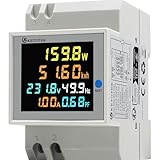
- Energy Meter 6 in 1: Voltage measuring range: AC 40-300V, Current measuring range: 0-100A, Active power: 0-30000W, Electric energy: 0-99999kWh, Frequency: 45-65Hz, Power factor: 0.00-1.00PF.
- Data Storage & Reset: 1. The electricity consumption data will be stored when power off. 2. Press the reset button for 5s, this kwh usage meter will be reseted.
- Safe & High Precision: This single phase power consumption meter features high quality ABS flame resistant material and percision chip, making it safe to use.
- Better Visual Experience: Colorful LCD HD display, 178° viewing without dead angle, with backlight function, this ac power meter single phase is clearly visible whatever day or night.
- Electricity Usage Monitor: Real-time monitoring of home's electricity consumption to help you lower power consumption. This energy meter can be used to measure non-standard sine wave from inverter.
Rank #2

- Various Monitoring Parameters: The power meter plug can monitor the power (W), energy (kWh), volts, amps, hertz, power factor, cost, minimum and maximum power (W), cumulative days and time of your appliances. By switching 7 display modes, you can easily know the various parameters while the appliance is working. The home energy monitor can also calculate and display how much power your appliance uses and how much electricity bill it cost in cumulative time
- Upgraded LCD Display: With large screen size 2.36 inch x 1.85 inch, clearer monitor backlit, our electrical usage monitor can display the data clearer and more visible no matter day or night. 180°full wide viewing angles is great for reading and recording the data in any angles. No need to stand on the front of the display and bend over to read the numbers
- Adjustable Backlight Time: Our upgraded watt meter has 5 options of backlight time. The default backlight time duration is 10 minutes(bL-0). If you want to change the backlight time, you can press and hold "UP" and "DOWN" button at the same time to enter backlight time setting, then press "UP" and "DOWN" to select the backlight time (bL-0 =10 minutes, bL-1=1 hour, bL-2=4 hours, bL-3=8 hours, bL-4=always on), finally press the "COST" to save the backlight time settings
- Overload protection: When the power of the appliance exceeds the overload power, the LCD will display “OVERLOAD” to warn the user. All the buttons will quit working and can only be workable when you lower or remove the load power. The default overload power is 3680W and is adjustable from 0 to 3680W. In general, you need to set the overload power to 1800W before using. Just press the "function" button for more than 3 seconds to enter the setting
- Data Memory Function: The wattage meter will record your power consumption data when you remove it from socket, or remove appliances from the electricity monitor. You can directly see the last data when you use it next time. This function can also automatically save the data when there is a sudden power failure
Product prices and availability are accurate as of the date/time indicated and are subject to change. Any price and availability information displayed on Amazon at the time of purchase will apply.
Independent reader supportYour contribution helps us test, update, and keep practical guides available for everyone.



