Crashes, No Sound, or Screen Glitches?
Random freezes, missing sound and display glitches usually trace back to one bad driver. Find and replace yours safely.Free scan · under a minutePC Slower Than It Used to Be?
A free scan shows the junk files, broken settings and background clutter dragging Windows down - then fixes them in one click.Free scan · Windows 10 & 11The July 4, 2026 laptop-sale window has passed, so its advertised prices should not be treated as live. As of August 18, the relevant shopping window is back-to-school: Best Buy, Dell, Walmart and Lenovo have current deal pages, but prices and stock can change and need checking at checkout. This US-focused guide explains how to assess those offers without presenting unverified listings as current deals.
Are July 4 laptop deals still live?
There is no reliable basis for calling July 4 offers live on August 18. DealNews coverage placed many promotions around July 5–6, and a July 6 roundup warned that offers might not last beyond the holiday weekend. See DealNews’ July 4 computer-deal archive and the July 6 syndicated roundup. Those historical prices are not a substitute for checking a product page now.

As an Amazon Associate I earn from qualifying purchases.
The current seasonal pages are Best Buy’s back-to-school laptop deals, Dell’s back-to-school deals, Walmart’s back-to-school technology listings and Lenovo’s rotating laptop promotions. These are useful places to look, not a verified list of particular models, prices, stock or delivery dates. The available information does not establish an exact SKU-level deal list checked on August 18, so no individual laptop can responsibly be called the best live offer here.
Do these 3 things before closing this tab:
1Repair Windows errors before they cause bigger problems2Fix the driver behind crashes, sound loss and screen glitches3Clear out junk files and repair common Windows errorsWhere to look for current laptop offers
| Retailer | What its deal page can help you find | What to verify |
|---|---|---|
| Best Buy | Windows laptops, MacBooks, Chromebooks, gaming systems and open-box listings; some products may offer local pickup. | Exact configuration, whether it is new or open-box, seller, pickup or delivery availability, and return terms. Browse the deal page. |
| Dell | Direct configurations, business and premium models, and student-related offers. | Final cart price, configuration and whether a benefit requires student verification or Dell Rewards. The page showed some student-related eligibility requirements; not every shopper qualifies. View Dell back-to-school deals or Dell laptop deals. |
| Walmart | Budget Windows laptops, Chromebooks and back-to-school listings. | Whether Walmart or a marketplace seller is selling and shipping the laptop, plus warranty, return terms and the exact RAM, storage and processor. Search-indexed prices are not a guarantee of current availability. Back-to-school tech, back-to-college tech and top laptop deals. |
| Lenovo | ThinkPad, Yoga, IdeaPad and Legion configurations, sometimes with coupon-based pricing. | Whether a code applies to that specific configuration and whether the advertised price remains in the cart. Check Lenovo’s weekly laptop offers. |
What makes a laptop deal worth buying?
Judge the machine and its final price together, not by the size of the advertised markdown. For a general-purpose Windows laptop, a practical target is 16GB of RAM, a 512GB SSD, a recent Intel Core/Core Ultra, AMD Ryzen or Snapdragon X processor, and a Full HD-or-better screen. Also check USB-C capability, Wi-Fi 6 or newer where available, webcam and microphone quality, and whether you need a USB-A port for older accessories.
#1 Best Overall

- 【Efficient 4-Core Processor】Power through your day with an Intel Celeron N150 processor (Beat i3 Turbo Boost), this HP laptop ensures faster performance and smoother operation for everyday tasks—easily managing 20+ browser tabs, HD video calls, video editing, and casual gaming without slowdowns.
- 【Store More, Load Faster】Enjoy seamless multitasking with 4GB DDR4 RAM. The laptop also features 128GB UFS storage, providing plenty of space for documents, photos, and apps. Unlike traditional laptops, its energy-efficient design provides all-day battery life and with a 45W PD fast charger, ensures you stay productive on the go.
- 【Immersive & Portable】With a HD BrightView screen (1366x768) , this HP 14-inch laptop offers an immersive viewing experience, showcasing stunning contrast and razor-sharp details, while its anti-glare coating helps reduce eye strain. Perfect for business professionals, college students, and gamers—all packed in a sleek, lightweight design.
- 【Humanized Design】Equipped with a premium WiFi 6 for blazing-fast internet and 1-Year Microsoft 365 Copilot AI, users benefit from this notebook intelligently assists with tasks, boosts productivity, and streamlines workflows, making it a reliable choice for office computer laptops, college laptops and gaming laptops alike.
- 【Operating System】Ideal for students and families, this HP laptop comes ready to use with Windows 11, combimes security, efficiency, and portability, making it a versatile choice for both study sessions and home entertainment.
Broad price guides from July sale coverage put a mainstream Windows laptop with 16GB RAM and a 512GB SSD around $450–$750, a premium Windows ultrabook around $750–$1,000, and a MacBook Air around $800–$1,100 depending on generation and configuration. These are rough historical deal thresholds, not verified August 18 prices or guarantees of value. The July coverage also suggested roughly $650–$800 for a heavily discounted RTX 4050 gaming laptop and $850–$1,050 for an RTX 4060-class system; laptop GPU power, cooling and configuration can make direct comparisons misleading. See the July price guidance and its configuration recommendations.
Compare the exact model number at multiple retailers and against its recent street price. A manufacturer’s reference or “was” price may not represent what that same configuration normally sells for. If you cannot establish a credible comparison, describe the current price rather than claiming a specific saving.
Low-price warning signs
- 4GB RAM or 64GB eMMC storage, which can sharply limit multitasking and local file use.
- 128GB storage on a Windows laptop, or a 1366×768 display at a price that should buy a better screen.
- Old Celeron or Pentium processors, or a vague “2026 edition” listing that does not name the processor and exact model.
- 8GB RAM at a midrange price, especially if it is soldered and cannot be upgraded.
- Marketplace listings with unclear sellers, warranty coverage or returns.
- “Office included” wording that means a web version, trial or subscription rather than a perpetual desktop license.
A low-cost laptop can still work well for browsing, streaming, email, documents, video calls and school portals. It is a weaker choice for heavy multitasking, development, video editing or modern games unless its specific hardware supports those workloads.
Rank #2

- SLIM. LIGHTWEIGHT. READY TO GO: The all-new slim design is perfect for busy lives on the go.
- SKILLFULLY DESIGNED. MILITARY TOUGH: Built with premium craftsmanship to withstand the occasional drop or ding.
- ALL-DAY, ALL-IN-ONE CHARGING: Power through your school day – and beyond – with a long-lasting 12-hour battery.¹
- 3X FASTER THAN THE PREVIOUS GENERATION OF WIFI: Crush your schoolwork in record time with Wi-Fi that’s three times faster than the previous generation of Wi-Fi.
- YOUR PHONE AND CHROMEBOOK WORK BETTER TOGETHER: Easily transfer files between devices, and control your phone right from your Chromebook.
Choose the operating system for the software you use
Windows
Windows is the flexible choice for broad software, gaming, many business applications and peripherals. Check for unnecessary preinstalled software and avoid underpowered configurations. On Snapdragon Windows laptops, confirm that essential applications, devices and games work with Windows on ARM before buying; the Copilot+ label alone does not guarantee compatibility.
macOS
A MacBook can suit Apple-device owners and people using mainstream productivity or creative applications. Confirm the exact chip generation, screen size, unified memory and SSD capacity, and check specialist software and external-display support. Many MacBook configurations cannot be upgraded after purchase, so choose enough memory and storage at checkout.
ChromeOS
A Chromebook is a sensible low-cost option for browser-based schoolwork, Google Workspace and basic home use. It is not a replacement for full desktop Adobe applications, most Windows-only software or substantial local storage. Check the model’s end-of-support date and confirm any needed Android or Linux app support.
Rank #3
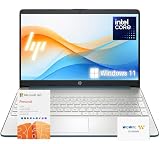
- 【High-Performance Processor】 Powered by an Intel Pentium N5030 quad-core processor (up to 3.1GHz burst) and Intel UHD Graphics—ideal for web browsing, media, and everyday tasks.
- 【Massive Memory & Storage】 Packed with upgraded DDR4 RAM and enhanced storage for fast multitasking and extensive file storage.
- 【Crisp Visuals】 Enjoy content on a 15.6" HD BrightView micro-edge display (1366 x 768) with 220 nits brightness and 45% NTSC for decent clarity and color.
- 【Modern Connectivity】 Features dual-band Wi-Fi 5, Bluetooth 5, USB-C, HDMI, SD card reader, and more—compatible with all your devices and accessories.
- 【Complete Accessory Package for Ultimate Convenience】 Alongside the laptop, this package includes a set of valuable accessories to enhance your computing experience. You'll receive a 512GB external hard drive for additional storage, a microfiber cloth for keeping your screen clean and smudge-free, and a hotkey sticker sheet to speed up your workflow.
What to check for a specific kind of buyer
Students
Prioritize portability, battery performance, a usable webcam and keyboard, and a return process that makes exchanges straightforward. Check school software requirements before choosing ChromeOS, macOS or Windows. A student price may depend on verification, a school email, a code, membership or a bundle; compare the amount you can actually pay rather than a restricted advertised price.
Gaming
Do not compare gaming laptops by GPU name alone. Check the GPU power limit (TGP) if stated, CPU, RAM, SSD capacity, screen resolution and refresh rate, cooling, chassis size and upgrade options. A better-cooled, heavier laptop may outperform a thinner machine with the same named GPU. Include battery expectations in the decision: gaming laptops are not generally the right pick for long unplugged sessions.
Premium and creator workloads
For premium Windows or creator machines, assess the display, chassis, keyboard, trackpad, webcam, ports, weight, repairability and warranty—not just processor branding. Buyers with specialist creative tools should verify application support and the memory and graphics configuration required by their actual work.
Open-box and refurbished
Retailer-certified open-box products, manufacturer-refurbished laptops and third-party refurbished listings are not interchangeable. Check the condition grade, battery wear, included charger and accessories, return period and warranty provider. A lower price is less compelling if the product is missing essentials or has uncertain support.
How to check a deal before paying
- Match the exact configuration. Record the model or SKU and verify processor, RAM, storage, screen and graphics on the product page; family pages may combine several versions.
- Compare the final price. Check the same configuration at other sellers and account for shipping, coupon codes, membership fees, student verification, financing or trade-in requirements.
- Verify the seller and fulfillment. On marketplace listings, identify who sells and ships the laptop and who provides warranty support.
- Read the return and warranty terms. Check the return deadline, any restocking fee, open-box condition rules and whether service is handled by the retailer or manufacturer.
- Confirm availability for your location. Check stock, local pickup and the delivery estimate shown for your ZIP code; indexed listings can be stale.
- Keep a record. Note the checked date and price, especially if comparing a changing promotion or a claimed discount.
Buy now or wait?
Buy when you find the right exact configuration at a strong price and its return, warranty and delivery terms fit your needs. Wait if the offer depends on an unattractive condition, the model has inadequate memory or storage, or the markdown is based on a questionable reference price. Do not delay solely for another holiday if you need a laptop for school or work; if you do have flexibility, compare later offers against the machine’s actual street price rather than assuming a calendar event guarantees a better deal.
As of August 18, 2026, back-to-school pages are the relevant starting point; July 4 promotions are historical. Retail prices, stock and delivery vary by seller and location, so confirm them on the exact product page before ordering.
Quick Recap
Product prices and availability are accurate as of the date/time indicated and are subject to change. Any price and availability information displayed on Amazon at the time of purchase will apply.




