Quick wins for a faster PC:
Repair Windows errors before they cause bigger problemsFix Now →Scan for outdated or missing drivers - takes under a minuteDriver Scan →If the HSBC UK app cannot read your cheque after the v2.38.0 update, the version-specific problem has been reported but is not confirmed by the HSBC guidance reviewed. Try HSBC’s image-capture steps, note the exact error if it continues, and use a branch or cheque deposit machine if you need another way to pay it in. Keep the original cheque until the funds are available.
Is the cheque-reading problem after v2.38.0 confirmed?
UMATechnology reported a cheque-reading issue associated with HSBC UK app version 2.38.0 on 16 May 2026, including wording such as “Unable to read cheque.” That is third-party reporting, not confirmation from HSBC; the reported wording has not been independently verified as HSBC’s exact current error message. Read the third-party report.
HSBC’s published mobile cheque deposit guidance and service-status page do not identify a defect or fix specific to v2.38.0. The status page’s general snapshot reported mobile banking and payment services as working normally when checked; that does not establish that cheque reading worked for every customer or rule out an individual or feature-specific fault. No current published figure establishes how often the reported issue occurs or how long it lasts.
What to try when the app will not read a cheque
Improve the image capture
HSBC’s cheque imaging guidance says to place the cheque flat on a dark, unreflective surface, show the entire cheque in the frame and make sure the image is in focus. The app captures automatically when it detects the cheque. These are HSBC’s capture requirements, not proof that image quality is the cause if the error persists.
Recommended Free Tools
#1 Best Overall
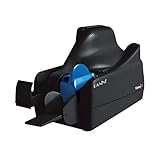
- Best-in-class reliability, superior image quality
- Flawless Document Handling, MICR Read Accuracy
Record the details if the error continues
Before contacting HSBC, note the exact error shown, your app version, device model and operating-system version. This is a practical troubleshooting suggestion from the third-party report, not a diagnostic checklist HSBC publishes. Do not assume that changing camera equipment, repairing or replacing a phone, or buying an accessory will fix the problem; the sources reviewed do not establish any of those as a remedy.
Use an alternative deposit route
If mobile deposit remains unusable, HSBC says you can pay a cheque in at a branch or cheque deposit machine. For a Post Office deposit, take a personalised HSBC or first direct paying-in slip; HSBC advises allowing two extra days because Post Office cheque deposits take longer. See HSBC’s branch banking and Post Office banking guidance.
Rank #2

- Scanner Type: Document Scanner| Scanner Form Factor: External| Scan Mode: 256-level grey scale, Black and White| Scan Speed: 500 mm/s| Scan Element Type: Contact Image Sensor (CIS)| Scanner Input Type: Color| Scanner Interface: USB 2.0| Header / Model: TM-S1000| Features: Document Length 120 mm - 235 mm (approx 4.8 in - 9 in), Document Height 68mm - 120 mm (approx 2.7 in - 4.8 in)| Width: 6.30 Inch| Depth: 14.00 Inch| Height: 6.93 Inch
HSBC UK mobile cheque deposit rules and timing
For an eligible account, HSBC’s published personal-app limit is one or more cheques totalling up to £2,000 per day. A deposit made before 10pm on a working day should be available by 11:59pm on the next working day if the cheque has not bounced. HSBC does not charge for mobile deposit, but mobile-network data charges may apply. The app is for sterling cheques drawn on UK banks. HSBC’s mobile deposit page has the instructions and terms.
To submit a mobile deposit, log on to the HSBC UK Mobile Banking app and choose Pay, then More actions and Deposit a cheque. Select an eligible account, enter the amount, photograph the front and back, review the details and submit. Keep the physical cheque until the money has been added to your account. If HSBC has a problem with a deposit, its public guidance says it may contact you at your latest postal address.
Rank #3
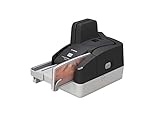
- Sharper images with less distortion
Which deposit route should you choose?
| Route | What HSBC says about timing | Useful when |
|---|---|---|
| Mobile app | A cheque deposited before 10pm on a working day should be available by 11:59pm the next working day if it has not bounced. | You can capture and submit the cheque in the app and the deposit is within the £2,000 daily limit. |
| Branch or cheque deposit machine | Timing is not stated in the cited branch guidance. | The app remains unusable and you can access a branch or machine. |
| Post Office | Allow two extra days; Post Office cheque deposits take longer. | You have a personalised HSBC or first direct paying-in slip and want to use a Post Office. |
These are available routes, not a ranking by success rate: the sources reviewed do not compare how reliably each one resolves a v2.38.0-related reading error. Follow HSBC’s current guidance for the route you use.
Quick Recap
Rank #4
- Best-in-class reliability, superior image quality.
- Flawless Document Handling, MICR Read Accuracy.
- 50 dpm, 50 doc feeder, ink jet.
Product prices and availability are accurate as of the date/time indicated and are subject to change. Any price and availability information displayed on Amazon at the time of purchase will apply.




