To respond to a Google review, first verify your Google Business Profile, then open the review and select Reply. Keep positive replies specific and brief. For criticism, acknowledge the concern, protect private information, and offer a private way to discuss complex details. Report a review only when you believe it violates Google’s policies—not simply because it is negative.
Before you reply: know what customers will see
Your Business Profile must be verified before you can reply. Google’s Manage customer reviews help page explains the current workflow: open your profile, choose Read reviews, select Reply beside the review, write your response, and submit it. Google may change the interface, so use its help page if the labels or steps differ.

A reply is public and appears beneath the review if Google approves it; the personal name of the account user is not shown. The reviewer is notified and may edit their review afterward, which changes the review date to reflect its latest update. You can edit or delete your own reply.
Google says replies usually take up to 10 minutes to review, but in some cases may take up to 30 days. That is Google’s moderation estimate, not a recommended deadline for your business to respond.
The Tool Desk
Outbyte Driver Updater FREEScan for outdated or missing drivers - takes under a minuteDriver Scan →Outbyte PC Repair FREEClear out junk files and repair common Windows errorsFree Scan →#1 Best Overall
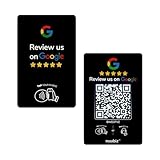
- Dual Tap & Scan Access: Share your business page instantly through both NFC and QR code entry. Works as a Google Review Tap Card, Google Review QR Code Sign, or NFC Google Review Card — customers can tap or scan to open your page within seconds
- No App, No Subscription, Visitor Analytics: No apps or hidden fees required. Activate once, use forever. Includes basic visitor statistics so you can view engagement growth at a glance
- Easy Setup & Real-Time Updates: Set up in minutes—simply enter your link to activate. You can edit or update your page anytime, keeping your Google review card current and relevant
- Compact & Portable Design: Made from premium PVC with a standard business card size. Lightweight and easy to carry—an excellent Google Review Stand alternative for counters, menus, or mobile use
- Versatile for All Business Scenes: Perfect for cafés, salons, hotels, and service desks. The QR code can also be photographed and printed on receipts, flyers, or packaging to extend your page access anywhere
How to respond to a positive Google review
Thank the reviewer, refer to a real detail if it adds warmth, and keep the tone conversational. A short, personal response is more useful than a repeated, generic message. Google advises businesses to keep replies clear and relevant, and not turn them into promotions or discount offers.
Specific praise
“Thanks, [Name]. We’re glad you enjoyed [specific item or part of the visit]. We’ll share your kind words with the team, and we hope to see you again.”
Rank #2

- Google Review Tap Card Stand with NFC & QR Code: This google review tap card stand allows visitors to access your Google review page with a simple tap or scan. NFC and QR code work together to support different smartphone habits and improve accessibility at your counter
- Review Us On Google Display for Visibility & Trust: Designed as a professional review us on Google display, this google review qr code sign helps guide visitors to your Google review page while reinforcing store credibility and online visibility in high-traffic areas
- Analytics Dashboard & Engagement Tracking: Access visitor statistics and engagement data through your dashboard. Track how often customers open your Google review page and view usage activity for your stand.
- No App, No Subscription – Easy One-Time Setup: No app download or subscription required. Simply connect your Google review link once, and the stand is ready to use. The linked destination can be updated anytime without replacing the stand
- Countertop Size for Any Business Location: Sized at 6.3 × 4.53 inches, this google review tap card stand fits neatly on checkout counters, reception desks, and service areas in cafes, salons, hotels, restaurants, and retail stores
A useful detail
“Thank you for taking the time to leave a review, [Name]. We’re pleased [specific detail] worked well for you. We appreciate your visit.”
A brief rating
“Thank you for the rating, [Name]. We appreciate your support.”
Free tools Windows power users keep installed
One-click scans. No signup required.
Rank #3

- 📈 PROMOTE YOUR BUSINESS: Our Contactless Google Review Tap Stand help draw people to your Google Map page, and get followers and Likes for your business, increase your brand recognition, retention and loyalty
- ✅ SIMPLE TO IMPLEMENT: Just take couple of minutes to setup and can be easily reprogrammed to help you fine-tune your social media and marketing campaigns. No subscription fees
- 📲 NO APP DOWNLOAD REQUIRED: Customers simply scan a QR code with their mobile device or Tap phone and your Google page automatically pulls up in their default web browser.
- 🔋 IDEAL SIZE: our Cards are 3.375 inches wide by 2.125 inches high and can be used almost anywhere! Two sided.
- 💵 NO MONTHLY FEES: Completely Free Access! You can update your stand destination URL at any time.
Use a name or detail only when you are confident it is appropriate and accurate. If the review is brief, a brief thank-you is enough; there is no need to invent a personal connection or add a sales pitch.
How to respond to a negative Google review
Before writing, check the relevant facts privately. Then respond in a way that shows the concern was heard without exposing customer records or other personal information. Google’s review-response tips recommend professionalism, privacy, investigating what happened, honesty about mistakes or limitations, and an apology when appropriate.
- Acknowledge the specific concern without repeating sensitive details.
- Apologize when the business made a mistake or the experience fell short.
- Explain only context you have verified; do not argue point by point or attack the reviewer.
- For a complicated case, invite the reviewer to continue by phone or email.
- Promise only actions or remedies your business can actually provide.
When your business made a mistake
“Hi [Name], we’re sorry that [specific problem] happened. That isn’t the experience we want customers to have. We’re looking into what went wrong; please contact [appropriate channel] at [contact detail] so we can discuss the details.”
When the account is unclear or disputed
“Hi [Name], we’d like to understand more about what happened. We can’t identify the visit from the information here, but we’d be glad to look into it with you. Please contact [appropriate channel] at [contact detail].”
Recommended Free Tools
Best Value
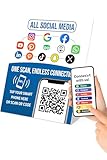
- 📈 PROMOTE YOUR BUSINESS: Effortlessly collect reviews, direct users to multiple platforms (Google, Instagram, Facebook, Linkedin, YourTube, TripAdvisor, X , TikTok and ANY social media, and more), and boost engagement with a single tap or scan.
- 👯 Friendship & Networking Made Easy – Share your social media profiles, contact info, or favorite links with friends in just one tap or scan. Perfect for parties, school, and events—no need to spell out usernames or exchange paper cards.
- 💡 NO APP DOWNLOAD REQUIRED: Customers simply scan a QR code with their mobile device or Tap phone and your Google page automatically pulls up in their default web browser.
- ✅ IDEAL SIZE: 3 inches wide by 5 inches high, providing ample visibility without taking up too much space. Small footprint that fits easily on any surface without taking up too much space.
- 💵 NO MONTHLY FEES: Completely Free Access! You can update your stand destination URL at any time.📲 SIMPLE TO IMPLEMENT: Just take couple of minutes to setup and can be easily reprogrammed to help you fine-tune your social media and marketing campaigns. No subscription fees
Do not try to prove the reviewer wrong by posting customer records or personal details publicly. If you cannot confirm the facts from the review alone, say so neutrally and offer a private follow-up.
When the complaint concerns a limitation outside your control
“Hi [Name], we’re sorry the disruption affected your plans. [Briefly explain the relevant limitation without blaming the customer.] When possible, we [state the accurate step the business takes]. Please contact us at [channel] if you’d like to discuss your situation.”
Independent reader supportYour contribution helps us test, update, and keep practical guides available for everyone.Should you reply, report the review, or both?
Decide based on whether the review may violate Google’s content policies, not whether you agree with it. Google’s review-reporting guidance says only reviews that violate policy qualify for removal; a negative opinion by itself is not grounds to have a review removed.
| Situation | What to do | Keep in mind |
|---|---|---|
| The review is unfavorable but appears policy-compliant | Reply constructively and address the concern at an appropriate level. | Do not report it just because you dislike or dispute the criticism. |
| You suspect the review violates Google’s content policies | Report it through your profile or the Reviews Management Tool. | Google says evaluation typically takes several days; an eligible review that was not removed can have a one-time appeal. |
Reporting and replying serve different purposes: reporting asks Google to assess a possible policy violation, while a public reply addresses the reviewer and future readers. A review that does not qualify for removal may still offer useful feedback.
Quick Recap
Reply mistakes that can make a difficult exchange worse
- Arguing or accusing: Avoid personal attacks, point-by-point rebuttals, and claims that a reviewer is lying.
- Disclosing private details: Keep account, visit, payment, health, and other customer information out of the public reply.
- Copying the same response everywhere: Use a relevant reply rather than an identical thank-you for unrelated reviews.
- Offering an inducement: Do not offer a benefit in exchange for posting, changing, or removing a review. Google prohibits incentives tied to those actions.
- Promising an unsupported fix: State only what you know the business can do.
- Turning the reply into an ad: A review response is for acknowledging the customer, not promoting offers or discounts.
Product prices and availability are accurate as of the date/time indicated and are subject to change. Any price and availability information displayed on Amazon at the time of purchase will apply.




