Short answer: Go to Google Payments, open Payment methods, find the card, choose Remove, and confirm. If the card is used for YouTube Premium or another recurring service, removing it is separate from canceling that subscription. A YouTube membership billed by Apple must be managed through Apple instead.
What you are removing—and where it may be stored
Google payment information is held in a payments profile linked to your Google Account. A profile can contain cards, bank accounts, billing addresses, receipts, previous payment methods, and recurring subscriptions (Google Payments profile information).
As an Amazon Associate I earn from qualifying purchases.
- Google Payments profile: The main location for cards used across Google services.
- Google Play payment methods: Used for Play Store purchases, in-app purchases, and some subscriptions.
- YouTube billing: May be handled directly by Google, Google Play, Apple, or a partner, depending on how the membership was purchased.
Because billing sources differ, a card visible in YouTube is not always controlled from the YouTube video app.
Do these 3 things before closing this tab:
1Scan for outdated or missing drivers - takes under a minute2Clear out junk files and repair common Windows errors3Fix the driver behind crashes, sound loss and screen glitchesRemove the card from Google Payments on a computer
- Open payments.google.com.
- Sign in to the Google Account that owns the card. Check the profile picture and email address first.
- Select Payment methods.
- Find the credit card and select Remove (Google may show an Edit or Remove control).
- Confirm the removal.
Google’s page layout and labels can vary by country, account type, device, and whether you have more than one payments profile. If you cannot find the control in Gmail, YouTube, or another Google app, use the direct Payments page.
#1 Best Overall

- Cross-cut paper and credit card shredder cuts material into approximate 0.2 x 0.7 inches (5 x 18 mm) pieces; meets security level P-4 standards
- Shreds up to 8 sheets of 20-pound bond paper at a time; shreds credit cards (one at a time, but not suitable for metal credit cards), staples, and small paper clips
- 3 minute runtime and 30 minute cool down; if unit goes beyond max run time, it automatically shuts off to prevent overheating
- 4 mode control switch (auto/on, off, reverse, forward) and LED status indicators for power on, overheat and overload; easy to empty 3.7 gallon bin
- Quality tested: As part of Amazon Basics quality inspections, we test every shredder before shipping it, which means you may see some paper shreds from the testing
Remove it through Google Play
On a computer
- Go to play.google.com.
- Select your profile picture.
- Select Payments & subscriptions, then Payment Methods.
- Select Edit payment methods.
- Under the card, select Remove, then confirm.
Google says this removes the payment method from the Google Account (Google Play payment-method instructions).
On Android
- Open the Google Play Store app and tap your profile picture.
- Tap Payments & subscriptions, then Payment methods.
- Tap More payment settings.
- Sign in to Google Pay if prompted.
- Under the card, tap Remove, then confirm.
Play Store menus can move with app updates. If these labels differ, open Google Payments in a browser and manage the card there (Android instructions).
Remove a card associated with YouTube Premium
Use YouTube to identify the membership and billing source, but use Google Payments to delete a card for memberships billed by Google.
Rank #2
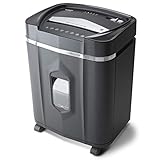
- High security micro-cut with 12 sheet capacities; destroys CDs, DVDs, credit cards and small paper clips
- Shreds paper, CDs, DVDs, credit cards into small pieces (5/32 by 15/32 inches), security level P-4
- Nonstop 60-minute continuous run time. Basket Capacity - 300
- Anti-jam auto-reverse to clear paper jams; ultra-quiet operation
- 5.0-Gallon pullout bin with LED indicator lights standby/ overheat/ bin-full/ overload/ door open status
Check the active payment method
- Open youtube.com/paid_memberships on a computer.
- Select Manage membership.
- Expand the membership details if necessary.
YouTube can show the active payment method, backup payment methods, next billing date, and membership details (YouTube membership billing details).
Delete a Google-billed YouTube payment method
Open Google Payments, select Payment methods, choose the card, and select Remove. YouTube’s payment-method guidance directs users to Google Pay for this action (YouTube payment-method help).
Removing the card does not cancel YouTube Premium
Deleting a saved card and stopping a recurring membership are different actions. A membership normally continues renewing until you cancel it. Removing the card may cause a later payment to fail, but it does not reliably cancel the membership.
Rank #3

- Basketless paper and plastic shredder for safely destroying material into 0.24 inch wide strips; meets security level P-2 standards
- Fits over most waste baskets; extendable arm max length is 16.7" or 42.4 cm
- Accepts up to 8 sheets of 20-pound bond paper at a time (no need to remove staples or small paper clips)
- Destroys CDs, DVDs, and credit cards (one at a time, through dedicated slot; blades cut each disc into 3 pieces).
- Run time is 2.5 minutes on/15 minutes off (9.84 feet per minute); if shredder runs continuously beyond max run time, it will automatically shut off to protect the motor from overheating
To cancel a membership billed directly by YouTube:
- Go to youtube.com/paid_memberships.
- Select Manage membership, then Deactivate.
- Select Continue to cancel.
- Choose a reason and select Next.
- Select Yes, cancel.
YouTube generally keeps the benefits active until the end of the current billing period after cancellation (YouTube cancellation instructions).
If YouTube says “Billed by Apple”
An Apple-billed membership is controlled through your Apple Account, not Google Payments. On an iPhone or iPad:
- Open Settings.
- Tap your Apple Account name.
- Tap Subscriptions.
- Select YouTube Premium or YouTube Music Premium.
- Tap Cancel Subscription if you want to stop renewal.
Removing a card from Google Payments will not remove Apple’s billing method. Apple’s subscription controls apply to the membership identified as “Billed by Apple” (YouTube’s Apple-billing guidance).
Rank #4

- P-4 Level Security: Crosscut shredder for home office heavy duty can handle 12 sheets effortlessly per pass, make sure your important documents are securely shredded, can shred paper, credit card, staple or clips into 13/64*51/64 inches (5*20mm) tiny particles.
- 6-Minute Continuous Shredding: Based on the patented cooling system, Bonsaii paper shredder for home use heavy duty can run continuously for up to 6 minutes without worrying about overheating or slowing down, ideal paper shredder for home office use or small office use.
- Easy Operation & Safe Protection: Auto start/stop and manual-forward/reverse function protect the paper shredder heavy duty from the frustration of paper jams. Overheat protection helps you use paper shredder without worrying and prolong its lifetime. The document shredder will stop working once you lift the head, keeping you safe.
- Compact Sizes: The shredder for home office comes with a portable handle on the shredder head and a 5.5 Gal large transparent window wastebasket; with the compact size of 12.6*7.91*18.3 inches, you can place it in the corner or under the desk, it's perfect for home use or office use.
- Professional Service: Bonsaii provides 1-Year limited warranty for your shredders for home office heavy duty. If you have any questions, please get in touch with us.
If the membership is billed through Google Play
Some YouTube memberships use Google Play billing. Check Purchases and memberships on YouTube to identify the source, then manage or cancel the subscription in Google Play. Remove the card through Google Play’s payment-method screen or Google Payments. Billing arrangements can depend on when and where the membership was started; YouTube notes that Android billing changes have not affected every existing subscriber (YouTube billing-source guidance).
Why the Remove button may be missing
An active subscription or backup payment method uses the card
A service may restrict removal of its only usable payment method, or the card may be assigned as a backup payment method. If you want to keep the subscription, add or select another method first. Otherwise, cancel the relevant subscription, remove the card from its Backup payment method area, and then return to Google Payments. Google and YouTube’s eligibility rules vary by service and account (YouTube payment methods).
PC Slower Than It Used to Be?
A free scan shows the junk files, broken settings and background clutter dragging Windows down - then fixes them in one click.Free scan · Windows 10 & 11Outdated Drivers Are Slowing You Down
One free scan finds every outdated or missing driver and matches the right update for your exact hardware.Free scan · exact hardware matchYou are in the wrong Google Account
Payment methods belong to specific accounts. Sign out or switch accounts, then check the email address shown in the upper-right corner of Google Payments, Google Play, and YouTube.
Best Value

- 【Cross Cut & Credit Card Paper Shredder】The cross cut shredder shreds paper into 5x14mm particles, achieving P-4 level security. Shreds up to 6 sheets at once without removing staples, also handling paper clips and credit card (one at a time)
- 【Continuous Performance】The operating time is 4 minutes, with a 20-minute cooling cycle. If the shredding time exceeds 4 minutes, the overheating indicator will light up. After a 20-minute cooling cycle, it can resume operation
- 【Easy to Clean & Place】 Bonsaii shredder’s head features a handle for easy lifting; the separate 3.4-gallon bin has a clear window for quick disposal. Compact dimensions (11.81" × 7.09" × 14.26") make it perfect for home and small office spaces, fitting neatly under desks.
- 【Easy Operation & Safety Features】Auto start/stop and manual-reverse functions protect the paper shredder from the frustration of paper jams. The overheat protection function effectively extends the lifespan of the shredder, The document shredder will stop working once you lift the head, ensuring your safety.
- 【1-Year Warranty】Bonsaii offers a 1-year warranty for your shredders for home use heavy duty. If you have any questions, please feel free to contact us. We test every shredder before shipping, so you may notice some paper shreds from the testing
The card belongs to a family payment profile
Only the Google family manager can change or delete the family payment method. A family member may be unable to remove it from their own account (Google family payment methods).
You have multiple payments profiles
Business, organization, and personal profiles can coexist. In Google Payments, switch to the profile that contains the card before editing it (Payments profile management).
Independent reader supportYour contribution helps us test, update, and keep practical guides available for everyone.When the card or a charge still appears
It appears in a receipt or old transaction
Payments profiles retain receipts and information about previous purchases. A masked card number in historical activity does not prove that the payment method is still active.
It appears at checkout or in Chrome autofill
Checkout suggestions and Chrome’s saved payment information are separate from Google Payments. If the card appears only as browser autofill, remove it from Chrome’s payment-data settings; that is not evidence that Google Payments failed.
A charge is pending
A pending amount may be an authorization hold rather than a completed charge. Check Google Payments → Activity and open the transaction. YouTube says an unsuccessful authorization can later disappear from the card statement (YouTube pending-charge guidance). Removing the card does not reverse a completed transaction or automatically create a refund.
Quick Recap
You do not recognize the card or charge
- Review Google Payments Activity and confirm the signed-in account.
- Check YouTube memberships, Google Play subscriptions, Google One, and other Google services.
- Consider family purchases, duplicate memberships, another Google Account, or a pending authorization before assuming fraud.
- If unauthorized access is possible, change the Google Account password and enable two-step verification.
- Contact Google or the card issuer about a completed unauthorized charge.
Quick decision table
| What you see or want | Correct destination |
|---|---|
| Delete a card saved for Google services | Google Payments → Payment methods → Remove |
| Delete a card used for Play purchases | Google Play → Payments & subscriptions → Payment Methods → Edit payment methods |
| Inspect YouTube billing or backup methods | YouTube Paid memberships → Manage membership |
| Cancel a direct YouTube membership | YouTube Paid memberships → Manage membership → Deactivate |
| YouTube says “Billed by Apple” | iPhone/iPad Settings → Apple Account → Subscriptions |
| Family payment method | The Google family manager must make the change |
| Card appears only in browser autofill | Chrome’s saved payment-information settings |
Final check
- Confirm you are using the Google Account that owns the card.
- Remove the card in Google Payments or Google Play.
- Review YouTube Paid memberships and identify the billing provider.
- Cancel or update any subscription separately if you want to stop recurring charges.
- Check Apple settings when the membership is Apple-billed.
- Review Google Payments Activity for pending or completed charges.
Product prices and availability are accurate as of the date/time indicated and are subject to change. Any price and availability information displayed on Amazon at the time of purchase will apply.




