To register for the FMCSA Portal, go to the official Portal login page and choose the registration link. Public users sign in through Login.gov; people with a DOT email should follow the page’s direction to use MyAccess. If you are setting up access for a company that already has a USDOT number, the designated Company Official needs the company’s USDOT PIN for initial setup. Employees and service providers request Associate access, which the Company Official must approve.
A Portal account gives you access to an existing company record; it is not an application for a new USDOT number or operating authority.

Choose the right registration path
| Your situation | Registration path | What to expect |
|---|---|---|
| You are the designated Company Official for a company with an existing USDOT number | Register as the Company Official | You need the USDOT PIN once to establish initial Portal access. The Company Official manages company-user requests. |
| You are an employee or third-party service provider | Request Associate access for the company | Choose the roles you need and wait for the Company Official to approve the request. You do not need the company’s USDOT PIN. |
| You have a DOT email | Follow the live registration page’s MyAccess direction | The public Login.gov route may not be the right route for your account. |
FMCSA’s May 2025 Portal Registration User Guide says each USDOT number must have one designated Company Official.
Before you start
- Confirm that the company already has a USDOT number. Portal registration described here is for accessing an existing registered entity.
- If you are the Company Official, have the USDOT PIN available. FMCSA’s guide says it is used once to set up the Official’s Portal account, not for every sign-in.
- Use the email address associated with your Portal account when setting up Login.gov so the account can link to Portal roles.
- Know which company information or Portal task you need to handle so you can request appropriate access roles.
To request or retrieve a PIN, follow FMCSA’s current process. Its account setup FAQ says the process uses company information such as the EIN and USDOT number, and that the PIN is sent to the email address or cell phone on file. Delivery methods can change, so use the live FMCSA account setup instructions rather than relying on an old delivery estimate.
Quick wins for a faster PC:
Repair Windows errors before they cause bigger problemsFix Now →Fix the driver behind crashes, sound loss and screen glitchesFind Drivers →Clear out junk files and repair common Windows errorsFree Scan →#1 Best Overall

- Single Book Convenience: Stay organized on the road with this XUEJITECH driver log book, designed for individual drivers who need dependable, daily recordkeeping. Each book includes 31 sets of 2-ply carbonless forms. Whether you're an owner-operator or part of a fleet, this single log book offers the perfect balance of convenience and compliance—no bulk, no waste, just what you need.
- Compact 8.5" x 5.5" Size: Designed with the working driver in mind, each trucker log book measures a convenient 8.5 x 5.5 inches — the perfect size to fit in glove compartments, clipboards, or side door pockets. Its compact layout makes it easy to handle, write on, and store without taking up valuable cab space. Whether you’re filling it out at a stop or during pre-trip checks, the portable size keeps your log accessible and your records organized
- 2-Ply Carbonless Copy: Our log book is built with a 2-ply carbonless design, allowing drivers to create a clean, accurate duplicate with every entry—no messy carbon sheets required. The top white sheet records the original, while the yellow backing provides an instant copy for your records or dispatch. Engineered for daily use, Keep organized and compliant with dependable duplicate logs on hand, wherever the road takes you
- High quality: Built for life on the road, each XUEJITECH log book is crafted with paper and high-quality carbon fiber material that resists smudging, tearing, and bleed-through— even under rough conditions
- Thoughtfully Designed: The wrap-around back cover provides a stable writing surface and protects unused forms from damage, dirt, or imprint marks. Plus, each sheet features a clean tear-out line, allowing drivers to remove completed forms effortlessly without damaging the rest of the book. Designed for tough trucking environments, this thoughtful construction makes your daily recordkeeping fast, clean, and compliant
Register as the Company Official
- Confirm that you are the company’s designated Company Official and that the company already has a USDOT number.
- Obtain the USDOT PIN through FMCSA’s current PIN process.
- Open the FMCSA Portal login page and choose the registration option. Authenticate with Login.gov, unless you have a DOT email—in that case, follow the page’s MyAccess direction.
- Choose the company-user registration path, look up the company’s USDOT number, and follow the on-screen prompts.
- When prompted to establish the Company Official role, enter the PIN and select the available Company Official role.
- Provide the requested personal and work information, review the rules of behavior, and submit the registration.
The May 2025 guide says Company Official accounts are system-approved on submission. The Company Official is responsible for approving or denying user requests, assigning appropriate roles, and deactivating accounts when a user leaves the company.
Request access as an employee or service provider
- Open the Portal login page, select registration, and authenticate with Login.gov—or use MyAccess if you have a DOT email.
- Choose the company employee or Associate route and enter the company’s USDOT number.
- Select the roles needed for your work. For access to the new Registration menu, FMCSA identifies “Portal View Sensitive Company Information” and “Portal Modify Company Information” as relevant roles.
- Complete the requested personal and work information, accept the rules of behavior, and submit the request.
- Wait for the designated Company Official to approve your request. Associates cannot approve or manage other users’ accounts.
If you need access to more than one company, the May 2025 guide describes Associate access to as many as 100 USDOT numbers in one Portal account; it says a separate account is needed for more. The guide also says each account type requires its own unique Login.gov account. Because account limits and identity requirements may change, confirm the live Portal instructions before relying on these details.
Rank #2

- Under 395.22(h), carriers must provide their drivers with instructions for addressing ELD malfunctions and an adequate supply of blank logs to cover a minimum of 8 days. These log books for drivers offer ELD malfunction procedures and blank logs to assist in compliance with 49 CFR Section 395.22(h) and also aid in meeting the record-keeping requirements of Section 395.34.
- This is an integrated report for ELD backup, encompassing the driver's daily log book with daily recap and detailed driver vehicle inspection report. It includes ELD malfunction reporting, recordkeeping procedures, and a designated area for fleet contact information.
- ELD backup driver log book offers clear instructions for completing logs and an hours-of-service summary regulations on the inside back cover, helps truckers to meet FMCSA requirements.
- This package includes one combo ELD backup log book for drivers, which contains 16 sets of logs and DVIR forms, in duplicate. Compact 8.5" x 5.5" size facilitates easy handling and record-keeping.
- The daily drivers log book is made of carbonless, premium paper that withstands daily use. Whether you manage a single vehicle or a large commercial fleet, our DVIR book is an essential tool for the safety and compliance of your operations.
What you can—and cannot—do in the Portal
The Portal provides access to FMCSA systems and existing company records. FMCSA lists online updates that include additional operating authority, biennial updates, address changes, reinstatement of operating authority, reapplication after revocation, and cargo tank or hazardous-material safety permit updates. Not every transaction is available there; for example, legal-name changes continue through other channels. Check the current registration forms table for the specific change you need.
Applying for a new USDOT number or operating authority is a separate process. FMCSA’s registration hub describes Motus as its new USDOT Registration System and also links to Portal login. Check that hub and current Motus guidance to confirm which system handles a new registration or a change to an existing record.
The Tool Desk
Outbyte PC Repair FREEClear out junk files and repair common Windows errorsFree Scan →Outbyte Driver Updater FREEFix the driver behind crashes, sound loss and screen glitchesFind Drivers →Fix common account problems
You do not have the USDOT PIN
Use FMCSA’s current PIN request instructions. The account setup FAQ says the request uses company information such as the EIN and USDOT number. The PIN is for the Company Official’s initial setup; Associates request access through their own registration path.
You cannot sign in
Reset your password through Login.gov. FMCSA’s Portal account FAQ says the Portal does not provide a separate password reset.
Rank #4
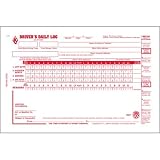
- Daily log books for truckers includes a daily recap and simplified DVIR.
- Drivers daily log book includes these non-required items: total mileage today box, home terminal address line, and "from" and "to" lines.
- This vehicle log book set comes with 5 books. Each book contains 31 sets of forms. Total, you will receive 155 forms.
- Driver log book is 2-ply with carbon.
- DOT log book measures 8.5" x 5.5".
Your Associate request is still pending
The designated Company Official must approve it. Confirm that you requested the roles needed for your task and that the Official has received the request.
Your account appears inactive
FMCSA’s April 18, 2025 account setup FAQ says accounts are disabled after 90 days without a login and archived after 12 months, and recommends signing in at least every 90 days. Those figures are from that dated FAQ; check current FMCSA guidance for the applicable rule.
Recommended Free Tools
Best Value

- DOT Compliance - These driver's vehicle inspection report (DVIR) books ensures compliance with DOT regulations (49 CFR 396.11 and 396.13)
- Material - Excellent quality carbonless paper is used in their production, tears off easily along the perforation. Minimize downtime & extend vehicle life span through our DVIR inspection book.
- 10-Pack - This vehicle inspection report book set comes with 10 books. Each book contains 31 sets of DVIR forms, in duplicate. In total, you will receive 310 forms.
- A5 Size - Driver's vehicle inspection report book size of 5.8" x 8.3", and forms are 2-ply, carbonless.
- Wide Application - Whether you manage a single vehicle or a large commercial fleet, our DVIR book is an essential tool for ensuring the safety and compliance of your operations. This enables drivers to indicate any necessary repairs promptly.
You need help from FMCSA
The April 18, 2025 FAQ lists the FMCSA Contact Center at 1-800-832-5660 and online chat or ticket support. Check the registration hub for current service notices before choosing a support channel.
Quick Recap
Product prices and availability are accurate as of the date/time indicated and are subject to change. Any price and availability information displayed on Amazon at the time of purchase will apply.




