Free tools Windows power users keep installed
One-click scans. No signup required.
Protect a domain by securing the registrar account and its recovery email, enabling the registrar’s transfer lock, keeping contact details current, and knowing how to reach the registrar’s incident team. A transfer lock can block a routine move to another registrar, but it does not stop someone who has already taken control of the account from changing settings.
Secure the account that controls the domain
Your registrar account is the control point for domain settings, so protect it like a financial account.
As an Amazon Associate I earn from qualifying purchases.
- Use a unique, strong password stored in a password manager; never reuse a password from email or another service.
- Turn on multifactor authentication (MFA) if the registrar offers it. Secure the email account used for login and recovery with a unique password and MFA too.
- Where practical, use a registrar-login email address distinct from the registration contact address. Keep both current, accessible, and protected.
- Review recovery methods and account sessions periodically. Remove unfamiliar recovery addresses, phone numbers, devices, or sessions when the registrar provides those controls.
- For a team-managed domain, limit access to people who need it and use a documented approval process for changes. Train administrators to recognize urgent or unusual requests that may be social engineering.
ICANN’s practical guidance recommends strong account credentials, two-factor authentication, and education for people who manage domains: Practical Steps for Protecting Domain Names.
Quick wins for a faster PC:
Repair Windows errors before they cause bigger problemsFix Now →Scan for outdated or missing drivers - takes under a minuteDriver Scan →Enable a registrar lock—and understand what it blocks
Ask your registrar to enable the standard registrar lock, often displayed in the account as a transfer-lock or domain-lock setting. While active, it restricts certain changes or transfers. Check the registrar’s own description to confirm the scope for your domain.
#1 Best Overall

- PHISHING-RESISTANT 2FA: Cryptographically binds to real domains, making phishing attacks impossible unlike SMS codes or authenticator apps.
- 3-SIDE CAPACITIVE TOUCH: Tap the end, left, or right side to authenticate, so it works in any orientation or crowded USB port.
- MULTI-COLOR LED INDICATOR: Blue means ready, blinking blue means tap now, green means success, and red means error for instant status feedback.
- IP68 WATERPROOF & BATTERY-FREE: Crush-resistant one-piece construction survives daily carry on a keychain or in a bag for years without any batteries.
- UNIVERSAL COMPATIBILITY: Works with Google, Microsoft, Apple, GitHub, AWS, and any FIDO2 / U2F / WebAuthn service, storing up to 100 passkeys.
Before relying on the lock, find out how to request a legitimate unlock and how long the registrar takes to process it. ICANN’s Transfer Policy requires a registrar to provide a reasonable, accessible way to remove a standard lock before a transfer request. The policy covers inter-registrar transfers for covered generic top-level domains (gTLDs); country-code domains and provider terms may follow different rules: ICANN Transfer Policy.
A registrar lock is not a substitute for login security. It can hinder a transfer while enabled, but does not by itself protect stolen credentials or prevent someone already inside the registrar account from making other changes. ICANN’s 2025 Transfer Policy Review working-group report discusses that distinction; its recommendations are proposals, not automatically binding policy: Transfer Policy Review Final Report.
Rank #2

- Ultra-Compact FIDO2 Security Key - Plug-and-stay or carry on a keychain. This USB-A hardware security key offers portable, always-on protection for desktop and mobile use. (Item Size: 0.75 X 0.74 IN x 0.25 IN)
- USB-A Hardware Key for All Devices - Works with USB-A ports on PC, Mac, Android, and other laptop/notebook device. Enables secure, cross-platform login with FIDO2.0 passkey support.
- FIDO Certified Security Key - Meets FIDO and FIDO2 standards. Works with Google, Microsoft, GitHub, Dropbox, and more. Please check service compatibility before purchase.
- Passwordless Login with Passkey - Supports passkey login via WebAuthn and CTAP2. Enjoy password-free sign-ins where supported. Not all websites or services currently support passkeys.
- Advanced Multi-Factor Authentication - Offers 200 FIDO2 passkey slots and 50 OATH-TOTP slots. Strong, flexible 2FA/MFA support across various apps and authentication platforms.
Consider registry lock for a high-value domain
Registry lock is a separate, additional control applied at the domain registry level, rather than only in the registrar account. It may be worth asking about if losing the domain would seriously disrupt a business, service, or valuable online identity.
Verisign documents its Registry Lock service for .com, .net, .cc, and .name domains through participating registrars. Its process includes verification with an authorized registrar contact, including out-of-band verification when unlocking. Availability, eligibility, implementation, and terms depend on the registrar and domain; confirm them directly before relying on the service: Verisign Registry Lock.
Rank #3

- Security Key : Protect your online accounts against unauthorized access by using FIDO2 and U2F authentication with T110. It's the world's most protective security key that works with windows, Mac OS, Linux as well as Chrome, Firefox, Edge and many other major browsers.
- Certified with the new FIDO2 standard, T110 provides the benefit of fast login and strong protection against phishing, account takeover as well as many other online attactks.
- Works with : Bank of America, Github, Google, Microsoft, DUO, Twitter, Facebook, Dropbox, Apple, ebay, BINANCE, mor and more.
- Fits USB-A port : Insert the T110 security key into the USB-A port of each service and log in conveniently with one touch
- For the driver download and user guide, please visit TrustKey Solutions Home support page.
Keep contact details and alerts usable
Maintain accurate registration and account contact information, and direct transfer and registration-change notifications to an address you monitor and have secured. ICANN policy requires the registrar of record to notify the registered name holder when it receives a pending transfer notice, but an alert only helps if it reaches someone who can act: ICANN Transfer Policy.
Keep an internal record of the domain’s registrant identity, registrar support contacts, recovery details, and normal DNS configuration. For a business, make sure more than one responsible person knows where that record is and how to contact the registrar through an independently verified channel.
Rank #4
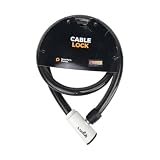
- 48-INCH FLEXIBLE STEEL CABLE – Provides ample reach to secure your scooter, motorcycle, e-bike, or bicycle to a rack, pole, or fixed object.
- DURABLE STEEL ALLOY CONSTRUCTION – Built with a tough steel alloy cable that adds a reliable layer of theft deterrence for your vehicle.
- PROTECTIVE PVC OUTER COVERING – The soft PVC coating shields painted and finished surfaces from scratches and scuffs during use.
- KEY-OPERATED LOCK – Simple, hassle-free keyed locking mechanism with no combination to memorize, making securing your ride quick and easy.
- COMPACT & PORTABLE DESIGN – Lightweight and easy to store under a scooter seat, in a top case, backpack, or gear bag for on-the-go security.
Know the 60-day transfer restrictions
ICANN’s Transfer Policy and registrant FAQ describe circumstances in which a domain cannot be transferred to another registrar during a specified period. These are transfer rules, not general account-security protections.
Recommended Free Tools
- A 60-day restriction applies after initial registration and after a previous inter-registrar transfer.
- After certain changes to the registrant’s name, organization, or email address, the registrar must impose a 60-day inter-registrar transfer lock. A registrar may offer an opt-out, but the holder must use it before submitting the change request.
If you plan to move registrars, ask your current registrar about sequencing before changing registrant details. The policy and FAQ explain the restrictions and the transfer process: Transfer Policy and ICANN Registrant FAQ.
Best Value

- Security Key : Protect your online accounts against unauthorized access by using FIDO2 and U2F authentication with T120. It's the world's most protective security key that works with windows, Mac OS, Linux as well as Chrome, Firefox, Edge and many other major browsers.
- Certified with the new FIDO2 standard, T120 provides the benefit of fast login and strong protection against phishing, account takeover as well as many other online attactks.
- Works with : Bank of America, Github, Google, Microsoft, DUO, Twitter, Facebook, Dropbox, Apple, ebay, BINANCE, mor and more.
- Fits USB-C port : Insert the T120 security key into the USB-C port of each service and log in conveniently with one touch
- For the driver download and user guide, please visit TrustKey Solutions Home support page.
What to do if a transfer or account change looks unauthorized
- Contact the registrar promptly. Use contact details from its official website or another independently verified source. Report suspected account takeover and ask for account containment, restoration, and DNS recovery steps.
- Secure affected credentials. From a clean, trusted device or session, secure the registrar-login email and any reused or affected credentials. Revoke unfamiliar sessions and recovery methods if the service allows it.
- Preserve evidence. Keep transfer and account notices, timestamps, support messages, and prior registration and DNS records. These can help establish the legitimate registrant and the order of events.
- Ask which recovery process applies. Request the registrar’s emergency restoration or transfer-dispute procedure, and ask for a case number and a clear point of contact. ICANN’s Security and Stability Advisory Committee has noted that formal transfer disputes were not designed as immediate, coordinated technical restoration procedures: SSAC Advisory SAC-007.
- Use the relevant complaint route if needed. If the issue involves an allegedly improper denial or policy violation, consult ICANN’s transfer complaint guidance: ICANN complaints.
ICANN does not directly order a registrar to return a domain after unauthorized access. The outcome depends on the facts, the registrar’s actions, and any applicable law; a complaint is not a guarantee of recovery.
What an Auth-Code does—and when you need one
An Auth-Code, also called an authorization code or EPP code, is used to authorize an eligible transfer to another registrar. It is not a password for securing the registrar account. Do not share it with someone who has not been verified as part of a transfer you initiated.
For covered transfers, ICANN says the registrar must provide the Auth-Code within five calendar days after the registered name holder requests it. A registrar may provide it through its account interface or another approved method. If the registrar refuses to provide it or you are unsure where to find it, consult the ICANN Registrant FAQ and contact the registrar through its verified support channel.
Quick Recap
Product prices and availability are accurate as of the date/time indicated and are subject to change. Any price and availability information displayed on Amazon at the time of purchase will apply.




