The most maintainable way to build a searchable WordPress product catalog is usually WooCommerce: create structured products, categories and attributes, then decide whether visitors can buy or only request information. Use normal store mode for online sales, catalog mode when purchasing is disabled, and a dedicated catalog plugin when you do not need WooCommerce’s store infrastructure.
Choose the catalog setup that matches your business
| Requirement | Best starting point |
|---|---|
| Visitors should purchase online | WooCommerce in normal store mode |
| Products are visible but cannot be purchased | WooCommerce with catalog-mode controls |
| Prices vary by customer or should remain private | WooCommerce with price and role-visibility rules |
| Customers request quotes | WooCommerce catalog mode plus an inquiry form |
| Visitors need a searchable table or quick-order screen | WooCommerce plus a product-table extension |
| No cart, inventory or checkout data is needed | A dedicated catalog plugin or custom post type |
| Only a few products are offered | WooCommerce for growth, or carefully designed pages for a small showcase |
“Catalog” can mean a normal WooCommerce shop, a catalog-only site, or a compact table catalog. Decide which one you need before installing extensions. WooCommerce’s product system supports simple, grouped, external, variable, virtual and downloadable products, as well as categories, attributes, images, inventory, pricing and visibility controls (WooCommerce product documentation).
Prepare product data before you build
Collect the information once in a spreadsheet so products remain consistent as the catalog grows. Include these columns:
- Product name and URL slug
- SKU or internal reference
- Short and full descriptions
- Category and subcategory
- Brand and controlled attributes
- Regular price, sale price or price-display instruction
- Stock status or lead time
- Featured and gallery image filenames
- Document or manual URLs
- Inquiry destination
Also decide whether prices are public, whether guests and logged-in users see different information, whether stock is shown, which fields should be searchable, and whether a bulk import will be needed. Product pages should answer what the item is, who it serves, its important specifications, availability, price or quoting method, and the next action.
#1 Best Overall
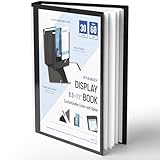
- Perfect 8.5x11inch Portfolio Binder: This document file folder with 30 top-loading pockets, displaying 60 pages. Each pocket holds up to 10 sheets, keeping documents organized, visible and protected. The front inner pocket of book binder stores loose papers, business cards, flyers, etc. Ideal for office, school or home use—neat storage made easy!
- Customizable Cover And Spine: STAGEEK file folder organizer allows you to add labels, stickers or handwritten notes to mark contents instantly. The sleek design of folders with pockets combines functionality with convenience, ensuring your papers stay organized while you quickly locate the right portfolio folder.
- Super Easy To Use: This presentation folder with plastic sleeves lies flat when opened, letting you access documents effortlessly without awkward holding. STAGEEK art portfolio high-transparency inner pockets offer crystal-clear visibility—browse and locate needed papers at a glance, no need to pull them out.
- Premium Quality You Can Trust: These sheet protectors 8.5 x 11 feature lightweight clear file pockets—acid-free, no sticking, no ink transfer, and glare-free for easy reading. The waterproof, stain-resistant design keeps important document organizer safe, while the sturdy plastic cover provides reliable protection. Every detail ensures long-lasting use, preserving your papers from damage.
- Multi-Function: STAGEEK plastic sleeves for paper 8.5x11 are not only suitable for long-term storage but also for displaying your paintings, photos, artwork, drawings, stencils. Great for students, teachers, office workers, secretaries, musicians, painters, etc.
Install WooCommerce without enabling unnecessary store features
- In the WordPress dashboard, open Plugins → Add New Plugin.
- Search for WooCommerce, install the official plugin and activate it.
- Complete only the onboarding steps relevant to the project. WooCommerce’s store setup documentation is available at Build an online store.
- For a catalog-only site, do not configure payment gateways, shipping, customer-account requirements, tax calculations or automated order emails unless your catalog actually needs them.
- Keep backups, HTTPS, a working domain and administrator access in place before entering data.
WooCommerce core is available as a free plugin, but hosting, themes, extensions, payment processing and development can cost extra.
Create categories and attributes first
- Go to Products → Categories.
- Enter a name and, if necessary, a specific slug.
- Choose a parent category for a subcategory.
- Add a description and thumbnail when your theme displays them.
- Save the category.
WooCommerce supports hierarchical categories; its taxonomy guidance recommends keeping the hierarchy shallow (product taxonomy documentation). Use categories for major product families and attributes for shared characteristics such as color, voltage, capacity, material or brand. Use tags sparingly and do not create a new category for every specification.
Equipment
├── Pumps
├── Compressors
└── Generators

Attributes: Power source, capacity, voltage, material, brand
Define a controlled vocabulary before entering hundreds of products. “Black,” “black” and “Matte Black” should not become separate filter values unless they truly represent different choices.
Add your first product
- Open Products → Add New.
- Enter the product name, short description and full description.
- Select a category and add a featured image plus gallery images.
- Choose the product type.
- Enter a price, price range or clear quote instruction.
- Add the SKU and inventory fields if availability matters.
- Add attributes, variations, dimensions, weight, documents and related products as appropriate.
- Set catalog visibility, preview the page and publish.
Choose the right product type
- Simple: one item without selectable options.
- Variable: options such as size, color or configuration.
- Grouped: several existing products shown together.
- External/affiliate: sends visitors to another sales channel.
- Virtual/downloadable: manuals, files, licenses or other digital resources.
Use separate products rather than a variable product when each option needs substantially different specifications or inquiry handling. For technical products, put critical specifications in an HTML table instead of hiding them in an image or long paragraph.
Quick wins for a faster PC:
Fix the driver behind crashes, sound loss and screen glitchesFind Drivers →Clear out junk files and repair common Windows errorsFree Scan →Configure the catalog archive and product layout
Classic themes
Open Appearance → Customize → WooCommerce → Product Catalog. The available controls include whether the Shop page shows products, categories or both; what category pages show; default sorting; products per row; and rows per page (catalog settings documentation). Showing either products or categories, rather than both, often produces a clearer browsing path.
Block themes
Open Appearance → Editor → Templates → WooCommerce → Product Catalog. The template uses the Product Collection block and can include sorting, result counts and filters (Product Catalog template documentation).
Rank #2
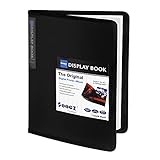
- 30-Pocket Portfolio Display Book: Each art binder with 30 bound clear sheet protectors, letting you show 60 pages of 8.5x11" letter size or smaller. Folder measures 11 1/2" (L) x 9 11/16" (W) x 9/16" (G).
- Customizable Spine Title: You can label and identify your watercolors, sketches, scrapbook, art pieces, sheet music, certificates, and other projects by customizing the reversible spine insert.
- High Transparency & Lies Flat When Open: Our presentation book with crystal clear PP sheet protectors offers complete transparency for checking through and organizing. Bound sheet protector lies flat when open, free your hands.
- Archival Quality & Heavy Duty: Made from durable and light weight polypropylene which is archival quality, acid-free, non-stick, and non-glare, and water-proof. Thickened and sturdy cover won’t easy to crack and keeps your clear sleeves from being damaged.
- Multi-Function: Not only suitable for long-term storage but also for displaying your paintings, photos, artwork, drawing, stencils. Great gift for students, teachers, office workers, secretaries, musicians, painters, etc.
If editing the Shop page has no visible effect, the Product Catalog template is probably controlling the output. Edit that template instead, then clear the site and browser cache.
Add search, filters and sorting
Useful controls include product search, category, brand, tag, attribute, stock-status, rating and price-range filters. The Product Filters block supports these options when the relevant product data exists (WooCommerce filter documentation).
Filters only work well when taxonomy values are consistent. Free-text specifications cannot reliably power a filter, so place recurring characteristics in attributes or other structured taxonomies. Set a sensible default sort, such as popularity, newest items or alphabetical order, and test pagination on mobile.
Decide how prices should appear
Public prices
Use public prices when they are stable and visitors need to compare products or order directly.
Hidden prices
Hide prices when they vary by customer, region or quantity, or when products are custom and quote-based.
Labels and ranges
Use explicit text such as “From $X,” “Request a quote,” “Call for pricing,” “Available through authorized dealers” or “Log in to view trade pricing.” A blank price field looks broken; replace it with a clear next step.
PC Slower Than It Used to Be?
A free scan shows the junk files, broken settings and background clutter dragging Windows down - then fixes them in one click.Free scan · Windows 10 & 11Outdated Drivers Are Slowing You Down
One free scan finds every outdated or missing driver and matches the right update for your exact hardware.Free scan · exact hardware matchRank #3

- 𝐔𝐧𝐢𝐪𝐮𝐞 C𝐨𝐥𝐨𝐫:We have designed four specially colors :Space Gray, Silver, Gold(orange)and Rose gold for our Golden Future Series Presentation Book,While fully protecting your documents and papers, You will feel specialy,We honor great Technology innovators,We believe that people with passion can change the life for the better.
- 𝐎𝐧𝐥𝐲 𝐭𝐡𝐞 𝐁𝐞𝐬𝐭 𝐐𝐮𝐚𝐥𝐢𝐭𝐢𝐞𝐬!All our plastic sheets are Non-Glare, Acid-Free, Archival-Safe and made of high-quality polypropylene, durable, lightweight, waterproof, and can be used for a long time.
- 𝐌𝐮𝐥𝐭𝐢𝐟𝐮𝐧𝐜𝐭𝐢𝐨𝐧𝐚𝐥 : The blinder with plastic sleeves are perfect for storing files, documents, projects, reports, certificates, photos, music scores, and other artworks.
- 𝟖.𝟓 𝐱 𝟏𝟏 𝐏𝐫𝐞𝐬𝐞𝐧𝐭𝐚𝐭𝐢𝐨𝐧 𝐁𝐨𝐨𝐤:Includes 1 pack presentation book with 20 plastic binders, capable of reading 40 pages. The portfolio folder size is 8.5×11inch, each display bag size is 8.5 x 11inch (standard A4 letter size).
- 𝐄𝐚𝐬𝐲 𝐭𝐨 𝐔𝐬𝐞:The plastic cover of the binder has a matte textured surface, reducing glare and leaving no fingerprints; The wide opening makes the paper easy to slide in and out, and the viewing and browsing are also very clear and convenient.
Turn WooCommerce into catalog mode
WooCommerce’s official Catalog Visibility Options extension can disable Add to Cart and Buy Now controls, disable cart and checkout processes, and apply product, category, user-role or location rules. A typical implementation is:
- Install and activate the extension from Plugins → Add New → Upload Plugin.
- Disable Add to Cart and Buy Now controls.
- Disable or redirect cart and checkout pages.
- Choose whether prices should be hidden or replaced with text.
- Replace purchase controls with Contact sales, Request a quote, a phone number or a login prompt.
- Apply rules globally or to selected products and categories.
- Test every front-end and alternate purchase path.
Do not rely on CSS to hide buttons. Test single-product pages, archives, related products, widgets, blocks, product tables, mini-cart widgets, direct add-to-cart URLs, cart and checkout URLs, cached pages and administrator views. WooCommerce’s own guidance treats button removal and cart/checkout disabling as separate tasks (WooCommerce catalog-mode guidance).
Add a quote or contact workflow
Every catalog-only product needs an obvious action. Add a product-specific inquiry button that can include the product name and SKU in the subject line, then provide a form, phone number or sales email. For wholesale sites, use role-based visibility so approved users can see trade pricing while public visitors see a quote request. Confirm that logged-out and logged-in users receive the intended content.
Add the catalog to navigation
- Link the Shop or Catalog page from the primary menu and homepage.
- Link important category pages from relevant service or industry pages.
- Expose search visibly and add breadcrumbs where your theme or SEO plugin supports them.
- Link related products and the contact or quote page.
- Do not put dozens of categories in a mobile menu; use a shallow structure.
Improve images, documents and accessibility
- Use consistent image proportions, descriptive filenames and multiple views when appearance matters.
- Compress images before upload and write meaningful alternative text.
- Keep essential specifications in HTML, not only inside images or PDFs.
- Attach manuals and datasheets as downloads, while summarizing key facts on the product page.
- Make document links clear and open them in a new tab only when that improves the task.
WooCommerce or a dedicated catalog plugin?
| Criterion | WooCommerce | Dedicated catalog plugin |
|---|---|---|
| Future online selling | Strong | May require migration or an extension |
| Variations and inventory | Built in | Depends on the plugin |
| Catalog-only simplicity | More configuration | Often simpler |
| Ecosystem and migration tools | Large | Smaller and vendor-specific |
| Catalog-mode controls | Extension or customization | May be native |
The WordPress.org eCommerce Product Catalog plugin is positioned as a catalog-focused alternative with category and price filters, metadata and structured-data features. Its listing showed version 3.5.7, updated May 28, 2026, when checked for this article. Verify current compatibility before installing.
Free tools Windows power users keep installed
One-click scans. No signup required.
For a searchable, sortable one-page table, Barn2 WooCommerce Product Table advertises search, sorting, variations, custom fields, taxonomies and SKU display. The vendor page showed version 4.3.10, updated July 16, 2026, when checked. It is less suitable for an image-led editorial catalog than for dense browsing or wholesale ordering.
YITH’s free WooCommerce Catalog Mode listing showed more than 60,000 active installations and version 2.57.0, with WordPress 6.8 or higher and PHP 7.4 or higher listed at the August 16, 2026 check. Its documentation is at YITH catalog-mode support. Features and compatibility can change, so confirm the current listing before deployment.
Rank #4

- INFUN Telescoping 1 Inch 3 Ring Binder : Tired of the cumbersome and space-devouring traditional binders? Imagine a smarter approach to organization with our revolutionary Effortless Lightweight Binder. With a telescoping spine and space-saving design, you can finally free your workspace from clutter. Experience the difference today!
- Innovative Telescoping Spine Design : With this innovative design, you can easily customize the binder's capacity to fit your needs, whether you have a few papers or a larger collection. This allows for a compact and organized storage solution, eliminating unnecessary bulkiness.
- Foldable Front Cover design : The INFUN Telescoping 3-Ring Binder features a foldable front cover design, allowing it to unfold fully and lie flat on the desktop, providing a smooth and level writing surface. Additionally, the foldable front cover can be conveniently folded back, saving valuable desktop space and serving as a temporary clipboard, offering a versatile workspace tailored to your needs.
- Customized front cover: The top-loading transparent pocket on the front allows for customized covers or file themes,which provides a simple yet powerful way to personalize and customize your Binder.
- Compact and Portable: Measuring at a convenient 11.4 x 10.4 x 0.39 inches, with 1" rings that allow you to easily add, remove, and rearrange pages( hold up to 225 sheets of paper). Ideal for students, teachers, and professionals alike, these binders are versatile and can be used in homes, schools, offices, and more
Bulk creation for advanced users
WP-CLI is useful for migrations and repeatable deployments, not as the normal beginner path. With a configured WooCommerce CLI/REST environment and suitable authentication, WooCommerce documents commands such as:
wp wc product create
  --name="Example Product"
  --type="simple"
  --status="publish"
  --catalog_visibility="visible"
  --description="Product description"
  --sku="EX-001"
  --regular_price="99.00"
  --user=1
See the documented fields and requirements at WooCommerce CLI product commands.
Do these 3 things before closing this tab:
1Repair Windows errors before they cause bigger problems2Fix the driver behind crashes, sound loss and screen glitches3Clear out junk files and repair common Windows errorsLaunch checklist
Product data
- Every product has the correct category, SKU, image and description.
- Specifications, availability and documents are accurate.
- Discontinued and out-of-stock products have a defined treatment.
Front end
- The catalog, category pages, search, filters, sorting and pagination work.
- Product images, downloads and inquiry buttons work on mobile.
- No cart or checkout route remains when the site is catalog-only.
Technical
- HTTPS is enabled, canonical URLs are correct and indexing is not blocked unintentionally.
- Product schema reflects the information actually shown; filtered query URLs have a deliberate indexing strategy.
- Cache is purged after catalog-mode changes and a backup exists.
Troubleshooting common problems
The Shop page does not change
Edit Appearance → Editor → Templates → WooCommerce → Product Catalog if a block theme is controlling the output (template documentation).
Categories are missing
Confirm products are assigned, the Shop-page display is set to show categories, categories have products or subcategories, thumbnails exist when required, the correct template is being edited and caches are cleared.
Add to Cart still appears
Check single-product pages, archives, related products, widgets, blocks, product tables, mini-cart, cart and checkout URLs, cached pages and logged-in views. Extensions can have separate settings for each area.
Filters return wrong results
Check inconsistent attribute terms, free-text specifications, incorrect category assignments, empty taxonomies and stale AJAX or page-cache results.
The Tool Desk
Outbyte PC Repair FREERepair Windows errors before they cause bigger problemsFix Now →Outbyte Driver Updater FREEScan for outdated or missing drivers - takes under a minuteDriver Scan →Best Value

- Keep your notes and assignments in order with this hybrid NoteBinder. Five dividers organize handouts by subject, so you can find what you're looking for in a flash.
- Durable plastic covers protect pages from damage and fold back to lie flat when taking notes. Clearview cover allows you to personalize the binder with a custom cover sheet.
- TechLock rings open easily and firmly hold sheets in place with a flexible design that withstands frequent use.
- 1" rings hold up to 200 sheets of letter-size (8 1/2" x 11") paper.
- 2 NotePocket dividers offer additional space for handouts and other loose papers. 3 NoteProtector dividers make it simple to organize the binder, so documents can be found in an instant.
The catalog is hard to maintain
Reduce nested categories, standardize technical fields, use predictable image names and maintain a shared spreadsheet or import template.
Prices are hidden but the page feels broken
Replace the blank area with Request pricing, Contact sales, Login to view trade pricing, Call for availability or another explicit action.
Frequently Asked Questions
Can I create a catalog without WooCommerce?
Yes. A dedicated catalog plugin or custom post type can display products without cart, checkout or inventory features. Choose that route when future WooCommerce selling is unlikely.
Can WooCommerce work without accepting payments?
Yes. Keep the product and taxonomy system, then disable payment, cart and checkout functions with catalog-mode controls and test direct purchase paths.
Can I turn a catalog into a store later?
WooCommerce is usually the easiest foundation for that change because products, categories, attributes and variations already use its store data model.
Should specifications be categories or attributes?
Use categories for major product families and attributes for reusable characteristics such as voltage, size, material or brand.
Quick Recap
Product prices and availability are accurate as of the date/time indicated and are subject to change. Any price and availability information displayed on Amazon at the time of purchase will apply.




