The Tool Desk
Outbyte PC Repair FREERepair Windows errors before they cause bigger problemsFix Now →Outbyte Driver Updater FREEFix the driver behind crashes, sound loss and screen glitchesFind Drivers →Before submitting a workers’ compensation claim, check each answer against the instructions for the exact form and reliable records. Verify names, dates, employer and incident details, injury information, and any requested treatment or work-absence details; make sure the sections assigned to you are complete, signed, and dated. The right form, filing route, and deadlines depend on the state or federal program and claim type—there is no single national claim form.
Start with the right form and instructions
First identify the jurisdiction and claim type, then use the latest form and instructions from the responsible agency. A worker’s claim form may not be the same document as an employer’s report or a medical provider’s report. The official examples below illustrate different systems; their fields and deadlines should not be applied outside their jurisdictions.
| # | Preview | Product | Price | |
|---|---|---|---|---|
| 1 |

|
Alabama workers' compensation: With forms | $215.00 | Buy on Amazon |
| 2 |
|
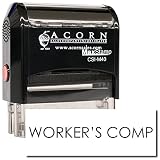
Insurance Stamp - Red Ink Self-Inking Workers Comp Stamp, Ideal for Clinical Office Staff, Durable,... | $11.95 | Buy on Amazon |
As an Amazon Associate I earn from qualifying purchases.
- California: The Division of Workers’ Compensation (DWC) describes the worker completing the employee section of its claim form and returning it to the employer. California DWC: How to file a claim.
- Arizona: The Industrial Commission’s Worker’s and Physician’s Report divides responsibilities between the worker and treating provider. Industrial Commission of Arizona: Worker’s and Physician’s Report of Injury.
- New York: The employee C-3 and employer C-2F are distinct forms with different purposes. New York State: File a Workers’ Compensation Claim.
- Federal Longshore program: Form LS-203 is for claims under the Longshore and Harbor Workers’ Compensation Act and specified extensions, not a general federal or state claim. U.S. Department of Labor: LS-203 form and instructions.
Read the form’s directions before filling fields. Do not assume that a blank field is acceptable—or that every section is yours to complete—based on another state’s form.
Quick wins for a faster PC:
Clear out junk files and repair common Windows errorsFree Scan →Scan for outdated or missing drivers - takes under a minuteDriver Scan →Check the facts against your records
Review each field that applies to your section. Use reliable records such as employer or payroll documents, appointment information, and your own notes. The form’s instructions control if they call for a particular format or level of detail.
#1 Best Overall
- Your identity and contact details: Check the spelling of your legal name, mailing address, phone number, and other requested contact information.
- Employer and job details: Verify the employer’s name and address, your occupation or job title, duties, employment status, and wage information if requested. Check figures against payroll records rather than estimating from memory.
- Dates and times: Check the injury or illness date, time of incident if requested, date it was reported, and date the employer learned of it where applicable. Make sure entries agree with one another and with your records.
- Incident account and location: State where and how the event happened and what you were doing. Be specific enough to answer the form’s questions, but do not speculate or add details you cannot support.
- Injury, treatment, and work impact: Identify the injury or illness and affected body parts as requested. Check treatment information, lost time, and work status against your records. If a form requests left, right, or bilateral location, select the accurate option.
- Witnesses and other requested details: Include names or information only where the form asks for them, and check spelling and accuracy.
Make the incident description clear and consistent
A reviewer should be able to follow the same basic account across the form: what happened, where and when it happened, what body parts were affected, and what treatment or time away from work followed, if those details are requested. Check that the narrative does not conflict with dates, body-part selections, or other answers elsewhere on the form. Correct a genuine mistake rather than trying to make entries appear consistent by guessing.
Complete only the section assigned to you
California DWC claim form
California DWC instructs the worker to complete only the “employee” section, sign and date it, keep a copy, and send it to the employer. The employer completes its section and forwards the form to the insurer. DWC advises that the employer must give or mail the form within one working day after learning of an injury or illness. When mailing the completed worker section, DWC recommends certified mail with return receipt requested so the mailing and receipt dates are recorded; request a copy of the employer-completed form if you do not receive one. These are California instructions, not a nationwide filing rule. California DWC filing instructions.
Arizona Worker’s and Physician’s Report
Arizona assigns the “Worker’s Report” to the worker, who completes, signs, and dates it; the treating physician or medical provider completes, signs, and dates the “Physician’s Initial Report.” The Commission says the form should be completed in its entirety, including employer name and address and the accident address or location, and warns that missing information may delay processing. It directs the provider to file within eight days after first rendering treatment and send copies to the employer and carrier or third-party administrator. Arizona also describes a one-year written claim filing period, with accrual linked to when the injury becomes manifest or the worker knows, or reasonably should know, of a compensable work-related injury. Confirm how these rules apply to your situation with the Arizona authority; they do not apply automatically elsewhere. Industrial Commission of Arizona instructions.
Do these 3 things before closing this tab:
1Fix the driver behind crashes, sound loss and screen glitches2Repair Windows errors before they cause bigger problems3Scan for outdated or missing drivers - takes under a minuteNew York C-3 and C-2F forms
New York’s employee C-3 guidance asks for information including contact details, employer and job information, gross pay rate, how and where the injury happened, the injury or illness and affected body parts, treatment, and lost time. The state advises workers to complete as many fields as possible with as much detail as possible, and says no other documents are necessary to file a C-3. It also says workers must notify the employer within 30 days and file a C-3 with the Board. These are New York-specific directions. New York State C-3 guidance.
Rank #2
- RED INK SELF-INKING WORKERS COMP STAMP EFFORTLESS OPERATION: Enjoy the simplicity of the Self-Inking Workers Comp Stamp, designed for easy, one-handed operation. Perfect for busy clinical office staff, it delivers up to 10,000 clear and sharp impressions with just a press. Refillable for long-term use.
- PRECISION AND CLARITY: Each stamp utilizes advanced laser engraving technology, ensuring every "Workers Comp" imprint is precise and legible. This red ink insurance stamp is essential for processing work-related patient documents efficiently.
- INSURANCE STAMP TIME-SAVING TOOL: Streamline your office workflow with this quick and reliable stamping solution. Ideal for marking multiple patient records accurately, it helps clinical staff manage paperwork for work-related incidents without hassle.
- DURABLE DESIGN: Built to last, the Self-Inking Workers Comp Stamp features a robust construction and a refillable ink pad, making it a choice for medical offices. Its compact size, 1/2" x 1-1/2", fits comfortably in any desk setup.
- PROFESSIONAL PRESENTATION: Enhance the professionalism of your office with this essential tool. The bold red ink stands out on documents, ensuring the "Workers Comp" message is noticed immediately, facilitating smoother insurance processing.
The C-2F is an employer report, not the employee C-3. Its instructions cover fields such as injury date and time, date the employer learned of the injury, employment status, estimated weekly gross wage, injury type and body part, incident cause and narrative, location, witnesses, and employer and insurer details. The instructions expressly allow the employer to leave the Board case-number or claim-administrator claim-number field blank if that identifier is unknown; this permission applies to those fields, not to every blank on the form. New York Workers’ Compensation Board C-2F instructions.
Federal Longshore LS-203
If your claim is under the Longshore and Harbor Workers’ Compensation Act or a specified extension, follow the current LS-203 instructions and filing route. The form instructions distinguish time rules for covered circumstances, including injury, hearing loss, and occupational disease, and direct a new claimant without an OWCP case number to choose “Submit New Claim or Report of Injury” in the SEAPortal, with alternatives listed in the instructions. Confirm the current process with OWCP; LS-203 is not the form for every federal employee or state workers’ compensation claim. OWCP LS-203 and instructions.
Independent reader supportYour contribution helps us test, update, and keep practical guides available for everyone.Handle unknown fields without guessing
If you do not know an answer, check the specific form’s instructions or ask the claim administrator or responsible agency how to proceed. Do not invent a date, wage, identifier, or other fact, and do not assume you may leave a field blank. For example, New York’s C-2F instructions allow two specified claim-number fields to be blank when unknown, while the state’s C-3 guidance encourages completing as many fields as possible. Those instructions apply to different forms and do not create a general blank-field rule.
Free tools Windows power users keep installed
One-click scans. No signup required.
Final check before sending
- Confirm form and filer: Make sure the form matches your jurisdiction and claim type, and that you are completing the section assigned to you.
- Review every answer: Compare names, contact details, dates, employer information, incident facts, injury details, and any requested wage, treatment, or work-absence information with reliable records.
- Check required formalities: Follow the form’s directions for signatures, dates, and any attachments or separate reports. Do not sign for an employer or medical provider unless the official instructions authorize you to do so.
- Save a complete copy: Keep the completed form and relevant submission records. Use the official filing channel and retain available proof of delivery or submission.
- Verify local timing and destination: Check the responsible agency’s current instructions for notice and filing deadlines, recipient, and accepted submission method. A deadline from another state or program is not a substitute.
A form review can catch missing or inconsistent information, but it does not determine whether a claim qualifies or guarantee acceptance. If a deadline, disputed fact, or complex circumstance makes the correct response unclear, contact the relevant agency or seek qualified advice for your jurisdiction.
Quick Recap
Product prices and availability are accurate as of the date/time indicated and are subject to change. Any price and availability information displayed on Amazon at the time of purchase will apply.




