Quick wins for a faster PC:
Fix the driver behind crashes, sound loss and screen glitchesFind Drivers →Repair Windows errors before they cause bigger problemsFix Now →Drobo, Inc. did not originally file Chapter 7. Its voluntary petition was filed under Chapter 11 on June 20, 2022, as case 22-50517 in the U.S. Bankruptcy Court for the Northern District of California. Public case summaries later report that the case was converted to Chapter 7 and closed on March 12, 2024. See the case administrator’s records at Donlin Recano and the PACER-sourced case summary.
For owners, the practical result is more important than the label: Drobo is no longer a dependable, actively supported storage platform. Existing units may continue working, but owners should secure their files, avoid risky disk changes and migrate to supported storage.
What happened to Drobo?
Drobo, Inc. was one of seven related debtors in the StorCentric proceedings, alongside StorCentric, Inc., Connected Data, Inc., Retrospect, Inc., VS Acquisition Company, LLC, Nexsan Corporation and Nexsan Technologies Incorporated. Drobo had its own case number even though the proceedings were administered together.
| Event | Verified detail |
|---|---|
| Initial petition | Voluntary Chapter 11 petition filed June 20, 2022 |
| Case | 22-50517, Northern District of California |
| Later status | Converted from Chapter 11 to Chapter 7, according to the public case summary |
| Reported closure | March 12, 2024 |
| Petition ranges | $10 million–$50 million in assets and liabilities, and 200–999 creditors; these are estimates in the petition, not final liquidation figures |
The consolidated case materials list a July 19, 2022 meeting of creditors and an October 17, 2022 general claims bar date. The case administration site and its docket portal provide the available proceedings information.
#1 Best Overall
![[UL LISTED]KFD 150W 12V AC Adapter for Drobo DroboFS, S, 5D, 5Dt, 5N, 5N2, 5C 5D3 5-Bay 4 Bay Array Network Storage DR-5X-1P11 DAS Hard Disk Drive HDD NAS Charger FSP150-AHAN1 Drobo Power Supply Cord](https://m.media-amazon.com/images/I/41WmMpJNT0L._SL160_.jpg)
- KFD products are UL / CE / FCC / RoHS certified, UL LISTED: Tested, Approved and Certified by UL. UL number is unique. UL testing is authorized by OSHA - US Federal Agency ; tested by the manufacturer to match and / or exceed the OEM specifications
- Warranty: 30 Days Free Exchange /36 Months Warranty; This adapters was made with the highest quality materials.V-0 grade flame retardant,OVP, OCP, SCP Protection (OVP: Over Voltage output Protection. OCP: Over Current output Protection. SCP: Short Circuit output Protection)100% compatibility with the original,more safety than other adapter
- Input: 100-240V 50-60Hz Output: 12V 12.5A150W , (also works for 12V 7A, 12V 8.33A, 12V 10A );--Please confirm the specifications and plug size before purchasing!If you can't make sure,pls feel free to contact us
- Compatibility: Drobo 5D 5-bay Direct Attached Storage Array. (Thunderbolt/USB 3.0), Drobo 5N 5D DR-5N-1P11 DRDS4-A DRDS4A21 DR5D DR-5D-1P11 DRDR5-A DRDR5A 917-00001-001 NAS DAS Storage Array 5Bay HDD EDAC 120W - 150W FSP 120 - 150 W, Drobo 5D DR-5D-1P11 DR5D1P11 DR5D DR5D-1P11 Storage Array DAS Hard Disk Drive HDD HD EDAC120W or FSP120W EDAC 120W - 150W EDAC150W FSP150W 12V 12.5A 120 150 Watts Power Supply, replace Drobo 5D FSP150-AHAN1 (P/N: 55 23189 01, 55 231389 01, S/N:53200969LF01)
- fits for Drobo 5D DRDR5A21-6TB DRDR5A21-10TB DRDR5A21-20TB DRDR5A21-15TB DR-5X-1P11 DROBO 5D DROBO5N & DROBO Power Supply, Drobo DRDS4A21-20TB DRDS4A21-15TB DRDS4A21-10TB DRDS4A21-2TB DRDS4A21-6TB; Drobo 5Dt DRDR5A21-T DRDR5A21T DRDR5A21-T-30TB DRDR5A21-T-20TB DRDR5A21-T-15TB 5-Drive Direct Attached Storage (DAS) Array; Drobo DS2A2-20EARS-5 FS 5 Bay Storage Array
Why “filed Chapter 7” is misleading
Chapter 11 is generally a reorganization process; Chapter 7 is a liquidation process. Drobo’s sequence was therefore:
- Chapter 11 petition filed in June 2022.
- A restructuring, sale or liquidation process involving the related companies.
- Conversion of Drobo’s case to Chapter 7.
- Reported case closure in March 2024.
It is reasonable to describe Drobo as ending in Chapter 7 liquidation, but not to say that Chapter 7 was the original filing.
Are Drobo products and support still available?
Drobo products had effectively disappeared from normal retail availability by the time of the bankruptcy and subsequent liquidation. The reviewed sources do not establish a precise date when sales formally ended. No dependable current manufacturer channel should be assumed for new hardware, firmware, software, warranty service or technical escalation.
Rank #2

- Compalibility- with DroboFS, S, 5D, 5Dt, 5N, 5N2, 5C 5D3 5-Bay Storage Array, Drobo 5D 5-bay Direct Attached Storage Array. (Thunderbolt/USB 3.0), EDAC EDACPOWER ELEC model EA11011H-120 (Drobo 5c 5-Bay USB Type-C Self-Managing DAS)
- Drobo Power Supply Fits for Drobo 5D 5-bay Direct Attached Storage Array. (Thunderbolt/USB 3.0), Drobo 5N 5D DR-5N-1P11 DRDS4-A DRDS4A21 DR5D DR-5D-1P11 DRDR5-A DRDR5A 917-00001-001 NAS DAS Storage Array 5Bay HDD EDAC 120W - 150W FSP 120 - 150 W, Drobo 5D DR-5D-1P11 DR5D1P11 DR5D DR5D-1P11 Storage Array DAS Hard Disk Drive HDD HD EDAC120W or FSP120W EDAC 120W - 150W FSP 120 - 150 W EDAC150W FSP150W 12V 12.5A 120 150 180 Watts Power Supply
- Safety / UL Listed - This TAIFU product has been Tested, Approved and Certified to meets their standards for electrical safety and design in both the United States and Canada. The UL number is unique.UL LLC is a global safety consulting and certification company, which performs safety testing by the U.S. federal agency Occupational Safety and Health Administration (OSHA)
- Compatible with Drobo 5D DRDR5A21-6TB DRDR5A21-10TB DRDR5A21-20TB DRDR5A21-15TB DR-5X-1P11 DROBO 5D DROBO5N & DROBO Power Supply, Drobo DRDS4A21-20TB DRDS4A21-15TB DRDS4A21-10TB DRDS4A21-2TB DRDS4A21-6TB; Drobo 5Dt DRDR5A21-T DRDR5A21T DRDR5A21-T-30TB DRDR5A21-T-20TB DRDR5A21-T-15TB 5-Drive Direct Attached Storage (DAS) Array; Drobo DS2A2-20EARS-5 FS 5 Bay Storage Array
- Power Spes - Output DC 12V 12.5A 150W (Compatible with 12V 9A, 12V 10A, 12V 12A)// Input Volt Range: 110-240V / Tested Units. 【Safety Security 】Fireproof PC Shell(Flame resistance applies to UL94-V1)+ Pure Copper Core (Longer Service Life); ALL TAIFU A191-120001250 chargers are UL/CE/FCC/RoHS certified and in great working condition. We guarantee our charger will charge your device as efficiently as the original charger. In addition, our products are in compliance with top industry standards. // OVP: Over Voltage output Protection. OCP: Over Current output Protection. SCP: Short Circuit output Protection.
Archived Dashboard downloads and documentation may still exist, but archived files are not active support. Rossmann Group, a commercial recovery provider, says liquidation ended Drobo product development, firmware updates, technical support and warranty service; treat that as specialist guidance rather than an official Drobo announcement (Rossmann Group).
Free tools Windows power users keep installed
One-click scans. No signup required.
What the bankruptcy means for data on a Drobo
Bankruptcy does not automatically erase files. The increased risk comes from hardware failure, disk degradation, corruption, unavailable software and the difficulty of finding a working donor enclosure.
Drobo’s BeyondRAID is proprietary rather than a conventional software-RAID layout. Rossmann Group describes a block-level virtualization layer with thin provisioning, variable stripe widths and custom metadata that ordinary RAID utilities generally cannot interpret. Consequently, a failed enclosure can make a disk pack difficult to access even when individual disks remain readable. Recovery may be possible, but it is not guaranteed or necessarily inexpensive.
Rank #3
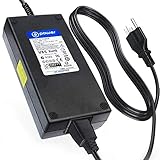
- T-POWER Power Supply for 5D, 5N, and 5C ( 180W 12V,12.5A, also works for 12V 7A, 12V 8.33A, 12V 10A ) Drobo DR-5X-1P11 Replacement Power Supply FSP Group INC, (POWER SPECS : Input Voltage Range: AC 100V - 240V)
- Compatible with : DroboFS, S, 5D, 5Dt, 5N, 5N2, 5C 5D3 5-Bay Storage Array, Drobo 5D 5-bay Direct Attached Storage Array. (Thunderbolt/USB 3.0), EDAC EDACPOWER ELEC model EA11011H-120 (Drobo 5c 5-Bay USB Type-C Self-Managing DAS)
- Drobo 5D 5-bay Direct Attached Storage Array. (Thunderbolt/USB 3.0), Drobo 5N 5D DR-5N-1P11 DRDS4-A DRDS4A21 DR5D DR-5D-1P11 DRDR5-A DRDR5A 917-00001-001 NAS DAS Storage Array 5Bay HDD EDAC 120W - 150W FSP 120 - 150 W, Drobo 5D DR-5D-1P11 DR5D1P11 DR5D DR5D-1P11 Storage Array DAS Hard Disk Drive HDD HD EDAC120W or FSP120W EDAC 120W - 150W FSP 120 - 150 W EDAC150W FSP150W 12V 12.5A 120 150 180 Watts Power Supply
- Drobo 5D DRDR5A21-6TB DRDR5A21-10TB DRDR5A21-20TB DRDR5A21-15TB DR-5X-1P11 DROBO 5D DROBO5N & DROBO Power Supply, Drobo DRDS4A21-20TB DRDS4A21-15TB DRDS4A21-10TB DRDS4A21-2TB DRDS4A21-6TB; Drobo 5Dt DRDR5A21-T DRDR5A21T DRDR5A21-T-30TB DRDR5A21-T-20TB DRDR5A21-T-15TB 5-Drive Direct Attached Storage (DAS) Array; Drobo DS2A2-20EARS-5 FS 5 Bay Storage Array
- T-Power - manufactured with the highest quality materials and include multiple smart features safeguarding against IV - incorrect voltage, SC - short circuit, IO - internal overheating. CE/FCC/RoHS certified
What owners of a working Drobo should do now
- Copy critical files immediately. Use an independent backup target; another Drobo is not a sufficient sole backup.
- Verify the copy. Open representative photos, videos, documents and project files from the backup.
- Record the configuration. Note the model, bay order, drives, capacity, free space, connection type, operating system, Dashboard version and firmware version.
- Avoid unnecessary changes. Do not begin firmware changes, rebuilds or disk substitutions merely to test the unit.
- Plan a file-level migration. Move data to a currently supported NAS, DAS or other storage system after the backup is verified.
- Keep the original unit intact. Retain the Drobo and disks until the new copy has been checked and your applications work normally.
Apply the 3-2-1 principle where practical: three copies, on two different types of media, with one copy off-site. A Drobo that still mounts is not proof that a usable backup exists.
If your Drobo is failing
It still mounts but shows warnings
Copy the most important data first and migrate gradually while it remains stable. Avoid starting a rebuild before critical files are secured. Do not remove or replace multiple drives at once.
Do these 3 things before closing this tab:
1Fix the driver behind crashes, sound loss and screen glitches2Clear out junk files and repair common Windows errors3Scan for outdated or missing drivers - takes under a minuteIt repeatedly disconnects or will not mount
- Do not initialize, format or “repair” the disk pack when the operating system prompts you.
- Do not run generic RAID rebuild tools against the original disks.
- Label every disk and preserve its bay order.
- Stop writing to the device and consider a specialist recovery service if the data matters.
Rossmann Group recommends imaging member disks before reconstruction and preserving the original pack. That is commercial specialist advice; obtain a second opinion for high-value data.
Rank #4

- Product Type: Replacement AC Adapter
- Input: 100-240V 50/60Hz Output: 12V
- Certification: ETL Listed, with FCC,CE,ROHS certified
- Compatibility: Drobo 5N DRDS4-A OROS4-A 0R0S4-A DRDS4A OROS4A 0R0S4A/ Drobo 5N2 DRDS5-A OROS5-A 0R0S5-A DRDS5A OROS5A 0R0S5A/ Drobo 5C DDR4-A OOR4-A 00R4-A DDR4A OOR4A 00R4A/ Drobo FS DRDS2-A OROS2-A 0R0S2-A DRDS2A OROS2A 0R0S2A/ Drobo e-SATA DRDR3-A OROR3-A 0R0R3-A DRDR3A OROR3A 0R0R3A Gigabit Ethernet Network Attached Storage NAS Array Data Robotics
- Protection: OVP / OCP / SCP
The enclosure appears dead
The disks may be healthy while the power supply, controller board or interface has failed. A used donor Drobo can sometimes be relevant, but it is aging hardware with unknown condition and is not a supported migration method. Do not insert the pack into another system that might initialize or overwrite it. For valuable data, work from verified clones or forensic images.
Can Drobo disks be moved to another enclosure?
A different brand’s NAS or DAS should not be expected to read a Drobo disk pack. BeyondRAID metadata, disk order and write activity can matter. Treat any direct disk move as a recovery operation, not a normal upgrade. Preserve the originals and establish a verified copy before experimenting.
Independent reader supportYour contribution helps us test, update, and keep practical guides available for everyone.Choosing a replacement platform
| Path | Best fit | Benefits | Trade-offs |
|---|---|---|---|
| Supported NAS | Multiple computers or users | Current firmware, network access, accounts, snapshots and applications | More setup and security maintenance; migration is normally file-by-file |
| Direct-attached storage | One workstation, including photo or video workflows | Simple local access without network configuration | Less convenient for multiple users; redundancy is not a backup |
| Self-built NAS | Administrators wanting control | Choice of hardware and filesystems such as ZFS | Greater responsibility for hardware, permissions, updates and recovery |
| Cloud or managed backup | Off-site protection | Protection from theft, fire and local hardware loss | Upload and restore time, recurring cost, privacy and retention considerations |
Supported NAS
Synology (official products) and QNAP (official products) offer current NAS ecosystems. Expect to copy files to new storage rather than insert Drobo disks and have them imported automatically. Remote-access features require ongoing security maintenance.
PC Slower Than It Used to Be?
A free scan shows the junk files, broken settings and background clutter dragging Windows down - then fixes them in one click.Free scan · Windows 10 & 11Outdated Drivers Are Slowing You Down
One free scan finds every outdated or missing driver and matches the right update for your exact hardware.Free scan · exact hardware matchBest Value
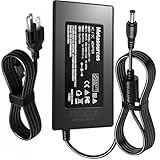
- Compatible with Drobo 5D DR-5D-1P11 DR5D1P11 DR5D DR5D-1P11 Drobo5D Storage Array DAS Hard Disk Drive HDD HD EDAC120W or FSP120W EDAC 120W - 150W FSP 120 - 150 W EDAC150W FSP150W 12V 12.5A 120 - 150 Watts Power Supply; Drobo 5D DRDR5A21-6TB DRDR5A21-10TB DRDR5A21-20TB DRDR5A21-15TB DR-5X-1P11 DROBO 5D DROBO5N & DROBO Power Supply. replaces lost or damaged power cords for these classic models
- Compatible with Drobo 5N DRDS4A21 DRDS4-A 5 Bay NAS Drobo5N Gigabit Ethernet DRDS4A21-20TB DRDS4A21-15TB DRDS4A21-10TB DRDS4A21-2TB DRDS4A21-6TB; Drobo 5Dt DRDR5A21-T DRDR5A21T DRDR5A21-T-30TB DRDR5A21-T-20TB DRDR5A21-T-15TB 5-Drive Direct Attached Storage (DAS) Array
- Compatible with Drobo 5D DRDR5A21-6TB DRDR5A21-15TB DRDR5A21-20TB DRDR5A21-10TB
- Input 100-240V AC, 50/60Hz; supports global voltage for international use; reliable performance for home or travel;FCC approved and safety certified; built-in overcurrent protection (OCP); short-circuit protection (SCP); overvoltage protection (OVP) for safe use
- Durable and convenient design; offers extended reach and flexibility for daily use, ideal replacement for original power supply;Includes 1 AC Adapter + 1 Power Cord; backed by 24-month exchange warranty for peace of mind
Self-built NAS
TrueNAS (official site) and similar systems provide more control, but require knowledge of pools, filesystems, permissions, updates and tested backups. Hardware and time can erase any apparent savings.
Direct-attached storage
A current DAS may suit a single-computer workflow; OWC’s storage range is one starting point (OWC storage). Check macOS or Windows compatibility, connection standards and drive formatting before purchase.
Cloud backup
Distinguish synchronization, cloud-drive storage and true versioned backup. Look for version history, deleted-file recovery, retention controls, encryption and a restore process you have actually tested.
What not to do
- Do not format or initialize a Drobo disk pack containing data.
- Do not shuffle drives or remove one casually to find a “bad” disk.
- Do not run generic RAID repair utilities on the originals.
- Do not treat a second-hand Drobo as a long-term supported platform.
- Do not assume a successful file copy preserves application catalogs, permissions, snapshots or other metadata; check each workload separately.
When professional recovery makes sense
Consider a specialist when the volume will not mount, the enclosure has failed, the pack is degraded, or the files are irreplaceable and no verified backup exists. Routine migration from a healthy Drobo with a tested backup usually does not require recovery services. Any provider’s evaluation, pricing and “no data, no charge” terms should be checked directly before authorizing work.
What’s actually slowing this PC down?
Pick the symptom - the matching free tool is one click away.
Quick Recap
Product prices and availability are accurate as of the date/time indicated and are subject to change. Any price and availability information displayed on Amazon at the time of purchase will apply.




