Quick wins for a faster PC:
Clear out junk files and repair common Windows errorsFree Scan →Fix the driver behind crashes, sound loss and screen glitchesFind Drivers →Repair Windows errors before they cause bigger problemsFix Now →Dell introduced the Pro Max 14 and Pro Max 16 at CES 2025 as entry-level mobile workstations and the first laptops in a new naming structure reported to replace the company’s long-running Precision identity. Both were announced with configurations reaching Intel Core Ultra 9 processors, while the Pro Max 14 focused on portability and the Pro Max 16 offered higher reported professional-GPU and storage ceilings.
This was a January 6, 2025 launch report—not a new August 2026 debut. The available announcement did not establish current retail pricing, exact final processor or GPU models, or present-day availability.
As an Amazon Associate I earn from qualifying purchases.
What Dell announced
Notebookcheck reported that Dell was rebranding its Precision workstation lineup under the Pro Max name. The announcement covered two laptops: the 14-inch Pro Max 14 and the larger Pro Max 16.
Recommended Free Tools
The launch coverage described both as entry-level workstations, although that characterization should not be confused with a formally documented Dell product tier. Their workstation positioning came primarily from the availability of Nvidia RTX professional graphics rather than from the Core Ultra 9 label alone.
#1 Best Overall

- POWERFUL PERFORMANCE: The Dell Pro Plus 16 business laptop is powered by an Intel Ultra 7-265U Processor 12-Core (Base Frequency 2.1GHz, Max Turbo up to 5.3GHz) with 14 threads, delivering exceptional speed and efficiency for multitasking, business applications, and professional workloads.
- STORAGE: 1TB SSD PCIe, RAM: 64GB DDR5 MEMORY; FHD Webcam, Backlit Keyboard. The Dell Pro Plus 16 offers lightning-fast system responsiveness, quicker boot times, and seamless file access. Ideal for multitasking, large file handling, and productivity on the go.
- IMMERSIVE FHD+ DISPLAY: Features a 16" Full HD+ (1920 x 1200) display with enhanced brightness and contrast for crisp visuals. Intel integrated graphics ensure smooth performance for video streaming, online meetings, and daily computing needs.
- CONNECTIVITY & FEATURES: Equipped with Wi-Fi 6E AX211 and Bluetooth for fast, stable wireless connections. Includes a backlit keyboard, FHD webcam, stereo speakers, and dual array microphones—perfect for video conferencing, remote work, and virtual learning.
- WINDOWS 11 PRO: This Windows 11 Pro Computer is designed for business, education, and professionals, featuring enhanced security and productivity tools. Ideal for college students, remote learning, and video conferencing.
Dell Pro Max 14: the mobility-focused option
The Pro Max 14 was presented as the smaller and more portable model. Reported highlights included:
- Up to a 14-inch QHD+ display
- Configurations reaching an Intel Core Ultra 9 processor
- Nvidia RTX 500-class professional graphics
- Up to 2 TB of storage
- An advertised starting weight of approximately 4.04 pounds
- Wi-Fi 7 and Bluetooth 5.4
- A reported MIL-STD durability rating
The display report did not specify panel technology, brightness, refresh rate, color coverage, or touch support. Likewise, the announcement did not identify the precise RTX model, storage interface, number of drive slots, or memory capacity.
At roughly 4.04 pounds in its advertised configuration, the Pro Max 14 could appeal to engineers, designers, developers, and business users who need professional graphics in a comparatively portable chassis. That portability may come with trade-offs: a smaller system generally offers less thermal headroom than a larger workstation, and sustained performance will depend on the selected CPU, GPU, power limits, and cooling design.
Free tools Windows power users keep installed
One-click scans. No signup required.
Dell Pro Max 16: the heavier-workload configuration
The Pro Max 16 was described as the more capable of the two models. Its reported specifications included:
Rank #2

- POWERFUL FOR CREATIVITY - The Dell Precision 7000 series, positioned at the apex of the Precision lineup, surpasses the 3000 and 5000 series and aligns closely with the evolving direction of the Dell Pro Max series. This top-tier 7680 features the NVIDIA RTX 2000 Ada 8GB GPU to deliver robust performance for professionals in design, architecture, photography, video editing, and engineering. Furthermore, the series' intelligent design for data science leverages AI to optimize system performance for key applications, enabling accelerated workflow efficiency
- HIGH PERFORMANCE - Powered by Intel Core i7-13850HX vPro Processor for superior efficiency and speed, 64GB DDR5 CAMM RAM and 2TB PCIe NVMe M.2 SSD for seamless multitasking and fast storage. CAMM was designed specifically to overcome the performance limits of SODIMM while reducing both Z height and routing traces on the PCB to ultimately allow for laptops with both faster RAM and thinner profiles
- CRISP DISPLAY - 16" FHD+ (1920 x 1200) Anti-Glare 45% NTSC display delivers crisp visuals, supported by the ability to connect 4 external monitors via HDMI, USB-C and Thunderbolt ports at 4K (3840x2160) @60Hz (without docking station). 1080p FHD RGB webcam for crystal-clear video calls and meetings
- VERSATILE CONNECTIVITY - Equipped with 2x Thunderbolt 4, USB-C, 2x USB-A, HDMI, Ethernet (RJ-45), and an Audio combo jack. With Wi-Fi 6E and Bluetooth 5.2, ensuring fast wireless connectivity and compatibility with a wide range of peripherals. A full-size keyboard with a dedicated numeric keypad boosts productivity.
- OPERATING SYSTEM - Windows 11 Pro 64‑bit, with AI‑powered Copilot, offers intelligent assistance to streamline complex professional workflows, enhance productivity, and support advanced multitasking across demanding applications. Built for workstation‑class computing, it delivers enterprise‑grade security and IT manageability
- A 16-inch display
- Configurations reaching an Intel Core Ultra 9 processor
- Nvidia RTX 2000-series professional graphics options
- Up to 4 TB of storage
- Wi-Fi 7 and Bluetooth 5.4
- A reported MIL-STD durability rating
The larger chassis, higher reported professional-GPU class, and 4 TB storage ceiling make the Pro Max 16 the more workstation-oriented choice on paper. It may be better suited to CAD layouts, 3D work, video timelines, large code projects, virtual machines, and use as a desktop replacement.
However, “more capable” is a configuration-based inference, not a measured performance result. The Pro Max 16 will not automatically be faster in every configuration. Actual results depend on the exact processor and GPU, VRAM, memory configuration, cooling limits, firmware tuning, and power settings.
Pro Max 14 versus Pro Max 16
| Category | Pro Max 14 | Pro Max 16 |
|---|---|---|
| Positioning | More portable entry-level workstation | More workstation-oriented model |
| Display | Up to 14-inch QHD+ | 16 inches; detailed panel specifications were not reported |
| Highest reported CPU tier | Up to Intel Core Ultra 9 | Up to Intel Core Ultra 9 |
| Professional graphics | RTX 500-class; exact model unknown | RTX 2000-series; exact model and generation unknown |
| Maximum reported storage | Up to 2 TB | Up to 4 TB |
| Reported weight | Approximately 4.04 pounds advertised | Not reported |
| Best fit | Travel, field work, and mobile professional graphics | Larger workspaces, heavier configurations, and desktop-replacement use |
What “up to Core Ultra 9” means
“Up to Intel Core Ultra 9” identifies the highest announced processor tier, not the processor included in every configuration. A lower-priced model could use a Core Ultra 5 or Core Ultra 7 chip, integrated graphics, less memory, and a smaller SSD.
Do these 3 things before closing this tab:
1Scan for outdated or missing drivers - takes under a minute2Repair Windows errors before they cause bigger problems3Fix the driver behind crashes, sound loss and screen glitchesThe launch report speculated that the processors might come from Intel’s Arrow Lake-H family, but it did not confirm a final Core Ultra 9 SKU. Buyers would need to verify:
Rank #3

- POWERFUL PERFORMANCE: The Dell Pro 16 business laptop is powered by an Intel i7-150U Processor 10-Core (Base Frequency 1.2GHz, Max Turbo up to 5.4GHz) with 12 threads, delivering exceptional speed and efficiency for multitasking, business applications, and professional workloads.
- STORAGE: 1TB SSD PCIe, RAM: 32GB DDR5 MEMORY; HD Webcam, Backlit Keyboard. The Dell Pro 16 offers lightning-fast system responsiveness, quicker boot times, and seamless file access. Ideal for multitasking, large file handling, and productivity on the go.
- IMMERSIVE FHD+ DISPLAY: Features a 16" Full HD+ (1920 x 1200) display with enhanced brightness and contrast for crisp visuals. Intel integrated graphics ensure smooth performance for video streaming, online meetings, and daily computing needs.
- CONNECTIVITY & FEATURES: Equipped with Wi-Fi 6E and Bluetooth for fast, stable wireless connections. Includes a backlit keyboard, HD webcam, stereo speakers, and dual array microphones—perfect for video conferencing, remote work, and virtual learning.
- WINDOWS 11 PRO: This Windows 11 Pro Computer is designed for business, education, and professionals, featuring enhanced security and productivity tools. Ideal for college students, remote learning, and video conferencing.
- The exact processor model and whether it is an H-series, HX-series, or another mobile part
- Which lower-tier CPUs are available
- Whether CPU and GPU choices can be configured independently
- Whether the same processor range is offered in every region
Why professional RTX graphics matter
Nvidia’s professional RTX graphics options are aimed at workflows such as CAD, engineering, 3D content creation, simulation, and other enterprise applications. Professional graphics products may differ from GeForce laptop GPUs in driver policies, support arrangements, and application validation.
That does not mean a professional RTX GPU is faster in every program. A similarly priced gaming laptop may deliver better gaming performance per dollar, while a workstation can be preferable when certified drivers, enterprise support, or software validation matter.
The available launch material did not verify ISV certifications for either Pro Max model. Buyers should confirm certification for the exact software and configuration they use rather than assuming that a professional GPU guarantees approval for a particular application.
What’s actually slowing this PC down?
Pick the symptom - the matching free tool is one click away.
Connectivity and durability claims
Both laptops were reported to include Wi-Fi 7 and Bluetooth 5.4. Wi-Fi 7 does not guarantee a particular real-world speed: performance depends on the router, channel width, regional rules, client hardware, and network congestion.
Rank #4

- POWERFUL PERFORMANCE: The Dell Pro 16 business laptop is powered by an Intel i5-120U Processor 10-Core (Base Frequency 1.4GHz, Max Turbo up to 5.0GHz) with 12 threads, delivering exceptional speed and efficiency for multitasking, business applications, and professional workloads.
- STORAGE: 512GB SSD PCIe, RAM: 16GB DDR5 MEMORY; HD Webcam, Backlit Keyboard. The Dell Pro 16 offers lightning-fast system responsiveness, quicker boot times, and seamless file access. Ideal for multitasking, large file handling, and productivity on the go.
- IMMERSIVE FHD+ DISPLAY: Features a 16" Full HD+ (1920 x 1200) display with enhanced brightness and contrast for crisp visuals. Intel integrated graphics ensure smooth performance for video streaming, online meetings, and daily computing needs.
- CONNECTIVITY & FEATURES: Equipped with Wi-Fi 6E and Bluetooth for fast, stable wireless connections. Includes a backlit keyboard, HD webcam, stereo speakers, and dual array microphones—perfect for video conferencing, remote work, and virtual learning.
- WINDOWS 11 PRO: This Windows 11 Pro Computer is designed for business, education, and professionals, featuring enhanced security and productivity tools. Ideal for college students, remote learning, and video conferencing.
The announcement did not detail Thunderbolt or USB4 support, USB port counts, HDMI or DisplayPort implementation, SD-card support, wired Ethernet, docking compatibility, or cellular connectivity. Those omissions matter for workstation buyers who regularly attach monitors, storage, measurement equipment, or docks.
Both models were also reported to have a MIL-STD durability rating. That phrase is incomplete without the exact standard revision, tests performed, test conditions, and configuration covered. It should not be interpreted as a promise of waterproofing, drop-proof construction, dust protection, or fully ruggedized design.
Independent reader supportYour contribution helps us test, update, and keep practical guides available for everyone.Storage, memory, and upgradeability remain important unknowns
The reported storage maximums were 2 TB for the Pro Max 14 and 4 TB for the Pro Max 16. The announcement did not establish whether those totals came from one drive or multiple drives, which SSD interface was used, how many M.2 slots were available, or whether the storage was user-replaceable.
It also mentioned high-speed RAM without giving capacity, memory type, maximum supported memory, or upgradeability. These details can materially change the value of a workstation. A buyer should verify memory and storage before comparing prices, especially because the least expensive configuration may not include the professional GPU or Core Ultra 9 processor highlighted in the launch report.
Best Value
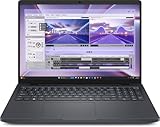
- AI-powered: Yes
- Processor Manufacturer: Intel
- Processor Type: Core Ultra 7
- Processor Model: 255H
- Processor Core: Hexadeca-core (16 Core)
Price, availability, and the planned AMD version
The CES report did not provide launch pricing. It expected retail availability around March or April 2025, but that was an announcement-time estimate—not confirmation of current availability in any particular country.
The same report described an AMD Ryzen version as planned, without confirming its processor, price, release date, regional availability, or whether it would offer the same graphics, displays, ports, and other configurations as the Intel models.
As of August 2026, the supplied information does not establish live Dell pricing, current configurations, or delivery dates. Anyone considering a purchase should check the applicable Dell configuration page and record the country, currency, warranty, support plan, GPU, memory, storage, and delivery estimate. Workstation pricing can change substantially with those options.
Who should consider each model?
Choose the Pro Max 14 when:
- Portability and field use matter more than maximum GPU capability.
- You need professional graphics in a smaller laptop.
- A 14-inch QHD+ display is adequate for the workflow.
- Your projects do not require the strongest reported professional GPU or 4 TB storage ceiling.
Choose the Pro Max 16 when:
- A larger workspace is useful for CAD, timelines, spreadsheets, coding, or design.
- You may benefit from RTX 2000-series professional graphics.
- Up to 4 TB of storage is valuable.
- The laptop will often replace or supplement a desktop and portability is less important.
Consider a consumer laptop instead when:
- Gaming is the primary use.
- You do not need professional drivers, application validation, or workstation support.
- Maximum performance per dollar matters more than enterprise features.
- Your workload is mainly office applications, browsing, and video calls.
For direct alternatives, buyers can compare Lenovo’s ThinkPad P-series and HP’s ZBook workstations. Older or remaining Dell Precision systems may also be relevant when certification documentation or existing fleet compatibility matters; Dell lists workstation products at its workstation portal.
Buying checklist
- Confirm the exact Core Ultra processor SKU.
- Confirm the exact RTX professional GPU, generation, and VRAM.
- Check memory capacity, type, and upgradeability.
- Review display brightness, color coverage, refresh rate, and panel type.
- Check battery capacity and charger wattage.
- Verify ports, Thunderbolt or USB4 support, and dock compatibility.
- Look for ISV certification for the applications you use.
- Check warranty, support, and accidental-damage coverage.
- Verify regional price, stock, and delivery date.
- Confirm Linux or Ubuntu support if required.
- Check whether the advertised weight applies to the configuration being purchased.
Bottom line
The Pro Max 14 and Pro Max 16 were significant because they introduced Dell’s reported transition from Precision branding to Pro Max for mobile workstations. The Pro Max 14 was the portability-focused design, while the Pro Max 16 appeared better suited to heavier configurations, higher-tier professional graphics, and larger storage.
Neither model can be judged from the headline maximum alone. Exact CPU and GPU models, memory, cooling, certifications, ports, pricing, and regional availability determine whether either is a good purchase. Treat the announcement as a CES 2025 launch report and verify the live configuration before spending money.
Quick Recap
Product prices and availability are accurate as of the date/time indicated and are subject to change. Any price and availability information displayed on Amazon at the time of purchase will apply.
The Tool Desk
Outbyte PC Repair FREERepair Windows errors before they cause bigger problemsFix Now →Outbyte Driver Updater FREEScan for outdated or missing drivers - takes under a minuteDriver Scan →



