Free tools Windows power users keep installed
One-click scans. No signup required.
No current 50% off Grubhub offer for Prime members is confirmed in Amazon’s official information reviewed as of October 8, 2026. The latest dated Amazon coupon found was $20 off orders of $30 or more with code DEALS20, but it expired October 5, 2026. Prime members can still activate free Grubhub+ for eligible fee savings and pickup credits.
Is there a current 50% off Grubhub offer for Prime members?
Amazon’s official sources reviewed as of October 8, 2026, do not confirm an active 50% discount. A claim like this may refer to an expired or separate promotion; check the offer shown in your Amazon or Grubhub account before ordering.
| # | Preview | Product | Price | |
|---|---|---|---|---|
| 1 |

|
Grubhub eGift Card | $100.00 | Buy on Amazon |
| 2 |
|
Grubhub eGift Card | $200.00 | Buy on Amazon |
| 3 |
|
Grubhub eGift Card | $50.00 | Buy on Amazon |
| 4 |
|
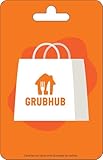
Grubhub Physical Gift Card | $100.00 | Buy on Amazon |
| 5 |
|
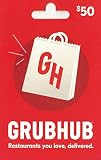
Grubhub Physical Gift Card | $50.00 | Buy on Amazon |
Amazon’s latest dated promotion found offered Prime members $20 off Grubhub orders of $30 or more with code DEALS20 from September 14 through October 5, 2026. That offer has ended, so the code should not be treated as usable now. Amazon’s announcement gives the promotion dates and terms.
Discount coupons and Grubhub+ are different benefits: the coupon was a fixed amount off a qualifying order for a limited period, while Grubhub+ offers eligible fee savings and pickup credit under ongoing terms. Amazon also announced a separate $5 off delivery orders over $25 with code PRIME5 through June 2, 2024; that historical offer is not current. Amazon’s 2024 announcement illustrates that coupon amounts and conditions change.
#1 Best Overall
- This card is redeemable via grubhub.com or the Grubhub app in markets where Grubhub is available within the U.S. only.
- To redeem, log into your account online or in the app, select "gift cards", select "add a new gift card" and enter in the gift card number to add the balance to your account.
- No returns and no refunds on gift cards.
How to activate free Grubhub+ with Amazon Prime
- Sign in to the Amazon account that has an active Prime membership.
- Open Amazon’s Grubhub+ offer page and follow the prompts.
- Link your Grubhub account, or sign in to Grubhub when prompted to connect it.
- Update the Amazon shopping app to the latest available version if you are activating through the app.
- Before placing an order, check the merchant’s listing and checkout to confirm which Grubhub+ savings apply.
Amazon says existing paid Grubhub+ members can activate the Prime offer; their free membership begins when their current billing cycle ends. Prime Student and Prime Access accounts are included while active. If Prime is paused or canceled, the benefits end. If you rejoin Prime later, you need to activate the offer again. Amazon Customer Service explains eligibility and activation.
What Grubhub+ includes—and what it does not
Delivery and service-fee savings
Grubhub+ provides $0 delivery fees and lower service fees only on eligible orders from participating merchants that meet the merchant’s displayed minimum subtotal. The minimum is assessed before tax, tip, and fees. Other charges may still apply, so compare the checkout total rather than assuming delivery is entirely free. Amazon’s offer terms and Grubhub’s Prime offer page describe the benefit and its restrictions.
Rank #2
- This card is redeemable via grubhub.com or the Grubhub app in markets where Grubhub is available within the U.S. only.
- To redeem, log into your account online or in the app, select "gift cards", select "add a new gift card" and enter in the gift card number to add the balance to your account.
- No returns and no refunds on gift cards.
Credit on eligible pickup orders
Eligible pickup orders earn 5% Grubhub+ Credit toward future qualifying Grubhub orders. Credit is subject to restrictions, including expiration and exclusions; consult the offer terms for the order and account before relying on it.
Quick Recap
Best Value
- To redeem, log into your account online or in the app, select "gift cards", select "add a new gift card" and enter in the gift card number to add the balance to your account.
- No returns and no refunds on gift cards.
Rank #4
- This card is redeemable via grubhub.com or the Grubhub app in markets where Grubhub is available within the U.S. only.
- To redeem, log into your account online or in the app, select "gift cards", select "add a new gift card" and enter in the gift card number to add the balance to your account.
- No returns and no refunds on gift cards.
- Grubhub is the nation's leading online and mobile food ordering and delivery marketplace dedicated to connecting hungry diners with local takeout restaurants.
- The company’s online and mobile ordering platforms allow diners to order from more than 115,000 takeout restaurants in over 2,200 U.S. cities.
Rank #3
- This card is redeemable via grubhub.com or the Grubhub app in markets where Grubhub is available within the U.S. only.
- To redeem, log into your account online or in the app, select "gift cards", select "add a new gift card" and enter in the gift card number to add the balance to your account.
- No returns and no refunds on gift cards.
How the benefits differ from a coupon
| Benefit | What it provides | Key conditions |
|---|---|---|
| Seasonal coupon | $20 off an order of $30 or more with DEALS20 | Prime-member promotion dated September 14–October 5, 2026; expired by October 8, 2026, according to Amazon. |
| Grubhub+ delivery and service-fee savings | $0 delivery fees and lower service fees on eligible orders | Requires activating and linking the Prime offer; eligible participating merchant and minimum subtotal rules apply. Other fees may apply, according to Amazon’s terms. |
| Grubhub+ pickup credit | 5% credit on eligible pickup orders | Credit applies to future qualifying orders and has restrictions, including expiration and exclusions, according to Grubhub’s offer terms. |
How to check whether a new coupon applies to your order
- Look for an offer in your signed-in Amazon or Grubhub account rather than relying on an old code or an undated 50% claim.
- Read the offer’s end date, minimum subtotal, eligible order type, and any account-specific conditions.
- Confirm the merchant participates and the Grubhub+ minimum subtotal is met if you are counting on fee savings.
- Review the final checkout total, including taxes, tip, and any other fees, before submitting the order.
Product prices and availability are accurate as of the date/time indicated and are subject to change. Any price and availability information displayed on Amazon at the time of purchase will apply.
Do these 3 things before closing this tab:
1Scan for outdated or missing drivers - takes under a minute2Clear out junk files and repair common Windows errors3Fix the driver behind crashes, sound loss and screen glitches



