Do these 3 things before closing this tab:
1Repair Windows errors before they cause bigger problems2Scan for outdated or missing drivers - takes under a minute3Clear out junk files and repair common Windows errorsBMO introduced its Pre-Authorized Payments Manager for Canadian customers on July 20, 2022. The feature brings detected recurring credit-card charges—and, in current app documentation, pre-authorized debit agreements—into account details so customers can review past payments and, when enough history exists, see estimated upcoming charges. It is a visibility and budgeting tool, not a one-tap subscription cancellation service.
To stop a subscription, you still need to cancel with the merchant. BMO’s manager can help you find the charge and monitor what happens afterward.

What BMO’s manager does
The original launch focused on recurring payments charged to BMO credit cards. BMO said the manager could show previous payments and estimated future payments from identified merchants. The current BMO Mobile Banking listing also refers to separate options for “View Recurring Transactions” and “View Pre-Authorized Debits.” Menu wording and availability can vary by app release, account type and rollout.
“Pre-authorized payment” is not one single payment mechanism:
Recommended Free Tools
- Recurring credit-card transaction: A merchant repeatedly charges a BMO credit card, such as for a streaming service, gym or phone bill.
- Pre-authorized debit (PAD): A biller pulls funds from a bank account under a debit agreement.
- Automatic credit-card payment: A payment you set up to pay your BMO credit-card balance is different from a merchant subscription.
The manager is not guaranteed to display every recurring payment. Charges made through another bank, wallet, family member’s card or an unrecognized payment processor may not appear in the same view.
See BMO’s original announcement at BMO’s newsroom and the current BMO Mobile Banking listing.
Who can use it?
The documented feature is for BMO’s Canadian banking experience, not a universal BMO U.S. service. You need to be registered for BMO Online Banking to use BMO Mobile Banking. The original scope centred on BMO credit cards; the app listing separately references PAD agreements. Eligibility and what appears on screen depend on the account, card, transaction history and current app version.
Rank #2

- Effective Budget Planning - Take control of your finances with the budget account book. This comprehensive planner allows you to plan and track your income, expenses, savings, and financial goals in one convenient place. With its intuitive layout and easy-to-use sections, you can stay organized and make informed decisions to achieve financial success.
- User-Friendly Layout - The budget planner features a user-friendly layout designed for easy navigation and organization. Each month, you'll find dedicated budget pages where you can set financial goals, track your income, and plan your expenses. Additional sections include debt trackers, savings goals, bill payment trackers, and more, making it simple to stay on top of your finances.
- Undated Monthly Calendar & Bonus Stickers - Featuring undated calendar each month, you'll have ample space to mark paydays, bills due, appointments, and important dates. Say goodbye to difficult writing spaces. Plus, we've included 3 cute sticker sheets that allow you to personalize your financial organizer and make budgeting more fun. Dates are not pre-printed and are completed by the user.
- Reliable and Convenient Design - Our monthly budget planner is designed for your convenience and built to last. The elastic band keeps everything securely in place, and the dual-sided pocket provides extra storage. Experience a budget planner that combines practicality and durability.
- Master Budgeting with Ease - Our financial planner includes a complete guidebook that provides valuable insights and instructions for optimal usage. From setting financial goals to tracking expenses, this guidebook offers step-by-step guidance and practical tips. Whether you're new to budgeting or an experienced user, this resource will help you make the most of your budget planner, empowering you to achieve financial success.
How to find recurring payments
- Sign in to BMO Mobile Banking or BMO Online Banking.
- Open the relevant credit card or bank-account details.
- Choose the recurring-payment or pre-authorized-debit option. Current labels include View Recurring Transactions and View Pre-Authorized Debits.
- Review merchant names, previous transactions and any estimated future payments.
- Use the merchant’s own website, app or support channel to cancel or change a service.
BMO says recurring credit-card payments generally appear automatically once the card has been used for the subscription; customers do not normally have to register each subscription manually. If your screen uses different labels, update the app or check the corresponding account-details area.
When estimated payments appear—and why they can be wrong
BMO says estimated future payments begin after two recurring payments have been made to the subscription. A new subscription may therefore show history without a forecast at first.
The estimate is based on the observed pattern, not a promise. The merchant controls the billing date and amount under your agreement. Variable bills such as internet, cable, insurance, utilities and phone service can change, and a merchant can move a billing date. A predicted date, the date a merchant submits a charge and the date a transaction clears are not necessarily the same.
Rank #3

- Effective Budget Planning - Take control of your finances with the budget account book. This comprehensive planner allows you to plan and track your income, expenses, savings, and financial goals in one convenient place. With its intuitive layout and easy-to-use sections, you can stay organized and make informed decisions to achieve financial success.
- User-Friendly Layout - The budget planner features a user-friendly layout designed for easy navigation and organization. Each month, you'll find dedicated budget pages where you can set financial goals, track your income, and plan your expenses. Additional sections include debt trackers, savings goals, bill payment trackers, and more, making it simple to stay on top of your finances.
- Undated Monthly Calendar & Bonus Stickers - Featuring undated calendar each month, you'll have ample space to mark paydays, bills due, appointments, and important dates. Say goodbye to difficult writing spaces. Plus, we've included 3 cute sticker sheets that allow you to personalize your financial organizer and make budgeting more fun. Dates are not pre-printed and are completed by the user.
- Reliable and Convenient Design - Our monthly budget planner is designed for your convenience and built to last. The elastic band keeps everything securely in place, and the dual-sided pocket provides extra storage. Experience a budget planner that combines practicality and durability.
- Master Budgeting with Ease - Our financial planner includes a complete guidebook that provides valuable insights and instructions for optimal usage. From setting financial goals to tracking expenses, this guidebook offers step-by-step guidance and practical tips. Whether you're new to budgeting or an experienced user, this resource will help you make the most of your budget planner, empowering you to achieve financial success.
Does the manager cancel a subscription?
No. BMO says you must contact the subscription company or merchant to cancel a recurring transaction or make changes. Reviewing, hiding or removing an item from an app view does not revoke the merchant relationship.
Practical cancellation checklist
- Open the transaction details and identify the merchant, amount and recent dates.
- Cancel through the merchant’s account page or support channel, following its stated process.
- Save the confirmation, email or case number.
- Watch the BMO account for another charge after cancellation.
- If the charge continues, is unauthorized or is otherwise disputed, contact BMO through its formal support or dispute process; the manager itself is not a universal reversal tool.
What if a recurring payment is declined?
BMO says a recurring credit-card charge can be declined when the card is at or near its limit and there is not enough available credit. Check available credit, confirm that the card has not expired or been replaced, and contact the merchant if service is interrupted. A declined charge does not necessarily cancel the subscription; the merchant’s terms still govern it.
Windows Errors? Fix Them Before They Spread
Repair common Windows errors and clear accumulated junk for a smoother, more stable PC - no reinstall needed.Free scan · no reinstallCrashes, No Sound, or Screen Glitches?
Random freezes, missing sound and display glitches usually trace back to one bad driver. Find and replace yours safely.Free scan · under a minuteHow long does a recurring charge take to clear?
BMO says a recurring transaction generally takes four to five days to clear because it may first appear as a temporary pre-authorization hold. That is a general estimate, not a guaranteed settlement time.
Rank #4
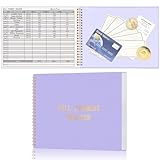
- Easy To Track Your Bills: Keep track of small business or personal expenses with the HAUTOCO bill tracker notebook, which helps to organize complex accounts and bookkeeping for efficient and clear financial management
- Premium Material: The bill book is spiral bound with 120 pages and 3,000 lines of entries. Made of 100 GSM thick paper to reduce ink leakage; it is equipped with a waterproof and sturdy PP cover to protect the inner pages
- Practicality: The bill payment tracker measures 10.1 x 7.8'', and the large size gives you enough space to record each of your transactions; there are 2 PE large pockets at the back of the bill book to store important tickets and loose items
- All-in-One Bill Tracker: The undated bill payment tracker has plenty of space for you to meticulously record every transaction, featuring sections for paid, bill description, due date, amount date, amount paid, and unpaid balance
- Ideal Tool for Organizing Your Bills: The bill tracker notebook can easily analyze your financial activities and generate effective financial statements, perfect for small business, personal use, or household expense tracking
Free trials, replaced cards and unfamiliar merchants
Free trials
A free trial can convert to a paid plan when the trial ends. Put the trial end date on your calendar and check the manager after the first charge; a forecast may not appear until two recurring payments have occurred.
Expired or replaced cards
A replacement card can interrupt billing, although some merchants receive updated card details through card-network services. Check both the BMO list and the merchant account rather than assuming the payment has stopped.
Variable bills and merchant descriptors
A recurring payment can change amount, and a merchant may bill under a parent company or payment processor name. Match the amount, date and transaction details before deciding that a charge is unknown.
Best Value
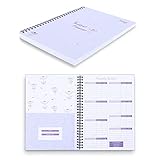
- Customize & Get Budgeted - With blank free of pre-filled categories and months budgeting pages, Soligt undated budget planner gives you complete control of your finances on a daily monthly and annual basis and enable you to manage your personal finance, cash money payment, and budgeting effective without any restrictions.
- Keep you on Track & Organized - The budget book journal provides 12 cute pockets for effortless bill, receipt, envelopes storage, along with a spacious layout perfect for recording and tracking incomes, expenses, savings, debt payoff, bills calendar and paying with ease.
- Achieve Financial Goals - This bill organizer provides a simple yet comprehensive budgeting system that is perfect for home household or small business beginners and encourages celebrating successes while identifying opportunities for improvement, both visually appealing and user-friendly.
- Your perfect companion - The Spiral bound budgeting notebook is the perfect small size, measuring at 9.25 x 6.81" and featuring a durable hardcover and 100 gsm paper. Lightweight and portable, It is easy to take with you wherever you go and built to last throughout the year.
- Bonus Month Tabs - The paycheck Budget Planner Financial Organizer boasts colored sticker labels to aid in simple navigation through your budget pages, ensuring added convenience and ease of use to help locate important information quickly and efficiently.
Pre-Authorized Payments Manager vs. BMO PowerSwitch
These tools solve different problems:
| Feature | Pre-Authorized Payments Manager | BMO PowerSwitch |
|---|---|---|
| Main purpose | See and track recurring payments | Move recurring payments to BMO |
| Best for | Finding subscriptions and likely upcoming charges | Switching automatic payments from another financial institution |
| Cancellation | Does not cancel the merchant relationship | Not a general cancellation service |
| History and estimates | Shows past activity and eligible estimates after sufficient history | Helps identify and transfer payments; estimates are not its central function |
| Where to access | Mobile or online account details, depending on the feature and account | BMO Online Banking |
For existing BMO customers, BMO’s instructions say to open a chequing account in Online Banking, select Bank Services, then choose PowerSwitch in the General section. See BMO’s bill-payment page. PowerSwitch can notify billers and transfer payment instructions, but it does not guarantee that every biller will be moved automatically.
Why BMO introduced it
BMO cited a Pollara Strategic Insights online survey of 1,522 adult Canadians conducted July 4–5, 2022. In BMO’s release, 65% of Canadians with pre-authorized credit-card subscriptions said a tracking tool would help; 33% said they had paid for a subscription they did not use; 23% had forgotten to cancel an unwanted subscription; 21% had been charged for a subscription they forgot about; and 20% had paid for a subscription they no longer wanted. BMO reported a margin of error of ±2.5 percentage points, 19 times out of 20, for a representative sample of that size. These are commissioned 2022 survey results, not current 2026 national measurements.
Is the feature useful for you?
- Good fit: You have several subscriptions on BMO cards, want to audit spending, or need visibility before changing a card or budget.
- Limited fit: Your recurring payments are spread across multiple banks, cards, digital wallets or household members’ accounts.
- Not the right tool: You need automatic cancellation, a merchant dispute resolved inside the app, or migration of payments from another bank.
For a cross-bank view, a spreadsheet, calendar or budgeting app may be more complete, though those options require you to maintain the information yourself.
The Bottom Line
BMO’s Pre-Authorized Payments Manager makes recurring charges easier to find and gives eligible customers an estimate of what may be coming next. It does not cancel subscriptions, guarantee payment dates or replace BMO’s formal dispute process. Use it to identify and monitor charges, then manage the merchant relationship directly.
Quick wins for a faster PC:
Fix the driver behind crashes, sound loss and screen glitchesFind Drivers →Clear out junk files and repair common Windows errorsFree Scan →Quick Recap
Product prices and availability are accurate as of the date/time indicated and are subject to change. Any price and availability information displayed on Amazon at the time of purchase will apply.




