Recommended Free Tools
The fastest sustainable way to grow an email list is to offer a specific, useful outcome to a specific audience at the moment they are most interested—then make signup, delivery, and future emails easy. For a personal-finance website, that usually means offering something more concrete than a generic newsletter: an editable monthly-budget spreadsheet, a debt-payoff worksheet, a retirement-contribution checklist, a credit-score monitoring guide, or a replay and worksheet from a money workshop.
Raw subscriber volume is only the beginning. Track raw signups, confirmed subscribers, engaged subscribers, and qualified subscribers separately. A large list filled with stale, mistyped, or uninterested addresses can increase bounces, complaints, and unsubscribes. The tactics below focus on gaining subscribers who actually want your financial education and can receive it reliably.
As an Amazon Associate I earn from qualifying purchases.
The examples and performance figures cited here are case studies or platform-reported results, not universal benchmarks. A reported 600% increase from one publisher’s exit-intent popup, for example, does not mean every popup will produce that result. Use the ideas as testable starting points.
Before you start: choose the right email offer
List growth becomes much easier when the signup offer answers three questions immediately:
#1 Best Overall

- PPD Glossy Inkjet Brochure and Flyer Paper Lightweight 140gsm/37lb Compatible With All Inkjet Printers. These Double Sided Photo Quality Glossy Papers Are Specifically Designed For Brochure, Flyer, Chip Bag, Party Bag and Many Other Printing Applications When High Quality But Lightweight Photo Paper Is Required.
- Pack of 8.5x11 x 100 Sheets. Perfect for crafts, marketing, and events – Whether you’re designing promotional brochures, crafting chip bags for a party, or printing professional presentations, this lightweight glossy paper adapts to every need with stunning, high-resolution results.
- Unlike Heavier Photo Papers, The Thinner 140gsm Sheets Will Almost Certainly Eliminate Printer Jamming (Especially With Older Printers) and Can Be Folded or Manipulated To Shape With Ease (For Chip Bag Creation for Example). The Specially Formulated and Instant Dry Glossy Coating Makes The 140gsm Paper The Best Choice for Craft, Economical As Well As Business Prints Such as Brochures, Presentations and Pamphlets.
- The PPD Specially Designed 140g/37lb Glossy Brochure Paper Will Print Your Photos and Designs In High Quality. Pictures Will Appear Sharp and Crisp. Text Will Appear Vivid and Clear. This Brochure Paper Will Exceed Your Expectations. It is Equivalent or Superior To More Expensive Branded Papers, But Far More Affordable.
- Product Highlights: Glossy Photo Quality Brochure Paper / Thin and Lightweight 140g/37lb / Compatible With All Inkjet Printers Using Any Ink / Instant Dry No More Smearing / Picture Quality Print / Double Sided Print On Either Side / No Logo or Watermark / Equivalent Or Superior To Main And More Expensive Brands / Pack of 8.5x11 x 100 Sheets.
- Who is this for? For example, first-time budgeters, freelancers with irregular income, parents saving for college, or people comparing debt-payoff methods.
- What will they get? Name the exact resource, benefit, or experience.
- When will they get it, and what follows? State whether delivery is immediate and how frequently future emails will arrive.
A useful formula is:
Get [specific result or resource] in exchange for [email address], delivered [timing or frequency].
Examples for a personal-finance site include:
- Get the free 20-point financial health checkup worksheet.
- Download an editable monthly budget that separates fixed, flexible, and irregular expenses.
- Receive one practical money experiment every Friday.
- Join the waitlist for a new investing course and receive launch updates.
- Get the replay and worksheet from our cash-flow planning workshop.
- Receive a product restock or price alert for a financial-planning tool, where that service is genuinely offered.
Tell people what marketing content will follow, link to the privacy policy, and make the unsubscribe option clear. Mailchimp’s signup-form guidance similarly emphasizes limited fields, clear messaging, relevance, mobile usability, and testing.
How many fields should a form have?
Ask for an email address only when that is all you need. Add a first name if it improves personalization. Add a qualifying question only when the answer changes the resource or follow-up—for example, whether someone is interested in budgeting, credit, debt, or retirement. Every additional field creates friction, especially on mobile.
Do not collect sensitive financial information merely to grow a marketing list. A budgeting quiz can ask about a broad goal or income pattern, but it should not require bank-account credentials, account numbers, Social Security numbers, or detailed investment holdings.
Choose the right offer for the business
| Offer | Best fit | Main advantage | Main risk |
|---|---|---|---|
| Checklist, worksheet, or template | Search and content traffic | Highly relevant and easy to understand | Requires useful asset creation |
| Newsletter | Publishers and creators | Simple to maintain | Weak if the value and frequency are vague |
| Discount | Ecommerce and subscriptions | Clear immediate incentive | Margin erosion and discount-seeking subscribers |
| Webinar or workshop | B2B, education, and complex topics | Strong stated intent | More production and follow-up work |
| Quiz, calculator, or assessment | Decisions with several possible paths | Captures useful intent data | Requires accurate logic and maintenance |
| Waitlist | Product and course launches | Captures future demand | Interest can fade before launch |
| Contest | Fast reach and participation | Can create a short-term spike | Often attracts low-quality subscribers |
| Product or price alert | Ecommerce | Signals explicit purchase interest | Limited to a specific product interest |
17 ways to grow your email list faster
On-site conversion tactics
1. Replace Subscribe with a specific value proposition
Best use case: Almost every website, especially one whose current form says only Subscribe, Join our newsletter, or Get updates.
Explain the benefit in plain language. A strong form might say:
Get the editable monthly-budget spreadsheet.
Enter your email and we’ll send it immediately, plus one practical money tip each Friday.Free tools Windows power users keep installed
One-click scans. No signup required.
Special offer. See more information about Outbyte and uninstall instructions. Please review EULA and Privacy policy.
The button can reinforce the outcome with wording such as Get the spreadsheet, Send my checklist, or Join the weekly money lab instead of a generic Submit. Avoid promising a free guide that is actually a thin sales pitch. The asset should solve a real, bounded problem.
Measure: Compare the generic form with the specific promise using form-view-to-completion rate, confirmed-subscription rate, first-email click rate, and unsubscribe rate.
Failure mode: A more aggressive promise can increase submissions but reduce trust if delivery is delayed, the resource is shallow, or the welcome emails do not match the signup message.
2. Put multiple signup forms in high-intent locations
Best use case: Websites with several page types and visitors who may not scroll to the footer.
Consider a relevant form in the homepage hero, header, About page, blog introduction, article conclusion, desktop sidebar, footer, resource library, product page, pricing page, contact or consultation page, thank-you page, and—in limited cases—a useful 404 page. A financial article about emergency funds might promote an emergency-fund calculator, while a credit article might promote a credit-report review checklist.
Use multiple capture points, not multiple competing demands. One page should normally have one primary offer. Suppress a popup after someone has subscribed, purchased, or dismissed it, and avoid showing an inline form, slide-in, sticky bar, and popup at the same time. WPBeginner recommends combining form types with behavior-based display rules rather than overwhelming visitors.
Measure: Record page views or offer impressions, form starts, completions, confirmed subscribers, and engaged subscribers by placement. A footer may produce fewer signups but better-quality subscribers than a broad popup.
Failure mode: Adding forms everywhere without matching the offer to the page creates visual clutter and makes it impossible to learn which placement or promise worked.
Crashes, No Sound, or Screen Glitches?
Random freezes, missing sound and display glitches usually trace back to one bad driver. Find and replace yours safely.Free scan · under a minuteWindows Errors? Fix Them Before They Spread
Repair common Windows errors and clear accumulated junk for a smoother, more stable PC - no reinstall needed.Free scan · no reinstall3. Add content upgrades to your highest-traffic articles
Best use case: Publishers and finance sites with useful organic traffic but weak conversion from articles.
A content upgrade is a bonus resource that directly extends the article. Examples include:
- Budgeting article → printable monthly budget and bill calendar.
- Debt article → payoff-method comparison worksheet.
- Credit article → annual credit-review checklist.
- Tax article → document-gathering checklist, with a clear reminder that rules and filing situations vary.
- Investing article → retirement-account contribution checklist, not a personalized investment recommendation.
- Podcast or video → transcript, resource list, or downloadable worksheet.
Use this workflow:
- Find your highest-traffic pages in analytics or your search console.
- Identify the next practical tool a reader would naturally want.
- Create the smallest genuinely useful version—a checklist or calculator may be better than a long PDF.
- Place an inline call to action near the relevant section and another at the conclusion.
- Deliver the asset immediately.
- Tag the subscriber by article topic or offer.
- Compare confirmed and engaged performance with your generic newsletter form.
In a historical case study, Brian Dean reported that a content upgrade increased one Backlinko page’s conversion rate from 0.54% to 4.82%, described as a 785% increase. That was one site, one page, and one period in 2016—not a current benchmark for every publisher.
Measure: Track the upgrade’s confirmed subscribers per unique visitor who saw it, then compare seven- and 30-day engagement by topic.
Quick wins for a faster PC:
Repair Windows errors before they cause bigger problemsFix Now →Scan for outdated or missing drivers - takes under a minuteDriver Scan →Clear out junk files and repair common Windows errorsFree Scan →Failure mode: Producing a different generic PDF for every article can consume time without improving relevance. Start with your top few pages and build only upgrades that answer an obvious next question.
4. Create separate landing pages for separate audiences and offers
Best use case: Businesses receiving traffic from social media, paid campaigns, partners, events, or several distinct audience segments.
Build a focused page for each major offer: a budget template, a webinar, a B2B financial-literacy guide, a course waitlist, a local workshop, or a product alert. The page should have one primary call to action, a short form, a clear description of the benefit, proof that the resource is useful, and a thank-you page that explains the next step.
Use a dedicated URL and preserve UTM parameters or other source fields. A visitor who clicked a post about freelance taxes should land on the freelance-tax checklist, not the homepage and not a generic newsletter page. Keep navigation minimal when the traffic is campaign-specific, but retain privacy and consent information.
Measure: Compare conversion and subscriber quality by landing page, audience, partner, campaign, and source. Use hidden source fields only for attribution; do not hide material consent terms.
Failure mode: A page that promotes several unrelated resources, newsletters, and products dilutes the decision and makes both testing and follow-up less relevant.
5. Use popups carefully: exit intent, scroll, and timed displays
Best use case: Visitors who have shown engagement but are about to leave, particularly on desktop.
Exit intent can be useful when mouse movement meaningfully indicates a desktop visitor is leaving. On mobile, use a delayed or scroll-based display instead; desktop-style exit detection is not a dependable mobile behavior. Cap frequency so a visitor sees the message only once for a defined period, suppress it after signup or purchase, make the close control obvious, and match the offer to the page.
Do these 3 things before closing this tab:
1Clear out junk files and repair common Windows errors2Scan for outdated or missing drivers - takes under a minute3Repair Windows errors before they cause bigger problemsRank #2
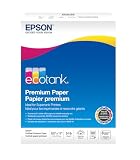
- Ideal for supertank printers — designed for premium print quality with supertank printers
- High brightness — for crisp, sharp black text and brilliant colors
- Double sided — premium double-sided paper won’t bleed through
- Works with all printers — inkjets, lasers, copiers, and fax machines
Do not show a second popup immediately after someone dismisses the first. Test a contextual embedded form first, then add a restrained popup if it creates incremental, high-quality growth.
WPBeginner reports that one of its exit-intent popups increased subscribers by more than 600%. The article does not provide enough test design, dates, sample size, control details, or full outcome data to generalize that figure. Google advises avoiding intrusive interstitials that obscure the main content or make a page difficult to access, especially on mobile.
Measure: Compare popup-exposed visitors with a comparable control group on confirmed signup rate, bounce rate, page engagement, complaints, unsubscribes, and repeat visits—not raw submissions alone.
Failure mode: A popup can increase list size while damaging trust, mobile usability, accessibility, SEO visibility, or the visitor’s willingness to return.
What’s actually slowing this PC down?
Pick the symptom - the matching free tool is one click away.
6. Gate bonus material, not the core article
Best use case: Educational content where readers need the main answer before deciding whether the publisher is trustworthy.
Keep the primary article accessible and gate the additional implementation asset. Good candidates include templates, worksheets, calculators, video lessons, webinars, data downloads, resource libraries, printable versions, and advanced checklists.
For example, publish the core explanation of how sinking funds work, then offer a downloadable sinking-fund worksheet. Explain exactly what the visitor receives before asking for an email. Do not hide the answer that brought someone from search to the page behind an intrusive form.
Google’s interstitial guidance recommends allowing users to access the main content without an obstructive interruption. WPBeginner also recommends gating supplementary material rather than an entire article.
Measure: Compare the bonus asset’s conversion rate with the effect on time on page, return visits, search traffic, and downstream engagement.
Failure mode: Gating the full article can make the site appear manipulative, reduce trust, and prevent search engines and readers from understanding the page.
7. Add a separate marketing opt-in to contact, quote, booking, and checkout forms
Best use case: Businesses with high-intent visitors already requesting help, a quote, an appointment, a product update, or a purchase.
A receipt, support response, booking confirmation, and promotional newsletter are different communications. Use a separate, clearly labeled checkbox such as:
The Tool Desk
Outbyte Driver Updater FREEFix the driver behind crashes, sound loss and screen glitchesFind Drivers →Outbyte PC Repair FREERepair Windows errors before they cause bigger problemsFix Now →Yes, send me practical financial updates, product news, and occasional offers by email. I can unsubscribe at any time.
Leave the marketing box unchecked where affirmative consent is required. Do not automatically add every support request, quote request, or customer to every promotional list. The person may receive necessary transactional communications without agreeing to marketing.
The UK Information Commissioner’s Office distinguishes an electronic receipt from later promotional email and explains that consent for the receipt does not automatically cover marketing.
Measure: Track the opt-in rate separately from the form-completion rate, preserve the consent wording and timestamp, and compare engagement among subscribers who chose the marketing option.
Free tools Windows power users keep installed
One-click scans. No signup required.
Failure mode: Treating every submitted form or completed purchase as marketing permission can create legal risk, complaints, and a mismatch between subscriber expectations and your email program.
8. Offer discounts, early access, alerts, or product-specific benefits
Best use case: Ecommerce, subscription businesses, financial software companies, and publishers with a concrete product or service benefit.
A discount is easy to understand, but it is not always the best incentive. Alternatives include early access, launch pricing, product education, back-in-stock alerts, price-drop alerts, members-only bundles, loyalty points, free-shipping thresholds, birthday benefits, limited product drops, or a restock notification.
Use a discount when the visitor is close to buying, the margin can absorb it, and the offer attracts the right customer. Prefer education or access when the buying cycle is long, the business is service-based, or discounts would train people to wait for coupons. A finance site might offer early access to a course or a spreadsheet rather than discounting a service it does not sell.
Crashes, No Sound, or Screen Glitches?
Random freezes, missing sound and display glitches usually trace back to one bad driver. Find and replace yours safely.Free scan · under a minuteWindows Errors? Fix Them Before They Spread
Repair common Windows errors and clear accumulated junk for a smoother, more stable PC - no reinstall needed.Free scan · no reinstallMailchimp lists discounts, free products, newsletters, and other incentives as common signup offers, but the right choice depends on the audience and economics.
Measure: Track confirmed subscribers, redemption rate, average order value, margin, repeat purchase, unsubscribe rate, and 30-day engagement. For a non-commerce offer, measure qualified inquiries or course registrations instead of redemption.
Failure mode: A blanket discount may produce a large list of people interested only in the coupon, reduce profitability, and frustrate existing customers who did not receive the same offer.
9. Use quizzes, calculators, assessments, and interactive tools
Best use case: Topics where the useful answer depends on a person’s goal, situation, or inputs.
Recommended Free Tools
Examples include a monthly cash-flow calculator, emergency-fund target worksheet, debt-payoff comparison, financial-health assessment, or quiz that recommends a learning path. For financial topics, label results as educational estimates where appropriate and avoid implying personalized financial, tax, or legal advice unless the business is qualified and authorized to provide it.
- Ask only questions that improve the result or follow-up.
- Provide a useful immediate result whenever possible.
- Ask for the email when it is needed to send or save the result, rather than hiding a trivial result behind the form.
- Store the result or stated goal as a segment or tag.
- Send follow-up material based on that intent.
- Explain why the information is collected and how it will be used.
Mailchimp notes that mini-quizzes can uncover visitor intent and support segmentation.
Rank #3

- Dull Coated Finish: The smooth, dull finish enhances readability and showcases colors with exceptional clarity and depth. Perfect for detailed designs, crisp text, and vivid graphics.
- Double-Sided Coating: Both sides of the paper feature a premium dull coating, allowing for flawless double-sided printing. Ideal for brochures, booklets, and other multi-page documents where print quality is paramount on both sides.
- 80lb Text : This optimal paper weight ensures your prints are substantial and professional without being too heavy. It offers the right balance of durability and flexibility, making it suitable for various applications.
- 8.5 x 11 inches: The standard letter size is perfect for everyday printing needs, fitting seamlessly into any office or home printer setup.
- Flyers and Brochures: Create eye-catching promotional materials that stand out. The dull finish enhances image quality, making your content easy to read and engaging.
Measure: Track completion of the interactive tool, email submission, confirmed subscription, result-to-click rate, and later engagement by result category.
Failure mode: Asking for an email before showing any useful result makes the quiz feel like a disguised lead form. Asking for detailed financial data also creates unnecessary privacy and security exposure.
Owned and external distribution tactics
10. Turn social profiles and posts into specific signup paths
Best use case: Creators and businesses with social reach but no reliable path from social attention to an email relationship.
Put a dedicated signup page in the profile link, pin a post explaining the offer, publish excerpts from recent emails, and show part of a useful template or checklist. Use a short redirect URL and UTM parameters where the platform supports them. Repeat the call to action in different formats—an example, a short video, a customer question, or a behind-the-scenes explanation—rather than posting identical copy every day.
A post about avoiding overdraft fees should lead to an overdraft-prevention checklist, not force the visitor to search a homepage for the newsletter box. HubSpot’s list-building guidance includes profile calls to action, newsletter previews, gated resources, and social content that makes the offer tangible.
Measure: Use a distinct URL or UTM campaign for each platform and post type. Compare confirmed subscribers, engagement, and unsubscribes—not just profile clicks.
Failure mode: Sending every social visitor to a general homepage creates unnecessary steps and weakens source attribution.
11. Use video CTAs, descriptions, profile links, and end screens
Best use case: YouTube channels and other video publishers whose viewers trust the presenter or need a companion resource.
Mention the offer when it is relevant in the video, put the link near the top of a long-form description, use a pinned comment where clickable links are supported, and add an end-screen call to action if the channel is eligible. Send viewers to a page that matches the video topic—for example, a debt-payoff worksheet for a debt avalanche video.
YouTube’s current documentation requires careful qualification:
Do these 3 things before closing this tab:
1Repair Windows errors before they cause bigger problems2Scan for outdated or missing drivers - takes under a minute3Clear out junk files and repair common Windows errors- Channel profile links can showcase external links.
- URLs in long-form descriptions and comments can be clickable when the channel has the required advanced-feature access and the links comply with YouTube policy.
- URLs in Shorts descriptions and comments are non-clickable.
- External websites in end screens are available to creators in the YouTube Partner Programme.
These details come from YouTube’s link-sharing guidance and its external-link and end-screen guidance. For Shorts, use a memorable URL, a profile link, or a QR code shown on screen rather than promising a clickable description link.
Measure: Track views, link clicks, landing-page visits, confirmed subscriptions, and engagement by video. Use a separate source tag for verbal CTAs, descriptions, profile links, and QR codes when practical.
Failure mode: Assuming every YouTube card, Short, comment, or description supports a clickable external signup link leads to a broken user journey and inaccurate instructions.
12. Use webinars, workshops, live events, and QR codes
Best use case: B2B finance, education, local businesses, creators, and topics that benefit from explanation or live questions.
Offer a live budgeting workshop, financial-literacy session, product demonstration, office hour, expert panel, local seminar, webinar replay, event notes, or implementation worksheet. Create an event-specific registration page, request only the information needed to run the event, explain whether registrants will receive future marketing, and tag contacts by event and topic.
At an in-person event, display a QR code that opens a mobile-friendly signup page. Afterward, send the promised replay or materials promptly and make the next email expectation clear. Keep evidence of permission for offline collection. Mailchimp recommends an opt-in or reconfirmation process for offline contacts rather than treating an old business-card list as automatically marketable.
Measure: Track registrations, attendance, confirmed subscriptions, replay clicks, questions, consultation requests, and unsubscribes. A registration is not necessarily a marketing opt-in; keep those metrics distinct.
Failure mode: A scanned badge, business card, or event list may not authorize every future promotional message in every jurisdiction. If permission is unclear, use a reconfirmation flow.
What’s actually slowing this PC down?
Pick the symptom - the matching free tool is one click away.
13. Add a referral and forwarding loop
Best use case: Newsletters, communities, and educational products with an audience that naturally knows other people facing the same problem.
Add Forward this to a friend to the welcome email and regular newsletters. For a more structured program, give subscribers a personalized referral link and offer a relevant reward such as a bonus worksheet, early access, or community benefit. The referred person should subscribe through their own consent-based form; do not silently add an address that another subscriber typed or uploaded.
Make the incentive fit the audience. A bonus debt-payoff template may attract readers interested in debt education; a broad cash prize may attract people who never wanted your regular emails.
Measure: Track original source, referral source, referral clicks, completed signup, confirmation, engagement, and retention. Compare referred subscribers with search, social, and paid subscribers.
Failure mode: A referral system that rewards volume without checking quality can encourage spammy invitations and produce addresses unfamiliar with the sender.
14. Use partner promotions, guest appearances, podcasts, and newsletter swaps
Best use case: Businesses that need qualified reach faster than organic search can provide it.
Good formats include a co-written guide, joint webinar, guest podcast, newsletter recommendation, expert roundup, complementary-product bundle, community presentation, or cross-promoted checklist. Choose a partner whose audience has a genuine need for your offer, create a dedicated landing page, and give each partner a separate tracking link.
Agree in advance on exactly what subscribers receive and do not exchange or upload lists without appropriate permission. Yahoo’s sender guidance recommends sending only to people who requested mail and advises against purchasing lists or automatically checking opt-in boxes.
Rank #4

- Glossy Coated Finish: The smooth, glossy finish enhances readability and showcases colors with exceptional clarity and depth. Perfect for detailed designs, crisp text, and vivid graphics.
- Double-Sided Coating: Both sides of the paper feature a premium gloss coating, allowing for flawless double-sided printing. Ideal for brochures, booklets, and other multi-page documents where print quality is paramount on both sides.
- 100lb Text : This optimal paper weight ensures your prints are substantial and professional without being too heavy. It offers the right balance of durability and flexibility, making it suitable for various applications.
- 4 x 6 inches: The standard size is perfect for everyday printing needs, fitting seamlessly into any office or home printer setup.
- Flyers and Brochures: Create eye-catching promotional materials that stand out. The gloss finish enhances image quality, making your content easy to read and engaging.
Measure: Compare confirmed subscribers, cost if any, first-email clicks, complaints, unsubscribes, and 30-day retention by partner. A large partner is not automatically a good partner if its audience is broad or unrelated.
Failure mode: A newsletter swap with an unrelated audience can create a short-lived spike in low-intent subscribers and damage sender reputation.
15. Use paid lead ads selectively
Best use case: Businesses with a proven offer, a defined audience, a follow-up system, and enough margin or customer value to support paid acquisition.
Evaluate paid campaigns on cost per qualified and engaged subscriber, not cost per form completion. Depending on the platform and campaign, visitors may complete an instant platform form or a form on your website.
Quick wins for a faster PC:
Repair Windows errors before they cause bigger problemsFix Now →Scan for outdated or missing drivers - takes under a minuteDriver Scan →Clear out junk files and repair common Windows errorsFree Scan →Meta
Meta’s current lead-ad documentation distinguishes Instant Forms, website forms, campaigns optimized for lead volume, and conversion-lead optimization connected with downstream CRM data. Connect the campaign to the system that records whether a lead becomes engaged, qualified, or a customer, rather than optimizing indefinitely for cheap raw leads.
LinkedIn Lead Gen Forms can be created in Campaign Manager through Assets → Lead Gen Forms → Create form, then attached to a Lead Generation campaign. LinkedIn reports a 13% average Lead Gen Form conversion rate in its own data and says Document Ads produced twice the form-completion rate of other Feed formats. These are LinkedIn-reported figures, not universal industry benchmarks. LinkedIn also says lead data is available for 90 days, so download it regularly or connect a CRM or marketing automation system. See LinkedIn’s current Lead Gen Form guidance.
X
Current public X Ads documentation emphasizes objectives such as Website Traffic. Older instructions describing a universal X Lead Generation Card workflow may no longer match every advertiser account. Send X traffic to a dedicated landing page unless your current account explicitly offers another supported lead-capture feature. Review X Ads Manager documentation for account-specific options.
Measure: Track cost per raw lead, confirmed subscriber, engaged subscriber, and qualified subscriber; 30-, 60-, and 90-day retention; revenue or pipeline per subscriber; and complaints and unsubscribes by campaign.
The Tool Desk
Outbyte PC Repair FREERepair Windows errors before they cause bigger problemsFix Now →Outbyte Driver Updater FREEScan for outdated or missing drivers - takes under a minuteDriver Scan →Failure mode: Buying cheap leads without sending an immediate, relevant welcome sequence creates unfamiliar recipients, low engagement, and potentially higher complaint rates.
Campaign acceleration and optimization
16. Run a relevant contest or gamified campaign
Best use case: Businesses seeking fast participation and willing to trade some list volume for additional qualification and follow-up work.
A giveaway for a broadly appealing cash prize may generate many entries but few people interested in your ordinary emails. A better prize is closely related to the business: a financial-planning course seat, a budgeting consultation where appropriate, a product bundle, or access to a relevant workshop. Explain eligibility, deadlines, official rules, odds where required, and whether marketing consent is optional.
Gamification can include a spin-to-win discount, a progress-based quiz, a scratch-card offer, an instant reward after signup, referral milestones, or a challenge with a completion resource. Do not assume that a game’s higher raw conversion rate means better list growth.
In the United States, FTC guidance says sweepstakes-type promotions that require a purchase are illegal; state requirements and platform rules can vary. Check the applicable rules before launching, and do not describe a generic campaign as legally compliant without reviewing its details.
Measure: Compare confirmed signup rate, relevance, first-email engagement, complaints, unsubscribes, and 30-day retention with an ordinary form or content-upgrade audience.
Failure mode: Optimizing the prize for maximum reach can leave you with a list that is large, expensive to email, and uninterested in your financial content.
17. A/B-test the offer, form, placement, and follow-up
Best use case: Any site with enough comparable traffic to make decisions from more than a handful of submissions.
Test in this order:
- Offer type: template, newsletter, webinar, discount, alert, or quiz.
- Headline and promise.
- Page or placement.
- Form length.
- Button copy.
- Popup timing and frequency.
- Image or design.
- Thank-you page.
- Delivery email and welcome sequence.
Define one primary metric before starting, change one major variable at a time when possible, keep traffic sources comparable, record dates, and do not stop at the first short-term spike. Evaluate quality as well as conversion. Mailchimp recommends previewing and testing signup forms, and LinkedIn recommends testing Lead Gen Form variations against landing pages.
A useful primary metric is:
Confirmed subscribers ÷ unique visitors who saw the offer
Useful quality metrics include first-email click rate, seven-day and 30-day engagement, unsubscribe rate, spam-complaint rate, purchase or qualified-lead rate, and revenue per subscriber.
Failure mode: Testing button colors while the offer is vague, delivery is broken, or the audience is wrong creates false precision. Fix the fundamental promise and experience first.
Recommended Free Tools
Make every new subscriber count
Deliver the promised asset immediately
The first email should deliver the lead magnet or explain how to access it, confirm what the person requested, state what future emails contain, set frequency expectations, invite a reply or preference selection, and include a visible unsubscribe link.
A short welcome sequence might begin immediately, follow with a useful example after a delay, and ask the subscriber to choose a topic or preference several days later. Kit describes an example sequence with messages sent immediately and after intervals such as two hours, one day, and several days. Those timings are an example, not a universal standard.
Segment by stated intent
Useful tags include signup page, lead magnet, article topic, product interest, event, traffic source, buyer status, experience level, geographic region where appropriate, and quiz result. A subscriber who requested a debt worksheet should not automatically receive the same first sequence as someone who joined an investing newsletter.
Mailchimp identifies signup location, traffic source, demographic information, and intent data as useful segmentation inputs. Collect only information you can use responsibly and explain any non-obvious use.
Re-engage or archive inactive contacts
Do not keep inactive addresses indefinitely to make the list look larger. Send a clear re-engagement message, invite the person to update preferences, and archive contacts that remain inactive according to your email platform’s process. Mailchimp recommends re-engaging inactive subscribers and archiving stale contacts; its archive and delete guidance notes that archiving is reversible while deletion is permanent.
Independent reader supportYour contribution helps us test, update, and keep practical guides available for everyone.Measure list quality, not just list size
Use four subscriber counts:
- Raw signups: everyone who submitted a form.
- Confirmed subscribers: people who completed double opt-in when that process is used.
- Engaged subscribers: people who click, reply, purchase, book, or otherwise interact.
- Qualified subscribers: people who match the intended customer or audience profile.
A practical net-growth formula is:
Net list growth = new confirmed subscribers − unsubscribes − hard bounces − spam complaints − legally suppressed contacts
Best Value

- THICK HIGH GLOSS PAPER - Your design will be printed on a sturdy and glossy 80lb Text (120gsm) or 100lb Text (150gsm) paper. Available in 3 sizes: 8.5 x 5.5, 8.5 x 11 and 11 x 17 inches.
- SUPERIOR QUALITY PRINT - We make sure that we deliver only the highest quality prints. Your posters, flyers, etc. will look just like the design and more! Whether it’s a personal or for business use, the high quality printing and paper will make it look professionally done.
- ARCHIVAL SAFE - Made from acid and lignin-free materials which prevent yellowing and brittleness of paper and making your designs last for a very long time!
- GREAT FOR SMALL BUSINESS - We print business materials which are great for establishing your brand. From letterheads, flyers, etc. Create a uniform, professional look and leave a lasting impression to customers!
- COUNT PER PACK - Expertly printed on thick, glossy white paper, showcasing a sleek, high-quality finish. Choose between 50, 100, 250 or 500 quantities.
Preserve the source and offer for each signup with UTM parameters, dedicated landing pages, hidden source fields, or platform-native campaign fields. Make sure duplicate submissions are handled correctly, unsubscribed contacts remain suppressed across connected systems, and contacts from forms, events, ads, partners, and purchases synchronize without overwriting consent history.
For each tactic, review:
- Offer impressions or unique visitors exposed.
- Form starts and completion rate.
- Confirmation rate if double opt-in is used.
- First-email delivery and click rate.
- Seven-, 30-, 60-, and 90-day engagement.
- Unsubscribes, hard bounces, and spam complaints.
- Qualified leads, purchases, bookings, or revenue where relevant.
- Cost per confirmed, engaged, and qualified subscriber.
Single opt-in versus double opt-in
Single opt-in adds a contact after form submission. It has less friction and may produce faster raw growth, but it is more exposed to typos, bots, and unconfirmed interest.
Double opt-in sends a confirmation email and adds the contact as subscribed only after the person clicks the confirmation link. It can create stronger evidence of intent and cleaner addresses, but some legitimate prospects will fail to confirm.
Mailchimp documents this distinction and its signup-preference documentation describes related settings. There is no universal answer. Consider applicable law, traffic quality, deliverability risk, audience behavior, and how much friction your offer can tolerate. Whichever approach you use, keep proof of the signup source, time, wording, and consent status.
Compliance and deliverability checklist
Growing a list responsibly means making sure the messages reach people who expect them and that the business can honor their choices.
Consent and marketing rules
- State exactly what the person will receive, when it will arrive, and how frequently future messages will be sent.
- Keep marketing consent separate from receipts, support responses, account creation, booking confirmations, and other necessary transactions.
- Use an unchecked consent box where affirmative consent is required. The European Data Protection Board says consent must be freely given, specific, informed, and unambiguous; its FAQ guidance rejects pre-ticked boxes.
- For Canadian recipients, review CRTC CASL guidance on consent, sender identification, and unsubscribe mechanisms.
- For UK recipients, review the ICO’s electronic-marketing guidance.
- For U.S. commercial email, follow the FTC CAN-SPAM guide: use accurate header information, avoid deceptive subject lines, identify the message as an advertisement where required, include a valid physical postal address, provide a clear opt-out, and honor opt-outs within 10 business days.
- Do not buy lists. U.S. CAN-SPAM does not create the same prior-consent rule as Canada’s CASL or many European regimes, but purchased lists still create serious quality, complaint, and deliverability problems. Yahoo’s sender guidance specifically advises against purchased lists.
- For contests, disclose eligibility, deadlines, odds where required, official rules, and whether a purchase is required. Check state, country, and platform rules before launch.
Authentication and inbox placement
As stated in Gmail’s sender guidelines, all senders to Gmail personal accounts must use SPF or DKIM, maintain valid forward and reverse DNS, and use TLS. Senders sending more than 5,000 messages per day to Gmail accounts must use SPF, DKIM, and DMARC. Gmail also says senders should keep spam rates below 0.3%; bulk marketing and subscribed messages must support one-click unsubscribe and include a visible unsubscribe link. Review Gmail’s spam-rate and unsubscribe FAQ for additional detail.
What’s actually slowing this PC down?
Pick the symptom - the matching free tool is one click away.
Yahoo’s current requirements include SPF or DKIM for all senders, SPF, DKIM, and a valid DMARC policy for bulk senders, valid forward and reverse DNS, one-click unsubscribe for marketing and subscribed messages, visible unsubscribe links, unsubscribe processing within two days, and a spam rate below 0.3% for bulk senders.
The relevant one-click unsubscribe headers are:
List-Unsubscribe-Post: List-Unsubscribe=One-Click
List-Unsubscribe: <https://example.com/unsubscribe/token>
Most reputable email platforms implement these headers automatically. Verify that your platform does so rather than manually inserting headers without understanding how its unsubscribe endpoint works.
A practical seven-day implementation plan
Day 1: choose one audience and one offer
Pick one high-intent audience, one problem, one useful asset, and one success metric. For example: readers of debt articles, a debt-payoff worksheet, and confirmed subscribers who click the first email.
Day 2: build the form and landing page
Write the specific promise, use the fewest necessary fields, add the privacy and consent language, and test the form on a phone. Make sure browser privacy controls, ad blockers, autofill, and mobile keyboards do not break the experience.
Crashes, No Sound, or Screen Glitches?
Random freezes, missing sound and display glitches usually trace back to one bad driver. Find and replace yours safely.Free scan · under a minuteWindows Errors? Fix Them Before They Spread
Repair common Windows errors and clear accumulated junk for a smoother, more stable PC - no reinstall needed.Free scan · no reinstallDay 3: build delivery and the thank-you page
Send the promised asset immediately. Confirm what happens next, set frequency expectations, include an unsubscribe link, and test the entire sequence with several addresses. Check duplicate submissions and confirmation behavior.
Day 4: add high-intent placements
Add the form to the homepage, your top three relevant articles, and one commercial or consultation page. Use a single primary offer per page and suppress competing forms.
Day 5: add one contextual content upgrade
Choose your strongest article and create the smallest useful companion asset. Tag subscribers by topic and place calls to action near the relevant section and at the conclusion.
Day 6: add tracking and quality controls
Preserve UTM parameters and source fields, connect forms and events to the email platform, verify suppression of unsubscribed contacts, review SPF, DKIM, and DMARC, and make sure marketing consent is not being inherited incorrectly from transactions.
Day 7: review the whole funnel
Check form views, starts, completions, confirmed subscribers, bounces, complaints, unsubscribes, and early clicks. Fix broken delivery or irrelevant promises before spending money on ads or adding more popups.
How to adapt the tactics by business type
- Personal-finance publisher: prioritize article-specific worksheets, calculators, checklists, and a clearly described newsletter. Keep educational content accessible and avoid presenting general information as personalized advice.
- Financial educator or creator: use a workshop, course waitlist, video companion resource, referral loop, and preference-based welcome sequence.
- Fintech or software business: use a calculator, product demo, waitlist, early access, or product-specific alert. Separate product updates from broader marketing consent.
- Ecommerce business: use discounts selectively, plus back-in-stock alerts, price alerts, early access, and product education. Measure margin and repeat purchase, not only signup rate.
- B2B finance business: use a buyer guide, webinar, assessment, LinkedIn Lead Gen Form, and a qualification field only when sales will use the answer.
- Local business: use workshops, QR codes, event registrations, seasonal offers, and a clearly documented offline permission process.
Frequently Asked Questions
What is the fastest way to grow an email list?
For a site that already has relevant traffic, the fastest sustainable starting point is usually a specific, useful offer placed on high-intent pages: a worksheet, checklist, calculator, event, alert, or waitlist. Paid ads, contests, and partnerships can accelerate volume, but judge them by confirmed, engaged, and qualified subscribers rather than raw leads.
Are popups still effective?
They can be, particularly when triggered after engagement or on desktop exit intent, but results vary widely. Use frequency caps, an obvious close control, mobile-friendly design, and a page-relevant offer. Compare the popup with an embedded form and monitor bounce rate, complaints, unsubscribes, and engagement as well as signups.
Should I use a discount to collect email addresses?
A discount is useful for ecommerce when the margin supports it and the visitor is close to purchasing. Early access, product alerts, useful education, or a member benefit may produce better long-term subscribers when discounts would attract coupon-only shoppers or train customers to wait.
Free tools Windows power users keep installed
One-click scans. No signup required.
Should I gate my entire finance article?
Usually not. Keep the core educational answer available and gate a related bonus such as a spreadsheet, checklist, calculator, replay, or worksheet. This protects trust and gives search visitors access to the content they came to find.
Is double opt-in better than single opt-in?
Neither is universally better. Single opt-in reduces friction and may increase raw growth. Double opt-in can improve confirmation and list quality but loses people who do not click the confirmation email. Choose based on applicable consent rules, audience quality, deliverability risk, and the value of lower friction.
Can I add customer and contact-form emails to my newsletter?
Not automatically. A receipt, support response, booking confirmation, quote request, or account notification is different from promotional marketing. Use a separate, clearly explained marketing choice and retain the consent record where required.
Can I buy an email list?
No. Purchased lists typically produce poor engagement, complaints, bounces, and deliverability risk, and they may not provide the consent required in the recipient’s jurisdiction. Grow through relevant offers, partnerships, events, referrals, content, and permission-based forms instead.
Quick wins for a faster PC:
Scan for outdated or missing drivers - takes under a minuteDriver Scan →Clear out junk files and repair common Windows errorsFree Scan →How many fields should an email signup form contain?
Use email only when possible. Add a name or qualifying question only when it improves personalization, segmentation, or fulfillment enough to justify the added friction. Never collect sensitive financial information merely to subscribe to marketing.
How do I grow a list if I have little traffic?
Start with one narrow offer and distribute it through a relevant partner, workshop, podcast, community presentation, referral loop, or carefully measured paid campaign. A specific landing page and clear source tracking will teach you which channel brings qualified subscribers.
What should I do with inactive subscribers?
Run a clear re-engagement campaign, invite preference updates, and archive contacts that remain inactive according to your email platform’s process. Keeping stale addresses indefinitely can increase bounces and complaints and makes list size a misleading success metric.
The Bottom Line
Start with one audience, one specific offer, and one high-intent page. Make the form short, deliver the promise immediately, tag the source and topic, and measure confirmed and engaged subscribers rather than raw submissions.
The Tool Desk
Outbyte PC Repair FREEClear out junk files and repair common Windows errorsFree Scan →Outbyte Driver Updater FREEFix the driver behind crashes, sound loss and screen glitchesFind Drivers →Then add the next channel—content upgrades, social, video, events, referrals, partners, or paid ads—only after the first experience works. Avoid bought lists, deceptive consent, intrusive popups, and irrelevant prizes. A smaller list of people who expect your emails, open them, and find them useful is more valuable than a larger list that mailbox providers and subscribers learn to distrust.
Quick Recap
Product prices and availability are accurate as of the date/time indicated and are subject to change. Any price and availability information displayed on Amazon at the time of purchase will apply.




