What’s actually slowing this PC down?
Pick the symptom - the matching free tool is one click away.
Start by asking your employer to issue a corrected Form W-2. The employer is the party that fixes the original form, and it does so on a Form W-2c, the “Corrected Wage and Tax Statement.” If the form still hasn’t been corrected by the end of February after you asked, contact the IRS. If you have to file before a corrected form arrives, the IRS provides Form 4852, Substitute for Form W-2, as a stand-in. If you already filed using the wrong numbers, you file an amended return with the correct information.
What to do, in order
- Identify the exact error and ask the employer to correct it. Compare every box on the form against your pay stubs and records, and note which field is wrong. Contact payroll or the employer, name the field, and ask for a corrected W-2. The IRS’s employee guidance says to “ask your employer to correct the error.” Keep a copy of the original statement and a written record of each request, including the date and the person you spoke with.
- Escalate to the IRS if the form is still wrong by the end of February. The IRS’s employee page sets end of February as the point to escalate after you have asked the employer to correct the form. Call 800-829-1040 or make an appointment at a Taxpayer Assistance Center. The IRS then sends the employer a letter requesting a corrected W-2 within 10 days, and sends you a letter with instructions and Form 4852. These are the agency’s procedural timelines. They are not a promise of when you will receive a corrected form. End of February is not a general deadline for every employer correction, so an earlier error can still be pursued before that date.
- If you must file before a correction arrives, use Form 4852. Form 4852 is the substitute for Form W-2. It requires an estimate based on your own records: actual wages earned, taxes withheld, and the period for which you received the incorrect W-2. Do not copy the incorrect figures onto the substitute form. Follow the IRS instructions for the form, because the substitute is only for cases where you cannot get a corrected W-2 in time.
- If you already filed with incorrect information, file an amended return. The IRS says to file an amended return with correct information. Confirm the correct amended form and procedure for your filing situation against the current instructions before you submit, because the right form depends on how you originally filed.
What a corrected W-2 (Form W-2c) is
Form W-2c is an employer correction form. The IRS says it is used to correct errors on W-2s filed with the Social Security Administration and to provide corrected statements to employees. The employer files the correction and furnishes corrected employee copies as soon as possible after discovering the error. You do not file a W-2c yourself, and you should not treat Form 4852 as a replacement for one the employer is responsible for issuing.
How the correction depends on what is wrong
The IRS’s instructions for the 2026 General Instructions for Forms W-2 and W-3 handle a few common errors differently, so the type of error determines what the employer files and what you need to do.
Quick Recap
Best Value

- W-2 and 1099 Forms Blank Paper 2-Up Version , Both sides Blank, NO Instructions on the Back, Blank Tax Forms and have One Center ross-Perforation.
- Create Your Own 1099 or W-2 forms, Two filings per sheet.
- Meets all government and IRS filing requirements
- Compatible with laser or inkjet printers.
- Size: 8 1/2 x 11 with center perforatio
Rank #4

- Quickly print and mail your W2 forms 20245with our blank 2026 3-Up W2 tax forms and envelopes bundle for reporting wages and tips. Each sheet is microperforated into 3 sections, with instructions printed on the back side of each section.
- Our blank W2 forms (2026) are created using thick 20 lb paper which meets all standard requirements and will quickly feed through your laser and inkjet printer without worrying of jamming.
- Blank 3 part W2 tax forms are compatible with most major accounting software. Our IRS-approved forms help save time when doing your business taxes.
- Confidently print your 2026 W2 forms with our Internal Revenue Service (IRS) approved documents that meet all government and IRS filing requirements, with all 3 parts printed on one sheet for reporting to employees.
- Bundle includes 100 blank 3up W2 forms and 100 W2 envelopes, self seal. Micro perforated paper W-2 forms will show the employer and employee addresses in the double window envelopes.
Rank #3
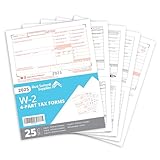
- Quickly print and mail your W2s with our 4 Part W2 Tax Form bundle that includes everything you need to file your W2 for your employees
- The thick regulation 20 lb paper on our 2026 W-2 tax forms will quickly feed through your laser and inkjet printer without worrying of jamming
- All printed fields will perfectly line up with the correct boxes when using QuickBooks or other tax software
- Confidently fill your 2026 W2 forms with our Internal Revenue Service (IRS) approved documents
- Bundle includes everything you need for 25 employees including 13 W2 COPY A sheets, 13 W2 COPY B sheets, 13 W2 COPY C/2 sheets, 13 W2 COPY D/1 sheets, and 3 W3 Transmittal forms
Rank #2

- Value Pack - Make it easier than ever to file W-2 forms for your employees with a 2025 tax form kit that contains everything you need to report income, social security, and healthcare tax withheld.
- IRS-Standard Tax Forms - Our W2 tax forms are updated for 2025 and designed to meet all IRS and US Government requirements and standards. Now, you can safely print and mail your taxes with confidence.
- Compatible with Software - Our documents are printed on government-standard 20# paper and are easy to print with laser or inkjet printers. They are also compatible with QuickBooks accounting software.
- All printed fields will perfectly line up with the correct boxes when using QuickBooks or other tax software
- Complete Tax Filing Kit - This pack includes 5 copies each (2 forms on Each Sheet) of W2 Copy A, 5 W2 Copy B, 10 W2 Copy C/2, and 10 W2 Copy D/1, 10 self-sealing envelopes, plus 3 accompanying W-3 transmittal forms.
#1 Best Overall

- Kit includes 12 six-part W2 forms 2025: Copies A, B, C, D, 1 and 2, plus 3 W-3 forms, 12 security envelopes and free access to the Helper; print code included
- Make tax season successful and easy; comes with 3 W-3 transmittal forms for summarizing and submitting W-2s to the IRS by mail; 12 self-seal security envelopes included
- Free access and print code for Adams Tax Forms Helper comes with your kit; 10 or more returns? You'll need to eFile; use the Helper for simple eFiling
- W-2 filing deadlines: Employers must file Copy A with the Social Security Administration and provide employee copies by February 2, 2026, regardless of whether they file electronically or by paper.
- Want to share secure links of employee/recipient tax forms? Use Email Delivery, available only on the Helper; this add-on service make tax season easier and paper-free; additional fees apply
| Error on your W-2 | What the employer does | What you do |
|---|---|---|
| Name or Social Security number | Files a Form W-2c with SSA, completing boxes d through i of the W-2c rather than boxes 1 through 20. | IRS instructions say you should correct the name or number on your original W-2. |
| Address only, with all other information correct | Generally does not file a W-2c with SSA solely to fix the address, but must give you a statement with the correct address. | Request the corrected address statement from the employer. |
| Wages, tax withheld, or other amounts | Files a Form W-2c and furnishes corrected employee copies as soon as possible after discovering the error. | Follow Steps 1 through 4 above. Use Form 4852 only if you must file before the corrected form arrives. |
Limits of this guidance
- The IRS guidance covered here is U.S. federal. State and local correction procedures are not covered, so check with your state tax agency if your state return relies on the same wage figures.
- The IRS sources describe the process but do not quantify the tax impact of a particular error. That impact depends on which fields were wrong and your own facts.
- These steps do not resolve a dispute about how much you were actually paid. If your employer and you disagree on the wages, the IRS process describes the form correction, not the outcome of the disagreement.
Product prices and availability are accurate as of the date/time indicated and are subject to change. Any price and availability information displayed on Amazon at the time of purchase will apply.




