If a MobiKwik payment has left your wallet but no INR deposit appears in WazirX, first check whether the transaction is successful in MobiKwik and whether the matching deposit appears in WazirX’s INR deposit history. Then confirm which payment method you selected. WazirX’s MobiKwik instructions date to January 7, 2022; its current support pages do not confirm that wallet transfer is still available. Use MobiKwik only if it appears as an option in your WazirX deposit screen.
Why a MobiKwik payment may not appear in WazirX
There is no documented, universal cause for an individual uncredited payment. It may be pending or failed at the payment provider, or the route used may have different deposit instructions. Check the transaction status and reference before drawing conclusions; a successful payment in MobiKwik alone does not establish that WazirX has credited the INR.
WazirX published a MobiKwik wallet-transfer guide on January 7, 2022. It described Funds > INR > Deposit > Instant Deposit (Wallet Transfer), followed by selecting MobiKwik. The guide said the MobiKwik wallet could be funded by UPI or debit card, but not by credit card. WazirX wrote then, “Currently, we support transfers from the Mobikwik wallet.” That historical statement is not confirmation that the route is available today. Read WazirX’s MobiKwik guide.
Check the payment and deposit records
- Confirm the route. In WazirX, check the deposit method you selected and whether MobiKwik is currently offered. Distinguish a MobiKwik wallet transfer from a UPI deposit and from an IMPS, NEFT or RTGS bank transfer; they have different instructions.
- Check MobiKwik’s transaction history. Note whether the payment is successful, pending or failed. Record the amount, date and time, and the transaction reference or confirmation shown in the app.
- Check WazirX’s INR deposit history. Look for a matching amount and status. Compare the records using the amount and time, rather than assuming that the payment has failed because the balance has not changed.
- Keep the proof of payment. Save the transaction confirmation and reference so you can provide them to WazirX Support. Do not share passwords, OTPs or full payment credentials.
Do not send the payment again while the original transaction is unresolved. A duplicate payment could leave you with a second transaction to investigate.
Outdated Drivers Are Slowing You Down
One free scan finds every outdated or missing driver and matches the right update for your exact hardware.Free scan · exact hardware matchPC Slower Than It Used to Be?
A free scan shows the junk files, broken settings and background clutter dragging Windows down - then fixes them in one click.Free scan · Windows 10 & 11#1 Best Overall

- Accept all major credit and debit cards and pay one low rate
- No hidden fees and no long-term contracts
- Mobile card reader that accepts payments anywhere & anytime
- Use the free SumUp App on your smartphone or tablet to start accepting transactions
- Simply pay 2.6% +10 per in-person transaction
Use the timeline for the route you actually selected
WazirX’s published time estimates apply to specific bank-transfer flows, not to MobiKwik wallet transfers generally. The current method displayed in your account should guide what instructions and timeline you follow.
| WazirX deposit route | What WazirX says | What to check |
|---|---|---|
| MobiKwik wallet transfer | WazirX’s guide is dated January 7, 2022. No current availability confirmation or specific delayed-credit timeline is established on the reviewed support pages. | Use this route only if it appears in your deposit screen. Check both apps’ transaction records and contact WazirX if the payment is successful but the INR is not credited. |
| Instant bank transfer using IMPS, NEFT or RTGS | WazirX estimates credit within 30 minutes to 3 hours. It says UPI sent to the bank details for this flow will fail and be refunded within 5–7 banking days; a transfer from a bank account that is not linked/whitelisted is stated to be refunded within 5–7 days. These periods are WazirX’s estimates; the page does not state a publication year. | Use the displayed IMPS, NEFT or RTGS details and a linked bank account. Check the bank reference or UTR and follow the method-specific instructions. |
| Standard IMPS, NEFT or RTGS deposit requiring reference submission | WazirX says a deposit can take up to 24 working hours to reflect after the correct reference is submitted. The page does not state a publication year. | Enter the amount and correct reference. WazirX identifies an IMPS reference as a 12-digit numeric ID and an NEFT/RTGS reference as an alphanumeric UTR. |
| UPI deposit | WazirX’s support landing page lists UPI deposits as enabled, but the bank-transfer article warns against using UPI with the details for its IMPS/NEFT/RTGS flow. | Follow the UPI instructions displayed for the UPI deposit option. Do not send UPI payments to bank-transfer details. |
WazirX’s instant bank-transfer instructions describe the IMPS/NEFT/RTGS route and its estimates. Its support page lists currently supported deposit options. Follow the method shown in your own account rather than applying a warning about one flow to every UPI deposit.
Rank #2

- An intuitive interface to easily accept payments and manage your sales.
- Strong, reliable Wi-Fi connection. Free SIM card and mobile data so you can process payments anywhere.
- Great battery capability with an additional charging station.
- A truly portable device. Stay in control of your business, wherever you go.
- Support when you need it. Get in touch with our US-based support through phone, email and chat.
Check bank-account linkage and name matching for bank transfers
If your deposit was an IMPS, NEFT or RTGS transfer, verify that the sending bank account is linked or whitelisted with WazirX. WazirX says transfers from an unlinked account are refunded within 5–7 days. Its bank-account guide says the account must belong to you and the account name must match your KYC documents. See WazirX’s bank-account requirements.
Contact WazirX Support if the deposit is still missing
If the payment provider shows a successful transaction but WazirX has not credited the deposit after the relevant route-specific period, contact WazirX Support. Include the amount, date and time, payment status, and transaction reference or UTR. For a MobiKwik transfer, provide the MobiKwik confirmation and reference; do not assume the bank-transfer timelines apply to it. WazirX lists support hours as 8:00 AM–12:00 AM IST.
Recommended Free Tools
Rank #3
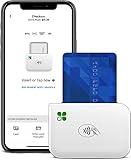
- PORTABLE PAYMENT SOLUTION: The Clover Go Bluetooth Reader, 3rd Gen, lets you accept payments anywhere with ease.
- BLUETOOTH CONNECTIVITY: Pairs wirelessly with your smartphone or tablet for fast, reliable transaction processing on the go.
- NO MERCHANT ACCOUNT REQUIRED: Get started quickly by connecting to any active Clover account with Clover Go
- 3RD GENERATION DESIGN: The latest generation Clover Go Reader offers improved performance and a compact, lightweight build.
- VERSATILE USE: Ideal for small businesses, pop-up shops, and mobile vendors needing a dependable portable card reader.
For a standard bank deposit requiring reference submission, WazirX says to enter the amount and correct reference and allow up to 24 working hours. The reference is a 12-digit numeric ID for IMPS or an alphanumeric UTR for NEFT/RTGS. See WazirX’s standard-deposit instructions.
Independent reader supportYour contribution helps us test, update, and keep practical guides available for everyone.Do not confuse a new deposit with an older frozen INR balance
WazirX’s INR FAQ says that from October 22, 2025, all new INR deposits are 100% available in the account. The same FAQ says approximately 34% of earlier INR balances remain frozen amid external disputes and law-enforcement investigations, with no confirmed release timeline; it says the remaining 66% is available for withdrawal. These are WazirX’s published statements, not confirmation of the status of any particular deposit or account. An older frozen balance does not, by itself, explain why a new MobiKwik payment has not appeared. Read WazirX’s INR deposit FAQ.
Quick Recap
Best Value

- 【Fast and Precise Scan】barcode reader scanner's scanning speeds at up to 300/sec.JRHC barcode scanner is a reliable and guaranteed fast, the handheld 2D scanner not only works in bright sunlight, dark situations but also on curved/reflective surfaces, even supports read damaged, fuzzy, reflective and smudged and other low-quality barcodes, make your work more accuracy and efficiency.
- 【Plug and Play】 JRHC Wired 2D QR code scanner has a USB cable for connection, no need to install any software or driver. It supports connection with computer, laptop and other device that has USB port. It is the perfect bar code scanner reader for supermarkets, pharmacies, bakeries, bookstores, clothing stores, corner stores, pop-up shops, Express company and more!
- 【Sturdy Anti-shock and Durable Design】2d scanner has Ergonomic design with high-quality ABS making it can support withstand repeated drops from 1.5m high to the concrete ground, durable to use. high-speed USB cable, the wired barcode scanner lets you scan with more flexibility, transfer data with speed and ease.
- 【Widely Compatible Ability】This usb barcode scanner works with Windows, Mac OS, and Linux. And perfectly running QuickBooks, Word, Excel, Novell, and other common software. It also supports editing features such as Insert/Delete prefix and suffix, Enable/Disable Code ID and More.
- 【Support Reading 1D & 2D Code, Printed & Screen Code】 【1D】: UPCE, UPCA, EAN8, EAN13, Code128, GS1-128, Interleaved 2 of 5, Interleaved 2 of 5, Industrial 2 of 5, Code39, Code93, Code32, Code11, Codabar, MSI, ISBN, ISSN, GS1 Databar, etc. 【2D】: QR Code, Aztec Code, PDF417, Data Matrix, etc.
Rank #4

- Widely Used: This portable mini card reader combines four ports for instant ph oto sharing and cross-device file transmission. Offering a compact body for easy carrying, it delivers the advantage of quick image transfer in various photography scenarios
- Dust-Proof Portable Card Reader: This memory card reader offers an ultra-sm all lightweight structure, broad compatibility with multiple devices, and a heat-resistant ABS outer casing, ensuring differentiated practicality everywhere
- Two-Way Data Transfer Solution: The computer memory card reader prov ides a direct phone connection and stable computer data backup function, letting you move content between a memory card, smartphone, and PC seamlessly, which is useful for managing media libraries during long trips
- Universal USB2.0 Card Hub: This chip reader is a USB2.0 multiple port card rea der with eco friendly ABS housing and OPP bag packaging. Its plug-and-play design works across systems, specs matching common memory cards for quick file access remotely or in studio
- Multi-Slot Design: This card reader for computer supports simulta neous access to multiple memory card formats, dramatically reducing the need to purchase separate readers and lowering long-term replacement expenses while delivering dependable file transfers for photographers and office professionals on the move
Product prices and availability are accurate as of the date/time indicated and are subject to change. Any price and availability information displayed on Amazon at the time of purchase will apply.




