Quick wins for a faster PC:
Clear out junk files and repair common Windows errorsFree Scan →Fix the driver behind crashes, sound loss and screen glitchesFind Drivers →Repair Windows errors before they cause bigger problemsFix Now →Use Federal Student Aid’s Repayment Calculator to estimate federal student loan payments and compare repayment plans. It can show estimated monthly payments, interest and total paid, payoff dates, and—where relevant—possible discharge amounts. Treat the results as scenarios, not an approved payment: your servicer sets final terms after processing your application.
What the student loan calculator estimates
Federal Student Aid’s online Repayment Calculator, formerly called Loan Simulator, can estimate which federal repayment plans may fit the loans and information you enter. Depending on the plan and your circumstances, results can include:
- Estimated monthly payment and an explanation of how it is calculated.
- Estimated principal and interest paid, total paid, and payoff date.
- A possible discharge amount when a plan or program may apply.
- Comparisons sorted by monthly payment, total paid, or fastest payoff.
Federal Student Aid says, “The results provided by our Repayment Calculator are estimates only.” A calculator result is not an approved payment amount. After you apply and your servicer processes the information, the servicer determines your final terms, including the monthly payment.
How to use the Repayment Calculator
- Choose how to provide loan information. Enter loan details manually, or sign in and consent to retrieval of available loan details and federal tax information. Access to retrieved information depends on your loan program and choices.
- Enter or review your household and income details. These details matter for income-based plan estimates. Federal Family Education Loan Program borrowers cannot import federal tax information under Federal Student Aid’s August 2026 guidance, so they must enter income manually.
- Review the plans the calculator identifies. Eligibility depends on loan type and when the loans were first disbursed. A plan appearing in a comparison is an estimate based on the information provided; confirm eligibility before applying.
- Compare the measures that matter to you. Sort by monthly payment, total paid, or fastest payoff, then inspect the interest, term, and payoff date rather than choosing solely by the lowest monthly amount.
- Confirm terms with your servicer before relying on a figure. The estimate does not replace an application or the final terms set after processing.
How to compare repayment plans
Federal Student Aid describes both fixed-payment and income-based repayment plans. For fixed-payment plans, the monthly amount is based on loan amount, interest rate, and a set repayment period. Income-based payments vary with income and family size. The repayment-plan overview explains plan families and eligibility context.
#1 Best Overall

- PROFESSIONAL FINANCIAL CALCULATOR : Built-in TVM, IRR, NPV. Engineered for business analysts, real estate investors, accountants, and finance students.
- ADVANCED CASH FLOW & AMORTIZATION : Execute time value of money, break-even analysis, depreciation schedules, and bond pricing. Trusted for professional exam prep", MBA coursework, and banking certifications.
- CATIGA CF-300 : Flip-open hard case with a snap-close design for a secure fit. Compact and portable: designed for daily professional use in office, classroom, or on-site.
- ALL-IN-ONE FOR PROFESSIONALS : From NPV/IRR for real estate analysis to statistical calculations for business analysts. Handles probability, linear regression, and complex financial formulas.
- MORTGAGE, LOAN & INVESTMENT CALCULATOR : Covers bond pricing, loan amortization, investment analysis, and exam-level computations. Your go-to accounting calculator, business calculator, and real estate calculator in one device.
| Comparison | What it helps you assess |
|---|---|
| Monthly payment | Whether the estimated bill is manageable in your budget. |
| Total paid and interest paid | The longer-term cost. Similar monthly payments can lead to different totals. |
| Payoff date and repayment term | How long payments may continue. A longer period can lower the monthly amount while increasing interest over time. |
| Eligibility | Whether your loan type and disbursement history may qualify; verify before applying. |
| Possible discharge or forgiveness | Whether the scenario reflects a program that may apply, subject to its requirements—not a guarantee. |
Check both the monthly bill and total cost
A lower monthly payment is not automatically the least expensive option. A longer repayment period can mean more interest and a higher total paid, even when monthly amounts look similar. Use the calculator’s lifetime figures alongside the monthly estimate when deciding which trade-off fits your needs.
Treat forgiveness and discharge as conditional
For Public Service Loan Forgiveness, Federal Student Aid states that eligible borrowers must make 120 qualifying monthly payments. A calculator may show estimates with PSLF considered, but its result does not establish eligibility or guarantee forgiveness. Review program conditions and confirm your circumstances with Federal Student Aid or your servicer.
Rank #2
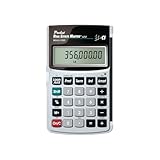
- Loan Amortization and Remaining Balances
- Instant Principal, Interest, Interest Only and Total Payments
- Future Values
- Date math function
Why your actual payment or total cost may differ
Estimates rely on the loan information, eligibility, and income details available to the calculator, as well as the tool’s current features and assumptions. Changes in any of those inputs can change the result. The servicer’s processed application—not the estimate—determines final terms.
Interest during pauses can raise costs
Interest may accrue while payments are paused. If unpaid interest capitalizes, it is added to principal, and future interest is calculated on the higher balance. That can increase total cost and, depending on the plan, the monthly payment. Federal Student Aid explains interest accrual and capitalization; the CFPB also warns that forbearance and some deferments can raise principal and future payments through interest and capitalization. See the CFPB’s federal student loan repayment guidance.
Recommended Free Tools
Rank #3

- Extra large 12-digit angled display.
- Loan Wizard.
- Automatic Tax Keys.
- Selectable decimal setting.
- Input any three loan variables to compute the fourth.
What this calculator does—and does not—cover
The Repayment Calculator is a government tool for comparing federal student loan repayment scenarios. It can help you frame choices around affordability, total cost, and timing, but it does not approve a plan, establish forgiveness eligibility, or set your final bill. Use the result as an estimate to discuss with your servicer before making a repayment decision.
Quick Recap
Best Value

- PROTECTIVE HINGED COVER: Features a hinged, hard cover that protects the keys and display when stored, making this handheld calculator durable and easy to carry safely.
- DUAL-POWER SOURCE: Runs on solar energy with a battery backup, ensuring consistent and reliable use in any lighting condition or environment.
- LCD SCREEN SIZE: The 2-inch screen size, 8-digit LCD screen clearly shows each digit, helping to prevent reading errors and making numbers easy to read at a glance.
- CONVENIENT FUNCTION KEYS: Includes a 3-key independent memory, square root key, change sign key, automatic power down, and more to provide efficient, reliable everyday math.
- TRUSTED BY WORKPLACES FOR DECADES: Sharp has been a dependable name in office calculation for generations — practical tools built around the way people actually work.
Rank #4

- HP 12C: INDUSTRY STANDARD SINCE 1981 – Trusted by professionals in real estate, banking, and finance for over 40 years. The HP 12C finance calculator remains the go-to tool for fast and accurate calculations in high-stakes business environments.
- 120+ FUNCTIONS FOR FINANCIAL ANALYSIS – Calculate loan amortization, bond pricing, mortgage payments, NPV, IRR, depreciation, and more with this large calculator. Built-in business and statistical functions allow you to perform complex calculations in just a few keystrokes.
- RPN ENTRY FOR FASTER WORKFLOWS – Reverse Polish Notation (RPN) allows for efficient data entry with fewer keystrokes and no formulas. This RPN calculator is perfect for a mortgage payment calculator, accounting calculator, business calculator, or real estate calculator for desktop.
- PROGRAMMABLE FOR REPEAT TASKS – The HP12C desk calculator stores custom keystroke sequences for repeated use. This large calculator supports up to 20 cash flows for IRR/NPV analysis, modeling investment scenarios, projecting returns, and automating routine calculations.
- INCLUDES CLEANING CLOTH, CASE & BATTERIES – Compact design fits easily on a desk or crowded table area. Includes a protective carrying case, cleaning cloth, and comes with pre-installed batteries so it's ready to use out of the box. A great choice for home finances, business professionals, and accountants.
Product prices and availability are accurate as of the date/time indicated and are subject to change. Any price and availability information displayed on Amazon at the time of purchase will apply.




