How to Monitor a Long-Running Live Stream (Alerts That Work)
A 24/7 market loop or financial education channel needs monitoring that works at scale. Ignoring the stream for even a few hours means viewers arrive to find it offline, and your channel’s algorithmic ranking drops. Worse, you only discover the problem because viewers tell you on social media. This is how channels that could have been profitable instead become unreliable and get no traction.
Monitoring a live stream is different from monitoring a website or an API. A website is either up or down. A stream can be technically online but producing corrupted video, or online but so delayed that it is useless, or online but not being watched by anyone because YouTube stopped recommending it. Each of these is a different failure mode, and each requires different monitoring.
The basic monitoring question is: is the stream encoding right now? This is harder than it sounds. You cannot just ping the stream URL; YouTube’s ingest servers are not publicly pingable. You have to actually connect to the stream, receive the video data, and verify that the data is fresh and valid. This means running a monitor that acts like a viewer, consuming the stream and checking that frames are arriving and have current timestamps.
The Simplest Monitor: Checking Stream Status From YouTube
YouTube exposes stream metadata through the Live Streaming API. You can query the API to ask: is my stream currently broadcasting, how many viewers does it have, what is the bitrate, is the encoder connected? This gives you a coarse signal. If the API says the stream is offline, something is definitely wrong.
#1 Best Overall
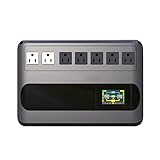
- Security Certification: FCC + CE;GF Series GF1000: Uninterruptible Power Supply 1000VA/ 500W
- Protect your work and life: Protect desktop computers,workstations,networking devices,and home entertainment devices(e.g.Modem&Router,Smartphone,PC Desktop Computer,Network-attached Storage).
- AVR and Outlets: Automatic Voltage Regulation protects connected devices by stabilizing incoming voltage levels.5 black outlets provide battery backup and surge protection(Battery is charged), 2 white outlets provide surge protection only(Mains electricity is connected).
- Multi-functional intelligent LCD:Displays real-time detailed information about battery and power condition,including input voltage,output voltage,battery capacity,load capacity,etc.And can automatically extinguish the screen(Boot 30 seconds,in the state of power automatically extinguish the screen;Touch the switch and the backlight will turn on automatically).
- Eliminate noise:When the UPS is in battery mode,the beeping sound will be emitted after 6-10 seconds,which means that the UPS is in on-load state.As long as you touch the on key lightly to turn off the sound,the display screen will display silent state.When the battery is about to run out,the UPS will continuously emit the beeping alarm until the power off.
Setting this up requires a YouTube API key, authentication, and a script that calls the API every N minutes. The script should:
- Query the stream status endpoint for your broadcast.
- Check if the status is “active” (meaning the encoder is connected and streaming).
- Check the “bytes_received_per_second” field to see if bitrate is non-zero (meaning data is flowing).
- Compare the last data arrival time to the current time. If it is more than 5 minutes old, the stream is stalled.
- If any check fails, trigger an alert.
This is a reasonable starting point. It catches obvious failures like a crashed encoder or a lost network connection. It does not catch subtle failures like a frozen video (bitrate is still flowing, but the video is not changing) or a corrupted audio stream.
The Better Monitor: Frame Verification
To catch frozen video, you need to verify that the stream is producing new frames. This requires actually decoding the video stream. Use FFmpeg to connect to your YouTube stream and pull the video data. Then check the frame timestamps.
A script that does this:
- Connects to the YouTube stream using RTMP or HTTP.
- Decodes the first N frames and extracts their presentation timestamps.
- Verifies that timestamps are increasing (frame N+1 arrives after frame N).
- Verifies that the time between frames matches your configured frame rate (e.g., 33ms between frames for 30fps).
- If timestamps are not increasing, or if the frame rate is wrong, the stream is corrupted.
This catches failures that the API does not. A frozen frame has the same timestamp repeated; bitrate might still be flowing (because the encoder is sending the same data repeatedly), but the content is not changing. A stream in sync slip has timestamps increasing too fast or too slowly, which means audio and video are drifting.
Recommended Free Tools
Implementing this requires running a monitor script every N minutes (typically every 5 minutes), connecting to your stream, and analyzing frames. This is computationally expensive if you do it frequently, so most operators check every 5-10 minutes. This means a stream failure is detected within 10 minutes.
The Alert Problem: Knowing vs Waking Up
Knowing that the stream is offline is useless if you do not know immediately. Alerts need to reach you fast. Email is too slow (you might not check it for hours). SMS is faster but you need to actually respond. Slack is fast, and you can set it to ping your phone. PagerDuty or similar services automatically escalate alerts if you do not acknowledge them within a time limit.
But here is the real problem: if the alert reaches you at 3am, what then? You are now awake, your stream is offline, and you have to debug the problem in real time. For a financial stream, this might be in the middle of market hours. You might miss market-moving events while you are debugging your encoder configuration. This is why many operators give up on 24/7 streaming: the operational burden is too high.
Keep a YouTube Stream Running Without 24/7 PC Monitoring
StreamNeo is a practical fit for turning a prerecorded video into an always-on YouTube Live stream without keeping a local computer or encoder running. Upload your video and paste your YouTube stream key, then the stream runs in the cloud while your PC stays off.
StreamNeo checks stream health every 30 seconds and automatically restarts dropped streams. That gives a long-running YouTube channel an automated recovery path instead of making the operator respond manually to every interruption.
For channels that need reliable unattended broadcasting, this workflow addresses the monitoring and recovery burden described above. It lets you test the managed approach directly against the operational demands of a DIY setup.
Rank #2

- High capacity: 3.7V/ 27000mAh (11.1V/ 8800mAh). This lithium ion battery is constructed from lithium ion battery cells, the 27000 mAh is the total capacity of the 12 cells.【Output: 4*DC 12V(voltage range is 9-12.6V), 1*DC 9V, 2*USB 5V】【Input: 12.6V/2A】The size of the DC output/input port is 5.5 mm x 2.1 mm.
- Mini uninterruptible power supply back up battery pack can power for most 12V/9V/5V DC equipment, wireless routers, telephone, LED strip,monitor cameras, etc. It can provide hours of operation during power failure.
- Provide short-circuit, over-current and over-charging/discharging protection. This product cannot continuously power devices exceeding 37W, as the battery will be drained quickly.
- Compatible with LED strip light products, CCTV Camera, LED Panel, Modem, Speak, Car DVR, 12v pump etc. Please confirm the size input port of your devices before you order, if it is not DC 5.5X2.1mm port, you need to buy the proper chord or adapter sperately.
- Package content: 1x Mini UPS lithium battery. 2 pcs DC 5.5x2.1mm male to male Power Cable. 1x 12.6V/2A AC/DC Charger. ★★★Please note, if the size of your device input port is not DC 5.5X2.1mm, you need to buy the proper chord or adapter sperately.
The solution is not better alerting. It is automatic recovery. If the stream dies, do not wake up the operator. Instead, restart the encoder automatically. Then, if the restart does not fix the problem within 5 minutes, send an alert.
StreamNeo is built for the recovery step that follows detection: upload a prerecorded video and paste the YouTube stream key, and it runs in the cloud while your PC stays off. It checks health every 30 seconds and automatically restarts dropped streams, so the operator does not have to respond manually to every interruption.
What’s actually slowing this PC down?
Pick the symptom - the matching free tool is one click away.
Automatic Recovery
Automatic recovery is harder to implement than monitoring. You have to:
- Detect the failure (monitoring tells you this).
- Determine what kind of failure it is. Is the encoder process dead? Is the network disconnected? Is the video file corrupted?
- Execute the appropriate recovery. Restart the encoder? Switch to a backup video? Failover to a different server?
- Verify that recovery worked. Did the stream come back online? Are frames arriving?
- Only if recovery failed, send an alert to the operator.
Most DIY setups fail at step 2. The operator does not know why the stream died, so they write a recovery script that blindly restarts the encoder. The encoder might restart successfully, but if the root cause was a network problem, it will die again 5 seconds later.
Good automatic recovery requires understanding your system. If the stream dies because the encoder process crashed, restarting the process is right. If the stream dies because the internet connection dropped, restarting the encoder is useless. You have to detect the network status first. If the stream dies because the video file was corrupted or deleted, restarting the encoder will fail because the file is missing.
This debugging and logic is non-trivial. Most operators do not have this level of operational maturity, so automatic recovery either does not exist or is fragile.
Crashes, No Sound, or Screen Glitches?
Random freezes, missing sound and display glitches usually trace back to one bad driver. Find and replace yours safely.Free scan · under a minutePC Slower Than It Used to Be?
A free scan shows the junk files, broken settings and background clutter dragging Windows down - then fixes them in one click.Free scan · Windows 10 & 11Log Aggregation and Debugging
When the stream dies and recovery fails, you need logs. FFmpeg logs its state to stderr. The operating system logs connection attempts. YouTube’s API logs the encoder activity. Correlating these logs across systems, hours after a failure, is a debugging marathon.
Professional setups use log aggregation tools like ELK (Elasticsearch, Logstash, Kibana), Splunk, or Datadog. These tools collect logs from multiple sources, parse them, index them, and make them searchable. When something breaks, you can search across all logs for the time window where the failure occurred and correlate events.
Setting up log aggregation is another engineering project. It requires infrastructure, configuration, and understanding of what to log and how to parse it. For a single stream channel, this overhead is brutal.
Independent reader supportYour contribution helps us test, update, and keep practical guides available for everyone.The Monitoring Cost vs Platform Cost
A professional monitoring and recovery setup for a single stream requires:
Free tools Windows power users keep installed
One-click scans. No signup required.
Rank #3

- The Vertiv PSA6-850LVT PowerUPS 200 provides battery backup and surge protection.
- It features an output of 850VA / 530W.
- The nominal input is 120VAC at 50/60 Hz.
- This UPS features an output of 850VA / 530W.
- Input voltage range: 120VAC at 50/60 Hz with a range of 81-147V.
- Monitoring script that checks stream status and frame validity.
- Alert system that sends notifications to the operator.
- Automatic recovery logic that restarts the encoder and diagnoses failures.
- Log aggregation and storage.
- Dashboard that shows stream status over time.
- On-call scheduling, because someone has to be awake if things go wrong.
This is 2-3 weeks of engineering work, plus ongoing operational burden. The cost is usually 500-2,000 dollars per month in infrastructure, plus the time cost of operational response.
Instead of spending weeks assembling monitoring, recovery, logs, and on-call coverage, test StreamNeo‘s managed workflow with the free 24-hour 720p/30fps trial; no card is required at signup. Upload a video and paste your YouTube stream key, then evaluate the unattended stream while your PC stays off.
A managed platform like StreamNeo includes all of this. Monitoring is built in. Recovery is automatic. Logging and diagnostics are handled. You do not need to run monitoring scripts, set up alerts, or be on call. The platform monitors the stream 24/7 and handles failures automatically.
You upload your video once, paste your YouTube stream key, and the stream runs unattended. If something goes wrong, the platform recovers automatically. If recovery fails, the platform alerts you, but this is rare because the most common failure modes (encoder crash, network blip, file corruption) are all handled automatically.
Quick wins for a faster PC:
Clear out junk files and repair common Windows errorsFree Scan →Scan for outdated or missing drivers - takes under a minuteDriver Scan →Repair Windows errors before they cause bigger problemsFix Now →The Operational Reality of 24/7 Streaming
The reason most 24/7 streams end up being unreliable is not technical complexity; it is operational burden. Monitoring and recovery are features that sound simple but require discipline and infrastructure to implement well. An operator with a single stream, a day job, and a family cannot maintain this level of attentiveness. The stream becomes a chore that eventually gets deprioritized, and the channel stagnates.
This is not a personal failing. It is a system design problem. Asking a human to be the recovery system for a 24/7 stream is asking too much. You need automation. And automation that is robust enough to handle all failure modes is a significant engineering effort.
StreamNeo solves this by making the stream fully automated. You are not the recovery system. The platform is. This is why channels that use managed platforms often have higher uptime and more consistent viewer experience than channels running DIY setups. The operator is freed from 3am debugging sessions and can focus on content.
The free 24-hour trial lets you experience this automation firsthand. Upload a video, paste your YouTube stream key, and watch the platform handle monitoring and recovery without any effort on your part. No alerts to configure. No scripts to debug. No alert at 3am that wakes you up. Just a stream that runs.
StreamNeo offers a free 24-hour 720p/30fps trial with no card at signup, giving you a concrete way to evaluate the unattended workflow before committing. Upload a video and paste the YouTube stream key, then compare the experience while your PC stays off.
After 24 hours, you will have a clear sense of the operational difference between a DIY setup that requires you to be the reliability engineer and a managed platform where reliability is a built-in feature. Most operators never go back to DIY after experiencing automated recovery.
Quick Recap
Product prices and availability are accurate as of the date/time indicated and are subject to change. Any price and availability information displayed on Amazon at the time of purchase will apply.




