Outdated Drivers Are Slowing You Down
One free scan finds every outdated or missing driver and matches the right update for your exact hardware.Free scan · exact hardware matchPC Slower Than It Used to Be?
A free scan shows the junk files, broken settings and background clutter dragging Windows down - then fixes them in one click.Free scan · Windows 10 & 11Short answer: you can deploy and mint an ERC-721 NFT on Polygon PoS with an archived Truffle project and Infura, but this is now a legacy workflow. Truffle and Ganache were sunset by Consensys in 2023, so new projects should generally use Hardhat, Foundry, or Remix. Use this guide mainly to understand or maintain an existing Truffle application.
The example below targets Polygon PoS Amoy for testing, then shows the mainnet configuration. Polygon PoS is EVM-compatible, so the Solidity contract is largely the same as an Ethereum ERC-721 contract. The important differences are the RPC endpoint, chain ID, explorer, testnet, and gas token.
As an Amazon Associate I earn from qualifying purchases.
What you are actually minting
An NFT is not simply an image uploaded to a website. The complete system has four parts:
Recommended Free Tools
- Media: a JPEG, PNG, SVG, video, or other asset.
- Metadata: a JSON document describing the asset.
- ERC-721 token: the on-chain token created by the smart contract.
- Token URI: the string the contract returns to identify the metadata.
Image or video
   ↓
IPFS image CID
   ↓
Metadata JSON
   ↓
IPFS metadata CID / tokenURI
   ↓
ERC-721 contract on Polygon PoS
   ↓
Infura RPC + signed transaction
A typical metadata file looks like this:
{
  "name": "Polygon NFT #1",
  "description": "An example ERC-721 token minted on Polygon PoS.",
  "image": "ipfs://<image-CID>"
}
The contract should normally store an ipfs:// URI such as ipfs://<metadata-CID>. An HTTP gateway URL is only a convenient way to retrieve IPFS content; it is not the canonical content-addressed reference.
#1 Best Overall

- Infineon CC EAL5+ certified Secure Element chip
- True ownership display and clear-view signing
- Personalized NFT gallery
- 2.8 inch largest color touchscreen
- Easy access to NFT marketplace and DeFi apps
Important 2026 changes
Truffle is archived
Consensys announced the sunset of Truffle and Ganache in 2023, and their code and documentation were moved to public archives. Truffle remains useful for understanding old tutorials and maintaining legacy code, but it is not the preferred foundation for a new production NFT project. See the sunset announcement and the archived documentation.
For a new application, consider Hardhat, Foundry, or Remix. Hardhat is usually the closest conceptual migration from Truffle; Foundry is a fast Solidity-focused command-line toolchain; Remix is simplest for a small demonstration.
Use Polygon PoS, not an unrelated Polygon chain
This guide targets Polygon PoS, not Polygon zkEVM or another Polygon network.
Do these 3 things before closing this tab:
1Clear out junk files and repair common Windows errors2Fix the driver behind crashes, sound loss and screen glitches3Repair Windows errors before they cause bigger problems| Network | Chain ID | Gas token | Explorer |
|---|---|---|---|
| Polygon PoS mainnet | 137 |
POL | polygonscan.com |
| Polygon PoS Amoy testnet | 80002 |
POL | amoy.polygonscan.com |
Amoy replaced Mumbai as the relevant Polygon PoS testnet in current documentation. Older tutorials may mention Mumbai, MATIC, Goerli, or Polygon-operated public RPC URLs. Do not copy those settings without checking their status. Polygon announced deprecation dates for its old public RPC endpoints—Amoy on July 17, 2026, and mainnet on July 31, 2026. Use a current provider endpoint such as Infura instead, and confirm its exact format in the Infura documentation.
Polygon’s current documentation identifies POL as the native gas and staking token. Some older wallets and tutorials may still display MATIC as legacy terminology.
Why Infura is involved
Infura provides managed JSON-RPC access. Truffle uses that connection to read chain state, estimate gas, broadcast deployment transactions, and submit minting transactions. Infura does not replace your wallet or signer.
You still need:
- An Infura account and Polygon-enabled API key.
- A deployment wallet and private key or mnemonic.
- POL for gas on Amoy or mainnet.
- An IPFS storage or pinning solution.
- The correct network and explorer.
Keep the credentials separate:
- RPC/API key: identifies requests to Infura.
- Private key or mnemonic: authorizes transactions and must remain secret.
- Wallet address: pays gas and receives the minted NFT.
Step 1: Prepare the image and metadata
- Upload the image or media file to an IPFS pinning or storage service.
- Record the returned image CID.
- Create metadata JSON using the image’s
ipfs://URI. - Upload the metadata JSON to IPFS.
- Use the metadata CID as the token URI.
- Retrieve the metadata through an IPFS gateway and an IPFS-aware wallet or marketplace.
Pinning keeps content available through a service. IPFS itself is content-addressed, but uploading a file does not automatically guarantee indefinite availability. Check the provider’s current retention, authentication, quota, gateway, and pricing terms. Media and metadata may need to be pinned separately.
Step 2: Create a legacy Truffle project
For an existing or educational Truffle project, the setup may look like this:
Rank #2
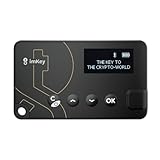
- Top-Tier Security Chip, Bank-Grade Asset Protection: Equipped with an industry-leading Infineon CC EAL 6+ certified security chip, also certified by EMVCo, this chip is widely used in bank payment and identity verification systems. Your private keys are generated and stored entirely offline within the chip, ensuring they never touch the internet. This physically blocks remote hacker attacks and eliminates the risk of private key leakage, building an impregnable first line of defense for your digital assets.
- What You See Is What You Sign, Hardware Button Protection: Every transaction requires manual confirmation via physical buttons on the imKey Pro's clear display. The device intuitively shows key transaction details like the amount and address, ensuring the data hasn't been tampered with during transmission—truly achieving "What You See Is What You Sign." It also features secure PIN code protection and a self-destruct mechanism after multiple incorrect attempts (the private key is wiped after 5 consecutive wrong entries), effectively preventing brute-force attacks even if the device is lost.
- Comprehensive Multi-Chain Asset Support, Access the Web3 Ecosystem: Fully supports major mainnets and Layer 2 networks, including Bitcoin (BTC), Ethereum (ETH), LTC, ATOM, FIL, TRX and more. By adding custom RPCs, you can easily access all EVM-compatible chains like BSC, Polygon, and Avalanche. Furthermore, imKey Pro perfectly supports Layer 2 solutions such as zkSync and Arbitrum, as well as the display and storage of NFTs, meeting all your diverse on-chain needs.
- Cold & Hot Wallet Separation, A Seamless Experience: Utilizing Bluetooth 4.1 wireless technology, it pairs seamlessly with the imToken App on your mobile phone or browser extension wallets on your PC without needing any cables. It combines the ultimate security of a cold wallet (offline private key storage) with the convenience of a hot wallet (online interaction). When a transaction is needed, you sign it offline with your imKey, and the app broadcasts it to the chain. This guarantees asset security without sacrificing the fluidity of use.
- Extremely Thin and Light, A Portable Digital Vault: The device is smaller than a credit card, measuring just 2.3mm thick and weighing approximately 17g. Crafted with a zinc alloy body and a PC panel, it offers a premium feel and is extremely portable. The built-in 33mAh lithium-polymer battery provides a battery life of up to approximately four weeks on a single charge. The package includes the hardware wallet, a USB cable, and mnemonic cards, making it ready to use right out of the box—a secure and reliable gateway to the crypto world.
mkdir polygon-nft
cd polygon-nft
npx truffle init
npm install @openzeppelin/contracts dotenv @truffle/hdwallet-provider
Pin and test compatible dependency versions. Do not blindly combine an old Truffle Box with a current OpenZeppelin release: Solidity compiler, constructor, and ownership APIs can differ between OpenZeppelin major versions.
Step 3: Write the ERC-721 contract
Because the token stores an individual URI, this example uses OpenZeppelin’s ERC721URIStorage extension rather than base ERC721. The sample is educational, not production-ready:
// SPDX-License-Identifier: MIT
pragma solidity ^0.8.20;

import "@openzeppelin/contracts/token/ERC721/extensions/ERC721URIStorage.sol";
import "@openzeppelin/contracts/access/Ownable.sol";

contract PolygonNFT is ERC721URIStorage, Ownable {
    uint256 private _nextTokenId = 1;

    constructor(address initialOwner)
        ERC721("Polygon NFT", "PNFT")
        Ownable(initialOwner)
    {}

    function mint(address to, string calldata metadataURI)
        external
        onlyOwner
        returns (uint256)
    {
        uint256 tokenId = _nextTokenId++;
        _safeMint(to, tokenId);
        _setTokenURI(tokenId, metadataURI);
        return tokenId;
    }

    function supportsInterface(bytes4 interfaceId)
        public
        view
        override(ERC721URIStorage, ERC721)
        returns (bool)
    {
        return super.supportsInterface(interfaceId);
    }
}
This contract starts token IDs at 1 and allows only the owner to mint. Before using it for valuable assets, decide how to handle maximum supply, metadata changes, pausability, access control, royalties, and upgradeability. ERC-2981 can communicate royalty information, but it does not force every marketplace to pay royalties. Use documentation matching your installed OpenZeppelin major version; the ERC-721 API documentation explains ownership, transfers, tokenURI, and safe minting.
What’s actually slowing this PC down?
Pick the symptom - the matching free tool is one click away.
Step 4: Protect your credentials
Create a local .env file:
INFURA_API_KEY=replace_with_project_key
DEPLOYER_PRIVATE_KEY=replace_with_private_key
Add .env to .gitignore. Never place a private key or mnemonic in truffle-config.js, a migration file, Git history, screenshots, or a frontend bundle. For production deployments, use a dedicated deployment wallet and consider a hardware-backed signer.
Step 5: Configure Truffle for Polygon
A legacy configuration can look like this:
require("dotenv").config();
const HDWalletProvider = require("@truffle/hdwallet-provider");

const privateKey = process.env.DEPLOYER_PRIVATE_KEY;
const infuraKey = process.env.INFURA_API_KEY;

module.exports = {
  networks: {
    polygonAmoy: {
      provider: () => new HDWalletProvider(
        privateKey,
        `https://polygon-amoy.infura.io/v3/${infuraKey}`
      ),
      network_id: 80002,
      chain_id: 80002,
      confirmations: 2,
      timeoutBlocks: 200,
      skipDryRun: true
    },

    polygon: {
      provider: () => new HDWalletProvider(
        privateKey,
        `https://polygon-mainnet.infura.io/v3/${infuraKey}`
      ),
      network_id: 137,
      chain_id: 137,
      confirmations: 5,
      timeoutBlocks: 200,
      skipDryRun: true
    }
  },

  compilers: {
    solc: { version: "0.8.20" }
  }
};
Confirm the current Infura hostname, authentication requirements, supported networks, limits, and project settings in the current Infura documentation before using this unchanged. The archived Polygon Truffle Box illustrates the historical pattern, but its Mumbai-era settings are outdated.
Step 6: Add the deployment migration
Save this as a migration file such as 2_deploy_polygon_nft.js:
const PolygonNFT = artifacts.require("PolygonNFT");

module.exports = async function (deployer, network, accounts) {
  const owner = accounts[0];
  await deployer.deploy(PolygonNFT, owner);
};
The owner address is a constructor argument. A frequent failure occurs when the Solidity constructor expects an address but an old migration invokes the contract without one.
Free tools Windows power users keep installed
One-click scans. No signup required.
Step 7: Compile and deploy to Amoy
npx truffle compile
npx truffle migrate --network polygonAmoy
To force a fresh deployment:
npx truffle migrate --network polygonAmoy --resetA successful deployment should produce a contract address and transaction hash. Open the address on Amoy Polygonscan and wait for the transaction receipt. “Transaction submitted” is not the same as finalized. The deployment account’s Amoy POL balance should decrease by the gas cost.
Rank #3

- Compact and Convenient: Experience the power of security in the palm of your hand with a credit card-sized design that combines portability and convenience.
- Biometric Fingerprint Authentication: Elevate your security to new heights with advanced biometric fingerprint authentication. This cutting-edge technology adds an impenetrable layer, ensuring resilience against unauthorized access. Your assets are safeguarded like never before.
- Encrypted Bluetooth Connection: Stay connected with confidence through an encrypted Bluetooth connection, providing a secure link between your hardware wallet and your devices.
- Ultimate Security Certification: Rest easy knowing your assets are protected by the highest standards. SecuX Shield is certified CC EAL5+, featuring the Infineon Solid Flash CC EAL5+ Secure Element (SE) chip embedded for ultimate security.
- Hands-on Clear-sign: Take control with a clear-view display of transaction details. Hands-on device authorization ensures a seamless and transparent user experience.
Step 8: Mint the NFT
Using the Truffle console
npx truffle console --network polygonAmoyThen run:
const nft = await PolygonNFT.deployed()
const recipient = accounts[0]
const tx = await nft.mint(recipient, "ipfs://<metadata-CID>")
tx.tx

(await nft.ownerOf(1)).toString()
await nft.tokenURI(1)
The owner check should return the recipient address, and tokenURI(1) should return the metadata URI. The mint is a separate transaction from deployment and can fail independently.
Using a JavaScript script
const PolygonNFT = artifacts.require("PolygonNFT");

module.exports = async function mint() {
  const nft = await PolygonNFT.deployed();
  const accounts = await web3.eth.getAccounts();
  const recipient = accounts[0];
  const metadataURI = "ipfs://<metadata-CID>";

  const receipt = await nft.mint(recipient, metadataURI, {
    from: recipient
  });

  console.log("Mint transaction:", receipt.tx);
};
In this contract, mint is restricted by onlyOwner, so the transaction sender must be the owner. The recipient can be a different address, but that address does not pay the gas unless it is also the caller.
Step 9: Verify the result
Use all of these checks:
- Confirm the deployment and mint transaction succeeded on the correct explorer.
- Call
ownerOf(tokenId)and check the expected recipient. - Call
tokenURI(tokenId)and compare it with the intended metadata CID. - Open the metadata through an IPFS gateway.
- Check that the JSON is valid and that its
imagefield resolves. - Confirm the wallet is connected to Polygon PoS, not Ethereum or Amoy.
A wallet or marketplace may take additional time to index the collection. Successful on-chain minting does not guarantee immediate display.
Common failures
Invalid network ID or wrong chain
npx truffle networkCheck that Amoy uses 80002, mainnet uses 137, the RPC endpoint matches the selected chain, and the explorer is on the same network.
Insufficient funds
The account needs POL on the selected network. Amoy requires testnet POL from a current Polygon-supported faucet; mainnet requires real POL. Old instructions asking for ETH or assuming MATIC may be obsolete. Start with the Polygon PoS developer documentation.
RPC timeout or rate-limit error
Verify the Infura URL and key, check the current quota and provider status, and review confirmation settings. If a command times out, check the original transaction hash before retrying. Blindly resubmitting can create duplicate deployments or mints. A second provider can provide read-operation or emergency failover.
Constructor or compilation mismatch
Make sure the OpenZeppelin release, Solidity compiler, Truffle dependencies, contract constructor, and migration arguments are compatible. The migration must pass accounts[0] to this contract’s initialOwner parameter.
The Tool Desk
Outbyte Driver Updater FREEFix the driver behind crashes, sound loss and screen glitchesFind Drivers →Outbyte PC Repair FREERepair Windows errors before they cause bigger problemsFix Now →The NFT does not appear
First verify the transaction, ownerOf, and tokenURI. Then validate the metadata and image CIDs, confirm pinning, and wait for wallet or marketplace indexing. Display problems do not necessarily mean the mint failed.
The private key was exposed
- Stop using the account.
- Move remaining funds and assets to a clean account.
- Revoke approvals where appropriate.
- Rotate provider credentials.
- Remove secrets from the repository and rewrite Git history if necessary.
- Audit deployment and mint transactions.
Should you use Truffle, Infura, and Polygon?
| Choice | Strength | Trade-off |
|---|---|---|
| Polygon PoS | EVM compatibility and typically lower transaction costs than Ethereum mainnet | It is a separate network, and users must select the correct chain and gas token |
| Infura | Managed Polygon JSON-RPC infrastructure | Availability, quotas, and pricing depend on the current plan |
| Truffle | Convenient artifacts, migrations, abstractions, and console for legacy projects | Archived, unmaintained, and increasingly difficult to pair with modern dependencies |
For new work, the better long-term choice is generally Hardhat or Foundry with a current RPC provider. For a one-off learning exercise, Remix may require less setup. For a maintained Truffle application, migrate incrementally: replace Truffle migrations with Hardhat deployment scripts, Ganache with Hardhat Network or Anvil, Truffle console with Hardhat console or cast, and legacy provider setup with a current RPC configuration.
Quick Recap
Product prices and availability are accurate as of the date/time indicated and are subject to change. Any price and availability information displayed on Amazon at the time of purchase will apply.




