Free tools Windows power users keep installed
One-click scans. No signup required.
For most people buying a new 24-inch iMac, choose the M4. It starts at the same U.S. prices the M1 iMac had at launch, but includes 16GB of memory, a faster chip, a 12MP Center Stage camera and newer ports. The M1 still handles everyday work well, and its display is remarkably similar; it makes sense when you find a substantially lower price and its configuration suits your needs.
If you already own an M1, you do not need to upgrade just because a newer chip exists. The strongest reasons are demanding creative work, memory pressure, frequent video calls or a need for the four-port M4’s expanded external-display support.
M4 vs. M1 iMac: the key differences
These are both 24-inch-class all-in-one desktops with a 4.5K display, but each generation comes in configurations that matter. The M1 arrived in 2021; the M4 followed in 2024. The table compares the main options rather than treating every model in a generation as identical.
| Feature | 24-inch iMac with M1 (2021) | 24-inch iMac with M4 (2024) |
|---|---|---|
| Processor and graphics | 8-core CPU; 7-core or 8-core GPU | Two-port: 8-core CPU and GPU. Four-port: 10-core CPU and GPU. |
| Unified memory | 8GB standard; configurable to 16GB | 16GB standard; up to 24GB or 32GB depending on model |
| Storage | 256GB or 512GB base options, depending on configuration; up to 2TB | 256GB base; up to 2TB |
| Display | 23.5-inch actual diagonal, 4480 × 2520, 218 ppi, 500 nits, P3, True Tone | Same core specifications; optional nano-texture glass on four-port model |
| Camera | 1080p FaceTime HD | 12MP Center Stage camera with Desk View; 1080p HD video recording |
| Ports | Two Thunderbolt/USB 4 ports; 8-core GPU model adds two USB 3 ports | Two-port model has two Thunderbolt 4 ports; four-port model has four |
| External displays | One display up to 6K at 60Hz | Two-port: one display up to 6K at 60Hz. Four-port: two 6K displays at 60Hz, or one 8K display at 60Hz. |
| U.S. price reference | Launched at $1,299 or $1,499; those are historical prices, not current used-market prices | Apple U.S. starting prices observed on August 16, 2026: $1,299 for two-port and $1,499 for four-port |
Sources: Apple M1 specifications, Apple M4 specifications, M4 two-port specifications, M4 four-port specifications, M1 launch announcement and Apple’s M4 buying page.
#1 Best Overall

- BRILLLLLLIANT — iMac is the ultimate all-in-one desktop computer, powered by the M4 chip and built for Apple Intelligence.* With a stunning 24-inch Retina display, iMac gives you the space you need in an iconic, colorful design that livens up any room.
- FITS PERFECTLY IN YOUR SPACE — The all-in-one desktop design is strikingly thin, comes in seven vibrant colors, and elevates any space with style.
- BUILT FOR APPLE INTELLIGENCE — Apple Intelligence is the personal intelligence system that helps you write, express yourself, and get things done effortlessly. With groundbreaking privacy protections, it gives you peace of mind that no one else can access your data — not even Apple.*
- SUPERCHARGED BY M4 — Get more done faster with the Apple M4 chip. From editing photos to creating presentations to gaming, you’ll fly through work and play.
- IMMERSIVE DISPLAY — The industry-leading 24-inch 4.5K Retina display features 500 nits of brightness and supports up to 1 billion colors.*
Which M1 and M4 configurations are you comparing?
M1: two-port and four-port versions
The 2021 M1 iMac came with either a 7-core GPU and two Thunderbolt ports or an 8-core GPU and four total USB-C ports. Both used an 8-core CPU. The four-port model also included Gigabit Ethernet and a Magic Keyboard with Touch ID; Touch ID was an option on the 7-core GPU version. Memory was 8GB by default, configurable to 16GB. Base storage varied by configuration, and higher capacities were available.
When shopping used or refurbished, check the exact GPU, memory, storage, Ethernet and keyboard included. A 7-core GPU model is not equivalent to an 8-core version simply because both are called an M1 iMac. Apple’s technical specifications and 2021 announcement describe the original configurations.
M4: two-port and four-port versions
The entry M4 configuration has an 8-core CPU and GPU with two Thunderbolt 4 ports. The higher configuration has a 10-core CPU and GPU and four Thunderbolt 4 ports. Both start with 16GB of unified memory; memory upgrades depend on the model, reaching 24GB or 32GB. The four-port version is the one to consider for more demanding connectivity, two external 6K displays or optional nano-texture glass.
How much faster is the M4?
The M4 is the stronger processor, but there is no single speed multiplier that applies to every app. Results vary with the task, memory configuration, GPU cores and software. In its launch material, Apple claimed up to 2.1 times faster performance than the M1 iMac in specified Photoshop and Premiere Pro workflows. That is an Apple claim for selected tasks, not a universal independent benchmark.
For browsing, documents, email, streaming and schoolwork, a functioning M1 is already capable. The M4’s advantages become more relevant when editing photos or video, running demanding creative software, keeping many apps and browser tabs open, or working with 3D graphics. The M4 also adds hardware-accelerated ray tracing and newer media-engine capabilities, including AV1 decode. Apple’s M4 claims are described in its launch announcement; its related performance announcement provides further context.
Rank #2
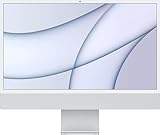
- Immersive 24-inch 4.5K Retina display with P3 wide color gamut and 500 nits of brightness
- Apple M1 chip delivers powerful performance with 8-core CPU and 7-core GPU
- Strikingly thin 11.5 mm design in vibrant colors
- 1080p FaceTime HD camera with M1 ISP for amazing video quality
- Studio-quality three-mic array for crystal clear calls and voice recordings
Is the M4 iMac display better?
Not in its core specifications. Both generations have a 23.5-inch actual diagonal, 4480 × 2520 resolution, 218 pixels per inch, 500-nit brightness, P3 wide color, True Tone and support for one billion colors. The M4 is not a higher-resolution or brighter-screen upgrade.
The notable display option is nano-texture glass on the four-port M4. It is intended to reduce reflections in bright environments; it does not change the panel’s resolution or refresh rate. If your M1’s display works for you, screen quality alone is not a compelling reason to replace it. See Apple’s M1 specifications and M4 specifications.
Camera, Apple Intelligence and everyday features
The camera upgrade is useful for frequent calls
The M1 has a 1080p FaceTime HD camera. The M4 adds a 12MP Center Stage camera, Desk View and computational video processing. Apple lists 1080p HD video recording, so 12MP should not be read as a promise of 4K webcam output. Center Stage and Desk View may be useful for video calls, presentations and showing objects on a desk; if you rarely use the built-in camera, the difference matters less.
Apple Intelligence is not exclusive to M4
Apple lists Apple Intelligence support for both M1 and M4 iMacs. Support does not guarantee that every feature is available to every user: availability can depend on operating-system version, feature, device and Siri languages, and region. Check Apple’s current compatibility and language requirements for the feature you plan to use rather than buying an M4 solely on the assumption that the M1 cannot use Apple Intelligence.
Audio and wireless are not the main buying distinction
Apple lists a six-speaker system with force-cancelling woofers, spatial audio with Dolby Atmos and a three-mic array with directional beamforming for the M1. The M1 specification lists Wi-Fi 6 and Bluetooth 5.0. Apple’s M4 model specifications provide the model-specific details; the available evidence does not establish a major speaker redesign that should drive the purchase decision. The camera, memory and port differences are clearer reasons to choose between generations.
Rank #3

- BRILLLLLLIANT — iMac is the ultimate all-in-one desktop computer, powered by the M4 chip and built for Apple Intelligence.* With a stunning 24-inch Retina display, iMac gives you the space you need in an iconic, colorful design that livens up any room.
- FITS PERFECTLY IN YOUR SPACE — The all-in-one desktop design is strikingly thin, comes in seven vibrant colors, and elevates any space with style.
- BUILT FOR APPLE INTELLIGENCE — Apple Intelligence is the personal intelligence system that helps you write, express yourself, and get things done effortlessly. With groundbreaking privacy protections, it gives you peace of mind that no one else can access your data — not even Apple.*
- SUPERCHARGED BY M4 — Get more done faster with the Apple M4 chip. From editing photos to creating presentations to gaming, you’ll fly through work and play.
- IMMERSIVE DISPLAY — The industry-leading 24-inch 4.5K Retina display features 500 nits of brightness and supports up to 1 billion colors.*
Ports and external displays: choose the right M4
M1: one external display
Every M1 iMac supports one external display up to 6K at 60Hz. The four-port M1 adds two USB 3 ports to its two Thunderbolt/USB 4 ports; the two-port version does not. If you need two external monitors, the M1 is not the right choice based on Apple’s listed display support.
M4 two-port: a simpler desk
The two-port M4 supports one external display up to 6K at 60Hz. Two Thunderbolt 4 ports can be enough for a straightforward desk, but they may feel limiting if you regularly connect storage, wired networking, peripherals and a display without a hub.
The Tool Desk
Outbyte PC Repair FREERepair Windows errors before they cause bigger problemsFix Now →Outbyte Driver Updater FREEScan for outdated or missing drivers - takes under a minuteDriver Scan →M4 four-port: better for a workstation
The four-port M4 supports up to two external 6K displays at 60Hz, or one external display up to 8K at 60Hz. Its additional Thunderbolt 4 ports make it the more flexible choice for multiple displays and professional peripherals. A hub can expand connections, but adds cost, desk clutter and power or bandwidth-sharing considerations; it does not make the two-port model’s display support identical.
Memory and storage: what to buy
Memory is fixed after purchase
Unified memory is not user-upgradable on either generation. The M1 starts at 8GB and tops out at 16GB; the M4 starts at 16GB and can be configured with more, depending on model. For basic use, 8GB may still be workable, but it leaves less room for heavy multitasking, large photo libraries, coding tools, virtual machines or modern creative apps. For a new long-term purchase, 16GB is the more sensible baseline; consider higher M4 memory for workloads that will actually use it.
Choose storage for the files you keep locally
Both generations offer SSD configurations up to 2TB, and both can be bought with 256GB at the entry level. macOS and applications take some of that space, leaving less for photos, video, music and project files. As a practical planning guide, 512GB suits many long-term general users; photographers, musicians, developers and video editors may prefer 1TB. External storage can hold archives or large libraries, though active projects and applications benefit from adequate internal space. Compare the price of a 512GB configuration with a 256GB machine plus an external SSD before deciding.
Rank #4

- BRILLLLLLIANT — iMac is the ultimate all-in-one desktop computer, powered by the M4 chip and built for Apple Intelligence.* With a stunning 24-inch Retina display, iMac gives you the space you need in an iconic, colorful design that livens up any room.
- FITS PERFECTLY IN YOUR SPACE — The all-in-one desktop design is strikingly thin, comes in seven vibrant colors, and elevates any space with style.
- BUILT FOR APPLE INTELLIGENCE — Apple Intelligence is the personal intelligence system that helps you write, express yourself, and get things done effortlessly. With groundbreaking privacy protections, it gives you peace of mind that no one else can access your data — not even Apple.*
- SUPERCHARGED BY M4 — Get more done faster with the Apple M4 chip. From editing photos to creating presentations to gaming, you’ll fly through work and play.
- IMMERSIVE DISPLAY — The industry-leading 24-inch 4.5K Retina display features 500 nits of brightness and supports up to 1 billion colors.*
Apple lists external storage options at its Mac storage and accessories page. The right choice depends on capacity, speed and how often you need the files at your desk.
Price and value: when is an M1 a bargain?
Compare current M4 prices with the specific M1 on offer
Apple’s U.S. buying page showed M4 starting prices of $1,299 for the two-port model and $1,499 for the four-port model on August 16, 2026. These are U.S. reference prices; sales tax, optional upgrades, accessories, AppleCare+ and regional pricing are not included. Check Apple’s current buying page before purchasing, since prices and configurations can change.
The M1 originally launched in the U.S. at $1,299 for the 7-core GPU model and $1,499 for the 8-core GPU model. Those are historical launch prices, not a current valuation. Apple Certified Refurbished listings observed for specific M1 configurations were approximately $1,289 and $1,339; refurbished inventory is configuration-specific and changes over time. At prices near a new M4, those examples are difficult to justify unless the precise configuration or a particular deal makes the older model worthwhile. See Apple’s 7-core GPU refurbished example and 8-core GPU refurbished example. These links illustrate particular listings, not guaranteed availability or a stable price.
Assess a used or refurbished M1 as a complete package
A low sticker price is not enough. Confirm memory, GPU, storage, Ethernet, keyboard, mouse, power adapter, return period and warranty. Inspect the display and stand, and verify ownership or activation status. Apple Certified Refurbished units and marketplace listings are not interchangeable: coverage, condition and returns depend on the seller and the specific offer. For AppleCare+ coverage terms, consult Apple’s Mac AppleCare page; check the live price and eligibility for the exact model and region.
Independent reader supportYour contribution helps us test, update, and keep practical guides available for everyone.Should an M1 owner upgrade to M4?
Upgrade if a specific limitation is costing you time
- You run creative or technical applications where the M1’s performance or memory is a bottleneck.
- You frequently make video calls and would benefit from the 12MP Center Stage camera and Desk View.
- You need more than one external display, especially the four-port M4’s support for two 6K displays or one 8K display.
- You are buying a replacement for several years and want 16GB memory as the starting point.
- You need M4 capabilities such as hardware-accelerated ray tracing for supported work or games.
Keep the M1 if it still does your work comfortably
If your tasks are mostly everyday desktop work and the machine feels responsive, the M4’s improved specifications may not translate into a meaningful day-to-day benefit. The display and all-in-one design remain broadly familiar. You can also wait until a specific need—not simply the generation number—makes replacement worthwhile.
What’s actually slowing this PC down?
Pick the symptom - the matching free tool is one click away.
Best Value
- BRILLLLLLIANT — iMac is the ultimate all-in-one desktop computer, powered by the M4 chip and built for Apple Intelligence.* With a stunning 24-inch Retina display, iMac gives you the space you need in an iconic, colorful design that livens up any room.
- FITS PERFECTLY IN YOUR SPACE — The all-in-one desktop design is strikingly thin, comes in seven vibrant colors, and elevates any space with style.
- BUILT FOR APPLE INTELLIGENCE — Apple Intelligence is the personal intelligence system that helps you write, express yourself, and get things done effortlessly. With groundbreaking privacy protections, it gives you peace of mind that no one else can access your data — not even Apple.*
- SUPERCHARGED BY M4 — Get more done faster with the Apple M4 chip. From editing photos to creating presentations to gaming, you’ll fly through work and play.
- IMMERSIVE DISPLAY — The industry-leading 24-inch 4.5K Retina display features 500 nits of brightness and supports up to 1 billion colors.*
Which iMac or desktop setup should you buy?
Buy the M4 two-port model for a straightforward setup
Choose it if you want a new all-in-one for everyday use, value the 16GB memory floor and do not expect to connect multiple external displays or several devices directly. Remember that the base model has 256GB storage, so size the drive to your local-file needs.
Buy the M4 four-port model for room to connect and expand
Choose it if you need four Thunderbolt 4 ports, stronger external-display support, the 10-core CPU and GPU configuration, or the nano-texture option. It is the clearer fit for a more demanding workstation, though its higher price should be weighed against the value of those particular features.
Buy an M1 only at a substantial discount
A well-priced M1—particularly one with 16GB memory and sufficient storage—can suit browsing, office work, school and light editing. Compare its total package and warranty with a new M4; avoid paying close to M4 pricing for an 8GB/256GB M1.
Consider a Mac mini if you want a modular setup
A Mac mini paired with a separate monitor can suit buyers who already own a display and peripherals, want to replace components separately, or prioritize a different mix of ports and value. Add the cost of a monitor, webcam, speakers, keyboard, mouse and any hub before comparing totals; a modular setup is not automatically cheaper. An Apple Studio Display is one possible monitor option, but it adds significant cost and is unnecessary if the iMac’s built-in 4.5K screen meets your needs.
Quick Recap
Product prices and availability are accurate as of the date/time indicated and are subject to change. Any price and availability information displayed on Amazon at the time of purchase will apply.




