To set up a John Lewis Wish List, sign in to your online account, then create a list from My Account or select “Add to wish list” on a product page. You can add products, share the list by email, text or social media, and let gift buyers know they can purchase as guests.
How do I create a John Lewis Wish List?
You need a John Lewis online account to create a Wish List. The retailer’s About Wish List page describes two ways to start:


- Sign in to your John Lewis online account.
- Either open a product page and select “Add to wish list,” or go to My Account and create a list there.
For current instructions, use John Lewis’s Wish List feature rather than its separate Gift List Service Guide, which is marked “currently unavailable.”
How do I add products, including items in store?
From a product page
On the website, select “Add to wish list” on the product page. You can also manage your saved lists through My Account.
While shopping in store
John Lewis says its app can scan a product barcode in store and save that item to a Wish List. The app’s Wish List icon takes you to your saved lists. John Lewis lists its app for iOS and Android on its app information page; check that page for current availability and device requirements.
How do I share the list, and who can see it?
Share the list by email, text message or social media. John Lewis says, “Only people with the link can view your list and you can switch sharing on and off when you wish.” This describes link-based viewing; it does not establish that the list is password-protected.
Use the sharing control to turn access off when you no longer want the list viewable. The official instructions do not say that a list is unsearchable, so do not treat link-based access as a guarantee of secrecy.
What can gift buyers do?
Gift buyers do not need a John Lewis online account; they can check out as guests. They may also leave their name and a personalised message. The list owner can view that information alongside order details in My Account, according to the Wish List FAQ.
Quick wins for a faster PC:
Scan for outdated or missing drivers - takes under a minuteDriver Scan →Clear out junk files and repair common Windows errorsFree Scan →How do I enable gift cards?
If you want gift buyers to have a gift-card option, enable it in the Wish List’s Settings panel. The retailer’s help page identifies this setting as an option for the list owner.
Quick Recap
Best Value
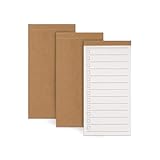
- High-Quality Paper: Each pack includes 3 daily to-do notebooks, with each notebook containing 50 sheets of premium paper that are easy to write on and resistant to ink bleed. They are suitable for fountain pens, pencils, and ballpoint pens.
- Superior Quality: The notepads feature a textured kraft paper cover that exudes quality. The check-boxes and college-ruled lines on the inner pages provide ample space for writing without feeling cramped.
- Portable Design: The memo notepad size is 5.31 x 2.72 inches, making it easy to carry in your pocket, wallet, backpack, or apron. You can jot down your sudden bursts of inspiration anytime and anywhere.
- Versatile Use: This daily planner is highly versatile and valuable in various settings, including work, study, and home. Whether you need to organize daily tasks, set goals, plan meals, create a wish list, or make a grocery list, this notebook is the ideal tool.
- Perfect Gift: Our daily to-do notebook is the perfect gift for students, teachers, workaholics, and homemakers. It’s an essential item for the office, helping to manage daily tasks and boost productivity.
Rank #4
Product prices and availability are accurate as of the date/time indicated and are subject to change. Any price and availability information displayed on Amazon at the time of purchase will apply.




