To make a TDS entry in TallyPrime, record the gross expense, credit the payee with the amount after deduction, and credit a TDS payable ledger. For a ₹50,000 resident individual-contractor bill at the illustrative 1% rate, the entry is ₹50,000 expense, ₹49,500 contractor payable and ₹500 TDS payable.
TDS entry in TallyPrime is a three-part accounting flow: record the gross expense, credit the contractor with the net amount after deduction, and credit a TDS payable ledger. Later, record the government payment by debiting TDS payable and crediting the bank.
As an Amazon Associate I earn from qualifying purchases.
For a resident individual contractor in the example below, a contract bill of ₹50,000 attracts illustrative TDS of ₹500 at 1%, so the contractor is credited ₹49,500:
Dr Contract Expense                         ₹50,000
    Cr Contractor Payable                              ₹49,500
    Cr TDS Payable - Contractor                            ₹500
The accounting is straightforward; choosing the correct tax provision, Nature of Payment, deductee type, PAN treatment, threshold and GST treatment is the part that requires care. This guide covers non-salary TDS for Indian TallyPrime users and uses a resident individual contractor as its worked example.
#1 Best Overall
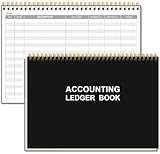
- EASY TO MANAGE - Use this accounting ledger book to track your payments, deposits, and balances, and develop good bookkeeping habits to meet your financial goals.
- UNDATED ACCOUNT TRACK - Use a ledger book to record every expense you make no matter what day it starts. The accounting book is plenty of space to record each transaction you make, and state its number, date, description, account, payment or deposit amount, and total balance.
- MANAGE YOUR FINANCES & SUCCEED - Use this business expense tracker notebook, You will be able to easily analyze your financial activities and quickly prepare accurate financial statements. Use your records to regularly assess your spending and income and find any unnecessary expenses you can cut to improve your financial performance.
- HIGH QUALITY - The A5 expense tracker notebook is used to high quality 100gsm pure white paper, pink elastic band and a back pocket for extra space. A total of 64 sheets(128 pages), it comes with 3480 entry lines (29 lines per page, 60sheets/120pages), 1 page Year Overview, 7 lined notes pages. The accounting book is plenty of space to record each transaction you make, and state its number, date, description, account, payment or deposit amount, and total balance.
- THE PERFECT GIFT - Use account ledger book for your personal or business finances, give it to your friends, colleagues as a gift for Birthday| Easter|Children's Day|Halloween|Thanksgiving|Christmas|Back to school and New Year's Day.
Before you create the TDS voucher
Confirm these items before selecting a rate in TallyPrime:
- What is being paid: contractor work, professional service, rent, interest, goods or another category?
- Is the payee resident or non-resident?
- What is the payee’s deductee type: individual/HUF, company, firm or another category?
- Is the PAN available and valid?
- Do the single-payment and annual aggregate thresholds apply?
- Is there a lower- or nil-deduction certificate or statutory exemption?
- Should GST be included in the assessable amount under the configured GST ledger treatment?
- What is the actual earlier event: the date of credit or the date of payment?
TDS is generally deducted at the earlier of credit or payment. The tax is recorded as a liability of the payer, not as an additional expense. TAN is ordinarily required for the deductor and is quoted in TDS returns, challans and certificates.
Important 2026 transition: section 194C versus the new framework
The applicable framework depends on the earlier credit or payment event:
The Tool Desk
Outbyte PC Repair FREEClear out junk files and repair common Windows errorsFree Scan →Outbyte Driver Updater FREEScan for outdated or missing drivers - takes under a minuteDriver Scan →| Credit or payment date | Setup to use |
|---|---|
| On or before 31 March 2026 | Historical Income-tax Act 1961 section, historical payment code and applicable historical return setup. |
| From 1 April 2026 | Income-tax Act 2025 framework, including the current section 393 table item, payment code and applicable return form. |
For a post-1 April 2026 contractor transaction, the current TallyPrime Nature of Payment list identifies these choices:
| Payee category | Current section/table item | Payment code |
|---|---|---|
| Contractor who is an individual or HUF | 393(1), Table 6(i).D(a) | 1023 |
| Contractor other than an individual or HUF | 393(1), Table 6(i).D(b) | 1024 |
| Professional services | 393(1), Table 6(iii).D(b) | 1027 |
The older 194C reference remains relevant for historical transactions, but it should not be used for a transaction whose earlier credit or payment event falls on or after 1 April 2026.
Do not overwrite an old Nature of Payment master in a way that changes prior-period reporting. Create a new master with an applicability date of 1 April 2026 so historical entries and returns retain their earlier setup.
Rank #2

- Neatly Track & Organize Your Finances: The accounting ledger book is here for you to stay on top of your spendings & income! Clearly & neatly structured, it offers ample space for all crucial information about checks, savings, bills & other expenses or income
- Perfect For Small Business Owners: Keep it simple, yet super effective - the undated income and expense log book is an absolute must-have among small business supplies! Register your financial data and use your debit & credit records to compile a trial balance
- Premium Style With A Sturdy Cover: With the 120-page finance tracker, you can manage your finances conveniently in one place. A solid cover, thick paper and a reliable ring binding ensure maximum durability
- Beautiful Modern Minimalistic Design: A visual highlight just like you can expect from ZICOTO! The sage green cover of the ledger book, look stunning with a modern golden floral on the front - makes bookkeeping simply beautiful!
- Super Handy - Always At Hand: Thanks to its practical size, the 8.6x6.1” ledger book fits into any bag easily and is therefore always by your side. Whether used as a checkbook register or to track other financial flow, with the log book you’ve got it all sorted!
Step 1: Enable TDS in TallyPrime
- Open the company and press F11 to open Features.
- Set Enable Tax Deducted at Source to Yes.
- If the option is not visible, enable Show more features and Show all features.
- Enter the deductor’s TAN and required deductor details.
- Save the statutory configuration.
TAN identifies the deductor for compliance reporting. Entering a TAN does not by itself prove that a particular payment is subject to TDS.
Step 2: Create the correct Nature of Payment
Open Gateway of Tally → Create Master → TDS Nature of Payments. Alternatively, press Alt+G, choose Create Master, and select TDS Nature of Payments.
Use Alt+H to select a department-defined Nature of Payment where available. Enter the applicable rate and threshold for the payment category and transaction date. For transactions from 1 April 2026, select the new Act 2025 table item and payment code rather than assuming a familiar old section is still correct.
For the contractor illustration, configure the applicable contractor master with:
- Single-payment value: ₹30,000
- Annual exemption threshold: ₹1,00,000
- Payee category: individual/HUF contractor
- Illustrative rate with valid PAN: 1%
These figures belong to this stated contractor case. Do not reuse them for rent, professional fees, interest, goods, non-resident payments, salary or another Nature of Payment. A technically balanced Tally voucher can still apply the wrong tax rule.
Step 3: Create the TDS duty ledger
- Go to Create Master → Ledger.
- Name the ledger TDS Payable – Contractor, or use another unambiguous name.
- Set Under to Duties and Taxes.
- Set Type of duty/tax to TDS.
- Select the relevant contractor Nature of Payment.
- Save the ledger.
Step 4: Configure the expense and contractor ledgers
Contract expense ledger
Create or alter Contract Expense and set:
- Under: Indirect Expenses
- Inventory values are affected: No
- Is TDS Applicable: Yes
- Nature of Payment: the correct contractor Nature of Payment
Contractor ledger
Create or alter the contractor’s supplier ledger under Sundry Creditors. Enable Maintain bill-by-bill and Is TDS Deductable. Choose the correct deductee type, enable deduction in the same voucher if that is your intended workflow, and enter the contractor’s PAN under Tax Information.
Rank #3

- Adams Columnar Analysis Pads are adaptable ledgers perfect for accounting or other numeric data; 5-column ledger has fill-in headers, numbered columns & rows & 50 double-sided 3-hole punched sheets
- Columnar sheets are printed on green tinted non-glare paper to help prevent eye strain; heavy-duty 75 gsm bond is acid free and archival safe for recordkeeping
- Shaded double columns keep your data straight and your decimals aligned; 5-column columnars are ideal for recording expenses and other transactions for your home, business or side gig
- Each ledger sheet has numbered rows and columns to eliminate the need for hand numbering; increases your accuracy and saves time
- Quality columnars at a stock-up price; Adams columnar pads are sturdy and have a 3 hole punch to fit a standard binder; securely stores your accounting books for tax season
Deductee type matters because Tally uses it when calculating the applicable rate. A wrong party classification can produce a wrong deduction even when the Nature of Payment is correct.
Worked example: resident individual contractor
Assume:
- Earlier credit or payment event: 10 April 2026
- Payee: resident individual contractor
- PAN: valid
- Contract service value: ₹50,000
- GST: excluded from this illustration; the full ₹50,000 is the assessable amount
- Nature of Payment: section 393(1), Table 6(i).D(a)
- Payment code: 1023
- Illustrative rate: 1%
Calculation:
| Particular | Amount |
|---|---|
| Gross contract expense | ₹50,000 |
| TDS at 1% | ₹500 |
| Net amount credited to contractor | ₹49,500 |
Accounting entry:
Dr Contract Expense                         ₹50,000
    Cr Contractor Payable                              ₹49,500
    Cr TDS Payable - Contractor                            ₹500
The gross expense is recognized in full. The contractor receives or is credited only with the net amount, while the withheld ₹500 remains payable to the government.
If the contractor falls into the other-deductee category and the same payment provision applies, the illustrative 2% calculation would be ₹1,000 TDS and ₹49,000 payable. This illustrates the rate difference; it does not determine the payee’s legal classification.
Quick wins for a faster PC:
Fix the driver behind crashes, sound loss and screen glitchesFind Drivers →Clear out junk files and repair common Windows errorsFree Scan →Scan for outdated or missing drivers - takes under a minuteDriver Scan →Step 5: Enter the TDS journal voucher
- Open Gateway of Tally → Vouchers → Journal, or press F7.
- Set the voucher date to the actual credit/payment trigger date.
- Debit Contract Expense with ₹50,000.
- Credit the contractor ledger with ₹49,500.
- Complete the bill-wise details.
- Credit TDS Payable – Contractor with ₹500, or use the configured TDS flow so Tally calculates or displays the amount.
- Verify the Nature of Payment, assessable amount, PAN and deductee type.
- Accept and save the voucher.
Before accepting, confirm that:
- Gross expense equals net contractor credit plus TDS credit.
- The statutory date is the actual earlier credit/payment event.
- The section/table item and payment code match that date.
- The PAN and deductee type are correct.
- GST has been intentionally included or excluded according to the transaction’s legal treatment and ledger configuration.
If you use a Purchase voucher instead
For a purchase or expense entered through a Purchase voucher, select the TDS-enabled party, choose the purchase or expense ledger linked to the appropriate Nature of Payment, enter the amount, add GST ledgers where applicable, and select the TDS duty ledger. TallyPrime calculates TDS from the configured masters.
If a GST duty ledger is marked Not Applicable for TDS, Tally excludes that GST amount from the TDS calculation. If it is marked Applicable, Tally includes it. Choose the setting based on the transaction’s legal treatment, not simply on which option produces a lower deduction.
Step 6: Pay the TDS liability
- Open a Payment voucher by pressing F5.
- Use the statutory payment flow and select TDS as the tax type.
- Enter the deduction period.
- Select the bank or cash ledger.
- Review the statutory payment details and bank allocation.
- Save the voucher.
For the example:
Dr TDS Payable - Contractor                  ₹500
    Cr Bank                                             ₹500
For ordinary deductions, deposit TDS by the seventh day of the following month. TDS deducted in March by a non-government deductor is generally due by 30 April. Verify the deadline for the exact transaction and payer category before relying on a calendar reminder.
Rank #4

- EASY TO MANAGE - Use this accounting ledger book to track your payments, deposits, and balances, and develop good bookkeeping habits to meet your financial goals.
- UNDATED ACCOUNT TRACK - Use a ledger book to record every expense you make no matter what day it starts. The accounting book is plenty of space to record each transaction you make, and state its number, date, description, account, payment or deposit amount, and total balance.
- HIGH QUALITY - The A5 expense tracker notebook is used to high quality 100gsm pure white paper, brown elastic band and a back pocket for extra space. A total of 64 sheets(128 pages), it comes with 3480 entry lines (29 lines per page, 60sheets/120pages), 1 page Year Overview, 7 lined notes pages.
- MANAGE YOUR FINANCES & SUCCEED - Use this business expense tracker notebook, You will be able to easily analyze your financial activities and quickly prepare accurate financial statements. Use your records to regularly assess your spending and income and find any unnecessary expenses you can cut to improve your financial performance.
- THE PERFECT GIFT - Use account ledger book for your personal or business finances, give it to your friends, colleagues as a gift for Birthday| Easter|Children's Day|Halloween|Thanksgiving|Christmas|Back to school and New Year's Day.
Returns and certificates after posting
For resident non-salary TDS under Tax Year 2026–27 and later, Form 140 replaces Form 26Q. Quarterly due dates are:
Windows Errors? Fix Them Before They Spread
Repair common Windows errors and clear accumulated junk for a smoother, more stable PC - no reinstall needed.Free scan · no reinstallOutdated Drivers Are Slowing You Down
One free scan finds every outdated or missing driver and matches the right update for your exact hardware.Free scan · exact hardware match| Quarter | Period | Statement due date |
|---|---|---|
| Q1 | April–June | 31 July |
| Q2 | July–September | 31 October |
| Q3 | October–December | 31 January |
| Q4 | January–March | 31 May |
Check the installed TallyPrime release and the latest filing utility before preparing the statement. Current Tally information indicates that Release 7.1 provides the information and functionality corresponding to Form 26Q while revised-format enhancements are introduced in later releases, making version checking especially important during the 2026 transition.
For the payee certificate, Form 131 replaces the earlier Form 16A. It is generated through TRACES after the corresponding quarterly statement has been processed. The cited issuance dates are 15 August, 15 November, 15 February and 15 June for the four quarters.
For specified challan-cum-statement transactions, check whether Form 141 applies instead of the ordinary quarterly statement.
Independent reader supportYour contribution helps us test, update, and keep practical guides available for everyone.Common errors and how to correct them
| Error | Why it matters | What to check |
|---|---|---|
| Using 194C for an April 2026 or later transaction | The transaction may be mapped to the wrong framework and payment code. | Use the date of the earlier credit/payment event and select the current section 393 table item. |
| Wrong deductee type | Tally may calculate the wrong rate. | Confirm the payee’s legal classification in the ledger. |
| Missing or invalid PAN | Higher-rate treatment can apply, commonly 20% under the cited guidance, subject to the governing law and exceptions. | Verify PAN in Tax Information and confirm the applicable rule. |
| Crediting the supplier with the full invoice | The TDS liability is not recorded and the payable balance is overstated. | Credit the supplier net of TDS and separately credit TDS payable. |
| Including GST automatically | The assessable base may be wrong. | Review the GST ledger’s TDS applicability setting and legal treatment. |
| Failing to reconcile the challan | The books, payment period and statutory records can diverge. | Review the Payment voucher’s period, tax type, bank allocation and challan details. |
| Using an old TallyPrime book or release | It may omit the Act 2025 mapping, Form 140 or updated workflow. | Check the installed release, current documentation and filing utility. |
Quick review checklist
- Correct Nature of Payment selected.
- Resident/non-resident status confirmed.
- Deductee type confirmed.
- PAN entered and checked.
- Single-payment and annual thresholds reviewed.
- Lower- or nil-deduction certificate checked, if relevant.
- GST base intentionally configured.
- Gross expense equals net party credit plus TDS.
- TDS payable ledger reconciles to the remittance.
- Applicable return form, payment code and filing deadline verified.
TallyPrime Silver and training materials
TallyPrime Silver is the relevant product option for a single-user setup because it is the one-PC edition. Confirm current price and availability before purchase, as marketplace details can change.
What’s actually slowing this PC down?
Pick the symptom - the matching free tool is one click away.
A current TallyPrime training manual can help with company setup, voucher entry and TDS navigation. Prefer a book that clearly states its edition and update date. Older Tally.ERP 9 and early TallyPrime books may not cover the Income-tax Act 2025 section mapping or Form 140 workflow.
Best Value

- PERFECT FOR RECORD KEEPING: The 2 Pack account ledger books are versatile and can be used to track finances, budgets, expenses, and other business or personal records. They are perfect for individuals, or small business owners who need a reliable and efficient way to keep track of their finances. With 100 pages, customers can record transactions over an extended period, making it a handy tool for bill planner, weekly budget planner, monthly budget planner.
- COMPACT AND LIGHTWEIGHT: The Budget Planner is compact and lightweight with each book weighing 7 ounces and measuring 8.5 x 6.25 inch, making them easy to carry around. You can take the budget notebook in a bag or briefcase, making them ideal for on-the-go use. This feature ensures that you can access your records at any time, whether you are at work or on the move.
- PREMIUM QUALITY: Elegant style with the words ''Account Tracker'' embossed in fancy Gold Foils. Water-proof and scratch resistant hard cover. Coil ring binding is a practical design feature that enhances the functionality of the account ledger books. It allows pages to turn smoothly and easily, making it effortless to flip through the book while keeping pages in place. The ring binding also ensures that pages won't fall out, preventing the loss of vital information.
- DURABLE WATER-PROOF COVER WITH GOLD FOIL LETTERS: The words ''Account Tracker'' embossed in shiny Gold Foil letters gives it a professional and fancy look that can fit in any setting. Additionally, the durable cover is scratch resistant, It provides a durable layer of protection that can withstand daily wear and tear, making it suitable for long-term use.
Rates, thresholds, section references, forms, filing utilities and software behavior can change. This example is instructional bookkeeping guidance, not tax advice. Have a qualified Indian tax professional confirm the payment category, payee status, PAN treatment, GST treatment, certificate applicability and filing choice before making a live statutory entry.
Frequently Asked Questions
What is the journal entry for TDS on a contractor payment?
Debit Contract Expense ₹50,000, credit the contractor ₹49,500 and credit TDS Payable ₹500. The illustrative calculation is ₹50,000 × 1%.
Should I use section 194C for a contractor payment in April 2026?
For an event from 1 April 2026, use the applicable section 393(1) table item and current payment code. The contractor example uses Table 6(i).D(a), code 1023. For events on or before 31 March 2026, retain the historical section and setup.
Do these 3 things before closing this tab:
1Fix the driver behind crashes, sound loss and screen glitches2Clear out junk files and repair common Windows errors3Scan for outdated or missing drivers - takes under a minuteIs TDS calculated on GST in TallyPrime?
Review the GST duty ledger’s TDS applicability setting. Marking it Not Applicable excludes GST from the calculation; marking it Applicable includes GST. The legally correct treatment depends on the transaction.
When should TDS be paid after entering it in TallyPrime?
Pay ordinary TDS by the seventh day of the following month. March deductions by a non-government deductor are generally due by 30 April, but confirm the deadline for the exact case.
The Bottom Line
To make a TDS entry in TallyPrime, debit the gross expense, credit the contractor with the net amount, and credit a TDS payable ledger for the deduction. In the ₹50,000 resident individual-contractor example, the illustrative 1% TDS is ₹500 and the contractor credit is ₹49,500. Then pay the ₹500 liability through a statutory TDS Payment voucher and verify the correct 2026 section, payment code, return form, PAN, thresholds and GST treatment before filing.
Quick Recap
Product prices and availability are accurate as of the date/time indicated and are subject to change. Any price and availability information displayed on Amazon at the time of purchase will apply.
Free tools Windows power users keep installed
One-click scans. No signup required.




