Choose a mileage tracker that captures each trip’s date and distance, lets you review and correct its business purpose and classification, applies the rate that matches the trip date or your employer’s policy, and produces records your employer will accept. An app can organize evidence; it cannot make a trip tax-deductible or reimbursable by itself.
Start with the record you need to keep
A yearly mileage total is not enough to show what each business trip was for. IRS Publication 463 describes vehicle records that include the date of use, business destination and business purpose, as well as mileage for each business use and total miles for the year. A tracker is useful when it preserves those details and lets you review them later—not merely when it counts distance.

As an Amazon Associate I earn from qualifying purchases.
Think of a usable log as a set of trip-level records plus a year-end mileage picture. For each business use, you need to be able to identify the date, how far you drove, where you went and why the trip was business-related. The annual total provides context, but it does not replace the details of individual trips. When you compare apps, look past a dashboard that displays a large mileage figure and check whether you can inspect the underlying entries.
What’s actually slowing this PC down?
Pick the symptom - the matching free tool is one click away.
The IRS does not require a dedicated mileage app. Publication 463 recognizes written records such as logs, diaries, account books, expense statements and trip sheets, and says computer-prepared records can qualify. You can use an app, a spreadsheet or a paper logbook; the important question is whether your records are accurate and complete enough for the purpose.
#1 Best Overall
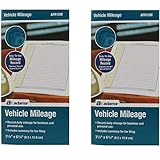
- Sold As 2 Journals
- Adams Vehicle Mileage 3 1/4 x 6 1/4
- Record daily mileage for business and personal use
- Includes summary for tax filing
That flexibility makes the app a recordkeeping choice, not a tax-status shortcut. The format does not turn a personal drive into a business trip, and a polished report cannot supply a business purpose that was never recorded. Choose the format you can maintain consistently, then make sure it supports the details you may need to review or submit.
Check the rate before comparing app features
For U.S. business miles in 2026, the IRS standard mileage rate is date-dependent: 72.5 cents per mile from January 1 through June 30, and 76 cents per mile from July 1 through December 31. The IRS announced the first-half rate and lists the current second-half rate. The General Services Administration’s July 27, 2026 bulletin also sets the federal privately owned vehicle reimbursement rate at 76 cents per mile, effective July 1.
These figures do not establish one required reimbursement rate for every employer. The GSA figure concerns federal travel reimbursement; private employers set their own policies. For an employee, the employer’s mileage method and documentation requirements determine what to submit. A tracker should let you retain trip dates and handle rate changes without applying one flat 2026 amount to every trip.
Do these 3 things before closing this tab:
1Scan for outdated or missing drivers - takes under a minute2Repair Windows errors before they cause bigger problems3Fix the driver behind crashes, sound loss and screen glitchesFor context, the IRS’s 2025 announcement set the first-half 2026 business rate at 72.5 cents per mile. Its current rate information gives 76 cents for the second half. IRS Publication 463 is useful for recordkeeping principles, but it is the 2025 publication and its 70-cent example rate is a 2025 figure—not the applicable rate for all of 2026. Check the rate for the date of each trip rather than copying a rate from an older guide or applying today’s rate to every past entry.
When checking an app, find out whether its rate is automatically assigned based on trip date or whether you must set or update it yourself. Ask whether changing the current rate affects earlier trips, and whether you can apply a separate employer rate. Do not assume a standard IRS rate is automatically the right rate for a company report.
Rate settings are especially important when an app is used for both personal tax records and employee reimbursement. The two workflows may use different policies or reporting methods. Check whether the app lets you set the needed rate for each use, and whether a rate change can be associated with the relevant trips rather than silently changing a report total. The sources documenting MileIQ and Everlance establish that each has rate customization controls, but do not establish all the details of automatic date-based rate assignment. Confirm that behavior with the vendor.
Rank #2

- 【Sufficient Recording Space】Auto mileage log book has 1260 entries, Each entry has space to log date, business purpose, odometer reading, and total mileage,emergency contacts, maintenance records, insurance information and so on. Accurate records of every trip, applicable to personal taxes and business claims
- 【Premium Materials and Perfect Size】The gas mileage log book with spiral binding is made of thick 100GSM paper with no ink bleed-through. Our mileage record book size 5.9"x 8.6" is easy to carry around and to fit in a glove compartment, center console or work bag. Waterproof PVC cover design, prevents pages from water and oil sprinkl
- 【Subjective Layout】The simple and clear design provides you with detailed car mileage and expenses and prevents you from missing every trip record. With the mileage notebook, efficiently maintain your vehicle and easily track expenses.
- 【Ideal Persent Suggestion】This driving log book is an excellent choice for every driver. It is very useful to record every trip.Whether it's a gift for friends and family, or as a holiday gift, our car journal will bring them convenience and practicality.
Evaluate the app against four practical tests
1. Can you complete a trip record?
Check that each trip can retain its date, distance, destination and business purpose. You should be able to distinguish business trips from personal driving, review the classification, and correct errors before a report is finalized. Test an ordinary trip and an unusual one—such as a trip whose destination or purpose needs clarification—rather than relying on a total-mileage screen.
The Tool Desk
Outbyte PC Repair FREERepair Windows errors before they cause bigger problemsFix Now →Outbyte Driver Updater FREEScan for outdated or missing drivers - takes under a minuteDriver Scan →For a meaningful test, inspect a completed entry rather than assuming a field exists because it appears in an app description. Can you see the date alongside the distance? Is the destination identifiable? Is there a place to record why the trip was business-related? Can you tell which entries are business and which are personal? These are practical checks against the record elements described in IRS Publication 463, not a special app format mandated by the IRS.
Also consider whether the record remains understandable after several weeks or months. An entry that made sense on the day of the drive may be difficult to interpret later if its purpose is missing. A good fit for your workflow should make it practical to add or correct that context while you still remember it.
2. Can you review and fix mistakes?
Automatic capture, if offered, does not remove the need to inspect the log. Find the steps for editing a trip’s mileage, destination, business purpose and classification. Consider how quickly you can review a week or month of trips and whether the app makes incomplete entries easy to spot. An app that records movement but leaves you unable to correct or explain entries may not produce a usable substantiation record.
During a trial or setup, walk through the full review cycle: open a trip, check its date and distance, add or edit its destination and purpose, classify it, and see how it appears in a report. If you cannot tell whether an entry is complete, determine what review process the app supports before relying on it. The objective is not to eliminate every correction; it is to notice and resolve mistakes before the record is needed for a tax file or expense submission.
Build a regular review habit into your choice. A short review of trips during the week or month can help you add remembered context and flag a mistaken classification while it is still familiar. A later estimate is not an equivalent substitute for an accurate trip record: Publication 463 says, “You can’t deduct amounts that you approximate or estimate.”
3. Can it handle your rate and policy?
Look for support for rates that change over time, custom rates and the distance units you use. For example, MileIQ’s support documentation describes editing a business reimbursement rate and distance units, and says team administrators may set a team’s rate. Everlance’s support documentation describes changing the mileage rate to match a company policy or another country’s standard rate. These are examples of documented controls, not evidence that either app is more accurate or better overall.
Use those examples as prompts for questions, not as a ranking. Ask each vendor whether the rate can be changed for a particular policy, whether a team administrator controls the team’s rate, which distance units are supported, and what happens to prior trips after a rate change. The cited vendor help pages establish specific rate and unit controls, not how well an app captures trips, how complete its reports are, or how it performs against another product.
If you work for an employer, request its actual mileage policy before configuring a rate. If you use a tracker for a business and for employer reports, identify which rate and method belong to each purpose. A customizable rate can help match a policy, but it does not answer whether a particular trip qualifies or which method your employer requires.
Outdated Drivers Are Slowing You Down
One free scan finds every outdated or missing driver and matches the right update for your exact hardware.Free scan · exact hardware matchPC Slower Than It Used to Be?
A free scan shows the junk files, broken settings and background clutter dragging Windows down - then fixes them in one click.Free scan · Windows 10 & 114. Can you deliver and keep the report?
Before choosing, ask your employer which report format, fields and submission schedule it accepts. Then confirm that the app can produce those records and that you can save a copy with trip details, not just a reimbursement total. Check the current vendor terms for export, retention and deletion options; the published IRS recordkeeping rules establish what a record should substantiate, but do not guarantee that any particular app’s export or retention features will meet your needs.
Test the report against a real requirement list. If your employer asks for a trip date, destination, purpose and mileage, verify that each appears in the output. If it requires a monthly submission, generate a monthly report and see whether its date range and detail level fit. A total-only report may be convenient to read, but it may not include the trip information needed to review what is being claimed.
Do not treat export, storage or privacy details as interchangeable across vendors. Check current product terms for whether you can export and retain your own copy, how long records remain available, how deletion works, how background location behaves and which privacy settings are available. These details can change, and the IRS recordkeeping guidance does not certify a particular vendor’s data practices.
Rank #4
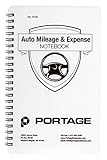
- TRACK MILEAGE AND MORE: Tracking mileage and expenses for work doesn’t have to be a time-consuming chore. With the Portage mileage notebook, keeping track of business expenses is easy.
- EXTRA PAGES: Meant to last the whole year, the Portage mileage log includes 60 pages, 33% more pages than other top brands. This mileage notebook measures 5” x 8”, making it large enough to comfortably fill out while being small enough to fit in a glove compartment, center console or work bag.
- SIMPLE FORMAT: Each page is designed with spaces for the date, business purpose, odometer reading, and total mileage. Plus, our form boxes give you plenty of space to write comfortably.
- DURABLE DESIGN: Built to last, our spiral mileage logbook is constructed with extra-thick paper and a stiff backing meant to stand up to daily use.
- RECORD ON YOUR TERMS: Whether you need to track actual expenses or just mileage for a flat deduction rate, this journal has you covered.
Use this selection process
- Write down your use case. Separate tax recordkeeping for your own business from employee reimbursement reporting. If you need both, list both sets of requirements rather than assuming one report satisfies them. Include who will use the record, what the trip information must show and when you need to produce it.
- Get the employer’s rules in writing. Ask which mileage method and rate apply, what trip details are required, how often reports are due and what file format is accepted. IRS Publication 463 says employers should tell employees the reimbursement method and required records. If the employer has a form or process, use that as your test rather than assuming a generic mileage report will be accepted.
- Test the record fields. Create or review sample trips and verify that date, mileage, destination and business purpose can be recorded and corrected. Check that business and personal trips can be classified appropriately. Make sure you can review the details rather than seeing only a monthly or annual total.
- Test rate changes and historical entries. Confirm how a midyear change is handled, including the 2026 July 1 change if you are tracking this year’s U.S. business miles. Verify whether the rate can match your employer’s policy where it differs from the IRS standard. Ask whether a change to a default setting affects earlier entries, and do not assume the app applies a new rate to old trips correctly without checking.
- Generate a sample report. Compare it with the employer’s requested fields and cadence. Check that the report includes supporting trip details and that you can retain a copy. For your own records, make sure you can preserve individual business-use mileage and total annual mileage, not just the reimbursement figure.
- Review cost and privacy terms. Compare current pricing, background-location behavior, storage, deletion and export options, and privacy settings directly with each vendor. These details can change and should not be assumed from an app’s mileage features. Do not choose based on an unverified claim about price or privacy; inspect the current terms that apply to the version and plan you would use.
- Keep a backup routine. Decide when you will review trips and save records. If the app is unavailable or a trip was missed, enter the information promptly using reliable records rather than relying on a later estimate. A paper log or computer-prepared record is an accepted alternative format when it is maintained accurately.
Know the difference between tax records and reimbursement
Tax substantiation and employer reimbursement overlap, but they are not interchangeable. A trip must qualify under the applicable tax rules to support a deduction, and it must satisfy the employer’s policy to qualify for reimbursement. Recording a drive in an app does not establish either result.
For reimbursement under an accountable plan, IRS Publication 463 describes three requirements: a business connection, adequate accounting within a reasonable period, and returning any excess reimbursement. The business connection means the reimbursement relates to expenses incurred or paid while performing services as an employee. Adequate accounting means giving the employer the required information about the expense within a reasonable period. Excess reimbursement must be returned. Your employer’s process determines how those requirements apply in practice, so a tracker should fit that process rather than substitute for it.
Ask your employer what it expects you to provide to meet its accounting process. The app may help organize trip details, but the employer determines the records and reimbursement method it accepts. A report that calculates a dollar amount is not, by itself, proof that the trip was eligible or that the employer’s requirements have been met.
For a tax record, preserve the actual trip details and annual mileage information. Publication 463 states that approximate or estimated amounts cannot be deducted. If an entry is missing or inaccurate, do not treat an app-generated total as proof of the trip’s purpose or distance. Keep the record focused on what happened, when, where and why; the tax treatment depends on the relevant rules, not on the software label attached to the trip.
Independent reader supportYour contribution helps us test, update, and keep practical guides available for everyone.Paper logs and other alternatives
A paper vehicle logbook remains a reasonable option if you can make timely, legible entries and keep the records organized. The IRS recognizes logs and similar written records, while also accepting computer-prepared records. Paper is not required, and buying a particular format does not make inaccurate or incomplete entries adequate.
Free tools Windows power users keep installed
One-click scans. No signup required.
A spreadsheet or other computer-prepared log can also work if it retains the same useful details and you can preserve and produce it when needed. Whatever format you choose, create a routine for recording each trip’s date, mileage, destination and business purpose, then reconcile total business and annual mileage.
Best Value
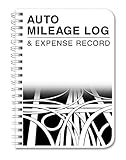
- Made in USA - Proudly produced in Ohio by a Veteran-owned business
- This record book has space for 354 car trips
- There are pages to log your annual mileage summary as well as your annual expense summary
- Durable Translucent Cover, Side Bound Wire-O Binding
- Archival safe, acid-free, 60 lb. paper, Page Dimensions: 5" x 7" Reorder SKU: LOG-126-57CW-A(MILEAGE)
Choose between an app, spreadsheet and paper based on the workflow you will actually maintain. An app may be useful if its capture and review tools reduce missed entries for you; a spreadsheet or logbook may suit someone who prefers to enter trips directly. The IRS’s recognized record formats do not make one of these options universally superior. In every case, record the trip details rather than relying on an approximate year-end total.
A paper logbook can also serve as an optional backup or alternative if you do not want to depend solely on an app. It is not a required purchase, and a paper record does not remove the need to document the trip’s date, business destination, purpose and mileage. The format matters less than having a complete, legible record you can preserve and provide when needed.
Common mistakes to avoid
- Using one rate for all of 2026. The IRS business rate changed on July 1; keep trip dates so the applicable half-year rate can be identified.
- Treating the federal rate as a private-employer rule. GSA’s 76-cent figure is for federal privately owned vehicle reimbursement. Ask a private employer which rate its policy uses.
- Keeping only a mileage total. Retain destination and business purpose with the date and distance so the trip can be reviewed.
- Assuming an app proves eligibility. The record documents a trip; tax treatment and reimbursement eligibility depend on relevant rules and policy.
- Choosing on a feature claim alone. A vendor’s documentation of custom rates does not establish comparative accuracy, record quality, privacy, price or overall suitability. Verify the functions and terms that matter to your own workflow.
- Assuming automatic capture is a complete log. Review the trip-level entries, add or correct the purpose and destination, and confirm the classification before relying on a report.
- Changing a rate without checking past trips. A rate setting may be configurable, but confirm how the app handles historical entries and the rate that applies to each period.
- Submitting a report before checking employer requirements. A tax-oriented record and an employer’s reimbursement report may not be identical. Confirm the employer’s method, fields, file format and schedule.
- Depending on records you cannot retain. Verify export, retention and deletion options in current vendor terms, and save a copy in a format you can access.
Frequently Asked Questions
Does the IRS require a mileage tracking app?
No. IRS Publication 463 recognizes logs, diaries, account books, expense statements, trip sheets and similar written records, and says computer-prepared records can qualify. The format can be an app, spreadsheet or paper log; it should preserve accurate trip details.
What information should a mileage log include?
IRS Publication 463 describes records that include the date of vehicle use, business destination and business purpose, mileage for each business use, and total miles for the year. A yearly total alone does not show the details of individual trips.
What is the 2026 IRS business mileage rate?
The rate is 72.5 cents per business mile for January 1 through June 30, 2026, and 76 cents per mile for July 1 through December 31, 2026. Keep trip dates so you can identify the rate period that applies.
Does the 2026 federal mileage rate determine what my private employer reimburses?
No. The 76-cent rate announced for federal privately owned vehicle reimbursement applies to federal travel policy, not every private employer. Ask your employer which reimbursement method, rate and records it requires.
Can I deduct a trip just because my app recorded it?
No. The app can preserve a record, but it does not establish that a trip qualifies under tax rules or an employer’s policy. Record the trip’s actual date, mileage, destination and business purpose, and check the applicable rules or policy.
Quick wins for a faster PC:
Clear out junk files and repair common Windows errorsFree Scan →Scan for outdated or missing drivers - takes under a minuteDriver Scan →What should I check before sending a mileage report to my employer?
Confirm the employer’s rate or method, required trip details, report format and submission schedule. For an accountable plan, IRS Publication 463 describes a business connection, adequate accounting within a reasonable period and returning any excess reimbursement.
The Bottom Line
Choose the format you can maintain and the app that lets you review complete trip records, apply the right rate or employer policy, and produce a report you can keep. For 2026 U.S. business miles, distinguish the 72.5-cent first-half rate from the 76-cent rate effective July 1, and do not treat an app record—or the federal rate—as proof of private-employer reimbursement eligibility.
Quick Recap
Product prices and availability are accurate as of the date/time indicated and are subject to change. Any price and availability information displayed on Amazon at the time of purchase will apply.




