The Tool Desk
Outbyte Driver Updater FREEFix the driver behind crashes, sound loss and screen glitchesFind Drivers →Outbyte PC Repair FREERepair Windows errors before they cause bigger problemsFix Now →You submit U.S. tax information inside AdSense’s Payments settings, where Google’s guided tool asks about your account and generates the form it needs, usually a W-8BEN for an individual or a W-8BEN-E for an entity. Submitting that form does not automatically remove a 30% deduction. Google says a tax treaty may reduce withholding, but only if you qualify, the claim fits the income type, and Google accepts the form. The official pages do not state a single rate that applies to every Indian publisher, so the rate in your own account is the number that matters.
What the 30% figure does and does not mean
The 30% in the headline is a figure readers often see quoted. Google’s AdSense Help pages do not present it as the rate for Indian publishers, and they do not state a treaty rate that applies to every Indian user or every payment category. Treat 30% as a starting point for checking your own account, not as a number you can confirm from Google’s documentation.
Google explains that the U.S. tax information you provide lets it identify the correct rate of withholding on applicable payments. A W-8BEN or W-8BEN-E can carry a treaty claim, and Google states that “If your country/region has a tax treaty with the country/region where you earn money through Google products, withholding may be reduced.” (Google AdSense Help, Submit your non-US tax info to Google). The word “may” matters. Relief depends on your tax residence, the type of income, and whether the specific provision of the treaty applies to you. Form submission does not waive withholding.
Before you start: what to have ready
- Your AdSense account and access to the Payments profile for the account you are setting up.
- Your legal name and address, entered exactly as they appear on the supporting documents. Google says legal name and address details may be validated.
- Your Indian Permanent Account Number (PAN). Google lists PAN as an example of a foreign TIN for Indian residents, which matters only if the form you generate asks for one.
- If you intend to claim treaty benefits, a Certificate of Residence for the Purposes of Section 159 in Form 43, which Google names as India’s tax residency certificate. Check the specific tool for the documents it requests.
- Clear, current, complete and signed copies of any document you upload. Google may decline evidence that is unclear, expired, unacceptable, incomplete or unsigned.
- Clarity on whether the account is held in your own name as an individual or by a business entity, since that determines the form.
Step-by-step: submitting the tax information
- Sign in to AdSense and open Payments, then Payments info, then Manage settings.
- In the Payments profile, find the tax-information section for your country or region and choose Manage tax info.
- Answer the guided questions about your account type and beneficial-owner status. Google’s tool selects the form based on your answers, so answer for your actual situation rather than the form you expect to see.
- Enter your legal name, address and any TIN or treaty details the tool requests. These must match your supporting documents and your payment profile.
- Read the generated form in full, confirm that every entry is correct, and submit it.
- Track the submission in Payments. Watch for Google Payments notifications.
- After the review is complete, return to the U.S. tax information section and check the withholding rate shown for your account. This is the only place you can confirm what Google is applying.
Google’s Submit your US tax info to Google page covers the same settings path for U.S.-based submissions, while the non-U.S. workflow above is described in Submit your non-US tax info to Google. For the broader Q&A on the process, see FAQs about submitting US tax info in AdSense.
Quick wins for a faster PC:
Fix the driver behind crashes, sound loss and screen glitchesFind Drivers →Clear out junk files and repair common Windows errorsFree Scan →Scan for outdated or missing drivers - takes under a minuteDriver Scan →Which form you will get
Google describes two main forms for non-U.S. account holders, and other forms can apply in other situations. The table below shows what the reviewed Google pages state for each.
| Form | Who Google says it is generally for | What the form can do | Source |
|---|---|---|---|
| W-8BEN | A non-U.S. individual acting as beneficial owner | Documents non-U.S. status and can carry a treaty claim if you qualify | Google AdSense Help, FAQs about submitting US tax info |
| W-8BEN-E | A non-U.S. entity | Documents entity status; entities claiming treaty benefits must certify limitation-on-benefits eligibility | Google AdSense Help, Submit your non-US tax info |
| Other forms | Intermediaries, exempt organizations, or income treated as effectively connected | Depends on the specific situation; not stated in full on the reviewed pages | Google AdSense Help, Contracting entity is Google LLC |
Do not pick a form based on what other Indian publishers filed. The guided tool selects the form from your answers, and a wrong account type or beneficial-owner answer is a common reason for a mismatch later.
Treaty claims, PAN and Form 43
Can I use my PAN as my foreign TIN?
Google lists PAN as an example of a foreign TIN for India. Entering a PAN where the tool asks for one is consistent with Google’s guidance, but PAN alone does not establish treaty eligibility. Google states that treaty claimants must provide a foreign or U.S. TIN, and whether a claim is valid depends on residence and the income concerned.
Does submitting W-8BEN stop the deduction?
No. A correctly accepted W-8BEN can support a reduced rate where a treaty applies to you. It does not guarantee zero U.S. withholding, and Google describes relief as possible rather than automatic. Only claim a treaty benefit for income types you are eligible for; the tool separates categories, and selecting a category you do not qualify for can cause the form to be declined or lead to a rate you did not expect.
Free tools Windows power users keep installed
One-click scans. No signup required.
#1 Best Overall

- 2026 2027 Yearly Tax Organizer: includes 2 spiral bound tax organizer designed to help you collect, sort, and store important tax records throughout the year, keeping receipts, income records, bills, and other paperwork in one easy to manage place
- Large Size for Everyday Documents: cover measures about 13 x 9.65 inches, with inside pages about 9.65 x 6.5 inches; The spacious pocket design provides room for receipts, statements, records, and tax-related papers without taking up too much desk or shelf space
- 12 Monthly Pockets for Easy Sorting: the tax record organizer features 12 pockets, making it simple to separate documents by month or category; Useful for organizing medical expenses, charitable donations, prescriptions, invoices, income folders, and monthly bill receipts
- Spiral Bound for Convenient Access: the secure spiral binding lets pages turn smoothly, so you can quickly add, remove, or review documents whenever needed; A practical design that helps simplify filing and reduce last-minute stress during tax season
- Widely Applied: this annual tax organizer is suitable for managing annual taxes, tracking receipts and preparing for audits all year round, making your tax preparation more systematic and manageable, and it is very suitable for annual tax returns, document storage and filing, professional tax services and tax agencies
What about Form 43?
Form 43 is India’s tax residency certificate under Section 159, and it is the document Google names for residency evidence. Obtain it from the relevant Indian authority before you start, rather than after a decline, so the submitted details match it.
Which income category your AdSense earnings fall into
Google labels AdSense income, excluding AdSense for YouTube in one overview, under Services or other business income. YouTube, Google Play and other products can fall under different categories, including royalties, and Google directs YouTube monetization users to separate U.S. tax guidance. If you earn from more than one Google product, complete the tax information for each relevant account or category separately and do not assume one submission covers all of them.
Review statuses and what to do with a decline
Google shows four statuses for a submission:
- In review: Google is checking the form. Google’s general review guidance says this can take up to 7 business days. The page carrying this figure is not dated, so confirm the current timing in the Payments section.
- Action Required: Google needs something from you. Check Payments notifications and respond with the requested document or correction.
- Accepted: The form has been accepted. Check the rate shown in your account to confirm the result.
- Declined: The form was not accepted. Review the reason, correct the mismatch and resubmit.
The most common causes of a decline, as Google describes them, are evidence that is unclear, expired, unacceptable, incomplete or unsigned, and a mismatch between the identity, name or TIN on the form and the details in your profile. Fix the mismatch at the source before resubmitting: update the profile to match the document, or replace the document to match the profile.
Rank #2
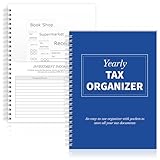
- Sufficient Quantity: you will receive 1 annual tax organizers to organize and store important tax records
- Spiral Binding: with spiral security binding, you can sort and access your monthly tax documents all year round; Help simplify tax time
- Durable: our tax document organizer is made of paper, which is very durable and convenient for you to use frequently in your daily work
- Large Capacity: this tax document organizer has 12 pockets, which makes it convenient for you to sort and file receipts and records and store them in a centralized manner; With this document organizer, you can organize various documents such as medical expenses, prescription drugs, charitable donations, etc. throughout the year, and face tax season confidently and efficiently
- Widely Applied: this annual tax organizer is suitable for managing annual taxes, tracking receipts and preparing for audits all year round, making your tax preparation more systematic and manageable, and it is very suitable for annual tax returns, document storage and filing, professional tax services and tax agencies
Payment timing when a payment is held
If a payment is on hold until tax information is provided, timing decides which cycle it falls into. Google states that providing the information before the 20th of the month allows the earnings to remain eligible for that month’s payment cycle, while providing it after the 20th can move the earnings to the next cycle. Plan the submission ahead of the 20th if the payment matters to your cash flow.
Keep U.S. withholding separate from Indian tax
The U.S. tax information you submit to Google concerns U.S. withholding on payments from Google. It does not decide how the same income is taxed in India. Google’s own position is that it cannot give tax advice, and its help page says: “Google can’t provide advice on tax issues. Consult your tax adviser to better understand your tax situation.” (Google AdSense Help, Submit your non-US tax info to Google). Questions about your Indian filing, including how AdSense income is reported in India, should go to an Indian tax professional.
Independent reader supportYour contribution helps us test, update, and keep practical guides available for everyone.Refreshing the form later
Google’s U.S. tax reporting and withholding documentation says that non-U.S. partner or vendor tax forms should be refreshed every 3 years, or sooner after a change in circumstances that affects their validity (Google Help, US tax information reporting and withholding). Note the change in your residence, account type or beneficial-owner status, and update the form if any of them changes.
Quick Recap
Rank #4

- All-In-One Monthly Organizer: Keep all your important documents in one place with Sooez Accordion File Organizer. 13 pockets design works great for Monthly organizing and protecting all your important paperwork, bills, taxes, receipts, invoices and more. Perfect for letter size.
- Expandable Capacity: The accordion file folder can be stretched up to 12 inches. 13 pockets allow you to store more than 2000 sheets. No matter how many documents you need to store, this folder can accommodate your needs as it can be easily expanded according to your requirements.
- Efficient Organization & Easy Lookup: To enhance your file organization, we provide blank labels along with this folder. You can personalize them to suit your requirements, such as labeling sections by month for effortless file retrieval.
- Stable & Portable: Stand on its own on the desk and not easy to tip over. Designed with portability in mind, allowing you to effortlessly move it between your desk, cabinet, and any other preferred locations.
- Maximum Protection and Durability: Well made, made from durable wipe-clean polypropylene. Waterproof & sturdy. Tear-resistant plastic provides durable structure. Acid-free, PVC-free, and archival quality for safe storage. Adjustable snap closure helps keep contents secure. Use 2 additional front pockets for business cards, project title cards or notes.
Rank #3

- Great way to organize and store vital tax records
- Instruction sheet/checklist and preprinted labels included
- 12 pockets plus one large pocket in back provides ample storage
- Protective flap and elastic cord closure
- Contains 10% recycled content, 10% post-consumer material
- Confirm the form you generated matches your account type and residence.
- Keep a copy of the submitted form, the supporting documents and any Form 43 you rely on.
- Check the withholding rate displayed after acceptance, not the rate you expected.
Product prices and availability are accurate as of the date/time indicated and are subject to change. Any price and availability information displayed on Amazon at the time of purchase will apply.




