Recommended Free Tools
Make workplace documents easy for the people who need to act on them: help readers find the right information, understand it, and use it. That takes audience-focused wording, logical structure, accessible design, and a format suited to the task. The specific legal requirements vary by organization and jurisdiction; the guidance below draws on UK government publishing advice, Canada’s national plain-language standard, and U.S. federal Section 508 material.
Start with the reader and the task
Before drafting, identify who will use the document, what they need to find or do, and what could make that difficult. Accessibility Standards Canada’s CAN-ASC-3.1:2025 defines plain-language communication by whether the intended audience can find what they need, understand it, and use it. Its approach treats wording, structure, and design as parts of the same job, and recommends accounting for audience needs, preferences, and barriers. Read the Canadian plain-language standard.


- Decide what readers should know or do after reading.
- Put the information they need for that task where they can find it.
- Consider barriers such as unfamiliar terminology, dense layouts, or reliance on images to convey essential information.
Write and organize for scanning
Use a meaningful title and descriptive headings that show how the information is organized. Keep related points together and order sections around the reader’s task. Explain technical terms and spell out acronyms when they first appear.
Make sentences and paragraphs manageable
Prefer simple, direct wording and break up long blocks of text. UK government publishing guidance suggests aiming for around 25 words or fewer per sentence. That is an editorial recommendation, not a universal compliance threshold or a guarantee of readability. See the UK government’s accessible-document guidance.
What’s actually slowing this PC down?
Pick the symptom - the matching free tool is one click away.
#1 Best Overall
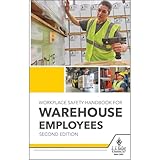
- Comprehensive Workplace Safety Handbook: This OSHA safety handbook serves as an essential reference for employees, ensuring safe work practices, proper equipment usage, and clear emergency response procedures in warehouse settings.
- Includes Updated OSHA HazCom Regulations: Reflecting the 2024 OSHA HazCom final rule, this handbook provides updated information on storage, spill management, heat safety, and natural disaster preparedness, offering employees essential training on handling hazardous materials and emergencies.
- Detailed Coverage of OSHA Standards & Responsibilities: Addressing critical topics such as your rights under OSHA, employer responsibilities, fall protection, respiratory safety, and electrical safety, this handbook offers a complete guide for maintaining workplace safety.
- Targeted Safety Training for Warehouse Environments: Focusing on the unique needs of warehouse workers, this handbook covers PPE, forklift safety, ladder safety, lockout/tagout procedures, and 15 other key topics to ensure a safe, compliant, and efficient working environment.
- 5.25" x 8.25", English softbound handbook. Copyright Date 2024. 220 pages.
Use clear visual and link conventions
- Use sentence case and left-aligned text, as recommended in the UK guidance.
- Maintain a logical reading order, including in tables and other structured content.
- Use link text that describes the destination or action and still makes sense when read on its own; avoid vague labels such as “click here.”
- Provide the essential meaning of an image or chart in text rather than making readers rely on the visual alone.
Choose HTML or PDF for the job
Choose a format based on how people need to read and use the material. HTML is generally easier to search, reflow for different screens, and update. A PDF can be useful when a fixed layout matters for printing or formal distribution, but it needs careful accessibility work and checking.
| Consideration | HTML | |
|---|---|---|
| Search, reflow, and assistive technology | Often a better fit for online reading and flexible display. | Usability depends on how it was created and whether its structure and reading order are accessible. |
| Fixed layout or printing | May not preserve a specific page layout. | Can preserve a fixed layout when that is important. |
| Checks before publishing | Review the page’s content and accessibility in its published form. | Check the source document before conversion and inspect the resulting PDF. |
| UK government publishing guidance | Preferred where practical. | For a new document on another government website, a last resort unless there is a specific business need; an HTML version should also be provided. |
The format preference in the last row is UK government publishing guidance, not a rule for every employer. Check the requirements that apply to your organization and jurisdiction. The guidance also recommends converting existing PDFs to HTML where possible. Read the UK government’s format advice.
Rank #2
Check a Word document and its PDF conversion
Accessibility checks are most useful as part of a workflow, not as a substitute for reviewing the document. The UK guidance names Microsoft Office Accessibility Checker as one example for Word. A successful automated check alone does not establish that every reader can use the document.
- Review the Word source. Check its title, heading structure, link text, reading order, and whether essential information is available as text.
- Run an accessibility check. Use Microsoft Office Accessibility Checker as one review aid, then address relevant issues it identifies.
- Convert only after checking the source. If the document needs to be a PDF, start from the reviewed source rather than treating conversion as an accessibility fix.
- Inspect the PDF itself. Check that the converted file retains a useful structure and reading order and that its content remains usable.
The UK publishing guidance recommends checking both the source document and the resulting PDF. Its document guidance explains the recommendation; Microsoft also describes the Accessibility Checker.
Do these 3 things before closing this tab:
1Clear out junk files and repair common Windows errors2Scan for outdated or missing drivers - takes under a minute3Repair Windows errors before they cause bigger problemsKnow which rules apply
Advice and legal requirements depend on jurisdiction, organization, and document context. These sources should not be treated as a single universal workplace rulebook.
- United Kingdom: The publishing guidance addresses government documents and advises meeting government accessibility requirements and WCAG 2.2 standards. The UK’s inclusive-communication guidance was updated on 17 June 2026 and includes prioritizing digital-first HTML over PDFs. Accessible-document publishing guidance and inclusive-communication guidance.
- Canada: CAN-ASC-3.1:2025 is a national plain-language standard focused on whether the intended audience can find, understand, and use a communication. Whether it applies to a particular organization or document depends on context. Accessibility Standards Canada’s standard.
- United States: The cited Section 508 resource describes WCAG 2.0 Level A and AA criteria for specified electronic content, including public-facing content and certain official agency communications. It does not establish that every private employer or workplace document has the same requirements. See the Section 508 PDF guidance.
If you need to know what is mandatory for a particular workplace, document, or audience, verify the applicable policy and legal requirements rather than assuming guidance from another jurisdiction governs it.
Quick Recap
Product prices and availability are accurate as of the date/time indicated and are subject to change. Any price and availability information displayed on Amazon at the time of purchase will apply.




