Yes—but only if you already have a repeatable workload that creates enough measurable value. At a Dell U.S. listing price of $6,470.80, a buyer needs more than $539 a month in net savings or contribution to recover the purchase price in 12 months, before electricity, setup, support, and maintenance. A published reporting-automation example valued two hours of weekly work at $40 an hour, or $4,000 a year; that figure alone does not cover the Dell price observed in the listings.
The practical rule: buy this system for a known, frequent, privacy-sensitive job—not on the assumption that powerful AI hardware will create income by itself.
What the Dell Pro Max with GB10 is
The Dell Pro Max with GB10, model FCM1253, is a compact workstation built around NVIDIA’s GB10 Grace Blackwell superchip. Dell lists a Grace CPU with 10 Cortex-X925 and 10 Cortex-A725 cores, an integrated GB10 Blackwell GPU, 128GB of LPDDR5X unified memory, and NVIDIA DGX OS 7 on the U.S. configurations described here. Storage, networking, support, and configuration can affect the purchase price. Dell’s specification sheet lists 10GbE and QSFP networking options and multiple support tiers.
That hardware can make local model inference and development practical, including experiments with larger models. But memory capacity is not the same as dedicated GPU memory, and fitting a model does not establish useful speed or throughput. Quantization, context length, software support, concurrent users, and the work itself all matter. Dell describes the machine for local AI inference, development, and edge use; those are intended uses, not proof of a particular business return. See Dell’s U.S. product listing and technical specifications.
Quick wins for a faster PC:
Repair Windows errors before they cause bigger problemsFix Now →Scan for outdated or missing drivers - takes under a minuteDriver Scan →#1 Best Overall

- POWERFUL FOR CREATIVITY - The Dell Precision 7000 series, positioned at the apex of the Precision lineup, surpasses the 3000 and 5000 series and aligns closely with the evolving direction of the Dell Pro Max series. This top-tier 7680 features the NVIDIA RTX 2000 Ada 8GB GPU to deliver robust performance for professionals in design, architecture, photography, video editing, and engineering. Furthermore, the series' intelligent design for data science leverages AI to optimize system performance for key applications, enabling accelerated workflow efficiency
- HIGH PERFORMANCE - Powered by Intel Core i7-13850HX vPro Processor for superior efficiency and speed, 64GB DDR5 CAMM RAM and 1TB PCIe NVMe M.2 SSD for seamless multitasking and fast storage. CAMM was designed specifically to overcome the performance limits of SODIMM while reducing both Z height and routing traces on the PCB to ultimately allow for laptops with both faster RAM and thinner profiles
- CRISP DISPLAY - 16" FHD+ (1920 x 1200) Anti-Glare 45% NTSC display delivers crisp visuals, supported by the ability to connect 4 external monitors via HDMI, USB-C and Thunderbolt ports at 4K (3840x2160) @60Hz (without docking station). 1080p FHD RGB webcam for crystal-clear video calls
- VERSATILE CONNECTIVITY - Equipped with 2x Thunderbolt 4, USB-C, 2x USB-A, HDMI, Ethernet (RJ-45), and an Audio combo jack. With Wi-Fi 6E and Bluetooth 5.2, ensuring fast wireless connectivity and compatibility with a wide range of peripherals. A full-size keyboard with a dedicated numeric keypad boosts productivity.
- OPERATING SYSTEM - Windows 11 Pro 64‑bit, with AI‑powered Copilot, offers intelligent assistance to streamline complex professional workflows, enhance productivity, and support advanced multitasking across demanding applications. Built for workstation‑class computing, it delivers enterprise‑grade security and IT manageability
The observed U.S. listings showed $6,470.80 for one configuration and $6,332.18 for another. These are page-price observations, not a guaranteed quotation: configuration, storage, support, promotions, availability, and date can change. Check the live listing before budgeting: configuration one and configuration two.
What “profit within 12 months” means
There are three different ways a business might recover the cost. Keep them separate in a payback estimate; none is automatic.
Avoided labor
If automation reduces paid work or frees staff for other valuable work, estimate its value as:
Annual labor value = hours saved per week × fully loaded hourly value × working weeks per year.
“Fully loaded” should reflect the real cost of the work, not just an employee’s take-home pay. Also count review and correction time: if a person still checks every output, those minutes reduce the savings.
Avoided cloud spending
Estimate the cloud or API cost that would actually disappear, then subtract any remaining cloud use for overflow, fallback, or unavailable models. Local inference has no per-token API charge, but the hardware, electricity, maintenance, and staff time are not free. Cloud may remain cheaper for occasional jobs or demand spikes.
Annual cloud savings = previous monthly cloud cost × 12 − remaining cloud cost.
Rank #2

- POWERFUL FOR CREATIVITY - The Dell Precision 7000 series, positioned at the apex of the Precision lineup, surpasses the 3000 and 5000 series and aligns closely with the evolving direction of the Dell Pro Max series. This top-tier 7680 feature the NVIDIA RTX 2000 Ada 8GB GPU to deliver robust performance for professionals in design, architecture, photography, video editing, and engineering
- HIGH PERFORMANCE - Powered by Intel Core i7-13850HX vPro Processor for superior efficiency and speed, 32GB DDR5 CAMM RAM and 1TB PCIe NVMe M.2 SSD for seamless multitasking and fast storage. CAMM was designed specifically to overcome the performance limits of SODIMM while reducing both Z height and routing traces on the PCB to ultimately allow for laptops with both faster RAM and thinner profiles
- CRISP DISPLAY - 16" FHD+ (1920 x 1200) Anti-Glare 45% NTSC display delivers crisp visuals, supported by the ability to connect 4 external monitors via HDMI, USB-C and Thunderbolt ports at 4K (3840x2160) @60Hz (without docking station). 1080p FHD RGB webcam for crystal-clear video calls
- VERSATILE CONNECTIVITY - Equipped with 2x Thunderbolt 4, USB-C, 2x USB-A, HDMI, Ethernet (RJ-45), and an audio combo jack. With Wi-Fi 6E and Bluetooth 5.2 for fast wireless connectivity and broad peripheral compatibility, plus a numeric keypad for faster and more efficient number entry
- OPERATING SYSTEM - Windows 11 Pro 64‑bit, with AI‑powered Copilot, offers intelligent assistance to streamline complex professional workflows, enhance productivity, and support advanced multitasking across demanding applications. Built for workstation‑class computing, it delivers enterprise‑grade security and IT manageability
Incremental revenue
A new service enabled by local AI may produce revenue, but revenue is not profit. Deduct delivery labor, sales, hosting, support, compliance, and customer-acquisition costs before counting the contribution toward payback.
What’s actually slowing this PC down?
Pick the symptom - the matching free tool is one click away.
The published reporting case—and what its numbers do not prove
ServeTheHome described a reporting workflow drawing on multiple distribution channels and historical analytics. It used n8n to orchestrate data sources and local model calls because the data was considered sensitive. The team backtested roughly 1,000 historical requests, compared gpt-oss-20b and gpt-oss-120b, and later moved to vLLM. The workflow made multiple model calls per request, so the important metric was end-to-end reliability rather than a model’s accuracy on one isolated response.
In that publication’s environment, the reported workflow-level results were approximately 95% for one approach and approximately 99.5%–99.9% for the larger-model approach. These are the publisher’s attributed results, not independently reproducible benchmarks or a guarantee for another organization. It reported a target of about two hours of reporting work saved per week at $40 per hour. At 50 working weeks, that is $4,000 in annual labor value.
That example supports a 12-month payback only if the relevant total cost is about $4,000 and other costs are excluded. It does not, by itself, support a 12-month payback at the Dell listing prices observed above. ServeTheHome also disclosed that Dell supplied two systems and that the article was sponsored. Treat the workflow as a useful case to examine, not neutral proof that a buyer will earn a return. The original account and its calculation are at ServeTheHome’s case study and its payback discussion.
A later ServeTheHome editorial noted that Qwen3.5-122B had become preferable for tool calling in its environment. That is a dated, environment-specific observation—not a universal model ranking. Model recommendations can change quickly, so test current candidates on your own workflow: the later model-selection update.
Recalculate the payback at your purchase price
At $40 per hour and 50 working weeks, these examples show gross labor value before electricity, integration, support, maintenance, review, or correction costs:
| Hours saved each week | Weekly labor value | Annual gross value at 50 weeks |
|---|---|---|
| 2 | $80 | $4,000 |
| 4 | $160 | $8,000 |
| 8 | $320 | $16,000 |
To recover $6,470.80 in 12 months from labor value alone, the system must save about 3.11 hours a week at $40 an hour over 52 weeks, or about 3.24 hours a week over a 50-week work year. At $6,332.18, the equivalent is about 3.04 hours weekly over 52 weeks. These are arithmetic illustrations, not forecasts, and they omit all operating and implementation costs.
For a more realistic estimate, include the full installed cost and monthly net value:
Rank #3
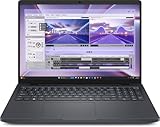
- AI-powered: Yes
- Processor Manufacturer: Intel
- Processor Type: Core Ultra 7
- Processor Model: 255H
- Processor Core: Hexadeca-core (16 Core)
Net annual value = avoided labor + avoided cloud costs + incremental gross profit − electricity − support − maintenance − integration cost allocated over the period − human review cost.
Recommended Free Tools
Payback months = total installed cost ÷ monthly net value.
Use the full installed cost—not just the advertised base configuration. Add any storage or support selections, integration work, and networking required for the intended setup. If monthly net value is zero or negative, there is no payback period under those assumptions. If the return depends on hypothetical future uses, leave them out until they are operating and measured.
Find a workload that can earn back the cost
Good candidates tend to be frequent, structured enough to validate, and costly or sensitive enough to justify local processing. Examples include internal reporting, structured document extraction, private knowledge-base search, email or ticket classification, drafting reports from proprietary data, local coding assistance, batch transcription and summarization, and private customer-support response drafts. Legal or compliance triage may be suitable only with appropriate human review. Edge AI, local model evaluation, and inference development can also fit when those are actual business needs.
Weak candidates include occasional chatbot use, low-volume personal experimentation, public-data summaries, workloads requiring the newest frontier model, high-concurrency API serving, large-scale model training, or a process with no owner or stable data pipeline. A machine’s theoretical capacity is not an economic benefit unless a real workload uses it.
The Tool Desk
Outbyte PC Repair FREERepair Windows errors before they cause bigger problemsFix Now →Outbyte Driver Updater FREEFix the driver behind crashes, sound loss and screen glitchesFind Drivers →Before ordering, write down:
- The current process, its owner, inputs, output, and how often it runs.
- Jobs or requests per week and the person-hours spent on them.
- The fully loaded labor value, review time, correction time, and cost of an error.
- Current cloud/API charges and which of those charges would actually stop.
- Data-sensitivity requirements and whether local processing materially changes risk.
- Required response time, expected concurrency, and likely hardware utilization.
- Hardware, support, electricity, integration, networking, and ongoing maintenance costs.
- Who will maintain the Linux, containers, model-serving stack, credentials, and workflow.
Count saved labor only if the time is actually removed from paid work or redirected to something valuable. “The model finished faster” is not the same as money saved if staff spend the same amount of time checking, fixing, and routing its output.
Build and validate one workflow before expanding
1. Choose a recurring process and collect examples
Start with a weekly job that has consistent inputs and an output that can be checked. Assemble historical examples with known-good results, including difficult cases and likely failure points. ServeTheHome used roughly 1,000 historical requests. For a smaller organization, 50–100 representative examples is a sensible starting test set, not a vendor requirement or a guarantee of statistical confidence.
Rank #4

- Premium Performance — Intel Core Ultra 7-265X processor delivers high-efficiency multitasking for professional workloads, business software, and productivity applications
- High-Capacity Memory & Storage — 64GB RAM and 512GB SSD enable rapid processing, fast boot, and responsive file handling for demanding creative and productivity workflows
- Pro-Grade Graphics — NVIDIA RTX Pro 1000 Blackwell GPU supports creative rendering, visual workloads, and multi-display environments through modern graphics acceleration
- UHD+ Touch Display — 16" 3840×2400 UHD+ touchscreen provides exceptional detail and clarity for content viewing, editing, and precision touch interaction
- Full Windows 11 Pro Experience — Designed for secure deployment, business use, and productivity with advanced OS security, management, and compatibility features
2. Map every handoff
Write the process as input → data retrieval → model decision → tool call → validation → human approval → output. Name the system of record, the credentials and permissions needed, where outputs go, and what should happen when a step fails. The published example used n8n for orchestration and integrations such as Google Analytics. A workflow tool is useful only if someone can maintain its connectors and logic.
For implementation references, see n8n, Dell’s GB10 deployment material, the vLLM documentation for local serving, and Open WebUI documentation for a browser-based interface. These are implementation options, not proof that a workflow will be turnkey or supported for every business.
Free tools Windows power users keep installed
One-click scans. No signup required.
3. Compare models on the actual job
Measure exact-answer accuracy, end-to-end task success, tool-call accuracy, hallucinations, human review time, processing time, cost per completed job, and recovery from failures. Do not substitute model size or headline tokens per second for business performance. A larger, slower model can be the better choice if it prevents enough corrections; a fast answer that requires repeated manual repair may cost more overall.
4. Keep a human approval gate at first
Retain source records, show the evidence supporting outputs, log failed cases, and require approval before the system sends messages, changes records, or takes other consequential actions. Add deterministic checks where possible and retry failures explicitly instead of silently accepting them.
5. Track realized value for several weeks
For each completed job, record the time previously required, minutes saved, review and correction time, and any failure or cloud fallback. A practical calculation is:
Jobs completed × minutes saved per job × fully loaded hourly rate − review minutes − correction minutes.
Crashes, No Sound, or Screen Glitches?
Random freezes, missing sound and display glitches usually trace back to one bad driver. Find and replace yours safely.Free scan · under a minuteWindows Errors? Fix Them Before They Spread
Repair common Windows errors and clear accumulated junk for a smoother, more stable PC - no reinstall needed.Free scan · no reinstallUse observed production results—not a successful demo—to estimate monthly net value. Expand to other workloads only when they are real and separately measured. ServeTheHome reported unused capacity after its first workflow, but spare capacity creates no return by itself. Its discussion of expansion and its preference for Dell’s configuration and support over DGX Spark are specific to that buyer: ServeTheHome’s comparison and scaling discussion.
Best Value
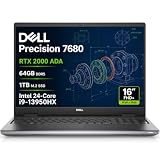
- POWERFUL FOR CREATIVITY - The Dell Precision 7000 series, positioned at the apex of the Precision lineup, surpasses the 3000 and 5000 series and aligns closely with the evolving direction of the Dell Pro Max series. This top-tier 7680 features the NVIDIA RTX 2000 Ada 8GB GPU to deliver robust performance for professionals in design, architecture, photography, video editing, and engineering. Furthermore, the series' intelligent design for data science leverages AI to optimize system performance for key applications, enabling accelerated workflow efficiency.
- HIGH PERFORMANCE - Powered by Intel Core i9-13950HX vPro Processor (24 Cores, 32 Threads, Max Turbo up to 5.5GHz) for superior efficiency and speed, 64GB 5200MHz DDR5 CAMM RAM and 1TB PCIe NVMe M.2 SSD for seamless multitasking and fast storage. CAMM was designed specifically to overcome the performance limits of SODIMM while reducing both Z height and routing traces on the PCB to ultimately allow for laptops with both faster RAM and thinner profiles.
- CRISP DISPLAY - 16" FHD+ (1920 x 1200) IPS Anti-Glare 45% NTSC display delivers crisp visuals, supported by the ability to connect 4 external monitors via HDMI, USB-C and Thunderbolt ports at 4K (3840x2160) 60Hz (without docking station). 1080p FHD RGB webcam for crystal-clear video calls.
- VERSATILE CONNECTIVITY - Equipped with 2x Thunderbolt 4, USB-C, 2x USB-A, HDMI, Ethernet (RJ-45), and an Audio combo jack. With Wi-Fi 6E and Bluetooth 5, ensuring fast wireless connectivity and compatibility with a wide range of peripherals. Works comfortably in any lighting with a backlit keyboard featuring a numeric keypad.
- OPERATING SYSTEM - Windows 11 Pro 64‑bit, with AI‑powered Copilot, offers intelligent assistance to streamline complex professional workflows, enhance productivity, and support advanced multitasking across demanding applications. Built for workstation‑class computing, it delivers enterprise‑grade security and IT manageability.
When local AI is worth the operational burden
Local inference can keep proprietary data on an organization’s network, reduce dependence on API availability and rate limits, make capital costs more predictable, avoid per-token charges for work handled locally, and support offline use or repeated experimentation. Those advantages matter most when workloads are steady and the data cannot readily leave the organization.
Local does not mean automatically private, secure, or compliant. The organization still needs access controls, network segmentation, patching, secrets management, encryption and backups, a policy for prompt and output logs, and safeguards against malicious documents and unsafe tool calls. ServeTheHome chose local processing partly because its reporting data was sensitive, even though it said cloud execution could be faster in that workflow. That is a case-specific trade-off, not a universal speed or cost result.
Cloud APIs or rented GPUs are often a better financial fit for bursty demand, uncertain usage, rapid scaling, access to a model unavailable locally, or workloads whose data can be sent to a provider under acceptable terms. Local hardware is more compelling when sustained utilization, data locality, predictable workloads, or offline operation outweigh maintenance and upfront cost.
Who should buy it—and who should not
The Dell is a stronger fit if
- You have a recurring workload now and can measure its current cost.
- Keeping data local or using NVIDIA’s local development and inference ecosystem matters.
- Large unified memory, a compact system, configurable storage, or Dell support matches a defined requirement.
- The workload can clear the payback hurdle after review, maintenance, support, electricity, and setup are counted.
- You have technical ownership and can use the system across more than one production workload.
Look elsewhere or wait if
- The business case depends on ideas that have not been deployed or validated.
- Usage is occasional, cloud/API costs are already lower at your volume, or the machine would sit idle.
- You need high-concurrency serving, the fastest inference throughput, large-scale training, or a general-purpose gaming and graphics workstation.
- You need upgradeable RAM or a discrete GPU, or your staff cannot maintain the software stack.
- Your payback calculation treats gross revenue as profit or ignores the human work required to check outputs.
Alternatives to compare
Compare systems by the complete configuration, warranty, storage, networking, support terms, delivery, and the workload they can serve—not by the GB10 label alone. Current prices and availability for the alternatives below are not established here, so use the vendors’ live pages rather than relying on older price claims.
| Option | May suit | Trade-off to investigate |
|---|---|---|
| NVIDIA DGX Spark | Buyers seeking NVIDIA’s own compact GB10 system and direct ecosystem alignment. | Compare live price, configuration, support, and storage with Dell; no universal value advantage is established. |
| ASUS AI systems | Buyers prioritizing ASUS availability or acquisition cost. | Check the specific system’s support, storage, networking, and business warranty terms. |
| Lenovo ThinkStation | Organizations already standardized on Lenovo procurement and fleet support. | Confirm whether the configuration is GB10-class or a different workstation platform; compare its actual workload fit. |
| Discrete-GPU workstation | Users needing graphics, gaming, upgradeability, or throughput for particular batch workloads. | May offer less unified memory capacity; performance and upgrade options depend on the selected GPU and system. |
| Cloud GPU or model API | Burst demand, uncertain volume, rapid scaling, or access to models unavailable locally. | Recurring usage charges and data-handling terms must be compared with local operating costs. |
For multi-node deployments, high-speed networking can connect multiple GB10-class systems, but switches, cables, adapters, and configuration add cost and complexity. ServeTheHome discussed this kind of expansion; it makes sense only where distributed workloads or additional endpoints are genuinely needed.
Risks to include in the decision
- Financial: Savings may be theoretical; staff may still review every result; integration may take longer than expected; support, storage, power, or networking may raise costs; the process may change; or cloud fallback may remain necessary.
- Technical: A model may fit but run too slowly; tool calls may fail despite plausible prose; long contexts or concurrency may reduce performance; software, drivers, containers, CUDA, vLLM, and model versions may be incompatible; and connectors or local storage can become bottlenecks.
- Security: A local endpoint can still be exposed, workflow credentials can be mishandled, retrieved documents can contain prompt injection, logs can retain sensitive data, and agents can cause damage if granted write access without controls.
If a production workflow produces a suspect result, stop automated external actions, preserve inputs, outputs, logs, and model versions, and rerun the case against a known-good model. Disable a faulty connector or tool, compare against the validation set, add a deterministic check or approval step, and roll back the workflow or model if needed. Resume automated actions only when the failure is reproducible and understood.
Quick Recap
Product prices and availability are accurate as of the date/time indicated and are subject to change. Any price and availability information displayed on Amazon at the time of purchase will apply.




