Crashes, No Sound, or Screen Glitches?
Random freezes, missing sound and display glitches usually trace back to one bad driver. Find and replace yours safely.Free scan · under a minuteWindows Errors? Fix Them Before They Spread
Repair common Windows errors and clear accumulated junk for a smoother, more stable PC - no reinstall needed.Free scan · no reinstallBusinesses can accept eChecks by using a payment provider that initiates electronic bank-account payments through the ACH Network. The practical benefit is a new way for customers to pay—especially for online invoices or recurring bills—but an eCheck is not an instant or guaranteed transfer. Before adopting one, compare total costs, funding timing, return handling, security, integrations, and the experience for customers.
What is an eCheck?
An eCheck is an electronic payment from one bank account to another. Nacha identifies “eCheck” as one of several names for ACH direct payments, alongside direct debit, EFT, and electronic bank transfer. The ACH Network reaches bank and credit union accounts across the United States. Nacha’s ACH Network overview explains the network and its payment services.
| # | Preview | Product | Price | |
|---|---|---|---|---|
| 1 |

|
Square Terminal - Credit Card Machine to Accept All Payments | Mobile POS | $298.99 | Buy on Amazon |
| 2 |

|
VeriFone P400 Payment Terminal, EMV & NFC Contactless POS Card Reader | $180.00 | Buy on Amazon |
| 3 |

|
Verifone Engage V200C Plus Payment Terminal | $296.76 | Buy on Amazon |
| 4 |
|
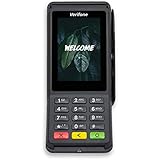
Verifone Engage V400C Plus Payment Terminal | $399.94 | Buy on Amazon |
An eCheck is not simply a picture of a paper check. It is a bank-account transaction initiated electronically, subject to the authorization, processing, and funding terms that apply to the payment.
How does an eCheck payment work?
- The customer authorizes payment. The customer provides bank-account details through the business’s payment flow and agrees to the debit. The method for collecting and recording authorization depends on the provider and transaction.
- The business or its processor initiates the transaction. A payment provider submits the payment instruction through the ACH system.
- The ACH Network processes and settles it. Banks exchange payment instructions and funds according to the network’s processing schedule.
- The business receives funds according to its provider’s terms. Network processing, settlement, and the date funds are available for a merchant to use are related but distinct. A provider’s funding schedule may affect the final availability.
Nacha says the ACH Network is open for processing payments 23¼ hours every business day and settles payments four times a day. That schedule does not mean every payment is immediately available to the business. Nacha says ACH payments can be processed in hours on the same business day, or scheduled for the following day or two business days away; the available option depends on the transaction and service. See Nacha’s ACH Network overview.
#1 Best Overall
- With Square Terminal, you can ring up sales, accept payments, and print receipts, all with one device. Use it at the counter or ring up customers anywhere in your store.
- Accept all major credit and debit cards and pay one low rate with no hidden fees and no long-term contracts.
- Process chip cards in just two seconds.
- Get your money as soon as the next business day.
- Use it cordlessly with the built-in battery, designed to last all day.
A general three-to-five-business-day estimate appears in the May 30, 2024, TechBullion article “Boost Business with eCheck Solutions”, but that is not a universal ACH rule. Ask a provider when it initiates payments, what processing options apply, when it makes funds available, and how weekends or holidays affect the schedule.
Where eChecks may help a business—and what to weigh
Electronic bank payments can be useful when customers prefer to pay from a bank account, or when a business bills online or on a recurring schedule. Providers may offer tools such as hosted payment forms, payment links, recurring billing, and shopping-cart integrations. For example, Heartland’s online-payments page lists ACH and eCheck acceptance alongside those capabilities. This establishes what that provider offers, not that any feature will increase a business’s sales or retention.
Rank #2
- PAYMENT TERMINAL: The Verifone P400 is a compact, customer-facing payment terminal engineered for efficient checkout experiences. Powered by a 600 MHz Arm Cortex-A9 processor and Linux-based V/OS, it combines reliable performance, intuitive operation, and durable construction for modern retail and service environments.
- MULTIPLE PAYMENT OPTIONS: Accept a wide range of payment methods with support for triple-track magnetic stripe cards, EMV chip cards, and NFC/contactless transactions. Compatible with major contactless payment schemes and ISO standards, the P400 delivers flexible payment acceptance for diverse customer preferences.
- VIVID TOUCHSCREEN DISPLAY: Equipped with a 3.5-inch HVGA color capacitive touchscreen featuring Corning Gorilla Glass technology, the P400 offers a responsive and user-friendly interface. The bright display enhances customer interaction, making payment verification, PIN entry, and transaction processing quick and convenient.
- SECURE TRANSACTIONS: Designed with PCI PTS 5.x approval and EMVCo-certified technologies, the Verifone P400 helps safeguard sensitive payment information. Advanced security architecture, secure card authentication, and support for encrypted payment processing provide enhanced protection during every transaction.
- VERSATILE CONNECTIVITY: Integrate seamlessly with existing POS infrastructures using Ethernet, USB, and RS232 connectivity options. The P400 also supports optional Wi-Fi or Bluetooth configurations, enabling flexible deployment across retail counters, hospitality environments, and service-based businesses while maintaining dependable performance.
Potential advantages include less paper handling, convenient payment options, and a way to manage collections. Lower costs or improved cash flow are not guaranteed: the relevant article does not quantify savings or establish that every business will receive funds sooner. Compare the full cost and operational effect against your current payment methods.
- Fees: Compare transaction and account fees, as well as costs tied to returns, exceptions, integrations, or other services.
- Funding: Check the provider’s funding schedule, processing options, eligibility rules, and any transaction limits.
- Returns and exceptions: Ask how failed or returned payments are reported, handled, and reflected in reconciliation.
- Customer fit: Consider whether customers are likely to use bank-account payments and whether the payment flow is clear and accessible on mobile devices.
- Operational effort: Include staff time, reconciliation work, system changes, and customer support in the comparison—not just the posted transaction fee.
How to choose an eCheck provider
Start with the payments you need to accept, then assess providers against the same checklist. Availability and terms can vary by business, customer, transaction type, and provider, so confirm them directly before signing up.
Rank #3
- Accepts all payment types: NFC/CTLS, mobile wallets, EMV and magstripe
- Supports a variety of third-party apps through Verifone’s Merchant Marketplace
- Optional features, such as dual-band WiFi and Bluetooth 4.2 BLE
- Supports Verifone’s estate management solution for remote device management, value-added services, updates and diagnostics
- Coverage and eligibility: Confirm that ACH or eCheck payments are available for your location, customer base, and intended use, including one-time or recurring billing.
- Pricing and funding terms: Request the fee schedule, funding timeline, transaction limits, and any eligibility conditions in writing.
- Authorization and account verification: Understand how customers authorize payments and how bank details are verified.
- Security and data handling: Ask what protections apply and whether the provider or your business stores sensitive bank information.
- Integrations: Check compatibility with the invoicing, accounting, ecommerce, enterprise resource planning (ERP), and recurring-billing systems you already use.
- Checkout, reporting, and support: Evaluate hosted forms or payment links, mobile usability, accessibility, reporting tools, and how the provider handles support and payment issues.
Heartland’s page lists online ACH and eCheck payments, hosted forms, recurring payments, payment links, and integrations. It also says its solutions are trusted by “90,000+ businesses”; that is Heartland’s own company claim, not an independent industry statistic. Features and terms are provider-specific and may change, so verify current availability, eligibility, pricing, and funding details with any provider you consider.
Independent reader supportYour contribution helps us test, update, and keep practical guides available for everyone.Implement eCheck payments in practical steps
- Define the use case. Decide whether you need one-time invoice payments, recurring billing, ecommerce checkout, or another payment flow.
- Compare providers and confirm terms. Review costs, authorization, verification, funding, returns, security, and integration fit before opening an account.
- Set up the business account. Complete the provider’s account setup and establish who can manage payment settings and reports.
- Connect billing and accounting systems. Configure the relevant integration or hosted payment option, then check how payments and exceptions appear in your records.
- Train staff and prepare customers. Explain how customers authorize payment, where they can get help, and how the business will communicate payment status.
- Review results against your baseline. Track fees, returned payments, reconciliation workload, customer use, and funding timing so you can tell whether the option fits your operations.
Same Day ACH limits: what the announced change means
Nacha states that the Same Day ACH payment limit is $1 million and is scheduled to increase to $10 million on September 17, 2027. The higher limit is future-dated; do not assume it is already in effect. A network limit also does not establish that a specific provider or business account will permit a payment of that size. Confirm the limits and eligibility that apply to your provider and transaction. Details are in Nacha’s ACH Network information.
Quick Recap
Rank #4
- Accepts all payment types: NFC/CTLS, mobile wallets, EMV and magstripe
- Supports a variety of third-party apps through Verifone’s Merchant Marketplace
- Optional features, such as dual-band WiFi and Bluetooth 4.2 BLE
- Supports Verifone’s estate management solution for remote device management, value-added services, updates and diagnostics
Product prices and availability are accurate as of the date/time indicated and are subject to change. Any price and availability information displayed on Amazon at the time of purchase will apply.




