Recommended Free Tools
There is no single best EHR or EMR for every organization. Start with your care setting and size, then compare clinical workflows, included services, integrations, implementation, and the full contract cost. The platforms below are a starting shortlist—not a tested or definitive ranking—and current vendor prices are not established on a comparable basis.
Which EHR and EMR platforms belong on your shortlist?
Choose candidates that serve organizations like yours before comparing feature lists. A hospital system and an independent clinic have different scale and workflow requirements, so a cross-setting leaderboard can be misleading.
| Buyer context | Platforms surfaced for 2026 | How to use this list |
|---|---|---|
| Hospitals and large health systems | Epic, Oracle Health, and MEDITECH Expanse | Compare enterprise workflows, implementation, integration needs, and the scale your organization requires. A 2026 industry overview places these platforms in the hospital and health-system conversation; it does not establish an objective winner. Commure’s 2026 overview. |
| Independent and ambulatory practices | athenahealth/athenaOne, eClinicalWorks, NextGen, Tebra, and AdvancedMD | Narrow the list by practice size, specialty, billing and revenue-cycle needs, workflow, and written quote terms. The same overview groups these platforms with outpatient practices. Commure’s 2026 overview. |
| Broader editorial review context | Epic, athenahealth, Tebra, and other platforms | TechRadar’s March 5, 2026 roundup offers editorial descriptions and selection considerations. Treat its judgments as that publisher’s review, not an apples-to-apples test conducted for this article. |
This is not a complete market census. Treat each name as a candidate to investigate, not a recommendation based on verified comparative performance.
How should you compare systems?
Use the same requirements for every vendor. Otherwise, an attractive price or feature list may reflect a smaller package, fewer interfaces, or different implementation assumptions.
Do these 3 things before closing this tab:
1Repair Windows errors before they cause bigger problems2Scan for outdated or missing drivers - takes under a minute3Clear out junk files and repair common Windows errors#1 Best Overall

- Please Note: This Signature Pad can shows the signature on its display as well as the computer screen
- Battery-Free Pen: YZ04 signature tablet is the perfect replacement for a traditional mouse! The Havapen advanced Battery-free YP10 stylus does not require charging, allowing for constant uninterrupted Draw and Play, making lines flow quicker and smoother, enhancing overall performance
- Ideal for E-signatures: The HavaPen YZ04 signature tablet is designed for digital E-signatures, online teaching, remote work, it's compatible with Microsoft Office apps like Word, PowerPoint, OneNote, Zoom, Xsplit etc. Works perfect than a mouse, visually present your handwritten notes, signatures precisely
- Ultra thin tablet: Active Area 6 x 4 inches. Fully utilizing our 8192 levels of pen pressure sensitivity―Providing you with groundbreaking control and fluidity to expand your creative output
- What's in box: Signature Pad x 1, Battery-Free Stylus x 1, Pen Nibs x 10, Nib Clip x 1
Care setting, scale, and clinical workflow
- Define whether you need inpatient or health-system capabilities, a community-hospital fit, a multispecialty group, an independent practice, or a specialty clinic. Specify provider count, locations, and patient volume.
- Have clinicians walk through routine visits, documentation, orders, results review, and referrals. Ask whether specialty templates can be configured for the way care is delivered at your organization.
- Include front-office and billing workflows in the requirements. Ask which scheduling, patient communication, and portal functions are included, and which are separate modules or services.
Operations, integrations, and support
Determine whether the proposed package includes billing or revenue-cycle management, patient engagement, hosting, implementation, training, and ongoing support. athenahealth describes athenaOne as combining EHR, billing/practice management, and patient engagement; confirm the exact scope in the proposal rather than assuming every function is included in every offer. athenaOne product information.
For each integration, ask which data can move, in which direction, through which interface, and under what technical and commercial terms. “Supports interoperability” is not enough to establish that a particular connection or workflow is available.
Rank #2

- POWER YOUR STUDY, FUEL YOUR PLAY – Discover smarter learning with the Lenovo Idea Tab. Stay campus-ready with all-day battery life, AI-powered apps to enhance your work, and sharp graphics for tv marathons with friends.
- SMOOTH, POWERFUL, IMMERSIVE – The MediaTek Dimensity 6300 processor is more powerful than ever, with the AI-enhanced multitasking you need to stay ahead.
- CIRCLE IT, SEARCH IT – Use your Lenovo Tab Pen or fingertip to circle items for instant search results or to translate other languages without switching apps. Circle to Search with Google ensures answers are only a circle away.
- SHARP VIEW, CLEAR SOUND – Experience sharp visuals and immersive sound for study sessions and streaming breaks. With 72% NTSC and quad Dolby Atmos-tuned speakers you can enjoy your study breaks with vivid videos and crystal-clear sound.
- LEVEL UP YOUR STUDY – Write, organize, sketch, and calculate with four learning apps built to match your flow. Lenovo AI Note, Squid, Nebo, and MyScript Calculator help you stay clear, focused, and ready for every study session.
Usability and change management
Have representative clinicians and staff complete realistic tasks in the demo, rather than relying only on a prepared vendor presentation. Record task completion, workarounds, training needs, and unresolved questions. Review guidance such as TechRadar’s selection considerations can help shape questions, but your own organization must assess fit.
What does EHR and EMR software cost?
A reliable, like-for-like price table for the named vendors is not established here. A third-party comparison displays some prices while listing many offers as custom-priced; treat any figures there as leads to verify, not current vendor quotes. CostBench’s 2026 comparison is a secondary source. athenahealth’s official product and cost/value information does not establish a directly comparable fixed rate in the reviewed material. athenahealth product information.
Rank #3
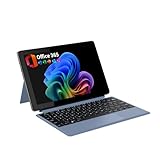
- POWER UP PRODUCTIVITY: 2-in-1 Laptop with 1-Year Office 365 Suite & 1TB Cloud Storage - Maximize your workflow efficiency with pre-loaded Office 365 for 1 full year - designed for students, remote workers, and creatives. Seamlessly tackle projects using Word, PowerPoint, Excel, Outlook, OneNote, Publisher, and Access, while securing all files with integrated 1TB OneDrive storage
- TRANSFORM INSTANTLY BETWEEN LAPTOP & TABLET MODES: Detachable magnetic leather case keyboard included for productive typing, effortlessly remove it to enjoy lightweight tablet convenience - perfect for coffee shop brainstorming, lecture note-taking, home office multitasking, work presentations, classroom note-taking, or streaming movies on the couch
- VIBRANT TOUCHSCREEN DISPLAY: Experience stunning visuals on the 10.1-inch Full HD IPS touchscreen, 16: 10 aspect ratio - ideal for presentations, streaming, learning, precise document editing, decompressing, etc. Dual stereo speakers makes your media crystal clear, enjoy rich sound
- POWERFUL PROCESSOR PERFORMANCE: This 2 in 1 tablet laptop is powered by the Intel Pentium Gold Processor 6500Y (up to 3.4GHz) for smoothly run office 365, creative software, multiple browser tabs, and video calls without slowdowns, and reliable productivity across business, office, students, work, and entertainment
- AMPLE STORAGE & MEMORY FOR YOUR FILES & MEDIA: Start with 8 GB RAM and 256 GB SSD for fast boot-ups and app loading, easily meeting your growing library of photo, video, and document
Ask each vendor for a written, itemized proposal using identical assumptions. Request costs and terms for:
- Subscription or license, including how the fee is calculated and which modules are included.
- Implementation, data migration, training, and any hardware or hosting requirements.
- Interfaces, API access or usage, and other integration work.
- Billing or revenue-cycle services, if applicable, and what those services cover.
- Support, contract length, renewal changes, termination, data export, and migration assistance.
Keep provider count, locations, modules, interfaces, services, contract duration, and migration scope consistent across proposals. This makes the offers more useful to compare than headline prices alone; it does not guarantee that every vendor uses the same pricing model.
Rank #4

- COMPACT SIZE, COMPACT FUN – The Lenovo Tab One is compact, efficient, and provides non-stop entertainment everywhere you go. It’s lightweight and has a long-lasting battery life so the fun never stops.
- SIMPLICITY IN HAND - Add a touch of style with a modern design that’s tailor-made to fit in your hand. It weighs less than a pound and has an 8.7” display that’s easy to tuck in a purse or backpack.
- NON-STOPPABLE FUN – Freedom never felt so sweet with all-day battery life and up to 12.5 hours of unplugged YouTube streaming. It’s designed to charge 15W faster than previous models so you can spend less time tethered to a power cable.
- PORTABLE MEDIA CENTER - Enjoy vibrant visuals, immersive sound, and endless entertainment anywhere you go. The HD display has 480 nits of brightness for realistic graphics and dual Dolby Atmos speakers that provide impressive sound depth.
- ELEVATED EFFICIENCY - Experience the MediaTek Helio G85 processor and 60Hz refresh rate that ensure fluid browsing, responsive gaming, and lag-free streaming.
How should you assess reviews?
Identify who produced each review and when. An editorial roundup, a customer rating, an analyst award, and your team’s own workflow evaluation are different kinds of evidence and should not be collapsed into one score.
The available review material does not establish a unified, current cross-vendor scorecard or a verified comparative rating. Read editorial judgments as the named publisher’s assessment: for example, TechRadar’s roundup was published March 5, 2026. Confirm any customer-review score on the review platform itself, including its date and the number and type of reviews, before relying on it in a purchasing decision.
The Tool Desk
Outbyte PC Repair FREEClear out junk files and repair common Windows errorsFree Scan →Outbyte Driver Updater FREEFix the driver behind crashes, sound loss and screen glitchesFind Drivers →Best Value

- SUPPORTED SCREENS: support max 13.3" medical tablet, Ipad and monitor. Supports weight up to 8.8 lbs. Compatible with 9-13.8 inch tablets, including the new all iPad, iPad Pro 11” , iPad Pro 12.9 (Gen. 3), iPad Air , Galaxy Tablet, all medical tablets and more
- EASY HEIGHT ADJUST: With push foot pedal, you can control work surface height. The range of cart height can be from 31.4" to 47.2". It allows you to change the height of this workstation on the fly
- LOCKING CASTERS: a full-featured iPad or medical tablet rolling cart with locking caster wheels base
- CONCEALED CABLES: Hide cable management for neatness and secure the cables and power management
- SCREEN ROTATION: VESA plate tilts up 75 degree & down 45 degree. It can also rotate 90 degrees to provide perfect viewing angle. With lock screw, you can set tablet at best view angle
What should vendors demonstrate?
Give every vendor the same scenario and ask for a live walkthrough in the roles that will use the system. Include a clinician, front-office or billing staff member, and a technical or integration lead when relevant.
- Set the scenario: Choose a representative specialty, visit type, patient journey, and staff roles. Provide the same workflow requirements to each vendor.
- Walk through clinical work: Ask the clinician to document a visit, use relevant templates, place orders, review results, and handle referrals.
- Walk through practice operations: Ask staff to show scheduling, patient communication, portal tasks, billing, and any revenue-cycle steps that matter to your organization.
- Probe integrations: Ask the technical lead to explain the specific connections needed, data exchanged, direction of exchange, API or interface availability, and any access or usage charges.
- Record evidence: For each task, note whether it was completed, any workaround required, training or configuration needs, and open questions. Request written answers for unresolved scope or cost issues.
- Close on implementation and exit: Ask for implementation milestones, support commitments, data-export format and fees, renewal terms, and migration assistance in writing.
How do you verify certification and interoperability?
Check the exact certified product and version
The ASTP/ONC Certified Health IT Product List (CHPL) contains certified health IT modules and their certification details. Search for the exact product or module and version, then review the applicable criteria and compliance details. The list is updated at least weekly, according to the government’s CHPL. Certification applies to the relevant listed module and criteria; it is not a blanket endorsement of a vendor or proof that every product from that vendor has the same certification. See the ONC Health IT Certification Program overview.
Confirm the API and exchange terms for your use case
Ask the vendor to identify the precise API or interface that supports your intended workflow and state the data, access conditions, and charges in writing. athenahealth’s documentation distinguishes FHIR APIs, certified APIs, and a larger proprietary athenaOne API set. It describes no-cost access for certified FHIR endpoints and call-volume charges for proprietary endpoints in the reviewed documentation; verify the current terms for your required workflow directly with athenahealth. athenahealth API documentation.
A practical way to make the final choice
Build a short list from the setting-and-scale table, then compare vendors against the same clinical and operational scenarios. Keep separate records for what the system demonstrably does, what is included in the proposed package, and what remains an assumption. Use written, itemized quotes and verified certification and integration details before comparing total cost. The strongest candidate is the one that fits your organization’s real workflows and requirements on terms you can confirm—not simply the most prominent name or lowest headline price.
Quick wins for a faster PC:
Scan for outdated or missing drivers - takes under a minuteDriver Scan →Clear out junk files and repair common Windows errorsFree Scan →Quick Recap
Product prices and availability are accurate as of the date/time indicated and are subject to change. Any price and availability information displayed on Amazon at the time of purchase will apply.




