For most U.S. households, Quicken Simplifi is the best personal finance software of 2026 because it combines low annual pricing, automatic account aggregation, projected cash flow, spending reports, savings goals, bills, and investment tracking without the complexity of a traditional desktop suite.
It is not the right choice for everyone. Monarch Money is better for couples and households that need collaboration; YNAB is better for people who want active, zero-based budgeting and debt control; Quicken Classic is better for detailed accounting, reconciliation, tax organization, retirement, and investment tools; and Empower Personal Dashboard is the best free option for net-worth and investment monitoring.
The important decision is not which product has the longest feature list. It is whether you want to plan every dollar, passively track your finances, manage investments, share a household budget, work internationally, or keep your data in a local file or spreadsheet.
Price and availability note: Prices below are U.S. prices before tax checked on August 10, 2026. Promotional prices are identified separately from regular prices, and companies can change prices, trials, supported institutions, and features after publication. Always verify your own bank, brokerage, loan servicer, country, and device compatibility before subscribing.
Recommended Free Tools
#1 Best Overall

- Neatly Track & Organize Your Finances: The accounting ledger book is here for you to stay on top of your spendings & income! Clearly & neatly structured, it offers ample space for all crucial information about checks, savings, bills & other expenses or income
- Perfect For Small Business Owners: Keep it simple, yet super effective - the undated income and expense log book is an absolute must-have among small business supplies! Register your financial data and use your debit & credit records to compile a trial balance
- Premium Style With A Sturdy Cover: With the 120-page finance tracker, you can manage your finances conveniently in one place. A solid cover, thick paper and a reliable ring binding ensure maximum durability
- Beautiful Modern Minimalistic Design: A visual highlight just like you can expect from ZICOTO! The sage green cover of the ledger book, look stunning with a modern golden floral on the front - makes bookkeeping simply beautiful!
- Super Handy - Always At Hand: Thanks to its practical size, the 8.6x6.1” ledger book fits into any bag easily and is therefore always by your side. Whether used as a checkbook register or to track other financial flow, with the log book you’ve got it all sorted!
Quick verdict: the best personal finance software by use case
| Category | Best choice | Why | Main qualification |
|---|---|---|---|
| Best overall for most people | Quicken Simplifi | Low-cost automated tracking, projected cash flow, spending plans, reports, goals, bills, and investments. | It is less powerful than Quicken Classic for reconciliation, tax workflows, advanced investing, and local data. |
| Best for couples and households | Monarch Money | Separate and joint accounts, household collaboration, flexible or category budgeting, goals, recurring items, reports, and investments. | It costs more than Simplifi, has no permanent free plan, and does not offer true account reconciliation. |
| Best for proactive budgeting | YNAB | A method-driven system that assigns available money to categories, manages credit-card funding, sets targets, and supports debt planning. | You must actively maintain the plan. Investment and loan accounts often need manual or tracking-account treatment. |
| Best traditional desktop suite | Quicken Classic Deluxe or Premier | Local Windows or Mac software with reconciliation, detailed reports, investments, debt, retirement, tax, and optional web and mobile access. | It is more complicated, and Windows and Mac versions differ. The data file is not seamlessly shared between both platforms. |
| Best free net-worth and investment dashboard | Empower Personal Dashboard | Free aggregation for banking, loans, retirement accounts, investments, net worth, spending, and planning tools. | It is better as a wealth dashboard than as a disciplined envelope or zero-based budgeting system. |
| Best Apple-focused premium app | Copilot Money | Polished iPhone, iPad, Mac, and web experience covering spending, adaptive budgets, investments, subscriptions, goals, cash flow, and net worth. | It is U.S.-only, has no Android app, and is relatively expensive for an individual tracker. |
| Best spreadsheet-based system | Tiller | Automatically feeds bank data into Google Sheets or Excel while allowing custom formulas, templates, reports, and forecasts. | It is U.S.-only and requires spreadsheet comfort. Some newer automation features are Google-Sheets-first. |
| Best for subscriptions | Rocket Money | Strong subscription detection, cancellation assistance, bill reminders, and bill negotiation. | It is usually a specialist or companion rather than a complete replacement for YNAB, Monarch, or Quicken. |
| Best free manual envelope budget | Goodbudget | A genuine free envelope system with household syncing and debt envelopes. | The free tier is limited, and automatic U.S.-bank synchronization requires Premium. |
| Best international and multicurrency alternatives | Lunch Money or PocketSmith | Lunch Money emphasizes flexible categories, rules, collaboration, multicurrency, and a web-first workflow; PocketSmith emphasizes worldwide bank connections and long-range forecasts. | Neither is the obvious first choice for a U.S. beginner seeking a polished native-mobile budgeting app. |
| Best privacy-oriented desktop alternative | Moneydance | Local personal-finance software for Mac, Windows, and Linux with online banking, investments, multicurrency, reports, and encrypted data handling. | It has a smaller ecosystem and less mainstream support than Quicken or major cloud apps. |
First decide what kind of financial software you need
Personal finance products fall into different categories. Comparing them in one universal ranking can make a strong product look weak simply because it solves a different problem.
Budgeting systems
These products help you decide where money should go before or as it is spent. YNAB, Goodbudget, EveryDollar, Tiller templates, and some versions of Monarch, Simplifi, and Lunch Money fit here.
Zero-based budgeting means assigning available money to specific purposes until all available dollars have a job. It is most useful for people who want to make deliberate spending decisions, control variable expenses, build sinking funds, or pay down debt. YNAB is the clearest example, but Goodbudget, Tiller, and a carefully configured Lunch Money or Monarch plan can also support this approach.
Tracking and financial-dashboard apps
These products consolidate accounts, categorize transactions, show trends, estimate cash flow, and calculate net worth. Simplifi, Monarch, Copilot, Empower, Rocket Money, and Lunch Money are primarily tracking-first products, even when they also offer budgets.
PC Slower Than It Used to Be?
A free scan shows the junk files, broken settings and background clutter dragging Windows down - then fixes them in one click.Free scan · Windows 10 & 11Crashes, No Sound, or Screen Glitches?
Random freezes, missing sound and display glitches usually trace back to one bad driver. Find and replace yours safely.Free scan · under a minuteTracking-first software is a better fit if you want to see where money went without entering or approving every transaction. It is a worse fit if you expect an app to prevent overspending through a strict allocation method.
Traditional personal-finance suites
Traditional suites add accounting-style features such as reconciliation, detailed reports, investment analysis, tax categorization, retirement planning, debt tracking, and sometimes rental or business tools. Quicken Classic is the leading mainstream example. Moneydance is a smaller local-first alternative, while Tiller gives spreadsheet users similar control through Google Sheets or Excel.
Specialized tools
- Rocket Money: subscriptions, bill reminders, and bill negotiation.
- Empower: investments, retirement context, and net worth.
- Tiller: customizable spreadsheet-based financial data.
- PocketSmith: global forecasting and multicurrency.
- Goodbudget: manual envelope budgeting.
That distinction explains why there is no honest single winner for every reader. Empower can be the best free investment dashboard while being a poor zero-based budget. YNAB can be the best behavior-change system while being a poor choice for detailed portfolio analysis.
Side-by-side comparison
The table uses Yes, Limited, No, and Verify deliberately. A product listing a feature does not guarantee that a particular bank or account will import correctly.
| Product | Price checked | Trial or free tier | Platforms | Budgeting style | Investments | Household sharing | Multicurrency | Local or spreadsheet control | Main limitation |
|---|---|---|---|---|---|---|---|---|---|
| Quicken Simplifi | $2.99/month equivalent billed annually promotional price; regular displayed price $5.99/month equivalent | Check current offer | Web, iOS, Android | Spending plan and tracking-first | Yes, tracking-oriented | Verify exact sharing needs | Verify | Cloud-based | Less depth than Classic |
| Monarch Money | $99.99/year or $14.99/month | 7-day trial; no permanent free plan | Web, iOS, Android | Flexible or category budget | Yes | Yes | Verify | Cloud-based | No true reconciliation |
| YNAB | $109/year or $14.99/month | 34-day trial | Web, iOS, Android | Active zero-based budgeting | Limited; usually tracking accounts | Up to six people in a subscription group | Limited; one currency per plan | File import available | Requires active maintenance |
| Quicken Classic | Promotional annual equivalents: $2.99 Deluxe, $4.19 Premier; regular pricing is higher | Subscription product | Windows, Mac, web, mobile; features differ | Detailed budgeting plus accounting | Strongest mainstream depth | Not seamless cross-platform collaboration | Verify | Local desktop data file | Complexity and platform differences |
| Empower | Free dashboard | Free | Web and mobile tools; verify current device support | Tracking-first | Strong | Verify | Verify | Cloud-based | Not a full budgeting replacement |
| Copilot Money | $95/year or $13/month | One-month trial | iPhone, iPad, Mac, web | Adaptive and tracking-first | Yes | Verify | U.S.-only | Cloud-based | No Android |
| Tiller | $99/year after 30-day trial | 30-day trial | Google Sheets and Excel; U.S.-only | Template-driven and customizable | Through spreadsheet data | Spreadsheet sharing | U.S.-focused | Strongest customization | Requires spreadsheet skill |
| Rocket Money | Free tier; variable Premium pricing | Free tier; generally 7-day Premium trial | Web and mobile; verify current device details | Basic tracking and budgeting | Limited | Verify | Verify | Cloud-based | Specialist, not full suite |
| Goodbudget | Free; Premium $10/month or $80/year | Permanent free tier | Web, iPhone, Android | Manual envelope | Limited | Yes | Verify | Manual control | Free limits and paid U.S. sync |
| Lunch Money | $10/month or $100/year | 30-day trial | Web-first | Flexible and customizable | Yes, including crypto tracking | Unlimited collaborators listed | Yes | CSV, PDF, and API options | Less native-mobile focused |
| PocketSmith | Paid plans start at $9.95/month | Free signup option | Web and supported mobile access | Forecasting and tracking | Verify depth | Verify | Yes | Cloud-based | Feature and connection fit varies |
| Moneydance | Verify current license price | Verify current trial terms | Mac, Windows, Linux, iPhone/iPad, Android | Desktop budgeting and registers | Yes | Verify | Yes | Local-first | Smaller ecosystem |
Detailed reviews
Quicken Simplifi: best overall for most U.S. households
Price: Quicken’s pricing page displayed $2.99 per month billed annually, marked down from a displayed regular price of $5.99 per month, when checked on August 10, 2026. Treat the lower figure as a promotion, not a permanent list price. Taxes, renewal terms, and checkout offers may differ.
Simplifi is a cloud-based web and mobile product for people who want useful automation without learning a strict budgeting doctrine. It connects banking, savings, credit, loan, and investment accounts; categorizes spending; shows projected cash flow; tracks bills and goals; and produces reports covering spending, income, savings, investments, net worth, credit score, taxes, and monthly summaries. Its official pricing and feature information is available through Quicken’s comparison page, with additional details on Savings Goals and reports.
The most useful distinction is its projected cash-flow view. Instead of requiring every dollar to be assigned in advance, Simplifi helps show what your balance may look like after upcoming bills, recurring income, and expected spending. That is often enough structure for a household that wants to avoid surprises but does not want to maintain a detailed envelope plan. It also supports unlimited Savings Goals, which can be connected to a budget without opening separate savings accounts.
Simplifi says its aggregation partner generally performs automated nightly updates, so automatic does not mean real-time. Its bank connection is one-way: information is imported into Simplifi, but Simplifi cannot change transactions or balances at the bank. That reduces the risk of an app initiating an account action, but it does not guarantee that every connection will remain healthy.
The Tool Desk
Outbyte Driver Updater FREEFix the driver behind crashes, sound loss and screen glitchesFind Drivers →Outbyte PC Repair FREEClear out junk files and repair common Windows errorsFree Scan →Choose Simplifi if: you want the broadest balance of price, automation, cash-flow visibility, goals, reports, and investment tracking.
Do not choose it if: you need detailed account reconciliation, sophisticated tax and investment analysis, a local-first data file, or a strict assign-every-dollar method. Also do not confuse it with Quicken Classic: Quicken documents them as separate products with non-interchangeable data files.
Verdict: Simplifi is the most sensible default recommendation for a typical U.S. individual or household that wants a modern financial overview at a relatively low annual cost.
Monarch Money: best for couples and complex households
Price: $99.99 annually or $14.99 monthly, with a seven-day trial listed on Monarch’s pricing pages. There is no permanent free plan in the cited offering.
Monarch is the strongest choice when the financial problem is not merely categorizing transactions but getting a household onto one shared view. It supports separate and joint accounts, household collaboration, shared goals, recurring transactions, net worth, investment tracking, reports, and both Flex Budgeting and Category Budgeting. It is available on the web, iOS, and Android. The company says the plan includes unlimited account connections and collaborators, including household members and advisers, subject to the current plan terms.
Flex Budgeting is suitable for a tracking-first household that wants to control major spending groups without micromanaging every category. Category Budgeting is more traditional and gives users more granular targets. That choice makes Monarch more adaptable than a method-driven product for couples who have different preferences about how much detail to maintain.
Monarch also goes beyond bank accounts. Its cited product materials include recurring bills and subscriptions, goals, investment tracking, real-estate values through Zillow, Coinbase, Apple Card, and vehicle values. Those integrations can be useful for a household net-worth picture, but an account connection count is not a guarantee that a particular institution will work reliably.
The major accounting limitation is reconciliation. Monarch’s help documentation says it does not have a reconciliation feature. Manual transactions added to a synced account can also remain alongside a matching imported transaction. That matters to anyone who wants to tie the app’s register to an official statement down to the cent.
Quick wins for a faster PC:
Scan for outdated or missing drivers - takes under a minuteDriver Scan →Repair Windows errors before they cause bigger problemsFix Now →Choose Monarch if: two or more people need a shared household view, you want separate and joint finances together, or you need a flexible dashboard spanning spending, investments, loans, property, and goals.
Do not choose it if: you want a free plan, strict zero-based budgeting, or formal account reconciliation.
Verdict: Monarch is the best household product in this comparison, especially for couples with partially separate finances and a mix of banking, investment, property, and debt accounts.
YNAB: best for active zero-based budgeting and debt control
Price: $109 annually or $14.99 monthly, with a 34-day trial when signing up directly. One subscription group can include up to six people under the cited sharing terms.
Free tools Windows power users keep installed
One-click scans. No signup required.
YNAB is not simply a transaction tracker with budget charts. It is a method: assign available money to categories, fund upcoming obligations, set targets, review spending, and move money when reality changes. That makes it particularly effective for paycheck-to-paycheck households, people building sinking funds, and users who want their budget to change spending behavior rather than merely describe it afterward.
Its credit-card workflow is another major differentiator. For people who pay cards in full, YNAB can treat purchases as spending while moving money into the card-payment category, reducing the risk of spending the same dollars twice. It also includes targets, recurring transactions, reports, net-worth views, and a loan planner that estimates payoff timing and potential interest savings from additional payments. See the official features page and debt-management documentation.
YNAB’s direct import is available for select U.S., Canadian, U.K., and European institutions through MX and Plaid. The company says imported transactions commonly arrive within 24 to 72 hours after clearing, not instantly. When direct import fails, the web app and iPad support file-based imports including QFX, OFX, QIF, and CSV; file import is not available on iPhone or Android.
Rank #2

- PERFECT FOR RECORD KEEPING: The 2 Pack account ledger books are versatile and can be used to track finances, budgets, expenses, and other business or personal records. They are perfect for individuals, or small business owners who need a reliable and efficient way to keep track of their finances. With 100 pages, customers can record transactions over an extended period, making it a handy tool for bill planner, weekly budget planner, monthly budget planner.
- COMPACT AND LIGHTWEIGHT: The Budget Planner is compact and lightweight with each book weighing 7 ounces and measuring 8.5 x 6.25 inch, making them easy to carry around. You can take the budget notebook in a bag or briefcase, making them ideal for on-the-go use. This feature ensures that you can access your records at any time, whether you are at work or on the move.
- PREMIUM QUALITY: Elegant style with the words ''Account Tracker'' embossed in fancy Gold Foils. Water-proof and scratch resistant hard cover. Coil ring binding is a practical design feature that enhances the functionality of the account ledger books. It allows pages to turn smoothly and easily, making it effortless to flip through the book while keeping pages in place. The ring binding also ensures that pages won't fall out, preventing the loss of vital information.
- DURABLE WATER-PROOF COVER WITH GOLD FOIL LETTERS: The words ''Account Tracker'' embossed in shiny Gold Foil letters gives it a professional and fancy look that can fit in any setting. Additionally, the durable cover is scratch resistant, It provides a durable layer of protection that can withstand daily wear and tear, making it suitable for long-term use.
Investment and loan accounts are where prospective users often misunderstand YNAB. YNAB recommends treating investments as tracking accounts or leaving them outside the spending plan. Investment and retirement transactions may not import correctly, so balances can require manual updates. That is not evidence that YNAB is a poor budgeting product; it reflects its focus on money available for spending rather than brokerage-performance analysis.
There is also a currency limitation. YNAB documents one currency per spending plan. People dealing with several currencies generally need separate plans and manual handling for transfers between them.
Choose YNAB if: you are willing to enter or approve transactions, assign money deliberately, manage sinking funds, and follow a consistent budgeting method.
Do not choose it if: you primarily want a passive dashboard, detailed portfolio analytics, or a single plan that combines multiple currencies.
Verdict: YNAB is the best budgeting system here, but only for a reader who wants its active method. It is not automatically the best all-purpose personal-finance dashboard.
What’s actually slowing this PC down?
Pick the symptom - the matching free tool is one click away.
Quicken Classic: best for power users, investors, and detailed records
Price: Quicken’s comparison page displayed promotional annual-billing equivalents of $2.99 per month for Deluxe and $4.19 per month for Premier, against higher regular displayed prices of $4.99 and $6.99. Confirm the current renewal price at checkout.
Quicken Classic is a separate, locally installed product for Windows and Mac. Optional cloud services provide web and mobile access, but the primary data file remains a local desktop file. That architecture appeals to users who want an archival register, detailed reports, and more control over their core data than a cloud-only app offers.
It is the deepest mainstream option in this comparison for reconciliation, investment tracking, debt management, tax-aware categories and reports, retirement planning, and detailed historical analysis. Premier adds advanced investment tools, tax reports, Bill Manager, and premium support according to Quicken’s comparison materials. Quicken Classic Business & Personal also adds business and rental features, particularly on Windows.
However, the Windows and Mac editions are not identical. Quicken’s platform comparison documents feature differences. A Windows data file and a Mac data file are not designed to be continuously edited by two people across both operating systems. Optional cloud access is also not a substitute for a separate backup.
Do these 3 things before closing this tab:
1Repair Windows errors before they cause bigger problems2Scan for outdated or missing drivers - takes under a minute3Clear out junk files and repair common Windows errorsQuicken Classic is more demanding to learn than Simplifi or Monarch. It can be the right tool for a retiree monitoring investments, a landlord tracking rental activity, or an investor who wants reconciliation and tax reports, but it is excessive for someone who only wants to know whether grocery spending is rising.
Choose Quicken Classic if: you need detailed reports, reconciliation, retirement planning, investment analysis, tax organization, local desktop storage, or rental and business features.
Do not choose it if: you want the simplest mobile-first experience or seamless collaborative editing between Windows and Mac.
Verdict: Quicken Classic remains the best power-user suite. Its depth justifies the learning curve for the right user, while making it a poor default for a casual tracker.
Empower Personal Dashboard: best free investment and net-worth tracker
Price: Empower says its Personal Dashboard and financial tools are free. Separate wealth-management and financial-advice services are a different commercial offering and may involve fees.
Empower is most useful as a consolidated view of checking, savings, credit cards, loans, mortgages, retirement accounts, and investments. It can help users monitor net worth, portfolio allocation, retirement progress, and spending without adding another subscription. The official Empower tools page describes the supported account categories and free dashboard.
The limitation is budgeting depth. Empower can show spending and financial patterns, but it is not the strongest choice for envelope budgeting, assigning every dollar, or managing a detailed category plan. Independent coverage from NerdWallet characterizes it more as a net-worth tracker than a budgeting app.
Free also does not mean that there is no broader commercial relationship. Readers should distinguish free dashboard access from paid advisory services and should not assume that balances displayed in the dashboard are insured merely because they appear in the app.
Choose Empower if: you want a free way to monitor investments, retirement accounts, loans, net worth, and overall financial progress.
Do not choose it if: your primary goal is strict spending control or a detailed zero-based budget.
Verdict: Empower is the best free dashboard and an excellent companion to a dedicated budgeting product, but it is not the best standalone budgeting system.
Copilot Money: best for Apple-focused users
Price: The U.S. App Store listing showed $95 annually or $13 monthly, with a one-month free trial.
Copilot is designed for people who care about a polished, app-first experience. It supports spending, adaptive budgets, investments, savings goals, cash flow, subscriptions, and net worth across iPhone, iPad, Mac, and the web. The current product materials do not list Android support, and the service is U.S.-only.
Its adaptive budgeting can be less intimidating than a strict zero-based method. Copilot also distinguishes regular spending from income and internal transfers; that matters because a transfer between checking and savings, or a credit-card payment, should not be counted as new income or spending. Its transaction-type documentation explains this distinction.
Copilot can approximate zero-based budgeting, but its own guidance describes how to adapt the product to that method rather than presenting it as the central design. Its web app was introduced in December 2025, and the help documentation indicates that feature parity may still be developing.
Copilot says it does not sell financial data or show ads. Its App Store privacy disclosure nevertheless indicates that financial information may be collected and linked to the user for functionality, analytics, and personalization. Those statements are not contradictory: a company can avoid selling data while still collecting data needed to operate and improve a cloud service.
Free tools Windows power users keep installed
One-click scans. No signup required.
Choose Copilot if: you use Apple devices, want one polished experience across them, and prefer automation and adaptive budgets over a strict budgeting method.
Do not choose it if: anyone in the household needs Android, you live outside the U.S., or you want formal reconciliation or a classic desktop register.
Rank #3

- PERFECT LEDGER BOOK FOR SMALL BUSINESSES: This accounting ledger book for small businesses will help you organize finances, sort and summarize transactions, create balance summaries and set you up for financial success.
- SWITCH TO EFFICIENT & STRESS-FREE ACCOUNTING: This accounting book is undated and lasts a whole year and has 113 pages, including 53 weekly views, an annual summary, empty note pages, and, at the back, a spacious pocket for receipts.
- TAKE CONTROL OF YOUR FINANCES & SUCCEED: With this detailed record of all transactions and totals, you will be able to easily analyze your finances and quickly prepare accurate financial statements.
- COMPACT A5 FORMAT & DURABLE DESIGN: This bookkeeping record book comes in A5 format (5.8 by 8.3 inches) and has an eco-leather hardcover, 120gsm no-bleed paper, elastic, pen loop, bookmark, pocket for notes, and a user guide.
- 60-DAY MONEY-BACK GUARANTEE: We will exchange or refund your receipt book for small business if you aren’t satisfied with your expense tracker notebook for any reason. Reach out to us via message to refund your small business supplies.
Verdict: Copilot is the best premium Apple-centric choice, but its platform and geography restrictions are decisive.
Tiller: best for spreadsheet users and maximum customization
Price: $99 per year after a 30-day trial. Tiller announced that its price increase from $79 to $99 took effect August 1, 2026.
Do these 3 things before closing this tab:
1Repair Windows errors before they cause bigger problems2Scan for outdated or missing drivers - takes under a minute3Clear out junk files and repair common Windows errorsTiller automatically feeds financial transactions and balances into Google Sheets or Excel. That makes it fundamentally different from an app that hides its data behind dashboards. You can use templates or build your own categories, formulas, pivot tables, reports, historical analyses, and cash-flow forecasts.
Tiller says its conventional model updates bank transactions and balances daily. Its newer Direct Fills system is designed to write new transactions into Google Sheets as they become available. The 2026 updates also included a redesigned responsive console, Plaid as a second data provider, data cleanup, and smarter AutoCat. Some newer features are Google-Sheets-only or Google-Sheets-first, so Excel users should check feature availability.
Tiller is U.S.-only and oriented toward U.S. currency and date formats. Its help center and press material cite different institution counts, so those numbers should not be treated as a reliability score. What matters is whether your particular bank, brokerage, or credit union works and whether you can use a file import when it does not.
Choose Tiller if: you already understand spreadsheets, want direct access to your financial data, or need custom reporting beyond the templates of a consumer app.
Recommended Free Tools
Do not choose it if: you want a turnkey mobile budgeting experience or dislike maintaining formulas, templates, and data-cleanup rules.
Verdict: Tiller is the best spreadsheet-based system and arguably the most customizable mainstream option. Its $99 price, however, now puts it close to several polished app-based competitors.
Rocket Money: best for subscription cleanup and bill negotiation
Price: A free tier is available. Premium uses variable or pay-what-you-think-is-fair pricing rather than one fixed universal price, and current help material generally describes a seven-day trial. Successful bill negotiation costs 35% to 60% of first-year savings.
Rocket Money is valuable when the problem is recurring charges rather than comprehensive financial planning. It can identify subscriptions, provide cancellation assistance, remind users about bills, and offer bill negotiation. Premium adds features such as unlimited categories, goals, net-worth tracking, advanced transaction editing, subscription cancellation assistance, and credit-report features according to its help documentation.
The bill-negotiation fee deserves attention. If Rocket Money saves $200 in the first year and charges 50% under the applicable terms, the fee would be $100. The service can still be worthwhile, but compare the fee with the time and savings involved. Check the exact offer before authorizing negotiation.
The free plan can handle basic subscription tracking, bills, transaction history, and limited budgeting, but Rocket Money is not the strongest choice for investment analysis, detailed cash-flow planning, tax reports, or a strict budget.
Choose Rocket Money if: you want to find recurring charges, cancel subscriptions, or try bill negotiation.
Do not choose it if: you need one comprehensive system for budgeting, investing, debt, tax categories, and long-term records.
Verdict: Rocket Money is the best specialist subscription tool and often works best alongside another personal-finance product.
Goodbudget: best free manual envelope budget
Price: The free plan is permanent. Premium is listed at $10 monthly or $80 annually. Automatic bank synchronization is a Premium feature limited to U.S. banks.
Goodbudget is a digital envelope system. You place money into envelopes for groceries, bills, travel, debt, annual expenses, and other purposes, then record spending against those envelopes. It is a strong fit for people who do not want to link bank credentials or who prefer the discipline of manual entry.
The free plan includes 10 regular envelopes, 10 annual or goal envelopes, one account, one year of history, debt tracking, and two mobile devices plus web access. Premium adds unlimited envelopes and accounts, seven years of history, automatic U.S.-bank synchronization, and access across five mobile devices plus the web. The cited plan comparison contains the current limits.
Household sharing is central to Goodbudget. A couple can synchronize a shared budget across supported devices, including on the free plan. The trade-off is that users with many accounts or categories may quickly outgrow the free limits, while users who want investment, retirement, or advanced net-worth analysis will need another product.
Choose Goodbudget if: you want a simple manual envelope budget, household syncing, and a free option without automatic account connections.
Do not choose it if: you need automatic aggregation on the free plan, detailed investments, advanced reports, or retirement planning.
Verdict: Goodbudget is the best free manual envelope budget, particularly for users who see manual entry as a useful accountability feature rather than an inconvenience.
Windows Errors? Fix Them Before They Spread
Repair common Windows errors and clear accumulated junk for a smoother, more stable PC - no reinstall needed.Free scan · no reinstallOutdated Drivers Are Slowing You Down
One free scan finds every outdated or missing driver and matches the right update for your exact hardware.Free scan · exact hardware matchLunch Money: best web-first multicurrency alternative
Price: $10 monthly or $100 annually, with a 30-day trial. Lunch Money says existing subscribers can retain price locking under its current terms.
Lunch Money is an appealing alternative for users who want multicurrency support, flexible categorization, rules, recurring expenses, analytics, net worth, crypto tracking, CSV and PDF imports, a developer API, and unlimited collaborators. Its product is web-first rather than centered on native mobile applications. The company’s materials list Plaid support for the United States, Canada, and the European Union.
Its flexibility makes it useful for international households, freelancers who want custom tags, and technically inclined users who want to move data through an API. It may require more setup than Simplifi or Copilot, and readers should verify their institutions before paying.
Choose Lunch Money if: you need multicurrency handling, flexible rules, a web-first workflow, or API and import options.
What’s actually slowing this PC down?
Pick the symptom - the matching free tool is one click away.
Do not choose it if: you want the most familiar U.S. mobile experience with minimal configuration.
Rank #4
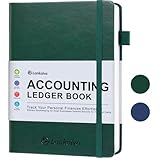
- KEEPING MONEY ORGANIZED: Our account ledger books offer versatile functionality for managing finances, budgets, expenses, and other vital records, catering to individuals, entrepreneurs, and small businesses alike.
- EASY TO USE: Tailored for both small business owners and individuals, this ledger book is an ideal tool for managing business finances or monitoring personal expenses, providing a clear overview of all transactions to detect any discrepancies.
- KEEP TRACK: With this accounting log book at your disposal, you gain the ability to comprehensively analyze your financial activities, understand your income and expenditure patterns, and generate accurate financial reports to support informed decision-making.
- COMPACT FOR EASY CARRY: Crafted from premium materials, including eco-leather hardcover and thick 100gsm paper, this A5 size columnar book is built to last. Features like a pen loop, elastic band closure, lay-flat binding, bookmark, and a pocket for loose notes ensure convenience and organization.
- PERFECT FOR YOUR NEEDS: If you struggle with managing your finances, often forgetting what you spend, where, and how much, then this companion is for you. Always by your side, it ensures you record every spend, everywhere you go. Give it a try and take control of your finances.
Verdict: Lunch Money is the strongest under-the-radar option for international and highly customizable web-based finances.
PocketSmith: best for global coverage and long-range forecasting
Price: Paid plans start at $9.95 monthly according to PocketSmith’s free-registration page. The service also offers a free signup option with fewer automation features.
PocketSmith emphasizes global bank connections, multiple currencies, and forecasting rather than only month-by-month budgeting. Its page claims more than 14,000 worldwide bank connections. Premium allows forecasting up to 10 years, while Super extends forecasts to 30 years and permits unlimited accounts under the cited plan information.
The Tool Desk
Outbyte Driver Updater FREEFix the driver behind crashes, sound loss and screen glitchesFind Drivers →Outbyte PC Repair FREEClear out junk files and repair common Windows errorsFree Scan →Worldwide coverage is a meaningful differentiator for readers outside the U.S. or households with international accounts, but a connection count is not proof that a specific bank or brokerage will work. Test the exact institution, account type, currency, and import history before relying on a forecast.
Choose PocketSmith if: long-range cash-flow forecasting, multiple currencies, and international account coverage matter more than a beginner-friendly U.S. budgeting method.
Verdict: PocketSmith is a serious international alternative, particularly for readers planning across several years and currencies.
Moneydance: best privacy-oriented desktop alternative
Moneydance is a local personal-finance application for Mac, Windows, and Linux, with iPhone, iPad, and Android support listed by the company. It supports online banking, bill payment, budgeting, investment tracking, multicurrency, detailed reports, local account registers, and mobile synchronization. See the official Moneydance overview for current platform and feature information.
Quick wins for a faster PC:
Repair Windows errors before they cause bigger problemsFix Now →Fix the driver behind crashes, sound loss and screen glitchesFind Drivers →Its local-first approach suits readers who want a Quicken alternative and prefer not to make a cloud dashboard the primary home for their financial records. Local storage does not mean that every operation is offline: online banking downloads, mobile synchronization, and other connected features still create external dependencies.
Moneydance has a smaller ecosystem and less mainstream support than Quicken. That makes it an alternative worth considering rather than a universal replacement. Compare current bank connectivity, report depth, mobile synchronization, licensing, and migration options before switching.
Choose Moneydance if: local storage, Linux support, multicurrency, and a privacy-oriented desktop workflow are priorities.
Verdict: Moneydance is the best local-first alternative for readers who want desktop control without committing to Quicken.
Do these 3 things before closing this tab:
1Clear out junk files and repair common Windows errors2Scan for outdated or missing drivers - takes under a minute3Repair Windows errors before they cause bigger problemsHow much automation should you want?
Automatic aggregation is convenient, but it does not remove the need for review. Every system can miscategorize a merchant, mishandle a transfer, duplicate a manually entered transaction, or receive a posted amount later than expected.
Before choosing, decide which of these behaviors you want:
- Automatic bank imports.
- Automatic categorization and merchant cleanup.
- Manual approval of every imported transaction.
- Recurring-transaction detection.
- Low-balance or unusual-spending alerts.
- Automatic savings-transfer tracking.
- Subscription cancellation.
- Manual transaction entry for accuracy.
- CSV, QFX, OFX, or QIF imports when synchronization fails.
Simplifi’s documented model generally updates accounts nightly. YNAB says direct-import transactions typically appear within 24 to 72 hours after clearing. Tiller traditionally updates daily, while its Direct Fills feature is designed to write new Google Sheets transactions as they become available. None of those descriptions means instant, uninterrupted, or universally accurate synchronization.
A useful compromise is to enter important transactions manually and let the imported version match later. That can improve awareness, but it creates a duplicate risk if the software does not match the records cleanly.
Investment tracking: aggregation is not analysis
Readers often say they need investment tracking when they actually need one of three different things:
- Basic balance aggregation: displaying an investment-account balance and including it in net worth.
- Holdings and performance: showing positions, allocation, returns, and sometimes benchmarks.
- Detailed investment accounting: tracking cost basis, tax lots, realized gains, retirement projections, and portfolio decisions.
Empower is strongest as a free investment and retirement dashboard. Monarch, Simplifi, Copilot, Quicken Classic, and Tiller can also bring investment data into a broader financial picture. Quicken Classic is the strongest mainstream choice when detailed reports, reconciliation, tax organization, and investment accounting matter.
YNAB intentionally handles investments differently. Its official guidance recommends investment accounts as tracking accounts or keeping them outside the spending plan, and says investment and retirement transactions may require manual balance updates. Choose YNAB for control of spendable money, not because you expect a brokerage terminal.
Even a product that displays holdings may not provide cost-basis accuracy, tax-lot data, capital-gains reports, rebalancing analysis, or retirement-income modeling. Confirm the exact investment features before relying on an app for tax or portfolio decisions.
Debt and credit cards
A product’s debt feature can mean anything from displaying a balance to calculating an interest-aware payoff plan. Test whether it:
- Separates credit-card purchases from the later card payment.
- Prevents a card payment from being counted as new spending.
- Handles statement balances and revolving debt.
- Tracks loans, mortgages, student loans, and personal loans.
- Projects payoff dates and interest savings.
- Supports avalanche and snowball strategies.
- Reconciles debt balances to statements.
YNAB’s loan planner estimates payoff time and interest savings from additional payments, and its credit-card workflow is one of its strongest features. Quicken Classic offers broader debt tools and reconciliation. Simplifi, Monarch, Empower, and Copilot are more useful for balance visibility and cash-flow context than for formal debt accounting. A budgeting app can organize a payoff plan, but it does not replace comparing interest rates, fees, and refinancing terms.
Household sharing and partially separate finances
Couples should not assume that a product supporting multiple devices also supports the privacy and editing model they need. Ask:
- Does each person have a separate login?
- Can joint and personal accounts appear in one household view?
- Can one person hide personal accounts?
- Can both people edit transactions, categories, goals, and budgets?
- Can an adviser or tax professional be invited?
- Does adding another person cost extra?
- Can one subscription hold multiple separate plans?
Monarch is the strongest fit for a shared household dashboard. It emphasizes separate and joint accounts, shared goals, collaboration, and advisers without an additional charge under its cited plan. YNAB allows up to six people in a subscription group and lets the group manager choose which plans to share, which is useful when household members need more than one budget. Goodbudget is designed around shared household budgets and synchronizes across supported devices.
Recommended Free Tools
For a couple with joint checking, separate credit cards, shared bills, reimbursements, and transfers between partners, test those exact workflows during the trial. A product that looks good with one checking account may become confusing when the same expense is reimbursed or moved between two people.
Independent reader supportYour contribution helps us test, update, and keep practical guides available for everyone.Reports, exports, taxes, and data ownership
Spending charts are not the same as accounting records. Distinguish among:
- Basic category charts.
- Custom spending and income reports.
- Net-worth history.
- Cash-flow statements.
- Year-to-date summaries.
- Tax-category tagging.
- Schedule A through F support.
- CSV, QIF, QFX, or OFX export.
- Direct spreadsheet access.
- Data retention after cancellation.
Quicken Classic is the strongest mainstream choice for detailed reports, reconciliation, investment tracking, tax-aware categories, and retirement planning. YNAB provides spending and net-worth reports but is not tax-preparation software. Tiller is particularly valuable when you want transactions in Google Sheets or Excel and need to build your own formulas, pivot tables, reports, and forecasts.
Before canceling Mint, an old budgeting service, or an existing Quicken product, export the historical data and confirm that the new service can retain or import what matters. Do not assume that a product’s ability to display transactions means you can later retrieve them in a useful format. During a trial, look for export controls, download a sample report, and keep the old account open until balances and history have been checked.
Best Value

- Easy To Track Your Finances: HAUTOCO horizontal accounting ledger book keeps you on top of your expenses and income! Help you keep your money organized, spend well, and set and achieve financial goals
- Practical Design: The accounting book is PU leather hardcover, with double-wire spiral binding that allows it to lay flat 360°; 100gsm thick paper, comes with an elastic band, pen loop, bookmarks, and 2 large pockets for storing loose notes
- Plenty of Space: The expense tracking notebook measures 10.78 x 8'' and has 120 pages with 3000 lines of entries giving you enough space to record each of your transactions
- Manage Your Finances Effectively: Undated accounting books with number, date, description, account, payment or deposit amount, and total balance. You will be able to easily analyze your financial activities and quickly prepare accurate financial statements
- Ideal For Small Business or Personal Use: An accounting log journal can track your business or personal financial status. With a clear record of transactions, you can find unnecessary expenses or fraudulent charges
Privacy and security trade-offs
The phrase bank-level security is not a sufficient comparison. A more useful review asks how the product connects to institutions, whether the connection is read-only, where data is stored, whether ads or data sales are involved, whether two-factor authentication is offered, and how easily you can export your records.
Cloud aggregation
Cloud products such as Simplifi, Monarch, YNAB, Copilot, Empower, and Rocket Money make multi-device access and household collaboration easier. They also require financial information to pass through the company and its aggregation providers. A connection may use OAuth or another bank-hosted authorization process, but the exact arrangement varies by institution and provider.
Simplifi says its connection is one-way: it imports information but cannot alter bank transactions or balances. YNAB says it uses encryption and two-factor authentication and receives limited information from bank-import providers rather than bank login credentials. Monarch says it does not sell financial data to third parties and operates without ads. Copilot similarly says it does not sell financial data or show ads, while its App Store privacy disclosure says financial information may be collected and linked for functionality, analytics, and personalization.
Local-first software
Quicken Classic stores its main data file on the user’s computer, with optional cloud services for web and mobile access. Moneydance markets local storage, encryption, and a privacy-oriented model. This can reduce dependence on a central dashboard, but local storage is not the same as automatic backup. Protect the file with backups, a strong device password, and secure storage.
Finally, a personal-finance app is usually an aggregator, not a bank or brokerage. Seeing an account balance inside an app does not make that balance insured by the app. Confirm insurance and account protections with the underlying financial institution.
What happens when bank synchronization fails?
Synchronization is a convenience, not a guarantee. Problems can result from a changed bank login, multi-factor authentication, a redesigned bank website, an unsupported account type, a credit union with several similarly named entries, delayed posting, incomplete investment data, or an aggregator outage.
Use this recovery sequence:
- Search for the exact institution. Try the bank’s official name, website, and account type rather than selecting a similarly named listing.
- Reauthorize the connection. Use the app’s account-connection or connection-management screen instead of repeatedly entering credentials in random places.
- Wait for posted transactions. Pending restaurant, hotel, fuel, and card transactions can change before they settle.
- Compare balances. Check the institution’s official website and identify whether the problem is the balance, transaction history, or both.
- Look for duplicates. A manually entered purchase may later arrive through the import and need matching or deletion.
- Use a file import. Where supported, download CSV, QFX, OFX, or QIF data from the institution. YNAB specifically documents file-based import as a fallback.
- Track loans and investments separately when appropriate. If the product recommends an unlinked tracking account, update the balance manually rather than forcing unreliable transaction detail.
- Keep a backup. Retain exports or a spreadsheet archive, especially before switching or canceling.
Never choose a product solely because it advertises a large number of connected institutions. The relevant test is whether your own checking account, credit card, brokerage, mortgage, retirement provider, and credit union work consistently.
Pending transactions, transfers, refunds, and credit-card payments
Many apparent accuracy problems are classification problems. A pending gas-station authorization can be replaced by a different posted amount. A hotel can place a temporary deposit. A refund can arrive days after the original purchase. A transfer between checking and savings can appear in both accounts. A credit-card payment can be an outflow from checking and an inflow to the card account, but it is not a second purchase.
Outdated Drivers Are Slowing You Down
One free scan finds every outdated or missing driver and matches the right update for your exact hardware.Free scan · exact hardware matchWindows Errors? Fix Them Before They Spread
Repair common Windows errors and clear accumulated junk for a smoother, more stable PC - no reinstall needed.Free scan · no reinstallWhen evaluating a product, create and observe these four test cases:
- A purchase on a credit card.
- The payment from checking to the credit card.
- A transfer between two accounts.
- A refund or reimbursement.
Check whether the software counts spending once, excludes internal transfers from income and expenses, and lets you correct a category without creating a duplicate. Copilot’s documentation, for example, distinguishes income, internal transfers, and regular spending, with internal transfers excluded from spending budgets.
International, multicurrency, and platform considerations
Geography can eliminate a product before features and price matter. Copilot and Tiller are U.S.-only. YNAB offers direct-import coverage for select institutions in the U.S., Canada, U.K., and Europe, but one spending plan cannot combine multiple currencies. Lunch Money and PocketSmith are more natural candidates for multicurrency and international banking.
PocketSmith emphasizes more than 14,000 worldwide bank connections and forecasts up to 10 years on Premium or 30 years on Super. Lunch Money supports multicurrency, flexible rules, imports, and a web-first workflow. Those claims describe the products’ intended coverage, not a promise that every institution will work.
Quick wins for a faster PC:
Scan for outdated or missing drivers - takes under a minuteDriver Scan →Clear out junk files and repair common Windows errorsFree Scan →Platform fit is equally important. Copilot supports Apple devices and the web but does not list Android. Quicken Classic supports Windows and Mac but not with identical features or a seamlessly shared data file. Moneydance supports Mac, Windows, Linux, iPhone, iPad, and Android. Tiller works through Google Sheets and Excel rather than a conventional native budgeting interface.
Self-employed, rental, and business finances
A consumer personal-finance app is not automatically accounting software. If you need invoices, accounts receivable, accounts payable, profit and loss statements, payroll, sales-tax tracking, receipt workflows, separate legal entities, or formal books for a tax professional, use a product designed for accounting.
Quicken Classic Business & Personal adds business and rental features, particularly on Windows, and may be adequate for some small personal rental or self-employed workflows. It should still be evaluated against your tax professional’s requirements. Do not rely on Simplifi, YNAB, Empower, Copilot, Rocket Money, or Goodbudget as a substitute for formal business accounting merely because they can categorize transactions.
How to choose: decision paths
Choose Quicken Simplifi if…
- You want a low-maintenance overview of spending, bills, cash flow, goals, and investments.
- You are replacing Mint and do not want a strict budgeting method.
- You prefer a cloud web-and-mobile product.
- You want a relatively low annual cost, provided the current promotion and renewal terms suit you.
Choose Monarch Money if…
- You are managing money with a partner, family member, or adviser.
- You need joint and separate accounts in one household view.
- You want to choose between flexible and category budgeting.
- You track investments, property, loans, subscriptions, and goals together.
Choose YNAB if…
- You want to assign money before spending.
- You are trying to stop overspending, build sinking funds, or control irregular income.
- You want a deliberate credit-card and debt workflow.
- You accept manual entry, review, and reconciliation as part of the system.
Choose Quicken Classic if…
- You need reconciliation, detailed reports, tax categories, retirement planning, or deeper investment tools.
- You prefer a local Windows or Mac data file.
- You have rental, business, or unusually complex personal finances.
- You are comfortable trading simplicity for depth.
Choose Empower if…
- You want a free dashboard for investments, retirement accounts, loans, and net worth.
- You already budget elsewhere or do not need strict spending controls.
- You want a portfolio-oriented complement to another product.
Choose Copilot if…
- You use iPhone, iPad, and Mac.
- You value design, automation, adaptive budgets, and a unified Apple experience.
- You are in the United States and do not need Android.
Choose Tiller if…
- You think in spreadsheets and want direct control of your transaction data.
- You need custom formulas, tags, reports, historical analysis, or forecasts.
- You are comfortable managing a workbook rather than relying on a fixed app interface.
Choose Rocket Money if…
- Your immediate problem is subscriptions, recurring charges, or bill negotiation.
- You want to start with a free tier and add selected Premium services.
Choose Goodbudget if…
- You want a free manual envelope budget.
- You prefer not to connect bank accounts.
- You need simple household synchronization rather than investments or retirement planning.
Choose Lunch Money or PocketSmith if…
- You live internationally or use multiple currencies.
- You want web-first tools, long-range forecasts, flexible rules, or broader global banking coverage.
What to test before paying
Use a trial as a compatibility test, not merely a tour of the interface. Complete these steps before moving your whole financial history:
- Search for every bank, card, brokerage, retirement provider, mortgage, student-loan servicer, and credit union you use.
- Connect one representative account from each important institution.
- Compare the current balance with the institution’s official website.
- Check whether at least 60 to 90 days of transactions import and whether categories are reasonable.
- Make sure pending and posted transactions are handled as you expect.
- Test a credit-card purchase and the later payment from checking.
- Test an internal transfer and confirm it is not counted as income or spending.
- Test a refund, reimbursement, or split transaction.
- Create a recurring bill, savings goal, and debt target.
- Invite the partner, household member, or adviser who will actually use the product.
- Review the investment and loan accounts separately; do not assume balances and transactions are equally reliable.
- Export transactions or reports and confirm that the format is usable.
- Read the renewal price, trial-ending behavior, and cancellation method.
- Keep the old service active until historical data and current balances have been reconciled.
How this comparison defines best
The recommendations prioritize usefulness for a specific reader rather than awarding points for every possible feature. For a general U.S. household, a reasonable framework is:
| Criterion | Suggested weight |
|---|---|
| Budgeting usefulness and flexibility | 20% |
| Bank synchronization and recovery options | 15% |
| Spending and cash-flow visibility | 15% |
| Goals, recurring bills, and debt tools | 10% |
| Investment and net-worth tracking | 10% |
| Household sharing | 10% |
| Platform availability | 10% |
| Price and trial terms | 5% |
| Privacy, export, and data control | 5% |
Those weights should change for different readers. A paycheck-to-paycheck user should increase budgeting and debt to roughly 40%. An investor or retiree should give more weight to investment, report, and retirement tools. A couple should increase collaboration. A spreadsheet user should give export and customization much more importance. For a free-only user, price is a hard constraint rather than merely 5% of a score.
Final recommendations
Start with Quicken Simplifi if you want the broadest mainstream balance of automatic tracking, cash-flow planning, goals, reports, investments, and cost. Choose Monarch Money instead when household collaboration and a complete shared financial picture matter most. Choose YNAB when you want a behavior-changing, assign-every-dollar system and are willing to participate actively.
Move up to Quicken Classic for reconciliation, tax organization, retirement, detailed investment analysis, local desktop records, rental, or business features. Use Empower as the best free investment and net-worth dashboard, especially alongside a separate budget. Select Copilot for a premium Apple-only experience, Tiller for spreadsheet control, Rocket Money for subscription cleanup, and Goodbudget for free manual envelopes. International and multicurrency users should begin with Lunch Money or PocketSmith rather than assuming a U.S.-centric app will fit.
The Tool Desk
Outbyte Driver Updater FREEFix the driver behind crashes, sound loss and screen glitchesFind Drivers →Outbyte PC Repair FREEClear out junk files and repair common Windows errorsFree Scan →Frequently Asked Questions
What is the best personal finance software for most people in 2026?
Quicken Simplifi is the best general recommendation for most U.S. households because it combines automatic account aggregation, spending and cash-flow views, savings goals, bills, reports, and investment tracking at a relatively low annual price. Monarch is a better choice for couples, and YNAB is better for active zero-based budgeting.
Is Quicken Simplifi the same as Quicken Classic?
No. They are separate products with different architectures and workflows. Simplifi is a cloud-based web and mobile tracker, while Quicken Classic is locally installed Windows or Mac software with deeper reconciliation, tax, retirement, and investment features. Their data files are not interchangeable.
What is the best budgeting app for couples?
Monarch Money is the strongest choice for most couples because it supports household collaboration and separate and joint accounts in one view. YNAB can be better when both people want an active assign-every-dollar method, while Goodbudget is a lower-cost manual envelope option.
Which personal finance software is best for investments?
Quicken Classic is the strongest mainstream choice for detailed investment tracking, reports, tax organization, and retirement planning. Empower is the best free investment and net-worth dashboard. A budgeting app that displays an investment balance may not provide cost basis, tax lots, capital-gains reports, or portfolio analysis.
Free tools Windows power users keep installed
One-click scans. No signup required.
Can personal finance software replace tax or accounting software?
Usually not. Quicken Classic Business & Personal may help with some rental and self-employed workflows, but formal business needs such as invoicing, payroll, accounts receivable, sales tax, separate legal entities, and professional books generally require dedicated accounting software.
What should I do if my bank will not sync?
Search for the exact institution and account type, reauthorize the connection, compare balances with the bank’s official website, look for duplicates, and use CSV, QFX, OFX, or QIF file import when supported. Keep an export or spreadsheet backup, and do not cancel your old service until the new one has been checked.
The Bottom Line
There is no universal best personal finance app. Pick the method first: Simplifi for low-maintenance tracking and cash flow, Monarch for shared households, YNAB for active zero-based budgeting, Quicken Classic for depth and local records, and Empower for free investment and net-worth monitoring. Then test your actual institutions, devices, household workflows, exports, and renewal price before committing.
Quick Recap
Product prices and availability are accurate as of the date/time indicated and are subject to change. Any price and availability information displayed on Amazon at the time of purchase will apply.
What’s actually slowing this PC down?
Pick the symptom - the matching free tool is one click away.




