Quick wins for a faster PC:
Repair Windows errors before they cause bigger problemsFix Now →Fix the driver behind crashes, sound loss and screen glitchesFind Drivers →Clear out junk files and repair common Windows errorsFree Scan →Not directly. On Amazon.com in the U.S., Amazon does not currently provide Apple Pay as a standard checkout option. You will not normally see an Apple Pay button or an Apple Pay Face ID or Touch ID authorization sheet in Amazon’s website or Shopping app.
You can still use Apple-related payment credentials on Amazon: enter your Apple Card virtual card number as a Mastercard, or try the Apple Cash virtual Visa card number as a regular card. Those are card-entry workarounds—not Apple Pay transactions. This article reflects the practical Amazon.com/U.S. checkout situation checked on August 10, 2026; payment options can vary by country, product, seller flow, and account.
Apple Pay, Apple Card, and Apple Cash are different
The confusion usually comes from treating three separate Apple products as though they were the same payment method:
| Product | What it is | How it relates to Amazon |
|---|---|---|
| Apple Pay | Apple’s wallet and tokenized checkout service | Amazon.com does not currently offer it as a normal checkout button in the U.S. |
| Apple Card | A Mastercard credit account | You can generally enter its online card details on Amazon like any other Mastercard. |
| Apple Cash | A U.S. balance that can have a virtual Visa card number | You may be able to enter its current virtual card details on Amazon as a Visa card. |
So the precise answer is: you cannot generally pay Amazon.com with Apple Pay itself, but you can often use the card credentials or balance connected to Apple’s payment ecosystem.
Free tools Windows power users keep installed
One-click scans. No signup required.
#1 Best Overall

- Accept all major credit and debit cards and pay one low rate
- No hidden fees and no long-term contracts
- Mobile card reader that accepts payments anywhere & anytime
- Use the free SumUp App on your smartphone or tablet to start accepting transactions
- Simply pay 2.6% +10 per in-person transaction
Can you choose Apple Pay directly at Amazon checkout?
No—not on ordinary Amazon.com checkout in the United States. Amazon’s standard website and Amazon Shopping app checkout use Amazon’s own payment form. Shoppers should not expect:
- An Apple Pay button alongside credit-card and other payment options.
- A Face ID or Touch ID sheet initiated by Amazon as an Apple Pay purchase.
- A way to select any card saved in Apple Wallet directly from Amazon’s payment-method list.
Opening Amazon in Safari does not create an Apple Pay option. Apple explains that online Apple Pay works when the merchant has implemented Apple Pay and displays it as a payment option. A browser or iPhone cannot add that merchant integration by itself. See Apple’s explanation of using Apple Pay online.
This conclusion is best described as the current checkout reality rather than a claim that Amazon has published a permanent, one-sentence ban. Amazon’s current U.S. payment guidance lists accepted card networks and Amazon payment products without listing Apple Pay. Independent coverage and testing have also found no ordinary Amazon.com Apple Pay checkout option. The relevant Amazon payment-method guidance is useful, but it does not itself state an explicit permanent prohibition.
How to use Apple Card on Amazon
Apple Card generally works on Amazon as a Mastercard. The transaction is entered and processed through Amazon’s card form, not through Apple Pay.
Find the Apple Card number on an iPhone
- Open Wallet.
- Tap Apple Card.
- Tap the card number icon.
- Authenticate with Face ID, Touch ID, or your device passcode.
- Copy the Apple Card’s virtual card number, expiration date, and security code.
Apple’s instructions are available in its support guide for finding Apple Card account and card numbers.
Add Apple Card to your Amazon wallet
- Go to Amazon.com and open Account.
- Select Your Payments.
- Choose Add a payment method.
- Select Add a credit or debit card.
- Enter the Apple Card virtual card number, expiration date, security code, and requested billing information.
- Save the card and select it at checkout. You can also make it your default payment method from its settings.
In the Amazon Shopping app, the path is generally Account → Your Payments → Add → Add a credit or debit card. Amazon documents these wallet steps in its Amazon Wallet management guide.
Use the right Apple Card number
Apple Card has several numbers that should not be confused:
- The virtual card number for online purchases.
- The number printed on the physical titanium Apple Card.
- The Apple Pay card number, also called a device account number, used for Apple Pay transactions.
For Amazon’s card-entry form, use the online virtual card number or the physical card’s details—not the device-specific Apple Pay number. Apple explicitly says the Apple Card virtual number differs from the Apple Pay card number. Apple Card is a U.S.-only credit product subject to approval, and its use on Amazon is ordinary Mastercard acceptance rather than a special Amazon-Apple integration.
Rank #2

- An intuitive interface to easily accept payments and manage your sales.
- Strong, reliable Wi-Fi connection. Free SIM card and mobile data so you can process payments anywhere.
- Great battery capability with an additional charging station.
- A truly portable device. Stay in control of your business, wherever you go.
- Support when you need it. Get in touch with our US-based support through phone, email and chat.
How to use Apple Cash on Amazon
Apple Cash may work through its virtual Visa card number. Apple says the Apple Cash virtual card can be used online wherever Visa is accepted. Amazon lists Visa among its accepted payment networks, so entering the Apple Cash details as a normal card is a reasonable workaround. It is not an officially documented Amazon-and-Apple Pay integration, and Apple does not guarantee that every Amazon order type will accept it.
Find the Apple Cash virtual card number
- Open Wallet.
- Tap Apple Cash.
- Tap the More button.
- Tap Card Number.
- Authenticate with Face ID, Touch ID, or your device passcode.
- Copy the current virtual card number, expiration date, and security code.
If the number is not available, use the same path—Wallet → Apple Cash → More → Card Number—and tap Set Up Virtual Card Number → Continue. Authenticate and tap Done. Apple says displaying or setting up this virtual number requires iOS 17.4 or iPadOS 17.4 or later. See Apple’s Apple Cash virtual-card instructions.
Add Apple Cash to Amazon
- In Amazon, open Account → Your Payments.
- Tap Add a payment method on the website, or Add in the app.
- Choose Add a credit or debit card.
- Enter the current Apple Cash virtual card number, expiration date, security code, and billing information.
- Save it and select it for the order.
The purchase is processed as a Visa card transaction against the Apple Cash account. Amazon does not open an Apple Pay authorization sheet, and the card is not being charged through Apple Pay.
Apple Cash limitations
- Apple Cash is available only in the United States, the District of Columbia, and Puerto Rico.
- The Apple Cash security code can change. A code copied earlier may no longer work for a later purchase.
- Some merchant categories may not be supported.
- A Visa-accepting merchant can still decline the transaction because of authorization, fraud, recurring-payment, product, or merchant-category rules.
- Do not assume the virtual card will work for every Amazon subscription, gift-card purchase, authorization, or other special transaction.
If Amazon declines it, return to Wallet and copy the current number, expiration date, and security code again. Apple specifically recommends checking those details and confirming that the merchant accepts Visa.
If Apple Cash does not work: transfer the balance first
Transferring Apple Cash to a bank account or eligible debit card gives Amazon a more conventional payment source and is usually the more predictable fallback.
Standard transfer to a bank account
- Open Wallet.
- Tap Apple Cash.
- Tap More.
- Tap Transfer to Bank.
- Choose 1–3 Business Days.
- Select or add a U.S. bank account.
- Enter the amount and confirm with your passcode, Face ID, or Touch ID.
Apple currently says standard bank transfers have no fee and generally take one to three business days. The stated limit is up to $10,000 per transfer and $20,000 within a seven-day period. Check Apple’s current Apple Cash transfer guidance before relying on the limits, since fees and limits can change.
Instant transfer to an eligible debit card
If speed matters, choose Instant Transfer to an eligible U.S.-issued debit card. Apple currently lists a 1.7% fee, with a $0.25 minimum and $25 maximum. The transfer is normally immediate, although security checks can make it take 30 minutes or longer.
Recommended Free Tools
Rank #3
![[2 Pack] SD Card Reader for Android, Micro SD Card to USB Adapter, USB C SD Card Reader for Camera Memory Card Reader, Wansurs SD Card Reader for PC Phone Pads](https://m.media-amazon.com/images/I/31gtpECVnlL._SL160_.jpg)
- 【3 IN 1 Card Reader】 - This card reader come with SD/Micro SD dual card slot and USB slot, It could easily transfer the file you need between different devices or review the photos/videos quick.
- 【On-The-Go Date】 - Support on all OTG device. Play back videos/music directly from external memory without occupying space on Device. Share video or picture to your families or friends in anytime anywhere. Please contact us if you don't know whether your phone have OTG function, we will help you.
- 【Universal Compatibility】- Suitable for Android phone/pads with OTG function, Computer and laptop or any devices with USB-C port, this card reader max support memory card capacity 512GB.
- 【Real-Time Sharing and Data Management】- Suitable for data transmission and management between SD/microSD and phone/pads/computer/laptop, providing intelligent file viewing and management functions, browsing documents, pictures, watching videos, listening to music, etc.
- 【Excellent Performance】Compatible with SD, SDHC, SDXC, MicroSD, Micro SDHC, Micro SDXC, UHS-I, Olympus camera card, GoPro hero SD card, SanDisk Lexar cards etc. Use new version powerful chip solution, bring more powerful data transmission capacity and less heat generation.
The trade-off is straightforward: a standard bank transfer is free but slower; an instant debit-card transfer is faster but costs a percentage of the amount.
Can you use another card stored in Apple Wallet?
Not through Apple Pay itself. Apple Wallet can hold a card while Amazon’s checkout requires card credentials entered into Amazon’s own payment form.
You may be able to use the underlying card if you have one of the following:
- The physical card number.
- An issuer-provided virtual card number.
- A card number displayed in the card issuer’s app.
- A manually accessible number for a product such as Apple Card or Apple Cash.
You generally cannot copy Apple Pay’s device-specific token into Amazon as though it were the underlying card number. Apple Pay uses a device-specific number and transaction-specific security data; Apple’s Apple Pay security overview explains that tokenized structure. Use the issuer’s actual online card number instead, when one is available.
Outdated Drivers Are Slowing You Down
One free scan finds every outdated or missing driver and matches the right update for your exact hardware.Free scan · exact hardware matchWindows Errors? Fix Them Before They Spread
Repair common Windows errors and clear accumulated junk for a smoother, more stable PC - no reinstall needed.Free scan · no reinstallAmazon Pay is not Apple Pay
The names sound similar, but the services are unrelated:
| Service | Purpose |
|---|---|
| Apple Pay | Apple’s wallet and payment-token service, offered at participating merchants. |
| Amazon Pay | Amazon’s shopper checkout service for using payment methods saved to an Amazon account on participating third-party websites and apps. |
| Amazon Payment Services | A merchant-facing payment-processing platform that can support Apple Pay integrations in certain regions. |
Amazon Pay appears when a participating third-party website or app displays an Amazon Pay button. It does not import Apple Wallet cards, and it does not mean Amazon.com accepts Apple Pay. Amazon’s shopper documentation for Amazon Pay and its payment-flow explanation describe the service as a way to use payment methods saved to Amazon on third-party sites.
Why do some pages say Amazon supports Apple Pay?
The most likely explanation is that they conflate Amazon.com’s retail checkout with Amazon Payment Services.
Amazon Payment Services has merchant documentation for Apple Pay integrations, including hosted checkout, custom web integration, mobile SDK integration, and payment links. Its listed operating markets include countries in the Middle East and North Africa, such as the United Arab Emirates, Saudi Arabia, Egypt, Jordan, Lebanon, Qatar, Kuwait, Oman, and Bahrain. Its documentation means that a business using that payment-processing platform may be able to offer Apple Pay. It does not mean an Amazon.com shopper can select Apple Pay when buying products from Amazon.com.
What’s actually slowing this PC down?
Pick the symptom - the matching free tool is one click away.
Rank #4

- Support Windows 98/Windows XP/ Windows Vista/Windows 7, it doesn't work at windows 10
- Get full access to your SIM card through your PC. Ability to copy the content from one SIM card to another. No need to worry about the lose of your telephone directory.
- Ideal for portable use on the road or at home with a desktop or laptop. Software install will allow you to manage the sim card copying process.
- Read, edit, backup your telephone directory and SMS for your GSM devices. Remove SIM card from your phone and place in the card reader for full access to your info on your PC.
- Allows you to copy different number to one sim card, including phone book, SMS, ring tones, photos, etc.
See the separate Amazon Payment Services Apple Pay documentation, its supported payment-method and region information, and its operating-country list. Those are merchant-processing materials, not a promise about the U.S. Amazon.com shopping cart.
Older consumer articles have also repeated that Apple Pay might be available on Amazon on a seller-by-seller basis. That claim should be treated cautiously. A third-party merchant using a separate checkout or payment processor is not the same as an Amazon marketplace seller using Amazon.com’s standard checkout. No current official Amazon.com consumer page identified here promises seller-by-seller Apple Pay support.
What about Apple Pay in the Amazon app?
The Amazon Shopping app does not normally offer native Apple Pay checkout for Amazon.com in the U.S. The app can save and charge card numbers, including an Apple Card or Apple Cash virtual card number entered manually, but that is still Amazon’s card payment flow.
Apple Pay will appear online only when the merchant has implemented it and presents it as a payment option. Installing the Amazon app, using an iPhone, or opening Amazon in Safari does not change that requirement.
What about Whole Foods?
Whole Foods physical stores are a separate case. Whole Foods’ official store information says its stores accept Apple Pay, along with cash, EBT, major credit and debit cards, and certain gift cards. That does not establish Apple Pay support for Amazon.com online checkout.
In other words, being owned by Amazon does not make the payment experience identical. A physical Whole Foods register, the Whole Foods app, and Amazon.com checkout can support different payment methods. Check the official Whole Foods store payment information for the current in-store policy.
Independent reader supportYour contribution helps us test, update, and keep practical guides available for everyone.What if Amazon declines the card?
If you see a message such as “Revise payment method”, troubleshoot the card credentials before assuming Apple Pay is the issue:
- Recheck the number. Make sure you entered the online Apple Card number or the current Apple Cash virtual number—not an Apple Pay device number.
- Check expiration and security code. Apple Cash’s security code may have changed. Apple Card details can also become outdated if the virtual number was replaced.
- Verify the billing address. Use the billing address associated with the card or account. A mismatch can cause an authorization failure.
- Check the card network. Apple Card is a Mastercard product; Apple Cash’s virtual card is a Visa product. The network must be supported for the transaction.
- Consider issuer controls. A bank or card issuer may block an online purchase, flag it for fraud review, or restrict certain transaction types.
- Consider Amazon-specific restrictions. A particular order, product, subscription, gift-card purchase, or authorization may be treated differently from an ordinary merchandise order.
- Try the transfer fallback. If Apple Cash continues to fail, transfer it to a bank account or eligible debit card and use that payment method on Amazon.
Amazon’s declined-payment troubleshooting guidance recommends updating payment information when necessary. Apple’s Apple Cash guidance also recommends rechecking the current credentials and Visa acceptance. Neither source establishes one universal reason for every decline.
Best Value
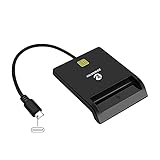
- USB-C/Type C CAC Reader. Supports Government ID, ActivClient, AKO, OWA, DKO, JKO, NKO, BOL, GKO, Marinenet, AF Portal, Pure Edge Viewer, ApproveIt, DCO, DTS, LPS, Disa Enterprise Email and etc. CAC chip cards
- Compatible with Windows 10/11, Mac OS 10.15 or above, Linux. Easy to use. Just plug and play
- MAC user: Java is necessary for MAC user. Please install Java firstly on Java's official website. DOD and USG users: need a third-party CAC Enabler program
- Standard: PIV, EMS, ISO-7816 & EMV2 2000 Level 1, CE, FCC, VCCI and Microsoft WHQL
- Fit for US Military and Government DOD ID cards. Good for online banking and credit card payment apps, Network login, etc.
Can Apple Pay buy Amazon gift cards?
Not through Amazon.com’s normal checkout, because there is no standard Apple Pay option there. One possible indirect route is to buy an Amazon gift card from a separate retailer that accepts Apple Pay and then redeem it on Amazon. That retailer’s Apple Pay support, gift-card rules, purchase limits, and fraud controls will determine whether the transaction works.
A gift card is less flexible than paying with a card, so it is usually not the first workaround to try. Be especially careful with gift-card scams: Amazon warns that legitimate support representatives and merchants should not ask you to provide an Amazon gift-card claim code as payment or send it off-site. Read Amazon’s gift-card safety guidance and its warning about suspicious payment requests.
Which workaround should you use?
| Your situation | Best first option | Main trade-off |
|---|---|---|
| You have Apple Card and want charges on that account | Add the Apple Card virtual card number to Amazon. | It is a manually entered Mastercard transaction, not Apple Pay. |
| You have an Apple Cash balance and want to spend it without moving it first | Try the Apple Cash virtual Visa card number. | The security code changes and some transactions may be declined. |
| The Apple Cash virtual card is rejected or you need predictability | Transfer Apple Cash to a bank account or eligible debit card. | Standard transfer takes time; instant transfer has a fee. |
| You have another card in Apple Wallet | Use the physical card number or issuer-provided online number. | Amazon will store and charge the card itself, not Apple Pay. |
| You specifically want one-tap Apple Pay checkout | Shop with a retailer that visibly offers the Apple Pay button. | You may need to use a different retailer or checkout. |
The bottom line
For Amazon.com in the U.S., Apple Pay itself is not currently a standard checkout option. Amazon does not normally provide the Apple Pay button in its website or Shopping app, and Safari cannot force one to appear.
But you have practical alternatives:
- Use the Apple Card virtual card number as a Mastercard.
- Try the Apple Cash virtual Visa card number as a regular card.
- Transfer Apple Cash to a bank account or eligible debit card if the virtual-card route fails.
- Use the underlying number for another card in Apple Wallet, if the issuer makes it available.
Those methods let you spend an Apple-related card or balance on Amazon, but none should be described as paying Amazon through Apple Pay.
The Tool Desk
Outbyte PC Repair FREEClear out junk files and repair common Windows errorsFree Scan →Outbyte Driver Updater FREEScan for outdated or missing drivers - takes under a minuteDriver Scan →Frequently Asked Questions
Does Amazon accept Apple Pay in the U.S.?
Amazon.com does not currently offer Apple Pay as a standard checkout option in the U.S. You generally will not see an Apple Pay button in the Amazon website or Shopping app.
Can I use my Apple Card on Amazon?
Generally, yes. Add the Apple Card virtual card number, expiration date, and security code to Amazon as a Mastercard. Use the online Apple Card number, not the Apple Pay device account number.
Can I spend Apple Cash on Amazon?
You may be able to. Apple Cash provides a virtual Visa card number that can be entered on Amazon as a regular card. The feature requires iOS 17.4 or iPadOS 17.4 or later, and the security code can change.
Why does Amazon Payment Services mention Apple Pay?
Amazon Payment Services is a merchant-facing payment-processing platform that can support Apple Pay integrations in certain regions. It is different from Amazon.com’s U.S. retail checkout and does not mean Amazon.com offers Apple Pay.
Do these 3 things before closing this tab:
1Fix the driver behind crashes, sound loss and screen glitches2Clear out junk files and repair common Windows errors3Scan for outdated or missing drivers - takes under a minuteCan I use Apple Pay at Whole Foods?
Whole Foods physical stores state that they accept Apple Pay. That is a separate in-store payment environment and does not mean Amazon.com online checkout supports Apple Pay.
The Bottom Line
Bottom line: You cannot generally select Apple Pay at Amazon.com checkout, but you can often use the Apple Card virtual number or Apple Cash virtual Visa number as an ordinary card. If Apple Cash is declined, transfer the balance to a bank account or eligible debit card and use that payment method instead.
Quick Recap
Product prices and availability are accurate as of the date/time indicated and are subject to change. Any price and availability information displayed on Amazon at the time of purchase will apply.




