Use Coursera’s Accomplishments page and choose its LinkedIn sharing option. If that option is not shown, add the credential yourself under LinkedIn’s Licenses & certifications section. Use the exact certificate title, the organization named on the certificate, its issue date, and a certificate-specific verification link when available.
Before you start
You can add a credential only if Coursera actually issued one. An audited course or an enrollment labeled “Full Course, No Certificate” gives access to learning materials but does not create a certificate you can truthfully list. Coursera describes certificate availability and the Accomplishments page in its support documentation: Coursera support.
- Course certificate: completion of one course.
- Specialization certificate: completion of the required course series.
- Professional Certificate: completion of the program’s required coursework.
- Degree or formal university program: represent this primarily under Education, not as a Coursera course certificate.
Have the certificate record open before you begin. Copy its title, issue date, issuer, credential ID (only if one is displayed), and public verification URL (if provided).
Method 1: Add it directly from Coursera
Coursera says electronic certificates are available from Accomplishments and can be added to LinkedIn. Labels can vary by account, language, device, and interface rollout, so look for equivalent wording if the menu is slightly different.
Do these 3 things before closing this tab:
1Scan for outdated or missing drivers - takes under a minute2Repair Windows errors before they cause bigger problems3Fix the driver behind crashes, sound loss and screen glitches#1 Best Overall

- 【Great Material】This certificate frames 8.5 x 11 is well-made, lightweight, and includes a plastic cover. The certificate frame may safely and clearly show your priceless certificates while shielding them from moisture, dust, and scratches.
- 【Vertical & Horizontal Display】The diploma frame may be hung on a wall or placed on a tabletop in horizontal and vertical orientations thanks to the saw-tooth hangers and kickstands. You are free to select how you wish.
- 【Simple to Use】The document frame incorporates flip taps that make it simple to remove the back, making picture changes quick and hassle-free.
- 【8.5 x 11 Frame】This frame is ideal for holding 8.5 x 11 inch prints, photos, credentials, diplomas, certificates, and degrees.
- 【Nice Gift & Décor】The upsimples 8.5 by 11 picture frame is a thoughtful graduation gift. Besides, picture frames complement any office or home decor with their classic yet simple style.
- Sign in to Coursera.
- Open your profile or account menu.
- Select Accomplishments.
- Find the completed course or program and open its certificate.
- Choose the LinkedIn sharing or profile-add option, if shown.
- Sign in to LinkedIn when prompted.
- Review every imported field before confirming. Correct the issuer, dates, credential ID, or URL if needed.
- Save the credential to your profile.
The handoff adds a profile credential; it does not necessarily publish a feed announcement. Review any sharing prompt and cancel it if you want the credential on your profile without a public post.
Method 2: Add the certificate manually on LinkedIn
If Coursera does not show a sharing button, LinkedIn’s documented route is:
Rank #2
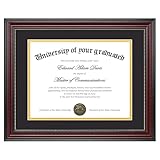
- Classic Wood Grain Design: This diploma frame features a realistic mahogany wood grain finish and gold beaded detail, creating a refined look for any certificate, degree, or document frame. And the recycled polystyrene is both environmentally friendly and durable, allowing your achievements to be preserved for a long time
- Dual Mats for Flexible Display: The diploma frame comes with both a black and a gold mat, each 1.0mm thick. They not only provide stable support to keep your certificate securely in place, but also offer versatile display options. You can choose between a luxurious layered look or a clean, mat-free style
- Fits 8.5x11 & 11x14 Diplomas: Designed as a frame 8.5 x 11 with mat or a frame 11x14 without mat. It can accommodate a wide range of items, including diplomas, certificates, licenses, pictures, and documents
- Perfect Graduation Gift: An ideal college diploma frame, perfect for celebrating achievements. A meaningful frame for a diploma that looks great in offices, studies, or living rooms
- Easy Wall Hanging: The document frame incorporates flip taps that make it simple to remove the back, making picture inserts quick and hassle-free. Easily hang on the wall using hanging hardware vertically or horizontally
- Select Me at the top of LinkedIn, then View profile.
- Select Add profile section.
- Choose Recommended, then Add licenses & certifications.
- Complete the form and select Save.
LinkedIn’s instructions are at Manage licenses and certifications. If the section already exists, use its add button. LinkedIn lets you edit or delete entries later; certifications appear in the order added and the documented interface does not provide manual reordering.
What to enter in each field
| LinkedIn field | What to enter | What to avoid |
|---|---|---|
| Name | Copy the credential title exactly as it appears on the Coursera certificate. | Do not turn a course certificate into a degree, license, or broader qualification. |
| Issuing organization | Select the organization named as issuer on the certificate from LinkedIn’s suggestions. It may be Coursera, a university, a company, or another partner. | Do not automatically choose Coursera when the certificate identifies another institution. |
| Issue date | Use the date on the certificate or certificate record. | Do not substitute your enrollment date or the date you added it to LinkedIn. |
| Expiration date | Enter one only if the credential specifies an expiration. | Do not mark every Coursera credential as “does not expire” without checking the record. |
| Credential ID | Copy the ID only when Coursera displays one. | Do not invent an ID or use the course number or enrollment number. |
| Credential URL | Paste the public, certificate-specific Coursera verification URL when available. | A course catalog page shows that a course exists; it does not prove that you completed it. |
Coursera’s explanation of verified certificates describes a verification URL that lets others validate the certificate record: Coursera’s certificate anatomy. Copy the link from your certificate record rather than constructing a URL yourself. If no public verification page exists, leave the field blank instead of using an unrelated or login-only page.
Quick wins for a faster PC:
Clear out junk files and repair common Windows errorsFree Scan →Scan for outdated or missing drivers - takes under a minuteDriver Scan →Repair Windows errors before they cause bigger problemsFix Now →Rank #3

- High Quality: 8.5 x 11 picture frame made of high-definition mirror glass, excellent transparency, full of luster and sturdy enough.
- Easy to Use: Glass certificate frame 8.5x11 has a slot in the back to slide the certificate into, the opening is easy to insert the picture/certificate. The stand works for vertical or horizontal use.
- Beautiful Frame Gift: Beautiful 8.5x11 glass frames as a gift to close friends, grandparents, parents, daughter and son, the lines of the frame are so clean that they fit in any decor.
- Multi Use: Picture frame 8.5x11 are perfect for certificates, documents, diplomas, artwork, honor awards, souvenirs, and photos, collecting all kinds of beautiful pictures.
- Package: The package comes with 1 pack of glass certificate frames were packaged well and arrived intact to display award certificates in office.
What if the “Add to LinkedIn” button is missing?
Use the manual LinkedIn route above, then check these possibilities:
- You completed an audit or no-certificate enrollment.
- You are viewing the course page rather than the completed certificate.
- The certificate belongs to a different Coursera account.
- The program or certificate was archived or changed.
- Coursera’s sharing interface has changed for your account.
- A browser, pop-up blocker, or expired login session interrupted the handoff.
No certificate appears in Accomplishments
- Return to Accomplishments and confirm the course or program is marked complete.
- Check the enrollment type for a no-certificate or audit option.
- Sign out and back in to the Coursera account that completed the work.
- Refresh and try again in another browser if necessary.
- If the credential exists but the handoff fails, enter it manually on LinkedIn.
- Contact Coursera support if a certificate you earned is absent from Accomplishments.
Do not confuse Coursera with LinkedIn Learning
LinkedIn’s Learning History instructions—My Library → Learning History → Add to profile—apply to courses completed on LinkedIn Learning, not ordinary Coursera coursework. LinkedIn identifies this distinction in its help page about learning certificates: LinkedIn Learning certificate guidance. A Coursera credential belongs in LinkedIn’s Licenses & certifications section.
Rank #4

- 【Great Material】This certificate frames 8.5 x 11 is well-made, lightweight, and includes a plastic cover. The certificate frame may safely and clearly show your priceless certificates while shielding them from moisture, dust, and scratches.
- 【Vertical & Horizontal Display】The diploma frame may be hung on a wall or placed on a tabletop in horizontal and vertical orientations thanks to the saw-tooth hangers and kickstands. You are free to select how you wish.
- 【Simple to Use】The document frame incorporates flip taps that make it simple to remove the back, making picture changes quick and hassle-free.
- 【8.5 x 11 Frame】This frame is ideal for holding 8.5 x 11 inch prints, photos, credentials, diplomas, certificates, and degrees.
- 【Nice Gift & Décor】The upsimples 8.5 by 11 picture frame is a thoughtful graduation gift. Besides, picture frames complement any office or home decor with their classic yet simple style.
Licenses & certifications, Education, or Featured?
Licenses & certifications
Use this section for most Coursera course, Specialization, and Professional Certificate records. It gives recruiters a structured title, issuer, date, and verification link.
Education
Use Education for an actual degree, formal academic enrollment, or university education history. Do not present a Coursera course as a degree.
Best Value
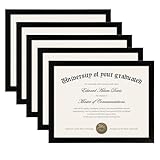
- MULTIPLE FRAMES COLLAGE: Bulk of 5 pieces Certificate Frames set in the same sizes. Perfect for Pictures 8.5x11.
- QUALITY MATERIAL: These 8.5 x 11 document frame lightweight but well made, come with high definition glass, better protection from scratches.
- INTACT PARTS AND PACKING: 5 pack non-traces are included. Protective packaging let you don't have to worry about receiving damaged products.
- GIFT & BE MERRY: upsimples 8.5x11 diploma frame set not only the simple yet classic design for any home or office decor, but also a heartfelt graduation gifts for everyone.
- EASY MOUNTING: Spring type action to remove the backing, can be hung horizontally or vertically.
Featured
Adding the PDF to Featured or attaching it to a post can be an optional visual supplement. It should not replace the structured credential entry or its verification URL.
Present the credential professionally
- Add credentials relevant to the roles you want; a long list of unrelated short courses can hide your strongest achievements.
- Keep the title and issuer faithful to the certificate.
- Test the verification link in a private browser window if possible.
- Describe it as course or program completion unless the specific credential is genuinely a regulated license, degree, or industry certification.
- List skills separately only when the coursework supports them and you can explain your level honestly.
Adding a Coursera credential does not require LinkedIn Premium. The profile section is available through LinkedIn’s standard profile editor.
Quick Recap
Quick decision guide
| Your situation | Best action |
|---|---|
| Certificate page shows a LinkedIn option | Use Coursera’s direct sharing flow, then review the imported fields. |
| No sharing option | Add it manually under Licenses & certifications. |
| Public verification page is available | Use it as the Credential URL. |
| No credential ID is shown | Leave Credential ID blank. |
| Certificate names a university or company | Select that issuer in LinkedIn’s organization suggestions. |
| You only audited the course | Do not list it as a certificate. |
Product prices and availability are accurate as of the date/time indicated and are subject to change. Any price and availability information displayed on Amazon at the time of purchase will apply.




