Do these 3 things before closing this tab:
1Scan for outdated or missing drivers - takes under a minute2Clear out junk files and repair common Windows errors3Fix the driver behind crashes, sound loss and screen glitchesPendo is usually the better fit when product analytics and customer-facing software adoption are the priority; WalkMe is usually the better fit when a large organization needs employee guidance and workflow support across enterprise applications. Neither is a universal winner. The right choice depends on the work users need to do, the systems involved, and the full cost of deploying and maintaining the platform—not just the feature list.
Pendo vs. WalkMe at a glance
| Decision factor | Pendo | WalkMe |
|---|---|---|
| Typical center of gravity | Product analytics and improving software experiences | Enterprise digital adoption and workflow execution |
| Common buyer | Product, growth, product operations, and customer-success teams | IT, transformation, HR, learning and development, and enterprise operations |
| Common environment | A company’s own web or mobile product | Multiple enterprise applications, including third-party systems |
| Analytics emphasis | Feature adoption, user journeys, usage patterns, and product health | Application usage, guidance engagement, workflow completion, and adoption |
| Guidance | In-app guides, walkthroughs, and messages connected to product usage | In-app guidance, walkthroughs, notifications, and cross-application support |
| Automation | Guidance-led product experiences; verify the specific automation required | Workflow automation is part of its published enterprise offering |
| Pricing signal | Free plan for up to 500 monthly active users; paid plans are custom-priced | Quote-based; public pricing does not state a standard per-user or per-MAU rate |
| SAP context | Not the defining strategic affiliation | SAP-owned since September 12, 2024; SAP says it continues to support non-SAP applications |
The descriptions reflect each vendor’s published product and pricing materials, rather than independent performance testing: Pendo pricing, Pendo product overview, and WalkMe pricing and product scope.
What the platforms do—and why they are not identical
Pendo connects product usage data with in-app action
Pendo brings together product analytics, in-app guides, feedback, and related product-experience capabilities. Its analytics documentation describes journeys, paths, funnels, application usage, feature adoption, and product health. Its pricing page lists Product Analytics and In-app Guides in its plan structure, with Session Replay listed on higher plans. This makes Pendo a natural candidate when a product team wants to see how customers use a product and then respond with guidance or product changes.
Pendo also describes support for web and mobile applications, and it is not limited to customer-facing software. Its materials discuss employee experiences as well. See Pendo’s product overview and Pendo’s product comparison page.
What’s actually slowing this PC down?
Pick the symptom - the matching free tool is one click away.
#1 Best Overall

- 【Ultra-Clear Display Touch Panel】Our digital signage kiosk features a Ultra-Clear Display LCD touch panel with IPS technology, offering bright, vivid visuals with 600 nits of brightness. The 178° wide viewing angle ensures clarity from all directions, making it ideal for public spaces. Whether displaying images or videos, the high resolution provides sharp, vibrant content that captures attention and enhances viewer engagement.
- 【Multiple Input Options for Flexibility】 The kiosk supports USB, HDMI, 5G Wi-Fi, and Google Apps for easy content management. With the Android OS, you can upload and update images, text, and videos seamlessly. This flexibility allows you to display a variety of content types, keeping your displays dynamic and engaging in real time.
- 【Android OS for Seamless Operation】 Running on Android OS, our kiosk ensures smooth, stable performance and easy content management. It supports a range of apps, providing customization options for various business needs. The secure, user-friendly interface allows for easy updates and remote control, making it suitable for any commercial or public environment.
- 【Split-Screen Function for Multi-Content Display】 The kiosk’s split-screen feature allows you to display multiple content types simultaneously. You can showcase videos, images, and text side by side, enhancing viewer engagement. This feature is perfect for running multiple advertisements, promotions, or messages in a single, visually appealing display.
- 【Boost Sales with Interactive Signage】 Interactive digital signage encourages customer engagement, driving higher sales. The touchscreen functionality allows users to interact with content, such as offers or product catalogs. By offering real-time updates and dynamic content, this kiosk fosters a more engaging shopping experience and boosts conversion rates.
WalkMe focuses on guidance and work across applications
WalkMe describes an overlay-based platform for guidance, analytics, segmentation, surveys, and workflow automation. It targets employee and customer-facing applications, and its published scope includes cross-application guidance, localization, collaboration, and enterprise security capabilities. That breadth can suit organizations trying to help people complete complex tasks in systems they do not own or control, such as ERP, CRM, HR, or finance applications.
WalkMe’s published pricing page is a vendor description, not proof that every capability is included in every contract. Confirm the exact modules, application coverage, and service requirements in a proposal.
Where Pendo and WalkMe differ in practice
Product analytics
Pendo is generally the more natural starting point when the central questions concern feature adoption, user journeys, drop-off, product health, and how usage relates to feedback or product decisions. That is a difference in orientation, not evidence that WalkMe lacks analytics. WalkMe also markets application, content, journey, funnel, path, engagement, and behavioral-segmentation analytics. The useful distinction is whether the analytics program is organized around improving a product or around adoption and performance across business workflows.
In a demo, ask each vendor to work with a realistic example from your environment. Check whether event definitions must be created in advance, how much tagging or instrumentation is needed, whether funnels and cohorts are native, how analytics can trigger guidance, and how data can be exported to a warehouse or BI system. Also confirm what is included in the quoted plan.
The Tool Desk
Outbyte PC Repair FREEClear out junk files and repair common Windows errorsFree Scan →Outbyte Driver Updater FREEFix the driver behind crashes, sound loss and screen glitchesFind Drivers →In-app onboarding and tours
For a customer learning a SaaS product, Pendo can connect usage patterns with segmented messages, feature education, and onboarding guides. WalkMe also offers guides, onboarding tours, targeted surveys, and segmentation. Its stronger case is often a sequence of work that crosses systems or must be completed consistently—not simply a tour showing where a product’s features are.
Rank #2
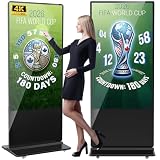
- Dynamic Multi-Screen Design: The upgraded screen playback design perfectly solves the problem of playing pictures and videos at the same time and realizes the intelligent split-screen function, which makes your ads more attractive.Advertising machine support external playerbox installed inside, high-definition HDMI signal source input, USB card input, support for Wi-Fi and network connection, Enables flexible updating of management documents.
- Superior Viewing Angle: Advertising machine adoption of 4K IPS display screen, ultra-high quality graphics guarantee video smoothness and picture clarity. 178° ultra-wide viewing angle allows you to maximize the presentation of your advertisement, thus attracting more viewers.
- Cutomize LOGO for free: There is an exclusive panel on the front of the product that. We provide FREE LOGO, advertising poster customization services.After payment from our store, please contact us by Amazon and provid the clear logo file.you can put your customized logo, advertising posters, etc. on it to promote the brand and show personality.
- Multi-Functional Introduction: The product is available in both touch and non-touch versions. Using Android OS with two powerful 8Ω 5W speakers, supports U disk plug-and-play, Software installation, multimedia automatic playback, remote control operation, and timing on/off.
- Ideal Business Inputs: YCKJNB floor-standing advertising machine is widely used in commercial centers, airports, hospitals, restaurants and all kinds of stores. Meanwhile, we provide 3 years after-sales warranty service to maintain the normal operation of the product, with you all the way forward.
- “Show users what this product can do”: start by evaluating Pendo.
- “Help employees complete this business process correctly across applications”: start by evaluating WalkMe.
- Simple, linear tour: compare lighter onboarding tools or native product features before taking on a broader platform.
Employee and customer adoption
WalkMe is often the stronger starting point for employee adoption programs spanning many enterprise systems, especially where workflow standardization, migration, or process compliance matters. Pendo remains relevant for employee software experiences, particularly when analytics, feedback, and guidance for a company’s own software belong in one program.
Pendo is often a natural fit for customer-facing SaaS onboarding, product-led growth, feature adoption, and in-product feedback. WalkMe is also marketed for customer-facing products and websites, so the distinction is one of fit and center of gravity—not whether one vendor can serve customers at all. See Pendo’s comparison and WalkMe’s published scope; both are vendor sources and should be treated accordingly.
Cross-application guidance and automation
WalkMe’s value proposition is particularly relevant when the user’s task involves multiple applications or a complex enterprise workflow. Its public offering lists automation alongside guidance and analytics. Guidance explains or prompts; automation can perform actions. Those are different levels of intervention, with different risks. Automation can save repetitive effort, but may fail when permissions, application state, or interface behavior changes, and it can raise audit and security requirements. Ask for a demonstration of the exact workflow and the controls around actions, errors, and logging.
Quick wins for a faster PC:
Clear out junk files and repair common Windows errorsFree Scan →Fix the driver behind crashes, sound loss and screen glitchesFind Drivers →Authoring, deployment, and ongoing maintenance
Both vendors market ways for teams to create in-app experiences without writing code for every guide. That does not mean implementation is technical-work-free. Deployment, identity resolution, security review, analytics instrumentation, QA, integrations, release management, and governance may still require engineering or IT involvement.
WalkMe’s cross-application and workflow ambitions can mean more coordination and governance. Pendo may be more straightforward for a product team working primarily in one product, but implementation effort still depends on the app, data model, mobile needs, and integrations. Neither “easy” nor “complex” is a universal property of the platform.
Rank #3

- 【Ultra-Clear Display Touch Panel】Our digital signage kiosk features a Ultra-Clear Display LCD touch panel with IPS technology, offering bright, vivid visuals with 600 nits of brightness. The 178° wide viewing angle ensures clarity from all directions, making it ideal for public spaces. Whether displaying images or videos, the high resolution provides sharp, vibrant content that captures attention and enhances viewer engagement.
- 【Multiple Input Options for Flexibility】 The kiosk supports USB, HDMI, 5G Wi-Fi, and Google Apps for easy content management. With the Android OS, you can upload and update images, text, and videos seamlessly. This flexibility allows you to display a variety of content types, keeping your displays dynamic and engaging in real time.
- 【Android OS for Seamless Operation】 Running on Android OS, our kiosk ensures smooth, stable performance and easy content management. It supports a range of apps, providing customization options for various business needs. The secure, user-friendly interface allows for easy updates and remote control, making it suitable for any commercial or public environment.
- 【Split-Screen Function for Multi-Content Display】 The kiosk’s split-screen feature allows you to display multiple content types simultaneously. You can showcase videos, images, and text side by side, enhancing viewer engagement. This feature is perfect for running multiple advertisements, promotions, or messages in a single, visually appealing display.
- 【Boost Sales with Interactive Signage】 Interactive digital signage encourages customer engagement, driving higher sales. The touchscreen functionality allows users to interact with content, such as offers or product catalogs. By offering real-time updates and dynamic content, this kiosk fosters a more engaging shopping experience and boosts conversion rates.
- Who installs the SDK, extension, or deployment package—and who owns it?
- How are third-party and mobile applications supported?
- How are guides tested in staging before production?
- What happens when the interface, DOM, URL, authentication flow, or application framework changes?
- Who can publish content, and what approvals are required?
- How much vendor or partner services work is expected, and can content be exported if you leave?
Mobile, desktop, SAP, and governance
Pendo describes web and mobile coverage; WalkMe’s scope includes enterprise application support and SAP-oriented adoption. Do not infer that a feature listed on a vendor page works identically across every application type or plan. WalkMe’s pricing page lists SAP GUI for Windows version 7.70 and higher, in 32- and 64-bit, as well as SAP Business Client support; confirm your exact environment and version with WalkMe before relying on that coverage.
For either product, check identity and role management, data privacy, retention, localization, audit needs, content approvals, and integrations against your own requirements. A capability appearing in marketing materials does not establish its depth, plan availability, or fit for a regulated deployment.
Recommended Free Tools
Which platform fits your use case?
| Use case | Where to start | Why |
|---|---|---|
| B2B SaaS onboarding and feature adoption | Pendo | Its product analytics, segmentation, feedback, and in-app guidance align with product-led improvement. |
| Product-led growth and product health | Pendo | Usage behavior and product decisions are central to the platform’s orientation. |
| Customer-success enablement inside your product | Pendo | It can connect adoption patterns, in-product guidance, and feedback. |
| SAP migration or enterprise transformation | WalkMe | Its employee adoption and SAP-related positioning align with cross-system change programs. |
| Employee onboarding across ERP, CRM, HR, or finance tools | WalkMe | Cross-application guidance and workflow execution are central use cases. |
| Standardizing a multi-application process | WalkMe | Evaluate its workflow guidance, automation, analytics, and governance against the actual process. |
| Mobile product adoption | Compare both in a pilot | Both discuss broad application experiences; validate coverage, authoring, analytics, and packaging for your specific mobile platforms. |
| Small team needing a basic product tour | Consider neither | A lighter onboarding tool or native guidance may cost less and require less administration. |
| Standalone event analytics | Consider an analytics specialist | A full digital adoption platform may be unnecessary if in-app guidance and workflow support are secondary. |
These are starting points, not feature guarantees. A pilot on your own applications is the best way to test authoring effort, stability, analytics quality, and user response.
Pricing: compare total cost, not just the starting price
Pendo pricing
Pendo’s public pricing page lists a free plan for up to 500 monthly active users, with Product Analytics, In-app Guides, branded roadmaps, and branded NPS surveys. It also lists a 30-day trial of the broader platform and custom-priced Base, Core, and Ultimate plans. Paid pricing depends partly on monthly active users and selected functionality; Session Replay is listed in Core. These are public signals shown on Pendo’s pricing page, not a quote for a particular company.
Do not equate monthly active users with registered accounts or employees. Clarify how Pendo counts activity across applications, workspaces, anonymous users, and mobile users, and how overages work. Pendo says exceeding a paid plan’s MAU limit does not immediately interrupt functionality; on the Free plan, exceeding the limit prevents creating new guides, NPS surveys, or segments until upgrade.
Rank #4

- 32" Versatile Interactive Kiosk: This MWE floor-standing touchscreen kiosk features a 32-inch FHD display and Android 13 open OS, offering responsive touch and seamless interaction. Supports the installation of windows boxes or hosts, supports the installation of any external system or software, and facilitates the deployment of your functions. It supports installing software like navigation, info query, self-ordering, exhibit explanation, and info display (no pre-installed), adapting flexibly to diverse needs.
- LCD Screen with Stunning Visuals: The 1920*1080 FHD IPS display delivers crystal-clear images and videos, ensuring your content pops. Boasting a wide viewing angle, this MWE digital kiosk guarantees perfect visibility from every corner of your space. 450 cd/² brightness display for clear visibility of screen content in indoor applications. Adjustable display settings adapt to different lighting conditions, making it suitable for any indoor environment.
- Multi-connectivity & Smart Management: Easily handle content and device connections. With Wi-Fi and Ethernet, manage remote updates and stream content smoothly. Transfer files via USB 2.0 or TF card in a plug-and-play manner.The HDMI port enables high-quality video output from external devices. This MWE Interactive Kiosk ideal for banks, malls, hotels, restaurants, hospitals, museums, and campuses. This Self-Service Kiosk has two 5W speakers, which you can use to play your advertising videos and music.
- Built to Last, Designed to Impress: Crafted for durability, this MWE kiosk withstands the rigors of high-traffic areas like airports, hospitals, and shopping malls. The Self Ordering Point of Sales Kiosk's user-friendly interface ensures a smooth experience for customers, while the robust build minimizes maintenance, providing a reliable solution for your long-term business needs.This kiosk has two wheels on the bottom for easy mobility and fits into a cardboard box for portability.
- Professional After-Sales Support Team: MWE-RIXZSIW is equipped with a professional technical service support team and have the most professional manufacturer: Marvel Technology CO., LTD(MWE). We can solve your problems through 7 days/24 hours email/telephone communication, and provide up to 3 years of after-sales guarantee to ensure you the best shopping experience.
WalkMe pricing
WalkMe’s public pricing is quote-based and does not publish a standard per-seat or per-MAU rate. Its public page describes employee and customer-facing offerings and lists guidance, analytics, segmentation, surveys, automation, localization, branding, collaboration, and security capabilities. Ask which of these are included in the proposed package, rather than assuming the page describes a single all-inclusive plan. See WalkMe pricing.
Build a three-year total-cost estimate
Public information does not establish which vendor will be cheaper for your organization. Request a written estimate that covers:
- License fees, pricing metric, minimum commitment, annual increases, renewal terms, and scope changes.
- Implementation, integrations, migration, partner services, and any required professional services.
- Internal time for deployment, analytics governance, authoring, review, QA, and repair when the application changes.
- Paid modules or limits for analytics, replay, automation, mobile or desktop coverage, surveys, localization, and support.
- Exit costs, including content export, transition effort, and any limits on data access.
For WalkMe, specifically ask whether employee and customer deployments, SAP-related modules, and automation are priced separately. For Pendo, define exactly how MAUs are counted and what happens as usage grows. Do not use vendor ROI percentages as a forecast: WalkMe’s pricing page promotes a 494% three-year ROI attributed to an IDC study, while Pendo presents a 396% ROI and six-month payback figure attributed to its own Total Economic Impact material. Those are vendor-presented study results, not guaranteed outcomes for another buyer.
Independent reader supportYour contribution helps us test, update, and keep practical guides available for everyone.What SAP ownership means for WalkMe
SAP announced its agreement to acquire WalkMe on June 5, 2024, and completed the acquisition on September 12, 2024, at an equity value of approximately $1.5 billion. SAP said the acquisition would connect WalkMe’s contextual guidance and AI capabilities with its Joule copilot and transformation portfolio. SAP also stated that WalkMe would continue supporting non-SAP applications. See SAP’s acquisition announcement and completion announcement.
For an SAP-centered organization, ownership may make WalkMe more strategically aligned with migration, adoption, and transformation programs. For a buyer whose primary need is customer-facing product analytics, that alignment may matter little. In procurement, ask whether SAP ownership changes the roadmap, support arrangements, commercial terms, data-processing terms, or the priority given to non-SAP integrations. Ownership is relevant context, not evidence that WalkMe is SAP-only or that every SAP use case will be simpler.
Crashes, No Sound, or Screen Glitches?
Random freezes, missing sound and display glitches usually trace back to one bad driver. Find and replace yours safely.Free scan · under a minuteWindows Errors? Fix Them Before They Spread
Repair common Windows errors and clear accumulated junk for a smoother, more stable PC - no reinstall needed.Free scan · no reinstallBest Value
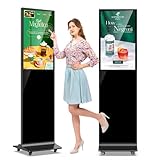
- 【Ideal for Advertising and Promotion】MWE-QIXZOCV Floor Standing Digital Signage Display is designed with durability and sturdiness in mind. Its simple design and easy operation make it suitable for diverse indoor locations such as retail stores, restaurants, malls, airports, hospitals, and commercial centers. Stand out in the competition with this powerful and versatile LCD Advertising Display Kiosk
- 【Multifunctional Display Equipment】Advertising Display: Showcase advertisements for products, and promotional campaigns. Attracts attention, increase brand exposure, and drive consumer purchasing behavior; Brand Display: Showcasing brand logos, product information, brand stories, brand vision and more, effectively displays and enhances brand image
- 【MWE-QIXZOCV Intelligent solutions】Information Communication: Convey various types of information, such as announcements, public messages, transportation directions, event schedules, and more, to help people access the information they need; Wayfinding: Provide detailed maps and route instructions. In large venues like shopping centers, exhibition halls, hotels, LCD digital signage serves as a navigation system to guide people to their destinations
- 【Advantage Features】Slim Design: Ultra screen bezel. We're using the recent popular slim design, not heavy old design Kiosks; Stable Open Cell technology: Low-power consumption with lower heat generation. Make the screen life long time longer; Compatibility Design: Supported with other media player box installation and power connected insdie; Andriod Stable System: User friendly interface, Support app installation.
- 【High-Quality Visual Experience】Enjoy stunning image and video quality with the FHD IPS display screen, providing crisp and vibrant visuals. The wide 178° viewing angle of MWE-QIXZOCV Digital Signage ensures maximum visibility from various perspectives, while customizable display settings optimize viewing in different environments
When neither is the right choice
- You need only basic tours or announcements: assess native onboarding features or a lighter product-adoption specialist.
- You need analytics but little guidance: evaluate a product-analytics platform such as Amplitude or Mixpanel; these are not like-for-like replacements for enterprise workflow automation.
- You need lightweight customer onboarding: consider tools such as Userpilot or Appcues, after checking current capabilities and fit.
- You need a full enterprise DAP alternative: compare Whatfix directly on application coverage, automation, analytics, implementation, security, and SAP needs.
- You need employee guidance but product analytics is not central: Userlane may merit evaluation; verify current integrations and enterprise controls.
- Your applications change rapidly: estimate guide repair and QA effort before buying. UI-based guidance can need maintenance when labels, interfaces, URLs, or authentication flows change.
- Users need training before entering the application: a learning platform, knowledge base, or process-documentation system may address the need better than an in-app overlay.
Also check whether existing CRM, ERP, analytics, support, or Microsoft adoption tools already cover enough of the requirement. Native capabilities can be less costly and more integrated, though they may offer less cross-application breadth.
How to run a useful evaluation
Score the business problem, not a feature checklist
Use a weighted scorecard and adjust the percentages to the project. For a product-led SaaS team, raise the weight for analytics and product experience; for an SAP transformation, raise cross-application coverage, workflow automation, governance, and enterprise support.
| Criterion | Suggested weight |
|---|---|
| Primary use-case fit | 20% |
| Analytics depth and data model | 15% |
| Cross-application coverage | 15% |
| Authoring and maintenance effort | 15% |
| Workflow automation | 10% |
| Integrations and deployment | 10% |
| Security, governance, and localization | 5% |
| Mobile and desktop support | 5% |
| Total cost of ownership | 5% |
Test a real workflow and define success first
Use a pilot in the applications, roles, and environments that matter. Measure both platform effort and user outcomes: authoring time, broken-guide rate, repair time, approval time, guide completion and dismissal, task completion, errors or rework, and support demand. Depending on the goal, track time to first value, activation, feature adoption, time to proficiency, retention, expansion, training time, or license utilization.
A completed walkthrough alone does not prove lasting adoption, satisfaction, productivity, lower support costs, or business value. Agree on a baseline and outcome measure before launch, and separate user engagement with a guide from success in the underlying task.
Free tools Windows power users keep installed
One-click scans. No signup required.
Ask vendors the same questions
- Which applications, versions, devices, and workflows are included in the quote?
- What deployment work is required from engineering, IT, security, and business teams?
- How are identities, permissions, and cross-device or cross-application activity handled?
- What instrumentation is required, and can behavior be analyzed retroactively?
- Which analytics, replay, automation, survey, localization, and governance features are included in the proposed tier?
- How are guides tested, approved, monitored, and repaired after application changes?
- What audit trail exists when the platform recommends or performs an action?
- How does pricing change with more users, applications, workflows, or business units?
- What data and content can be exported if the contract ends?
Final decision
Choose Pendo when analytics-led product improvement, customer-facing onboarding, and connecting usage data with feedback and in-app guidance are central. Choose WalkMe when employee adoption across applications, complex workflow support, automation, enterprise governance, or SAP transformation is the main job. If the need is only a basic tour, standalone analytics, or documentation, compare a narrower tool or native capability before committing to either platform.
Quick Recap
Product prices and availability are accurate as of the date/time indicated and are subject to change. Any price and availability information displayed on Amazon at the time of purchase will apply.




