Free tools Windows power users keep installed
One-click scans. No signup required.
The right Bitcoin payment gateway depends on your storefront, business location, settlement needs, and how much infrastructure you want to manage. For a hosted processor, compare BitPay and OpenNode against your jurisdiction and payout requirements. For more control over payment infrastructure and funds, consider self-hosted BTCPay Server—but plan for hosting, maintenance, backups, and security. There is no evidence-based universal ranking among these options; confirm current terms before choosing.
What a Bitcoin payment gateway does
A gateway creates a payment request or invoice, displays checkout details to the customer, and tracks whether payment arrives. The key choice is how that workflow is operated: a hosted provider manages the processing service, while BTCPay Server is software you or a hosting provider run. BTCPay says payments are recorded as going directly to wallets controlled by the merchant rather than being held by BTCPay as a payment intermediary (BTCPay Server User Guide).
Compare the options by operating model
| Option | Operating model | Documented integration routes | What to verify |
|---|---|---|---|
| BTCPay Server | Open-source software run by the merchant or a hosting provider; payments can go to merchant-controlled wallets. | WooCommerce, Drupal, Magento, PrestaShop, and custom integrations or API work; additional integrations are listed in its documentation. | Hosting, uptime, backups, updates, security, technical ownership, configured payment methods, and support. |
| BitPay | Hosted merchant processor with compliance onboarding and configurable settlement. | Ecommerce plugins, code libraries, dashboard payment buttons, hosted catalogs, and API integration. | Jurisdiction eligibility, approval, platform and version support, settlement currencies and bank destinations, account limits, and current processing costs. |
| OpenNode | Hosted Bitcoin payment processing and payout service. | Payment buttons and developer integration. | Country coverage, checkout options, settlement timing and currencies, fees, compliance, and platform fit. |
Which gateway fits your business?
Choose BTCPay Server if infrastructure control is a priority
BTCPay is the self-hosted option in this comparison. Its software is free and open source, and it documents integrations for popular ecommerce platforms as well as custom/API work (BTCPay use cases; BTCPay integrations FAQ). “Free” refers to the software, not the complete cost of accepting payments: hosting or hardware, network fees, maintenance, and staff time can still cost money. The operator is responsible for installation, updates, backups, and security (BTCPay deployment FAQ).
Choose BitPay if you want hosted processing and documented settlement options
BitPay offers hosted merchant processing, plugin and code-library integrations, payment buttons, and hosted catalogs (BitPay ecommerce documentation). A merchant account requires compliance approval. BitPay’s account setup documentation estimates typical production approval at about 5–7 business days; this is the provider’s estimate, not a guaranteed turnaround (BitPay account setup).
Crashes, No Sound, or Screen Glitches?
Random freezes, missing sound and display glitches usually trace back to one bad driver. Find and replace yours safely.Free scan · under a minuteWindows Errors? Fix Them Before They Spread
Repair common Windows errors and clear accumulated junk for a smoother, more stable PC - no reinstall needed.Free scan · no reinstall#1 Best Overall

- VERSATILE PAYMENT: 3pk countertop sign displaying acceptance of both Bitcoin cryptocurrency and all major credit cards for customer transactions
- COMPLETE COVERAGE: Includes logos for American Express, Mastercard, Visa, and Discover, plus contactless payment symbol
- CLEAR DISPLAY: High-quality printed text and logos on white background ensures excellent visibility for customers
- PACK VALUE: Set of 3 identical signs allows placement at multiple points of sale or backup copies
BitPay documents settlement in several cryptocurrency and bank options, with automatic merchant settlement every business day according to its settlement page. Actual options and eligibility depend on location and account circumstances, so confirm supported destinations and currencies for your business before building around a payout method (BitPay settlement options; BitPay jurisdiction support).
Consider OpenNode after confirming availability and payout terms
OpenNode documents Bitcoin payment processing, payment buttons, developer integrations, and automatic conversion to local currency (OpenNode Bitcoin Payments; OpenNode). Its published pages do not establish that every country, settlement option, or merchant type is supported. Ask the provider to confirm your business’s country, available checkout methods, settlement timing and currency, fees, and compliance requirements.
Rank #2

- DATACAP SYSTEMS, FORM LOAD FOR PAYMENT TERMINALS
Check these requirements before selecting a provider
- Business location and onboarding: Confirm the provider accepts businesses in your jurisdiction and your business category.
- Store platform and version: Verify the exact plugin or integration supports your storefront software version, not just the platform name.
- Customer payment flow: Check which Bitcoin payment methods are offered and how customers receive invoice details and payment status.
- Settlement: Confirm whether you receive Bitcoin, local currency, or another supported currency; check payout timing, bank destinations, and conversion conditions.
- Costs: Separate processor fees from Bitcoin network transaction costs and any currency-conversion or settlement charges. The providers’ cited documentation does not establish a current, like-for-like fee comparison.
- Operational responsibility: Decide who will handle uptime, updates, backups, security, support, and incident recovery. A hosted service and a self-hosted server place these responsibilities differently.
How to integrate Bitcoin payments
With BitPay
- Apply and configure the account. Complete compliance onboarding and select settlement preferences through BitPay’s setup process (account setup).
- Select an integration route. Use a supported ecommerce plugin, SDK or code library, dashboard button, hosted catalog, or API, depending on your store and workflow (ecommerce documentation). BitPay recommends SDKs or plugins for routine implementations.
- Test before going live. Run checkout through the provider’s test environment, including payment completion, cancellation or expiry, and the way your store updates order status.
- Handle status updates securely. Use webhooks to receive payment-status updates rather than repeatedly polling. Define which status permits fulfillment and reconcile provider invoices with store orders (BitPay checkout integration).
With BTCPay Server
- Choose how the server will be run. BTCPay documents third-party hosting, VPS, manual, and hardware deployment approaches, with different difficulty and production suitability (BTCPay deployment choices).
- Create a store and configure a wallet or payment method. Follow the official BTCPay guide to configure the payment destination and store settings.
- Create a manual test invoice. Verify the invoice displays the intended payment details and that the server records payment as expected.
- Connect the storefront. Install a documented ecommerce integration or implement a custom connection using the API. Confirm the plugin supports your software version (integrations FAQ).
- Plan operations. Assign responsibility for server updates, backups, uptime, and security; monitor node synchronization. When diagnosing a payment mismatch, check that the checkout destination matches the customer’s payment.
Self-hosting: understand the infrastructure commitment
BTCPay’s deployment guidance compares hosting, VPS, manual, and hardware approaches by difficulty, production suitability, and approximate cost. Hardware builds require technical knowledge and are not recommended by BTCPay for production environments (deployment choices; deployment FAQ).
One documented Raspberry Pi 4 setup uses a model with 4 GB RAM, a 1 TB USB SSD, and an SD card of at least 16 GB. BTCPay estimates an initial full-node download at approximately 40 hours for that setup (Raspberry Pi 4 guide). These are details of that guide’s configuration, not universal minimum requirements or a recommendation to use a Raspberry Pi for a production store. The Pi is not required to accept Bitcoin; BTCPay also documents other deployment routes.
Quick wins for a faster PC:
Fix the driver behind crashes, sound loss and screen glitchesFind Drivers →Clear out junk files and repair common Windows errorsFree Scan →Scan for outdated or missing drivers - takes under a minuteDriver Scan →Rank #3
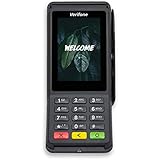
- Accepts all payment types: NFC/CTLS, mobile wallets, EMV and magstripe
- Supports a variety of third-party apps through Verifone’s Merchant Marketplace
- Optional features, such as dual-band WiFi and Bluetooth 4.2 BLE
- Supports Verifone’s estate management solution for remote device management, value-added services, updates and diagnostics
Set payment confirmation and fulfillment rules
Bitcoin payment status matters to order handling. BitPay says completed cryptocurrency transactions are irreversible, so a store should not treat an untested status rule as a harmless implementation detail (checkout integration documentation). Before production, test how invoices move through payment states and decide what status your business requires before shipping or delivering a product. Reconcile invoice and order records so staff can identify a payment that does not match the expected order.
Quick Recap
Rank #4

- This is a stand alone credit/debit payment terminal, does not connect to a Clover Station or Mini. Plug in, not battery/mobile. Requires New Processing Account Through Powering POS. (US, PR, USVI). CANNOT be used with a different Processor. Rate match guarantee. Contact us for questions
- Compact Size: Space-efficient design saves counter space
- Faster Processing: Accommodates customers’ preferred methods (EMV, contactless, MSR, PIN debit, EBT, check payments)
- Surcharging: Apply surcharging to help reduce operational costs and increase profit margins
- Gift Card: Gift card increases repeat business and expands customer base
Product prices and availability are accurate as of the date/time indicated and are subject to change. Any price and availability information displayed on Amazon at the time of purchase will apply.




