Windows Errors? Fix Them Before They Spread
Repair common Windows errors and clear accumulated junk for a smoother, more stable PC - no reinstall needed.Free scan · no reinstallCrashes, No Sound, or Screen Glitches?
Random freezes, missing sound and display glitches usually trace back to one bad driver. Find and replace yours safely.Free scan · under a minuteFramework Laptop 16 is the clearest modular-laptop choice in 2026. It combines replaceable expansion cards, memory, storage, battery, input modules and—unusually—an internal graphics module. Framework’s Laptop 13 Pro and Laptop 12 offer smaller, more repairable designs; Lenovo ThinkPads provide conventional business serviceability; and System76’s Darter Pro and Pangolin Pro offer Linux-first laptops with socketed memory and storage.
The important distinction is component-level: a replaceable SSD does not make a laptop fully modular if its RAM, processor and graphics are soldered. The models below are ranked by the upgrade path they actually provide, not by marketing labels.
What counts as a modular laptop?
“Modular” covers three different levels:
- Fully modular: several major systems—such as graphics, ports, input modules, battery, memory and storage—are designed for removal and replacement.
- Highly repairable and upgradeable: RAM, SSD, battery, keyboard and selected internal parts can be changed, while the CPU, GPU, motherboard or ports remain fixed.
- Repairable but limited: the machine can be opened and serviced, but important performance components are soldered or proprietary.
On all seven recommendations, the processor is effectively tied to the motherboard. Framework Laptop 16’s graphics module is the notable exception. Soldered memory is not automatically a deal-breaker: it can save space and power, but you must buy enough capacity up front.
Quick comparison
| Laptop | Best for | Memory and storage | Graphics path | Modularity | Main limitation |
|---|---|---|---|---|---|
| Framework Laptop 16 | Maximum modularity, gaming, creators | Replaceable memory and SSD | Internal upgradeable graphics module; RTX 5070 option | Highest | Large, expensive, and future GPU modules are not guaranteed |
| Framework Laptop 13 Pro | Portable Framework ecosystem | LPCAMM2 memory; replaceable storage | Integrated graphics fixed to motherboard | High, generation-specific | Memory is not conventional SO-DIMM and CPU/GPU are fixed |
| Framework Laptop 12 | Convertible portability | Standard-part memory and storage identified by iFixit | No meaningful dedicated-GPU path | High for a convertible | Limited thermal headroom for demanding workloads |
| Lenovo ThinkPad L14 Gen 7 | Business value and fleets | Accessible DDR5 DIMM and SSD; up to 64GB and 2TB as specified by Lenovo | Fixed | Serviceable | No modular ports or graphics |
| Lenovo ThinkPad T14 Gen 6 | Premium business use | Replaceable storage and memory on applicable configurations | Fixed | Serviceable | Memory design varies by processor configuration |
| System76 Darter Pro | Linux, development, virtualization | Up to 96GB DDR5 and 8TB NVMe | Fixed; external graphics not the defining feature | High for RAM/storage | Smaller retail and parts ecosystem |
| System76 Pangolin Pro | AMD/Linux and large-screen work | Up to 96GB DDR5 and 8TB NVMe | eGPU expandability, not an internal swappable GPU | High for RAM/storage | 16-inch size and interface-dependent eGPU performance |
1. Framework Laptop 16: best overall modular laptop
Framework’s Laptop 16 is the strongest choice when modularity should improve performance as well as repairability. Framework lists AMD Ryzen AI 300-series processors and an optional NVIDIA GeForce RTX 5070 graphics module on its official site: frame.work/us.
#1 Best Overall

- [ INTEL Core i5 Processor ] Released in 2019 The Latitude Rugged 5420 Laptop is DELL's latest release in the 14" Latitude 5000 family. It comes with all the latest technology including DDR4 Memory clocked at a whopping 3200MHz and a 8th generation Intel 4-core Processor. To save power and prolong battery life the processor will run @ 1.7Ghz under low use but will boost to 3.6GHz under heavy use for powerful perfor
- [ Display & Graphics ] This Latitude Rugged 5420 Laptop comes with a 14" Touch Screen with (1920x1080) resolution for stunningly clear visuals and a integrated graphics card built into the INTEL Core i5-8350U processor
- [ High Speed RAM And Enormous Space ] The 16GB DDR4 RAM Running @ 3200MHz will let you smoothly run multiple applications and browser tabs all at once and a 512GB PCIe NVMe M.2 Solid State Drive will provide fast startup, data transfers, and large file storage
- [ Operating System ] Windows 11 is Microsoft's latest Operating System released in 2022 and if you want to downgrade to the older windows 10, you can downgrade with an easy download from Microsoft's website
- [ Extra Details ] A Wecbam comes integrated. Wifi and Bluetooth come integrated. [ PORTS & SLOTS ] Removable PCIe storage bay, SD Card Slot, SIM Card Slot, USB 3.0 Type A, USB 3.0 Type C | Stylus, Native Serial, RJ-45 gigabit Ethernet network connector, HDMI, Lock slot, Power In
What you can change
- Internal graphics module, where a compatible module is available.
- Memory and NVMe storage.
- Expansion cards, keyboard, numpad and other input modules.
- Battery and major service parts.
Trade-offs
It is larger and heavier than the 13-inch models. A future graphics module must fit the chassis, power and cooling envelope, work with firmware, and remain available; modularity is not a promise of annual GPU upgrades. High-end configurations can also cost more than conventional gaming laptops. Choose it for the broadest upgrade path, not because it is guaranteed to be the fastest machine at every price.
2. Framework Laptop 13 Pro: best compact modular laptop
The Laptop 13 Pro brings Framework’s repair ecosystem to a more portable chassis. Framework’s current specification page records a 2026 test configuration with an Intel Core Ultra X7 358H, Intel Arc B390 graphics, 32GB memory and a 1TB SSD: framework.com Laptop 13 Pro specifications.
What changes—and what does not
Storage and major service parts are replaceable, and Framework expansion cards remain part of the ecosystem. The processor and integrated graphics are on the motherboard. The current design uses LPCAMM2 memory rather than ordinary SO-DIMMs, so availability and upgrade cost can differ by generation. Verify the exact SKU before ordering.
Framework’s battery-life figures are manufacturer results under a specified Windows streaming workload, not a universal real-world promise. This is the right pick for travelers, students and developers who want a compact repairable laptop, but not for someone demanding an internal dedicated-GPU upgrade.
Do these 3 things before closing this tab:
1Repair Windows errors before they cause bigger problems2Scan for outdated or missing drivers - takes under a minute3Clear out junk files and repair common Windows errorsRank #2

- [Ultra-Portable Performance Powerhouse] The GPD Pocket 4 is a cutting-edge mini laptop designed for users who demand high performance on the go. Equipped with the powerful AMD Ryzen 7 8840U processor, this 2-in-1 device combines the portability of an 8.8-inch tablet with the processing power of a desktop. The integrated AMD Radeon 780M GPU ensures exceptional gaming performance, making this handheld device perfect for both work and play.
- [2-in-1 Versatility with Touchscreen Display] Experience adaptability with the GPD Pocket 4's design, featuring an 8.8-inch high-refresh-rate IPS panel. With a 144Hz refresh rate and 2.5K resolution, the display delivers crisp visuals and fluid motion. Its 10-point touch capability ensures smooth navigation, letting you switch between laptop and tablet modes. Whether browsing, working, or enjoying content, this 2-in-1 mini laptop offers productivity and entertainment in a compact form.
- [Next-Gen Graphics and AI Capabilities] With the GPD Pocket 4, gaming and creative tasks reach new heights. The integrated AMD Radeon 780M GPU, based on RDNA 3 architecture, offers enhanced performance, allowing you to enjoy demanding games and applications with ease. Additionally, the device features AMD's advanced AI technology, making it an ideal choice for those who require powerful AI processing on the go.
- [Expandable and Modular Design] The GPD Pocket 4 is not just a powerful mini laptop; it’s also highly customizable. With 16GB of LPDDR5x memory and 1TB of M.2 NVMe SSD storage, you can configure this device to meet your specific needs. The Pocket 4 includes an HDMI 2.1 & 2x USB-C for triple display output, as well as support for the following modules, 4G, MicroSD, KVM and RS-232 modules, making it a versatile tool for both gaming and professional use.
- [Long-Lasting Battery and Fast Charging] Stay productive and entertained all day with the GPD Pocket 4’s 44.8Wh battery, offering up to 9 hours of video playback. The device supports 100W PD fast charging, ensuring that you can quickly recharge and get back to work or play. Whether you're using it as a laptop or a tablet, the GPD Pocket 4’s efficient power management keeps you connected wherever you go.
3. Framework Laptop 12: best modular convertible
The Laptop 12 is the convertible option. iFixit describes its construction as highly modular and identifies memory and storage upgrades using industry-standard parts: iFixit repairability scores.
Repair-friendly labels, QR codes, manuals and replacement parts make routine work approachable. The convertible design adds hinges, touchscreen components and display-related failure points, however, and the smaller chassis limits thermal headroom. Confirm the exact configuration’s memory design before assuming an upgrade is possible. It suits students, families and tablet users—not demanding gaming or workstation workloads.
4. Lenovo ThinkPad L14 Gen 7: best business-value modular laptop
The L14 Gen 7 is not Framework-style modular, but it is unusually serviceable for a mainstream business notebook. Lenovo identifies accessible DIMM memory, SSD, WWAN, speakers, keyboard and battery components in the L14/L16 family, with up to 64GB DDR5 and 2TB SSD storage. Lenovo’s announcement gives an estimated US starting price of $1,439 and May 2026 availability; that is not a guaranteed checkout price: Lenovo 2026 ThinkPad portfolio announcement.
It is a strong fit for offices and IT fleets that value familiar documentation, parts channels and replaceable batteries and keyboards. Ports and board-level components remain fixed, and display quality varies substantially by configuration. Call it serviceable and upgradeable, not fully modular.
What’s actually slowing this PC down?
Pick the symptom - the matching free tool is one click away.
Rank #3

- Relentless durability: The Panasonic Toughbook FZ-55 MK1 with unmatched durability, MIL-STD-810H certified, IP53 sealed, plus a 4G LTE multi-carrier, stay connected where ever you go
- Powerful Graphics & Display: The 14-inch (1920 x 1080) FHD touchscreen with up to 1000 nit LCD display type on the FZ-55 MK1 provides stunning visuals, complemented by Intel UHD graphics 620 for a graphics precision. Whether you're crunching numbers or enjoying multimedia content, this laptop delivers exceptional clarity
- Powerful Processor: Equipped with an Intel Core i7-8665U vPro processor and speeds of up to 4.8GHz with Turbo Boost technology. With its sizable 8MB cache, 32GB RAM and 1TB M.2 SSD the laptop efficiently handles data for smooth multitasking and seamless performance
- Advanced Camera and Interface: The Toughbook 55 boasts a 1080p webcam with privacy cover, infrared camera with Windows Hello support for secure login, and tetra-array microphone for crystal-clear video calls. The interface includes a docking connector, USB-A 3.1, USB-C 3.1, MicroSDXC, HDMI, 1Gbps Ethernet, audio in/out, and Nano SIM
- Complete Package: Your purchase comes with a stylus pen, AC adapter AC 100V-240V, and Windows 11 Pro operating system preinstalled
5. Lenovo ThinkPad T14 Gen 6: best premium business upgrade path
The T14 Gen 6 offers a more premium business platform with replaceable battery and keyboard and readily serviceable storage and memory on applicable variants. iFixit notes that some ports and the fan/heatsink assembly are less modular: iFixit repairability scores.
Check the processor-specific memory design before buying: not every T14 Gen 6 configuration has the same socketed upgrade path. It is a practical choice for consultants and corporate users who prioritize support, durability and a mature parts ecosystem over swappable ports or graphics. If all you need is a second SSD, its premium price may not be worthwhile.
6. System76 Darter Pro: best Linux laptop for RAM and storage upgrades
System76’s Linux-first Darter Pro is the most upgrade-oriented of its compact models, with up to 96GB DDR5 memory and 8TB NVMe storage listed in the company’s catalog: System76 laptop catalog. System76 also provides technical guides and lifetime support for owner upgrades.
That capacity suits development, virtual machines, administration and long ownership. The CPU and graphics remain fixed, and the retail ecosystem is smaller than Lenovo’s or Framework’s. Check the model-specific service documentation before buying parts; “Linux-first and upgradeable” is accurate, while “fully modular” is not.
Rank #4
![LANRUO GPD Pocket 4 [AI 370-32GB+2TB] Modular Handheld Laptop PC Notebook 8.8' 2560x1600 Rotating Screen Tablet PC Computer Win 11 Home OS 180 Degrees Rotation AI PC](https://m.media-amazon.com/images/I/51Ui1BnbquL._SL160_.jpg)
- GPD Pocket 4's CPU & GPU : AMD Ryzen A1 9 HX-370 processor, 12 Cores/24 Threads. Base Frequency 2 GHz Max Turbo Frequency Up to 5.1 Ghz Graphics: AMD Radeon 890M RNDA3 Graphics card. graphics framework 16 graphics cores / 2900 MHz graphics Frequency.
- GPD Pocket 4's I/O: USB4(40Gbps)x1, HDMI 2.1x1, Full-Featured USB-C 3.2 Gen2 (10Gbps)x1, USB-A 3.2 Gen2(10Gbps)x1, USB-A 2.0 HighSpeed(480 Mbps)x1,RJ45 Network Portx1, 1x 3.5mm Headset& Microphones.Besides,Our GPD pocket 4 Also has 4 kinds of Modular I/O Ports-- MicroSD card Reader Module(Standard Configuration) and 4G LTE Module, RS-232 module and KVM module.(Not included in Standard configuration,Need to be purchased separately from our store.)
- GPD Pocket 4's Screen an 8.8-inch LTPS high-refresh display with exceptional visual performance. Powered by LTPS technology, it delivers a remarkable 97% DCI-P3 wide color gamut and professional-grade ICC color calibration. The 2.5K resolution has a 16:10 aspect ratio which results in a pixel density of 343 ppi, while the 144Hz refresh rate elevates the display to gaming-level smoothness. With a peak brightness of 500 nits and DC dimming technology, the screen offers vivid, precise visuals that redefine the viewing experience.
- GPD Pocket 4's Battery: 44.8WH large capacity battery. 2 Hours Of Heavy Use, 4-9 Hours Of Moderate Use, 10 Hours Of Light Use, Depending On The Specific Environment Of Use. Equipped with a 45Wh high-capacity battery and 100W PD fast charging(50% Charge in 30 Minutes), the system directly powers the motherboard while the battery supports charging. This setup provides a comprehensive, fast, and reliable charging experience, ensuring your AI PC always operates efficiently.
- GPD Pocket 4 System OS Recovery: Here's the instruction of a simply re-installation to resolve software/driver issues: 1, Long press power button for 2-3 seconds to boot your laptop.Multiple Click "Tab" key when you see power led on.Then you can enter the System Recovery page. Touch the "Start" Icon on the screen when you log into the System Recovery page and then wait for the automatic reinstallation process,all problem resolved.
7. System76 Pangolin Pro: best AMD modular Linux laptop
The Pangolin Pro pairs an AMD Ryzen AI 7 350 processor with up to 96GB DDR5, up to 8TB NVMe storage and a 16-inch 2K 120Hz display. System76’s catalog showed a $1,699 listed price and a $1,599 promotional price when crawled; prices and stock change: System76 laptop catalog.
Its advertised eGPU expandability gives Linux users an external graphics route. An eGPU is not an internal, swappable graphics module: performance depends on the interface, enclosure, GPU, drivers and workload. Choose Pangolin Pro for AMD, a large display and socketed upgrades—not for Framework 16-style internal graphics replacement.
Independent reader supportYour contribution helps us test, update, and keep practical guides available for everyone.How the major choices differ
Framework 16 versus Framework 13 Pro
Choose Framework 16 if an internal graphics-module path, modular input deck and maximum component replacement matter. Choose 13 Pro for lower weight and a smaller footprint, accepting fixed integrated graphics and generation-specific LPCAMM2 memory.
Framework versus ThinkPad
Framework offers swappable expansion cards and, in the 16, graphics. ThinkPad offers conventional serviceability, enterprise procurement and established parts distribution. A business fleet may rationally prefer a ThinkPad even though it is less modular.
Best Value
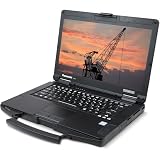
- Rugged Enterprise Design – The Toughbook FZ-55 MK1 is built to military-grade durability standards, offering exceptional protection against drops, vibration, dust, and extreme environments.
- Touchscreen Convenience – Features a responsive 14" touchscreen display for easy navigation in the field, glove-friendly usability, and clear visibility in various lighting conditions.
- Reliable Connectivity Anywhere – Stay connected with fast Wi-Fi and integrated LTE mobile broadband, ideal for remote work, field service, public safety, and on-the-go productivity.
- Modular & Flexible – Expandable architecture allows quick customization of storage, RAM, and functional modules, delivering long-term value and adaptability for any workflow.
- Fresh install and activated Windows 11 with zero bloatware. Your very own genuine Windows 11 digital license will be applied to the unit.
System76 Darter versus Pangolin versus Lemur
Darter and Pangolin are the better choices when future RAM expansion is central, with up to 96GB DDR5. The current Lemur Pro listing uses 32GB LPDDR5X and up to 4TB NVMe, making it a portable, repairable Linux ultraportable rather than the best RAM-upgrade platform: System76 Lemur Pro.
Internal graphics versus eGPU
An internal module shares the laptop’s designed power and cooling system. An eGPU requires an enclosure, cable and compatible high-bandwidth interface and may lose performance to that connection. Treat the two as different upgrade categories.
What upgrades really involve
Replacing an SSD is usually the simplest job: remove the bottom cover, disconnect power as directed, swap the M.2 drive and reinstall the operating system or restore a backup. Memory upgrades still require matching DDR generation, form factor, speed, slot count and firmware limits. Battery, keyboard, display, motherboard and graphics work can require more disassembly, ESD precautions, thermal-paste work, encryption recovery or firmware support.
Before opening any machine, read its service guide, back up data, record recovery keys and check warranty terms. Do not assume a newer module will work merely because it fits physically.
Recommended Free Tools
Does modularity save money?
It can reduce the cost of a battery, display, keyboard, port, SSD or memory replacement and defer a complete laptop purchase. Savings are not automatic: proprietary modules, shipping, labor, discontinued parts and a higher initial configuration can offset them. Compare the price of a larger vendor-installed SSD or RAM kit with standard parts you can install later, using the exact model generation.
When a part is unavailable
Long-term value depends on parts remaining available. Check the vendor’s current inventory, regional shipping, standard-part compatibility, firmware support and whether calibration or authorization is required. Framework and Lenovo publish established repair information and parts ecosystems in the sources above; System76 emphasizes technical guides and support. None can guarantee that every future module will remain in production.
Quick Recap
Buying checklist
- Confirm the exact model, processor and generation.
- Identify whether RAM is SO-DIMM, LPCAMM2 or soldered, and verify maximum capacity and speed.
- Count M.2 slots and check supported SSD sizes and interfaces.
- Check battery, display, keyboard and port replacement procedures.
- Verify current parts inventory and shipping in your country.
- Distinguish official Linux support from merely installable Linux.
- Check warranty effects, firmware requirements and data-recovery steps.
- Compare configured purchase price with realistic later upgrade costs.
Final recommendations
- Most modular: Framework Laptop 16.
- Best portable: Framework Laptop 13 Pro.
- Best convertible: Framework Laptop 12.
- Best business value: Lenovo ThinkPad L14 Gen 7.
- Best premium business choice: Lenovo ThinkPad T14 Gen 6.
- Best Linux upgradeability: System76 Darter Pro.
- Best AMD/Linux option: System76 Pangolin Pro.
Product prices and availability are accurate as of the date/time indicated and are subject to change. Any price and availability information displayed on Amazon at the time of purchase will apply.




