Recommended Free Tools
There is no single best payroll outsourcing company for every U.S. business. The right choice depends first on what you mean by “outsourcing”: a payroll platform can automate work you still manage, a managed provider can run more of the process for you, and a professional employer organization (PEO) can bundle payroll with HR and benefits. For small teams that want software-led automation, Gusto is a fit to consider; businesses seeking a PEO model may look at Justworks, ADP TotalSource, or TriNet. QuickBooks Payroll suits companies already using QuickBooks accounting, while OnPay is aimed at businesses that want straightforward payroll.
What payroll outsourcing means—and what it does not
“Payroll outsourcing” covers different operating models. A payroll platform may calculate pay, file taxes, and automate workflows while your business remains responsible for reviewing and approving payroll. A managed provider may take a more active role in administering payroll and employment taxes. A PEO combines payroll with broader HR services and benefits. The IRS describes third-party payroll providers as administering payroll and employment tax functions, including reporting, collecting, and depositing taxes. IRS: Outsourcing payroll duties
Before comparing vendors, establish who prepares payroll, who approves and funds it, who handles tax filings and deposits, and what your staff must still verify. The six providers below are conditional fits based on their stated service models—not a tested ranking of performance.
Six payroll outsourcing companies to consider
1. Gusto: small teams that want an automated payroll and HR platform
Gusto is a software-led option for smaller businesses that want payroll automation alongside HR workflows. Its vendor guide describes automated tax filings, compliance, and onboarding, but distinguishes this model from a provider that runs payroll on a customer’s behalf. That makes it important to confirm exactly which tasks your team retains.
Do these 3 things before closing this tab:
1Repair Windows errors before they cause bigger problems2Scan for outdated or missing drivers - takes under a minute3Clear out junk files and repair common Windows errors#1 Best Overall

- COMPACT & PORTABLE- Mini desktop size with rubberized keys for fast, comfortable input in office or on-the-go environments.
- BIG DISPLAY & EASY INPUT – 12-Digit LCD Display, large, easy-to-read screen ideal for quick and accurate business or personal calculations.
- ONE-COLOR PRINTING WITH DATE & TIME-Prints in crisp black and automatically includes the date and time—ideal for accurate recordkeeping, receipts, budgets, and accounting tasks.
- TAX & BUSINESS FUNCTIONS- Includes cost/sell/margin, tax calculation, and currency exchange functions for efficient financial decision-making.
- CHECK, CORRECT & RE-PRINT – Review and correct up to 150 steps before printing; use re-print and after-print functions for efficient documentation.
A February 10, 2026 Gusto guide listed Simple at $49 per month plus $6 per person per month, Plus at $80 per month plus $12 per person per month, and Premium at custom pricing. These are dated vendor-reported prices, not independently verified live quotes; confirm current fees, plan features, and any add-ons directly. Gusto’s payroll outsourcing comparison
2. Justworks: small businesses seeking a PEO bundle
Justworks is a PEO-oriented choice for businesses that want payroll and tax filings combined with services such as onboarding, benefits, and compliance support. A February 10, 2026 Gusto guide listed Basic at $59 per employee per month and Plus at $99 per employee per month. The guide describes differences in plan scope; check current eligibility, state coverage, contract terms, and included services rather than treating those figures as current quotes. Gusto’s payroll outsourcing comparison
Rank #2

- [IMPORTANT: ADDING MACHINE LOGIC] - This is an adding machine, NOT a standard calculator. For calculations like 4 - 2, press: 4 [+] 2 [-] and Subtotal Key [*] to get 2. This accounting logic ensures accurate financial calculations. Detailed tutorials included in manual.
- [2-COLOR INK PRINTER] - Features Blue & Red ink printing (vs single-color competitors). The IR-40T industry-standard ink roller is easily replaceable. Color coding helps organize debits (red) and credits (blue) for clear accounting records.
- [PROFESSIONAL ACCOUNTING FUNCTIONS] - Features Tax Calculation, Grand Total, Item Count, plus **Cost/Sell/Margin** for profit analysis. Complete financial toolkit for accounting professionals and business owners.
- [UPGRADED DESIGN & DUAL POWER] - Easy-load paper mechanism, curved ergonomic keys, and on/off switch. Includes AC adapter + supports 4 AA batteries (not included). More convenient than battery-only competitors.
- [4-INCH 12-DIGIT DISPLAY] - Large 4" screen supports 12-digit calculations with clear visibility. Ideal for accountants, small businesses, home offices, and retail stores needing reliable adding machine functionality.
3. QuickBooks Payroll: businesses already using QuickBooks accounting
QuickBooks Payroll’s main stated fit is businesses that want payroll closely connected to QuickBooks accounting. The integration may simplify workflows for an existing QuickBooks user, but compare the actual plan features your business needs before choosing it.
Check current pricing and which tier includes local tax support, multi-state payroll, time tracking, and tax protection. A headline starting price alone does not establish the cost or coverage for your locations and workforce. Gusto’s payroll outsourcing comparison
Rank #3
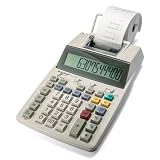
- TWO-COLOR INK PRINTING: A fast, reliable 2.2 lines-per-second ink printer delivers black and red printing, and an extra-large fluorescent display with a screen size of 3 keeps numbers easy to view.
- DURABLE METAL AND PLASTIC BUILD: A metal and plastic enclosure and a professional keyboard layout handle daily office tasks with dependable, long-term construction.
- COST, SELL AND MARGIN KEYS: Profit margin calculations come together quickly, pairing with a one-touch change calculation function that instantly displays and prints the exact change owed.
- SIMPLE INK REFILLS: It uses replaceable, standard Victor ink roller IR40T refills, with a starter paper roll included so it's ready to use right out of the box.
- TRUSTED BY WORKPLACES FOR DECADES: Sharp has been a dependable name in office calculation for generations — practical tools built around the way people actually work.
4. ADP TotalSource: growing companies considering fuller PEO support
ADP TotalSource is positioned as a PEO for growing businesses seeking payroll alongside HR, compliance, benefits, and dedicated specialist support. Pricing is custom rather than publicly listed in the cited guide, so request a proposal that itemizes implementation, optional services, and service commitments. Compare what the quote includes with the operational work your team expects the provider to take on. Gusto’s payroll outsourcing comparison
5. OnPay: small businesses seeking straightforward payroll
OnPay is described as a straightforward small-business payroll service with tax filings, benefits administration, and basic HR tools. The guide notes support for W-2 employees and 1099 contractors, but you should confirm how your particular worker arrangements are handled and what filings are included.
Rank #4

- [IMPORTANT: ADDING MACHINE LOGIC] - This is an adding machine, NOT a standard calculator. For calculations like 4 - 2, press: 4 [+] 2 [-] and Subtotal Key [*] to get 2. This accounting logic ensures accurate financial calculations. Detailed tutorials included in manual.
- [2-COLOR INK PRINTER] - Features Blue & Red ink printing (vs single-color competitors). The IR-40T industry-standard ink roller is easily replaceable. Color coding helps organize debits (red) and credits (blue) for clear accounting records.
- [PROFESSIONAL ACCOUNTING FUNCTIONS] - Features Tax Calculation, Grand Total, Item Count, plus **Cost/Sell/Margin** for profit analysis. Complete financial toolkit for accounting professionals and business owners.
- [UPGRADED DESIGN & DUAL POWER] - Easy-load paper mechanism, curved ergonomic keys, and on/off switch. Includes AC adapter + supports 4 AA batteries (not included). More convenient than battery-only competitors.
- [4-INCH 12-DIGIT DISPLAY] - Large 4" screen supports 12-digit calculations with clear visibility. Ideal for accountants, small businesses, home offices, and retail stores needing reliable adding machine functionality.
Published vendor comparisons report conflicting starting prices for OnPay, so a single figure would be misleading as a current price. Verify the price directly and ask whether per-worker charges, tax filings, year-end forms, or other services change your total. Gusto’s payroll outsourcing comparison Rippling’s payroll outsourcing comparison
6. TriNet: businesses seeking a PEO with industry-focused HR support
TriNet is positioned as a PEO offering payroll, benefits, and HR support, with vendor materials associating it with compliance-heavy industries. That positioning does not establish that a particular plan will meet your legal or jurisdiction-specific needs. Pricing is custom in the cited guide, which also flags limited price transparency and integration constraints; ask for a written quote and confirm integrations with your existing systems. Gusto’s payroll outsourcing comparison
Best Value

- EXTRA-LARGE DISPLAY AND FAST PRINTER: An extra-large display keeps calculations easy to view, paired with a fast, reliable 4.8 lines-per-second ribbon printer for clear physical records.
- DURABLE PLASTIC BUILD: A plastic enclosure is built to keep up with daily business tasks and long-term commercial use.
- COST-SELL-MARGIN FUNCTION: Enter two variables and the Cost-Sell-Margin function finds the third automatically, alongside automatic add-ons, discounts, and quick time calculations.
- DEPENDABLE AC POWER: This calculator runs on a steady AC power source, keeping performance consistent throughout the workday.
- TRUSTED BY WORKPLACES FOR DECADES: Sharp has been a dependable name in office calculation for generations — practical tools built around the way people actually work.
How to choose the right operating model
Start with the amount of responsibility you want to hand off, not with a vendor’s “best for” label. Use these questions to define the scope before requesting quotes:
- Who operates payroll? Identify who enters or imports hours and changes, checks calculations, approves the run, and funds it.
- Where do you employ people? List every state and locality where you need payroll or tax support. Confirm coverage for each location instead of assuming national availability.
- Who is on the payroll? Distinguish W-2 employees from contractors, and confirm which worker types the service supports and what tax forms or payments it handles.
- How much HR and benefits support do you need? A payroll platform, a managed payroll arrangement, and a PEO differ in how much HR administration and benefits support they bundle.
- What systems must connect? Check accounting, timekeeping, and HR integrations, including whether the specific plan you are considering includes them.
- What support will you receive? Ask about implementation, who answers operational and tax questions, and what response or service commitments appear in the contract.
- What is the full cost? Compare base fees, per-worker fees, add-ons, implementation charges, year-end forms, and contract terms. Request an itemized quote where pricing is custom.
How to oversee payroll taxes after outsourcing
Using a payroll provider does not transfer the employer’s federal payroll-tax responsibility. The IRS says an employer remains ultimately responsible for federal tax deposits and payments even when a third party performs payroll duties; if the provider fails to deposit taxes, penalties and interest can still be assessed to the employer. The IRS advises employers to retain their own address of record and register for EFTPS access so they can periodically verify federal tax deposits made on their behalf. It also warns: “A red flag should go up the first time a service provider misses a payment or makes a late payment.” IRS: Outsourcing payroll duties
If your team spans countries
This comparison is primarily for U.S. businesses choosing domestic payroll or a U.S. PEO. A business hiring across borders should distinguish payroll for workers employed by its own local entity from contractor payments and employer-of-record (EOR) employment. Confirm the provider’s exact country coverage, worker classification, and delivery model for every location; a vendor’s global service description is not independent confirmation of performance or local suitability.
The cited Gusto guide describes Remote as an alternative for global payroll, contractor payments, and EOR support. Deel describes managed and self-service payroll across countries and multiple worker types. Treat these as vendor descriptions and verify the country-specific service and terms directly. Gusto’s payroll outsourcing comparison Deel payroll services
Quick Recap
Product prices and availability are accurate as of the date/time indicated and are subject to change. Any price and availability information displayed on Amazon at the time of purchase will apply.




