Windows Errors? Fix Them Before They Spread
Repair common Windows errors and clear accumulated junk for a smoother, more stable PC - no reinstall needed.Free scan · no reinstallCrashes, No Sound, or Screen Glitches?
Random freezes, missing sound and display glitches usually trace back to one bad driver. Find and replace yours safely.Free scan · under a minuteRamp, Brex, Mercury, Airwallex and BILL offer distinct approaches to business virtual cards, from account-funded debit cards to charge cards and vendor-specific spending controls. The available provider information supports comparing these five, but does not establish a verified or ranked list of 17. Treat this as a practical shortlist—not an objective “best of 17” ranking—and confirm each provider’s current terms for your business and country.
How the five providers differ
A virtual card is a card number managed digitally, but the way it is funded and controlled varies. It may draw on an account balance, require repayment as a charge card, or operate with an assigned spending limit. Before comparing features, check whether the card’s funding model and repayment timing suit your cash flow.
| Provider | Funding model described | Documented virtual-card uses or controls | Pricing or access detail established here |
|---|---|---|---|
| Ramp | Not established in the reviewed product information. | Single-use or recurring cards, custom limits and vendor restrictions. | A Free plan is listed; Ramp Plus is an optional paid tier. Features vary by plan. |
| Brex | Charge cards; the statement must be paid in full when due. | Purchasing cards for recurring software and online purchases; employee cards may be digital or physical. | Essentials is listed at $0 per user per month, Premium at $12 per user per month, and Enterprise is custom-priced. Local-currency card programs in 50+ countries are described for applicable offerings. |
| Mercury | Virtual debit cards draw from a selected, funded checking account; IO is a separate credit-card option for eligible organizations. | Named cards, spending limits and merchant-locked cards. | IO eligibility depends on company factors. No comparable plan price is established here. |
| Airwallex | Account-funded Visa debit cards can draw from held balances, with automatic conversion described when the needed currency is not held. | Employee and company cards, limits, merchant-type restrictions and single-use cards. | Its US page describes multi-currency spending. Fees, supported countries and eligibility depend on jurisdiction. |
| BILL Spend & Expense | Not established in the reviewed product information. | Virtual cards for subscriptions, operating expenses and online purchases, with vendor-specific cards, hard limits and freeze controls. | Current fees, qualification and geographic availability are not established here. |
Provider descriptions are not guarantees that every feature is available to every business. Card programs, approval, account requirements and plan access can depend on the company’s location, entity and provider terms.
Which provider may fit your spending pattern?
Ramp: card controls alongside finance workflows
Ramp is worth comparing if you want virtual-card issuance connected with expense controls and broader finance workflows. Its documented single-use and recurring options can help separate one-off purchases from ongoing vendor charges, while vendor restrictions and custom limits provide ways to define where and how a card is used. Check the plan details for the controls and integrations your team needs; the Free plan does not mean every workflow or service is necessarily fee-free.
Quick wins for a faster PC:
Fix the driver behind crashes, sound loss and screen glitchesFind Drivers →Repair Windows errors before they cause bigger problemsFix Now →#1 Best Overall

- No app or device requirement: Share your dot.Profile with anyone, as others don't need an app or a dot.device to receive your information.
- Hassle-free sharing: Easily share your dot.Profile with unlimited free shares of your digital business card.
- Simple sharing process: Tap your dot.device to a compatible phone or scan the dot.Profile QR code to share your profile. Compatible with a wide range of phones.
- Update information on the go: Keep your dot.Profile up to date by easily modifying and updating your information as it changes, ensuring you always have the most accurate details.
- Privacy and security: Protect your information with dot, as no passwords are ever needed to link your social accounts. Dot uses only usernames and links to create your digital business card.
Brex: purchasing cards with full statement repayment
Brex describes one employee card per team member, physical or digital, and purchasing cards without a stated per-user count limit. Its charge-card structure is an important cash-flow distinction: the statement is due in full, rather than the card being an account-funded debit card. Compare repayment requirements with your spending cycle, and verify whether your entity and selected plan qualify for the local issuing capabilities relevant to your team.
Mercury: debit cards with a separate, eligibility-based credit option
Mercury’s virtual debit cards are available immediately according to its support documentation and draw from a selected checking account. Naming cards for purposes such as software or advertising can make recurring costs easier to identify, while limits and merchant locks add controls. Mercury separately describes IO as a credit-card option for eligible organizations; eligibility factors include company size, spending patterns and fundraising history.
Rank #2

- FREE FOREVER, NO SUBSCRIPTION: Other NFC business cards charge you a monthly fee to keep sharing. Blinq doesn't. Share your digital card and manage unlimited contacts with context, at no ongoing cost, on any iPhone or Android.
- YOUR BRAND, YOUR CARD: Add your logo, links, colors, and photos, and make the card unmistakably yours. Update your details anytime in the Blinq app, so you'll never need to reprint when something changes.
- TAP TO SHARE INSTANTLY: Tap your card or scan the QR code, and your profile lands on any iPhone or Android in seconds. Ask for theirs back and Blinq saves it automatically, with context, no typing required.
- NO APP NEEDED FOR THEM TO RECEIVE YOUR CARD: Whoever you meet, they don't need the Blinq app or a Blinq card of their own. A tap or a scan, and your details are on their phone, every time.
- MORE THAN A DIGITAL CARD: Scan a paper card, use the AI notetaker to summarize your conversation, and let Blinq enrich the contact so nothing about that meeting slips away. This is the AI contacts app for people who meet people, free from day one.
Mercury says it is a fintech company, not an FDIC-insured bank, and identifies Choice Financial Group and Column N.A. as the banks providing banking services. If you are evaluating Mercury alongside a banking relationship, distinguish the fintech service from the banks that provide banking services.
Airwallex: consider it for multiple currencies
Airwallex’s US virtual-card page describes employee and company cards for business expenses, with spending from held account balances and automatic currency conversion when the required currency is not held. That makes its account-funded debit model different from a charge card that must be repaid in full after a statement. If your business spends across currencies, check supported countries, conversion costs and other applicable fees for the account and card program you would use.
Rank #3
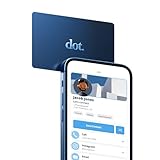
- No app or device requirement: Share your dot.Profile with anyone, as others don't need an app or a dot.device to receive your information.
- Hassle-free sharing: Easily share your dot.Profile with unlimited free shares of your digital business card.
- Simple sharing process: Tap your dot.device to a compatible phone or scan the dot.Profile QR code to share your profile. Compatible with a wide range of phones.
- Update information on the go: Keep your dot.Profile up to date by easily modifying and updating your information as it changes, ensuring you always have the most accurate details.
- Privacy and security: Protect your information with dot, as no passwords are ever needed to link your social accounts. Dot uses only usernames and links to create your digital business card.
BILL Spend & Expense: vendor-specific cards and limits
BILL describes instant virtual cards for subscriptions, operating expenses and online purchases. A unique card for each vendor can help isolate recurring charges and make it easier to identify which card to freeze if a vendor relationship ends. Confirm current pricing, eligibility, geography and accounting fit before relying on a particular workflow.
How to choose a business virtual card provider
- Start with funding and repayment. Decide whether you need a debit card drawing from available funds, a charge card with full statement repayment, or another credit arrangement. Do not assume approval or a particular credit limit.
- Match card type to the purchase. Use the provider’s documented options to assess employee cards, vendor-specific cards, single-use cards and recurring subscription cards. A separate card for a vendor can improve visibility, but only if the controls and reporting suit your process.
- Check controls at the plan level. Compare per-card limits, merchant or category restrictions, the ability to freeze cards and transaction visibility. Confirm which controls are available on the plan you would actually use and whether approvals are required.
- Calculate total cost, not just card cost. Compare subscription pricing and included features with paid-tier requirements and any relevant transaction, payment or currency-conversion costs. A free plan or free card does not establish that every service or workflow has no charge.
- Verify country and currency support. Check availability for your business entity and employees, local issuance, supported currencies and international spending costs. A provider’s description of global acceptance or multi-currency spending does not guarantee identical access in every country.
- Check operational fit and eligibility. Review business-account prerequisites, underwriting or approval, accounting integrations and expense-approval workflows. For Mercury IO, for example, eligibility is not automatic and depends on company factors.
Why this is not a verified 17-provider ranking
The provider information available for this comparison substantiates five services in useful detail, not a complete set of 17 with comparable current terms. It therefore cannot support naming 12 additional providers or ranking all 17 as “best.” These five are comparison candidates, not a verified top five. A true 17-provider ranking would require current, comparable evidence for each provider and a stated method for weighing cost, eligibility, controls, geography and repayment terms.
Quick Recap
Best Value

- NO MONTHLY FEES - Unlimited sharing forever for TapSnap owners. Unlike competitors who charge monthly, TapSnap's monthly access is free and not a subscription. TapSnap owners always enjoy unlimited, free sharing of their digital business cards.
- FAST TAP OR QR SCAN — NFC digital business card plus QR code business card for universal compatibility.
- COMPATIBLE WITH iPHONE & ANDROID - Works with all smartphones of the last 10 years; QR fallback for older devices.
- HIGH‑CONVERTING PROFILE — Add links, socials, email, phone; instant electronic business card—no app required for recipients.
- SCANNABLE, CONTACTLESS, SMART — Tap business card and tap card experience powered by reliable NFC.
Rank #4

- FREE FOREVER, NO SUBSCRIPTION: Other NFC business cards charge you a monthly fee to keep sharing. Blinq doesn't. Share your digital card and manage unlimited contacts with context, at no ongoing cost, on any iPhone or Android.
- YOUR BRAND, YOUR CARD: Add your logo, links, colors, and photos, and make the card unmistakably yours. Update your details anytime in the Blinq app, so you'll never need to reprint when something changes.
- TAP TO SHARE INSTANTLY: Tap your card or scan the QR code, and your profile lands on any iPhone or Android in seconds. Ask for theirs back and Blinq saves it automatically, with context, no typing required.
- NO APP NEEDED FOR THEM TO RECEIVE YOUR CARD: Whoever you meet, they don't need the Blinq app or a Blinq card of their own. A tap or a scan, and your details are on their phone, every time.
- MORE THAN A DIGITAL CARD: Scan a paper card, use the AI notetaker to summarize your conversation, and let Blinq enrich the contact so nothing about that meeting slips away. This is the AI contacts app for people who meet people, free from day one.
Product prices and availability are accurate as of the date/time indicated and are subject to change. Any price and availability information displayed on Amazon at the time of purchase will apply.




