The Samsung Galaxy Tab A NOOK 7 is a discontinued 2016 Android tablet built around Barnes & Noble’s reading software—not a dedicated E Ink e-reader. It launched at $139.99, but in 2026 it is worth considering only as a very inexpensive used device after checking its battery and confirming that NOOK sign-in, downloads and the apps you need still work. For a current tablet, its outdated Android 5.1 software, 1.5GB of RAM and 8GB of storage make it a poor choice.
What is the Samsung Galaxy Tab A NOOK 7?
Announced and made available in the United States on August 17, 2016, this was a partnership product: Samsung supplied the tablet hardware, while Barnes & Noble added its NOOK reading experience, bookstore access and related software. It is also called the Samsung Galaxy Tab A NOOK, Galaxy Tab A 7.0 NOOK and Galaxy Tab A 7.0 (2016). Samsung’s regular Wi-Fi Galaxy Tab A 7.0 is associated with model SM-T280, but do not assume every NOOK-branded unit has that identifier. Check the model number on the device itself.
The NOOK edition was not a faster or substantially upgraded Galaxy Tab A. Its main distinction was Barnes & Noble integration on a general-purpose Android tablet. It is not an E Ink reader: its screen is a conventional backlit LCD.
Samsung Galaxy Tab A NOOK 7 specifications
| Specification | Detail |
|---|---|
| Product type | Android tablet with Barnes & Noble NOOK software |
| Release | August 17, 2016, United States |
| Launch price | $139.99; qualifying existing NOOK owners could get a limited launch upgrade price of $99.99 |
| Display | 7-inch TFT/PLS-type LCD, 1,280 × 800 pixels |
| RAM | 1.5GB |
| Internal storage | 8GB nominal; usable space is lower after system software and apps |
| Expansion | microSD; launch materials advertised support up to 200GB |
| Rear camera | 5MP |
| Front camera | 2MP |
| Battery | 4,000mAh, non-removable |
| Operating system at launch | Android 5.1 Lollipop |
| NOOK software at launch | Version 4.6 |
| Other listed features | Wi-Fi, GPS, FM tuner and 3.5mm headphone connection; verify exact radio and hardware details against the individual regional model |
| Current status | Discontinued; not listed in Barnes & Noble’s current NOOK-by-Samsung lineup |
Contemporary reporting conflicts on the processor. SamMobile lists a 1.3GHz quad-core Samsung Exynos 3475, while Android Headlines reports a Qualcomm Snapdragon 410 or Spreadtrum SC9830; other listings also identify the Snapdragon 410. The variation may reflect conflicting reports or regional versions, so confirm the chipset on the specific unit rather than treating one listing as universal. Sources: SamMobile, Android Headlines and Gadgets 360.
#1 Best Overall

- Compatible Model: Speaicially designed for Samsung Galaxy Tab 4 7.0 Tablet (2014)/ Galaxy Tab 4 7.0 Nook (2014) (Model: SM-T230NU/SM-T230/T231/T235/T237), ( gift with a stylus pen and soft cleaning cloth.) Available in a variety of bright and fun colors.
- Full Body Protection: Premium and anti-scratch PU leather exterior, with flexible, shock-absorbing TPU back cover, that protects your tablet from prints, dirt, shock and scratches.
- Magnetic Closure Case with Stand: Powerful magnets clip keep front cover sealed and your tablet safe from scratches. Folio flip cover, propping up the tablet for considerate sturdy standing view angles and typing feature.
- with Card Pocket: Wallet shell design has 3 card slots and a cash pocket, which is designed for you to store your business cards, bank cards, notes or bills while on the go.
- Slim Lightweight & Precise Incision: Quite slim and not adding to the tablet bulk; Great protection without adding bulk or weight; The cut-outs in the case for access to all the working buttons and features such as microphone, camera, speakers, etc.
Barnes & Noble’s launch announcement and the user manual provide original product and setup details.
What the NOOK edition added
Barnes & Noble’s software made the device a more direct route into its bookstore, but the tablet also supported Google Play and ordinary Android apps. Its launch features included:
- Direct access to the NOOK Store and a BN.com shortcut.
- NOOK Profiles for up to six users, with personalized reading experiences.
- B&N Readouts for excerpts, articles and discovery, plus Serial Reads, which delivered fiction in installments.
- The ability to download some NOOK books to microSD storage.
- Planned NOOK Audiobooks support, which should not be taken as proof that audiobook functions work on every surviving device today.
How good is it for reading?
The 7-inch size is compact and easy to carry, and 1,280 × 800 pixels is adequate for ordinary text and many comics. Because it is an Android tablet, it can also handle basic browsing, email and compatible apps. A microSD card can help with downloaded books and other files.
Rank #2

- This case is compatible with Samsung Galaxy Tab A 7.0 Tablet (SM-T280 / SM-T285). It will NOT work for Samsung Tab A7 10.4 inch 2020 Release Tablet, or any other model tablet.
- Premium synthetic leather with soft non-scratch microfiber interior. Prevent from finger prints, dirt, and scratches
- Cover has flip capability to transform the case into a horizontal viewing stand. Open interior pocket for easy insertion of your device. Designed with magnetic closure.
- Designed with a smart holder for stylus/pen. Package NOT including stylus pen.
- Available in a variety of bright and fun colors.
The trade-off is the LCD. Unlike an E Ink NOOK, this screen is backlit, reflective and suited to video and apps as well as text. It does not offer the low-glare, paper-like viewing experience that makes a dedicated reader appealing for long reading sessions. Its smaller page area may also feel cramped for magazines or readers who prefer larger type.
Performance and software in 2026
With Android 5.1, 1.5GB of RAM and 8GB of nominal internal storage, the tablet is far outside the software generation expected by many current apps. It was intended for reading, light browsing, email and simple apps—not demanding games, heavy multitasking or sustained productivity. In 2026, slow launches and interface lag are plausible, and current websites or apps may be incompatible or inefficient. The 8GB is not all available for personal files, and a microSD card does not mean every app can be moved to external storage.
Do not assume that a preinstalled NOOK app will still connect to current services just because it opens. The original software and today’s NOOK account, sync and download requirements are separate issues. Before paying, verify that the unit can sign in, sync a library, download a book and open a recently acquired title. Google Play installation, video streaming and other apps may also depend on Android version, Play Services, DRM certification and the app’s current requirements. Sideloading a newer app is not a reliable workaround.
Rank #3

- Compatibility model:only compatible with Samsung Galaxy Tab A 7.0 (Model number: SM-T280/T285) (2016 Release); Galaxy Tab 4 7.0 (SM-T230 /T231/ T235) (2014 Release); Galaxy Tab 3 7.0 inch (SM-T210/SM-T211/ P3200 /P3210 ) (2013 Release); Galaxy Tab E Lite 7.0 (SM-T113) (2016 Release) & Galaxy Tab 3 Lite 7.0 (SM-T110/SM-T111/SM-T116) (2014 Release). ( Gift: with a Stylus Pen and Soft Cleaning Cloth).
- Full Body Protection: Made from a lightweight, kid-safe, impact-resistant, drop-proof soft eva foam material, provides protection against bumps and drops, durable and hard PC inner shell case can withstand considerable wear and tear, easy to install, wash and clean.
- Kickstand Case with Multiple Viewing Angles: Built-in foldable kickstands can stand up your tablet on the desk for hands-free horizontal viewing angle or typing, keyboarding position. Rugged case has heavy duty protection, protective against scratches, drops and other damage.
- Portable Handle: Non-slip Handle grip is designed to be easy for little hands to hold and carry, it also fits adults. Lightweight case with easy handle, portable for school or outdoor activities.
- Super Lightweight and Precise Openings: Precise cutouts allow full access to charger port, speakers, cameras, earphone, volume and power buttons. Ultra slim and lightweight, add minimal bulk to your tablet while providing comprehensive protection.
The Samsung support page identifies the regular Galaxy Tab A 7.0 Wi-Fi product, but the Samsung name does not make this 2016 NOOK model equivalent to a current Galaxy Tab A.
Battery, cameras and other hardware
Barnes & Noble advertised up to 11 hours of Internet use under its original test conditions. That was a manufacturer estimate for a new battery, not a realistic promise for a tablet manufactured around 2016. A used unit’s runtime depends heavily on battery condition.
Windows Errors? Fix Them Before They Spread
Repair common Windows errors and clear accumulated junk for a smoother, more stable PC - no reinstall needed.Free scan · no reinstallOutdated Drivers Are Slowing You Down
One free scan finds every outdated or missing driver and matches the right update for your exact hardware.Free scan · exact hardware matchThe 5MP rear and 2MP front cameras are basic and are not compelling reasons to buy it. GPS, an FM tuner and a headphone jack are useful extras on a low-cost tablet, while the advertised microSD limit of 200GB is a launch-era specification—not a guarantee that every newer card works.
Rank #4

- input voltage:100 -240V
- Product Type:Tablet
- Brand Name:Samsung
- Manufacturer:Samsung
- Product Model:SM-T230
Release date and original price
The tablet went on sale in the United States on August 17, 2016, through Barnes & Noble stores and BN.com. Its standard launch price was $139.99. During a limited launch promotion, qualifying existing NOOK owners could upgrade for $99.99; Barnes & Noble Members were also offered a free cover whose stated value was $39.95. Those were historical launch offers, not current prices or benefits. Details are in Barnes & Noble’s announcement.
There is no current official retail price for the discontinued Tab A NOOK. Any 2026 price is a used-market price, and the available evidence does not establish a dependable market average. Judge a listing by condition and working features rather than by its old launch price.
Independent reader supportYour contribution helps us test, update, and keep practical guides available for everyone.Used-buying checklist
Ask the seller to demonstrate the functions you intend to use. If the tablet cannot be tested or the seller will not allow a return, the risk is higher.
Best Value
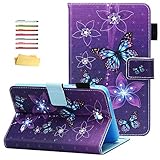
- Compatibility Model: Speaicially designed for Samsung Galaxy Tab 4 7.0 Tablet (2014) (model: SM-T230/T231/T235), 2014 release, (7.0-inch Display) ( gift with a stylus pen and soft cleaning cloth.) Available in a variety of bright and fun colors.
- Full body protection, made of durable PU leather with soft microfiber lining to prevent scratches, as well as a soft and drop-proof TPU back cover with moisture and shock absorption; full body protection case provides both impact protection and scratch resistant.
- Stand case with Adjustable Standing: There are multiple anti-slip support slots/strips, and folio flip design can maintain the stable triangular structure, which can provide the multi-angle viewing and steady stand function.
- Card Slots and Elastic Pencil Holder: A elastic stylus pen holder, folio book style wallet case includes multiple card pockets, convenient for storing your various credit cards/ID/SD/SIM/memory card, Fitness Cards, photo, notes. Quite slim and not adding to the tablet bulk; Great protection without adding bulk or weight.
- Magnetic Closure Case: Powerful magnets clip keep front cover sealed and your tablet safe from scratches; Precise Incision: the cut-outs in the case for access to all the working buttons and features such as microphone, camera, speakers, etc.
- Inspect the battery and screen. Look for swelling, a lifted screen, yellowing, dead areas and unresponsive touch. A swollen battery is a do-not-buy condition, not a cosmetic flaw.
- Check charging. Connect the charger and confirm that charging is steady. Inspect the micro-USB port for looseness or damage and watch for intermittent connection.
- Test wireless and controls. Connect to Wi-Fi and check the buttons, headphone connection and microSD slot if those features matter to you.
- Confirm account and NOOK access. Have the seller remove their accounts and, after a reset if possible, test sign-in, library sync, a download and opening a book.
- Check Google Play only if you need it. Open the store and try installing a simple app you expect to use; a Play Store icon alone does not establish compatibility with current apps.
- Check reset and ownership status. Confirm the device can be factory-reset and set up with your own accounts. The original manual covers setup and controls: Samsung Galaxy Tab A 7 user manual.
Pros and cons
Pros
- Compact 7-inch form factor.
- NOOK bookstore integration alongside Google Play access.
- microSD expansion, GPS, FM tuner and headphone connection.
- Can remain useful for basic offline reading if books are already downloaded.
Cons
- Android 5.1 is outdated, and current app compatibility is uncertain.
- Limited 1.5GB RAM and 8GB internal storage constrain modern use.
- Used battery health is unpredictable; replacement and repair may not be worthwhile.
- LCD is less suited to dedicated, long-session reading than E Ink.
- Processor specifications conflict across contemporary reports.
Should you buy one in 2026?
Consider it only for a narrow use
A very inexpensive, tested unit may suit an existing NOOK reader who wants a compact device for offline books, a collector, or someone with a specific legacy use. Buy only if its battery is healthy, the software you need works on the actual device, and you are comfortable with limited support and performance.
Choose something else for current apps or work
A student or general-purpose tablet buyer should avoid relying on this model for school, banking, work, dependable streaming or apps that need current security updates. Its age and software constraints outweigh a low used price when the goal is a dependable modern tablet.
Compare current reading options
For distraction-free, reading-first use, a current GlowLight-class NOOK is a better fit than an LCD tablet, though it is not a general-purpose Android device. Barnes & Noble’s current NOOK page listed the GlowLight Plus at $129.99 when checked in August 2026; treat that as a dated price signal, not a permanent offer: Barnes & Noble NOOK.
If you want a tablet with current NOOK integration, Barnes & Noble has introduced Lenovo-designed NOOK Reading Tablet hardware: announcement of the 8.7-inch NOOK Reading Tablet. Check the exact model, Android version, storage and price before buying. A current mainstream Android tablet with the NOOK app is another option, but confirm that the app supports that tablet’s Android version and country.
Recommended Free Tools
Quick Recap
Product prices and availability are accurate as of the date/time indicated and are subject to change. Any price and availability information displayed on Amazon at the time of purchase will apply.




