Recommended Free Tools
Short answer: Q Link Wireless is no longer following its former normal Lifeline-provider model. The FCC suspended Q Link from Lifeline in November 2024, authorized an emergency continuity arrangement involving Assurance Wireless, and Q Link later agreed to stop participating in FCC-administered programs. If you want to keep your phone number, do not cancel first—have your new carrier port the number while the current service remains active. If you want to keep Lifeline, transfer the benefit instead of submitting a second application.
First, identify who currently provides your service
Older guides may tell you to log in to Q Link, open an account menu and click “Cancel.” That may not describe your account in 2026. A former Q Link customer could now have:
- service arranged through Assurance Wireless under the FCC’s emergency continuity order;
- a later enrollment with another Lifeline provider;
- a residual Q Link portal or account record; or
- a phone number that exists but is no longer serviced directly by Q Link.
Check recent texts and emails, SIM packaging, account screens and bills. Identify two separate things: the company providing cellular service now, and the company holding your Lifeline enrollment. The FCC’s continuity order did not mean every customer had the same permanent account outcome. Read the FCC emergency order for the arrangement’s scope.
If you want to keep your phone number
Number porting and service cancellation are different actions. The new carrier normally starts the port. Cancelling or allowing the old account to lapse first can make the number unavailable for transfer.
#1 Best Overall
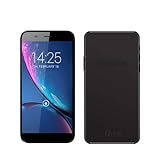
- Q Link Wireless Connecting America Autocrat H6 Smartphone (Serrano 3)
- Choose a carrier that serves your address and confirm it can port your number and support your phone or eSIM.
- Ask the new carrier to port the number associated with your former Q Link service.
- Gather the exact account-holder name, current account number, account PIN or password, service or billing address and telephone number. Do not guess a PIN or assume a Social Security-number suffix is the correct credential.
- Authorize the port through the new carrier.
- Keep the old service, phone and SIM available while the request is pending. StandUp Wireless gives the same instruction in its number-porting guidance.
- Follow the new carrier’s SIM or eSIM activation instructions and reboot when directed.
- Test incoming and outgoing calls, text messages, mobile data, voicemail and emergency calling.
- Obtain confirmation that the port completed. Only then request closure or Lifeline de-enrollment if it did not happen automatically.
A port may fail when the name, address, account number or PIN does not match, the account is inactive, the number is attached to a different provider record, or a port-protection block is present. Ask the new carrier to identify the exact rejection reason.
If you want to keep Lifeline but change companies
Ending wireless service does not automatically release or transfer your federal Lifeline benefit. If you still qualify, tell the new company that you want to transfer an existing Lifeline benefit, not create a second benefit. Lifeline generally allows only one benefit per household.
- Use the provider-finding tools at LifelineSupport.org to locate participating companies in your state.
- Confirm that the selected provider serves your address and that your device is compatible or that a replacement SIM or phone is available.
- Request a benefit transfer and complete the provider’s identity and eligibility checks. Information may include your name, date of birth, address, phone number and the last four digits of your Social Security number or a Tribal ID.
- Do not submit applications with multiple companies while the transfer is pending.
- Confirm both wireless activation and Lifeline status after the transfer.
The official Change My Company guidance says a consumer may transfer the benefit at any time and that most transfers should not interrupt service. A benefit transfer does not necessarily port your existing phone number; request number porting separately.
Rank #2

- Q Link Wireless Connecting America Pristine Z6, Smartphone (phone and brand may vary)
If you want to stop service and Lifeline completely
Contact the company currently providing the service or listed in your latest notice and request de-enrollment. If you have a separate paid account, ask whether Lifeline can be removed while the paid wireless account remains open; that option is provider-specific and is not available on every plan.
If the phone number matters, port it before de-enrollment. If it does not, you can activate another service and allow the old service to terminate, but a disconnected number may later be reassigned and might not be recoverable. Reapplying for Lifeline later would require a new eligibility review.
What to do if Q Link’s website or support does not work
Do not repeatedly submit new Lifeline applications or discard a SIM that contains a number you need. Contact the carrier named in the latest notice and explain that the previous provider was Q Link Wireless. Ask that carrier to initiate the port or explain how to obtain the account credentials.
Rank #3
![Case Compatible for Q-Link Wireless Monarch Z5 Phone Case Cover [with 1* Tempered Glass Screen Protector] Hybrid Case[360°Ring Support, Magnetic] CX-26-HEI](https://m.media-amazon.com/images/I/41Kv2Uy5igL._SL160_.jpg)
- [360-degree rotatable ring mount] – with multi-angle support, it makes watching videos and films both convenient and comfortable, offering an enviable viewing experience.
- 3D multi-directional shape change, depending on different light and angle
- PC hard back panel + soft silicone frame + four corners Shock Airbags
- The frosted surface prevents most fingerprints and the 3D design is stylish
- The ring mount features a magnetic ring, allowing you to use it in your car or for other magnetic applications
For enrollment, provider-identification or benefit-transfer problems, contact the Lifeline Support Center (information current as of this article’s publication):
- Phone: 800-234-9473, seven days a week, 9 a.m.–9 p.m. Eastern Time
- Email: [email protected]
- Help page: lifelinesupport.org/get-help
USAC can help with application status, eligibility documents, finding participating companies, recertification, household worksheets and portal access. It is not the wireless carrier and ordinarily cannot repair a device, troubleshoot a SIM or cancel a carrier bill. USAC advises contacting the provider first; if that fails, escalate through the applicable state utility regulator or the FCC consumer complaint process.
The Tool Desk
Outbyte Driver Updater FREEScan for outdated or missing drivers - takes under a minuteDriver Scan →Outbyte PC Repair FREEClear out junk files and repair common Windows errorsFree Scan →Troubleshooting common problems
“Duplicate Lifeline” or an existing-benefit error
An old enrollment may still be active. Contact the current provider or USAC rather than filing another application. Ask USAC to help identify the provider attached to your benefit.
Rank #4
![Aroepurt Case Compatible for Q-Link Wireless Monarch Z5 Phone Case Flip Cover [with Tempered Glass Screen Protector][RFID Blocking][Gold Glitter+Luminous] LPT-TT](https://m.media-amazon.com/images/I/516nhRuIHKL._SL160_.jpg)
- It is supported by advanced RFID blocking technology to block signals and protect your personal information effectively
- Can stand the phone up to watch something hands-free
- High quality PU leather, very light, it have card slots, can be put into cards and money
- Magnetic flap to keep it closed and protected, secure magnetic closure
- Adding a layer of gold powder creates a sparkling effect. After absorbing light under illumination, it emits a luminous glow in dark environments.
You cannot obtain an account number or PIN
Check every current notice and contact the provider now shown on your account. Give the new carrier documentation that the old Q Link channel is unavailable, then ask for escalation. Do not rely on unverified online formulas for Q Link credentials.
The port was rejected for a mismatch
- Verify the account-holder name exactly as recorded.
- Check address formatting, account number and PIN/password.
- Confirm that service is still active.
- Ask whether the number moved to another provider under an emergency or later transfer.
The phone stops working during a transfer
- Reboot the phone.
- Confirm that the intended SIM or eSIM is active.
- Check with the new carrier whether the port remains pending.
- Call the new carrier from another phone if necessary.
- Do not factory-reset the device until account and SIM details are recorded.
There is no single guaranteed porting timeframe. Follow the timeframe supplied by your new carrier.
You suspect unauthorized enrollment or identity theft
Contact the Lifeline Support Center and report the issue. The FCC Lifeline Fraud Tip Line is 855-455-8477 and the email address is [email protected]. Additional fraud information is available in the Lifeline FAQ.
Best Value
![jioeuinly Case Compatible for Q-Link Wireless Monarch Z5 Phone Case Cover [with 1* Tempered Glass Screen Protector] Hybrid Case[360°Ring Support, Magnetic] CX-03-FEN](https://m.media-amazon.com/images/I/41gtViT5poL._SL160_.jpg)
- [360-degree rotatable ring mount] – with multi-angle support, it makes watching videos and films both convenient and comfortable, offering an enviable viewing experience.
- 3D multi-directional shape change, depending on different light and angle
- PC hard back panel + soft silicone frame + four corners Shock Airbags
- The frosted surface prevents most fingerprints and the 3D design is stylish
- The ring mount features a magnetic ring, allowing you to use it in your car or for other magnetic applications
Which option fits your goal?
| Goal | Action | Main trade-off |
|---|---|---|
| Keep the number and leave Lifeline | Port to a paid carrier while the current service remains active. | You may pay monthly charges, taxes or activation fees and lose the Lifeline discount. |
| Keep the number and keep Lifeline | Request a Lifeline benefit transfer and separately request number porting. | Coverage, allowances, device rules and availability vary by state and provider. |
| Stop everything | Request carrier de-enrollment and Lifeline release. | The number may be lost or reassigned, and future re-enrollment requires eligibility review. |
Why older Q Link cancellation instructions may be outdated
- Q Link was suspended from the federal Lifeline program on November 8, 2024; the notice appeared in the Federal Register on December 12, 2024.
- The FCC adopted an emergency continuity order on November 22, 2024, allowing affected former customers to receive service through Assurance Wireless, using T-Mobile’s network arrangement, unless they opted out and selected another provider. Puerto Rico was addressed through a similar T-Mobile Puerto Rico arrangement.
- Q Link pleaded guilty on October 15, 2024, in a case involving fraudulent Lifeline claims.
- In a January 17, 2025 administrative settlement, Q Link agreed to cease participation in FCC-administered programs and not participate in them in the future. The FCC later published related debarment details in DA-25-1009A1.
These events are why a generic “log in and click cancel” path should not be treated as definitive. Your current carrier and Lifeline enrollment record determine the correct next step.
Where to move your service
Assurance Wireless may be relevant if you were included in the FCC-authorized continuity arrangement and want a Lifeline-supported path; see its official site. StandUp Wireless publishes an official bring-your-number process at standupwireless.com/bring-phone-and-number. Neither provider is suitable for every address, device or coverage need. Compare participating companies through LifelineSupport.org and verify current terms before enrolling.
Quick Recap
Product prices and availability are accurate as of the date/time indicated and are subject to change. Any price and availability information displayed on Amazon at the time of purchase will apply.




