Apple Card works at New York’s OMNY readers through Apple Pay, but that does not mean every rejected tap is an Apple outage. User reports describe Apple Pay and OMNY payment trouble, including failed website reloads, yet the available evidence does not confirm a systemwide Apple Card or Apple Pay outage as of August 18, 2026. A decline can come from the card issuer, an unpaid fare that has blocked a payment method, Wallet settings, or a reader; an OMNY website reload is a separate transaction path.
What is confirmed—and what is not
OMNY accepts contactless payments, including Apple Pay. In this setup, Apple Card is the payment card in Apple Wallet; Apple Pay is the way it is presented to an OMNY reader or used on a website. OMNY does not describe a separate Apple Card transit integration. See OMNY’s contactless-payment information, its terms of service, and Apple’s Apple Card information.
People have posted reports of Apple Pay reload failures on OMNY’s website and “card not accepted” messages at transit readers. Those posts are useful signals, not proof that Apple Card users share one underlying fault: an OMNY-site reload report, another reload discussion, and a reader-decline report.
The retrieved evidence does not establish an official Apple Card-specific incident or a systemwide Apple Pay outage. Apple’s system-status page showed Apple Pay available in the status snapshots consulted; that does not rule out an OMNY-specific, issuer-specific, account-specific, or intermittent problem. Treat “Apple Card is down in NYC” as unconfirmed unless Apple, OMNY, the MTA, or Goldman Sachs says otherwise.
#1 Best Overall
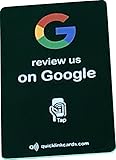
- 📲 NFC Technology Integrated NFC chip allow smartphones to access your preset link with a tap or scan. Works with iOS and Android devices without additional apps.
- 🛠 Simple Setup Configure in minutes using a phone. Add your review link or website, and update it anytime as needed.
- 📏 Compact Design Compact 3 3/8 × 2 1/8 inch business card size. Built for pocket or wallet for quick on the go drow and request a review.
- 🔄 Editable Link Linked destination can be changed whenever required. Direct customers to Google, Yelp, TripAdvisor, Trustpilot, or another page of your choice.
- 💳 One-Time Purchase No subscriptions or recurring fees. Durable PVC construction ensures long-lasting use with unlimited taps and scans.
First identify what failed
“Apple Card not working” can refer to different payment objects and processes. Pin down which one before troubleshooting:
- Tap at a subway gate or bus reader: Apple Card in Wallet is presented via Apple Pay, and the issuer must approve the fare authorization.
- Tap with Apple Watch: The Watch has its own Wallet and transit-card selection; do not assume its settings match the iPhone’s.
- Reload an OMNY Card online: This is a website payment. A failed reload does not show that physical readers are down.
- Check trips or charges online: This concerns OMNY account records and payment matching, not necessarily the ability to tap.
- Present the physical titanium Apple Card: This differs from selecting Apple Card in Wallet. Also distinguish Apple Cash or an OMNY Card if one of those was actually used.
For an ordinary card decline, Apple says the transaction goes to the card issuer for approval; Apple does not make that decision. For Apple Card, contact Apple Card support/Goldman Sachs rather than assuming the MTA declined it. See Apple’s declined-payment guidance.
Get through the gate or onto the bus
- Make one clean attempt with one payment credential. Present only the phone, watch, or physical card you intend to use. Avoid holding a physical card against the reader while tapping a device; Apple calls simultaneous presentation a card clash. Apple’s New York transit guidance explains this issue.
- Select the intended Wallet card if you have several. If you are using a device configured for Express Transit, check that the selected transit card is the one you mean to use.
- Try a separate payment method if the reader rejects the first one. OMNY recommends another contactless card or smart device when a payment is not accepted; an OMNY Card is another option. A second method may still fail if it has its own issuer problem or OMNY block.
- If every method fails, try another reader or station. Note the station, route, time, reader, device, payment method, and exact on-screen message. That helps distinguish a local reader problem from a card or account issue when you contact support.
A successful tap with another card makes a problem with the original payment method more plausible, but it does not by itself prove whether the issuer or OMNY blocked it. Avoid repeatedly cycling through devices: it can make it harder to identify which credential was used and to match trips or charges later.
Check whether OMNY blocked the payment method
A fare tap can be accepted before a later fare authorization fails. That later unpaid fare may affect subsequent use, so one earlier successful ride does not prove all charges settled. Sign in to your OMNY account and inspect trip and charge history for an unpaid fare, failed charge, or blocked payment method. OMNY’s detailed FAQ explains its declined-payment and reauthorization process.
Recommended Free Tools
- Resolve the underlying card issue with the issuer first, if there is one.
- Call OMNY Customer Service at 877-789-6669 to reauthorize unpaid fares and restore the payment method.
- Allow up to 15 minutes after resolution for acceptance to resume, as OMNY says restoration may take that long.
“Card not accepted” alone does not identify which step failed. Check Wallet, available credit or issuer restrictions, and OMNY history; then see whether another method works at the same reader. OMNY’s instructions are to try another payment method when a contactless card or device is rejected.
Check Apple Card, Wallet, and Express Transit
- Open Wallet and look for Apple Card warnings, account restrictions, or payment problems; confirm the card is still present.
- Check that the device has its passcode or biometric security enabled and install available iOS or watchOS updates.
- If using Apple Watch, inspect its Wallet card selection separately from the iPhone’s.
- For the tap-without-unlocking experience, set the intended card as the Express Transit card. Apple’s New York transit page lists supported devices, current software requirements, and use of Express Mode at OMNY readers.
Express Transit is convenient, but a disabled setting does not establish the cause of every decline: a rider may be able to authenticate a regular Apple Pay payment manually, while issuer approval or an OMNY payment block can still prevent the fare.
Rank #2

- Durable and Reusable Design: The NFC card with QR code is built for long-term use and does not require apps, WiFi, or subscriptions. Once activated, it can be used repeatedly, making it a practical option for everyday business or personal use. Its sturdy design ensures consistent performance and easy contactless access in a professional way
- Tap or Scan Anytime: The NFC card and printed QR code function instantly without WiFi, power, or apps. Customers can simply tap with Android or iPhone devices or scan the QR code to reach your chosen digital link. This straightforward setup provides a reliable way to connect digitally in just seconds
- Modern Digital Access: The card combines NFC and QR technology to create a quick, contactless connection. With one simple scan or tap, users are directed to the platform you choose. This feature makes it easy to provide consistent access across shops, offices, and local businesses in a professional and convenient format
- Quick and Easy Setup: The NFC card is ready to use in just minutes. Activation is simple: tap or scan, complete the quick setup form, and the card is ready for use. Designed for flexibility, it provides a fast way to integrate digital access into your daily operations without technical difficulties
- Universal Phone Compatibility: The contactless NFC card with QR code works with both Android and iPhone NFC-enabled devices. Users can access your linked page by either tapping the card or scanning the QR code. This wide compatibility ensures smooth and dependable use across a range of smartphones
If Apple Pay says the card was declined, contact Apple Card support through Apple’s Apple Card support page. Apple’s general Wallet and payment-card troubleshooting may help with device or Wallet issues, but the issuer handles approval of the underlying card transaction.
Independent reader supportYour contribution helps us test, update, and keep practical guides available for everyone.If an OMNY website reload failed
Do not use a failed website reload as evidence that subway or bus readers are offline. Try the reload separately: if OMNY offers it, enter the card details instead of invoking Apple Pay; otherwise try another browser or device, then another payment method. Check OMNY account activity for a pending or failed transaction before submitting again, so you do not mistake a delayed result for a second successful reload.
Reports of Apple Pay failing during OMNY website reloads are user-generated and do not establish an official cause. The two reported discussions are here and here.
Understand pending charges before treating them as overcharges
OMNY says a temporary authorization may appear the first time a bank card or device is used. It is not necessarily the final fare; the temporary amount should reverse when the actual fare is charged. Check the settled charge and OMNY trip history before concluding that a pending authorization is an overcharge. The timing and display of pending transactions can vary by issuer; OMNY’s explanation is in its detailed FAQ.
Choose a backup that fits the problem
A backup helps when the issue is a particular device, Wallet setup, or issuer decision, but it cannot guarantee access if OMNY has blocked a payment method or the reader itself is faulty.
- OMNY Card: A dedicated physical transit card can avoid depending on the Apple device at the moment of tapping. See OMNY Card information.
- Another contactless bank card: Useful as an immediate alternative if its network and issuer authorize the fare. OMNY lists accepted contactless methods at its contactless-payment page.
- Apple Watch or another Apple device: Convenient if the problem is the iPhone itself, but not independent of the same underlying card, issuer, or OMNY account issue. Check the device’s own Wallet configuration using Apple’s New York guidance.
- Remaining MetroCard balance: A short-term fallback only. OMNY says MetroCard sales ended after December 31, 2025, while remaining balances could still be used during the 2026 transition; acceptance is scheduled to end later in 2026. Check OMNY’s current general FAQ before relying on a remaining card.
Apple Pay transit in New York, as described by Apple, supports single rides rather than weekly or monthly unlimited passes. Distinguish paying individual fares with Apple Card from using an OMNY Card and the applicable fare rules. Do not assume a current fare-cap amount or MetroCard end date without checking OMNY’s current information: Apple’s transit page and OMNY’s FAQ.
What’s actually slowing this PC down?
Pick the symptom - the matching free tool is one click away.
Quick Recap
Quick diagnosis checklist
- Only the Apple Card tap fails: Check Wallet and issuer status, then OMNY’s unpaid-fare history.
- Apple Pay works at shops but not at OMNY: That does not rule out an issuer decision specific to the fare, an OMNY block, Wallet configuration, or a reader issue.
- iPhone fails but Watch works, or vice versa: Compare each device’s Wallet and Express Transit card selection.
- Every method fails at one reader: Try another reader or station and record the location and error.
- A website reload fails but a tap works: Handle the reload as a separate website transaction.
- OMNY shows unpaid fare or a block: Resolve the card issue, then call OMNY at 877-789-6669 for reauthorization.
Product prices and availability are accurate as of the date/time indicated and are subject to change. Any price and availability information displayed on Amazon at the time of purchase will apply.




