PC Slower Than It Used to Be?
A free scan shows the junk files, broken settings and background clutter dragging Windows down - then fixes them in one click.Free scan · Windows 10 & 11Outdated Drivers Are Slowing You Down
One free scan finds every outdated or missing driver and matches the right update for your exact hardware.Free scan · exact hardware matchReal estate agents can manage leads more reliably by capturing every inquiry in a CRM, recording what the person needs, scheduling a specific next action, and following up with relevant information through the lead’s preferred channel. There is no evidence-backed cadence that fits every lead; build a routine that responds to the person’s interest and keeps every promised follow-up from getting lost.
Build a lead-management workflow you can repeat
Lead management is the work between an inquiry and the next useful conversation. The National Association of REALTORS® (NAR) follow-up guide recommends entering new leads into a customer relationship management tool. In its words: “Add new leads to your Customer Relationship Management (CRM) tool whenever you generate a new one.” A record is useful when it captures context and points to a next action—not merely when a name is stored.


- Capture the inquiry. Add the person to your CRM when they contact you, and record how they found you or what prompted the inquiry.
- Record what matters. Note the person’s stated needs, questions, relevant property details, and what you discussed. Keep the notes useful for the next interaction.
- Set a next action. Schedule the next contact in the CRM, with a reminder or assigned task where available. Do not depend on memory to remember a promise or an unanswered question.
- Send something relevant. Choose a next step that fits the inquiry: for example, answer a property question, share a relevant listing, or invite the person to an open house.
- Update the record. After contact, log the interaction and decide whether to schedule another follow-up, wait for the lead, or close out the task.
This routine gives each lead a visible status and a clear next step. It also makes it easier for a team to see who owns the follow-up.
How often should you follow up with a real estate lead?
There is no universally established best interval. The NAR follow-up guide recommends setting a specific follow-up schedule in the CRM, while its 2026 drip-campaign guide describes sequences based on behavior, elapsed time, or lifecycle stage. Neither establishes a single optimal cadence for every person or situation.
What’s actually slowing this PC down?
Pick the symptom - the matching free tool is one click away.
#1 Best Overall

- Achieve Results with a Complete Deal-Flow System: Keep your pipeline moving with built-in lead tracker, listing appointment book, showing scheduler, open house planner, prospecting planner, follow-up tracker, plus time blocking planner and sales pipeline planner — a practical addition to realtor must haves and a smart pick for real estate agent gifts.
- Stay Organized & In Control: Keep your meetings, marketing tasks, property showings, and client info all in one place. With a flexible undated format, this planner helps real estate professionals manage busy schedules without missing a beat. A smart addition to realtor supplies or gift sets.
- Use Cases & Audience: Built for showings, listing presentations, and pipeline reviews—use it to track real estate clients and manage real estate listings, and run your day like a realtor day planner or agenda for realtor. Also suits gift-intent searches: graduation gift for real estate agent, holiday gift for real estate agent, thank you gift for realtor, realtor gift for women, and thoughtful closing gift for real estate clients.
- Quality & Safety You Can Trust: Thick, smooth, bleed-resistant pages and a rigid casebound build with rounded corners stand up to daily use. Professional, office-ready finish performs as an appointment book for business, business planner for professionals, work planner for meetings, professional daily organizer, productivity planner for work, and organizer for business goals—keeping notes clean and legible at showings, meetings, and closings.
- Size, Layouts & Variants: Generous page count with daily/weekly layouts and dedicated sections to track real estate clients, manage real estate listings, schedule showings, and plan open houses. Fits multiple workflows as a realtor planner, realtor journal, real estate broker planner, real estate business planner, real estate investor planner, planner for women professionals, and agendas for realtors. Also gift-ready for occasions like a real estate agent gift or a new realtor gift.
Use the lead’s stated timeline and the reason they contacted you to choose the next date. A person asking about a particular property may need a timely answer; someone exploring options without an immediate plan may warrant a different pace. Set a reminder that reflects the conversation, and adjust it when the lead responds or asks you to contact them later. Avoid treating repeated messages on an arbitrary schedule as a substitute for a relevant reason to get in touch.
Make follow-up personal, useful, and channel-aware
Ask how the person prefers to be contacted
Ask whether the lead prefers a call, text, email, or another suitable method, and record the answer. The NAR guide lists phone, text, email, direct mail, retargeting, and social media as possible methods; that list is not a direction to use every channel for every person. Choose a channel that fits the lead’s preference and the conversation.
Use templates as a starting point
Prepare messages for recurring situations, such as a listing inquiry or an open-house invitation. Personalize each message with what the lead actually asked for, rather than sending a generic pitch. For example, refer to the property they asked about or answer the question they raised before proposing another step.
Use automation to organize—not to impersonate attention
NAR’s 2026 guide describes drip campaigns triggered by a lead’s behavior, time elapsed, or lifecycle stage, and segmentation by audience type. A sequence may combine email, SMS, and video. These are options for organizing communications, not evidence that automation improves conversion in every case. Review automated messages for relevance, accuracy, and fit with the recipient’s preferences.
Do these 3 things before closing this tab:
1Scan for outdated or missing drivers - takes under a minute2Clear out junk files and repair common Windows errors3Fix the driver behind crashes, sound loss and screen glitchesRank #3
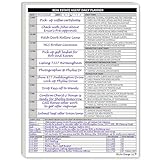
- Daily Planner Designed for Real Estate Agents. Structured daily planner created to help real estate professionals manage tasks, appointments, calls, and follow-ups during demanding workdays.
- Undated Daily Schedule for Flexible Hours. Undated calendar format supports real estate schedules that extend beyond standard business hours, including evenings and weekends.
- Organizes Tasks, Appointments & Client Activity. Provides space to track daily task lists, scheduled appointments, and notes on client and customer communication in one place.
- Mileage Tracking for Business Use. Dedicated mileage log allows agents to record start mileage, destination, and totals for organized reporting and accounting support.
Choose a CRM around the work you need to do
A CRM is useful only if it is practical for your workflow and is kept up to date. Compare tools against the tasks your lead process requires rather than choosing one based on a feature list alone.
- Lead capture: Can inquiries from your usual sources be added without unnecessary manual steps?
- Reminders and assignment: Can you schedule follow-ups, receive reminders, and assign responsibility when working with a team?
- Interaction records: Is it easy to log conversations, preferences, and next actions?
- Segmentation and automation: Can you group leads by relevant needs or stage, and control when automated messages are sent?
- Reporting: Can you review whether leads are being captured, assigned, and followed up?
- Channel support and fit: Does the tool support the channels you actually use and suit your team size and working habits?
These are practical evaluation criteria drawn from the workflow, not a tested comparison of CRM vendors.
Review the system and improve what is being missed
Use CRM records and reminders to check whether inquiries are entering the system, whether each lead has a clear owner, and whether scheduled follow-ups are completed. Look for operational gaps: a lead source that is not being captured, an overdue task, or a message sequence that no longer matches the person’s stated needs. The cited guidance supports tracking and scheduling; it does not establish a measured causal effect on conversion or identify a universally best follow-up frequency.
Independent reader supportYour contribution helps us test, update, and keep practical guides available for everyone.What REALTOR® technology survey figures do—and do not—show
NAR’s REALTOR® Technology Report search result says 81% of surveyed REALTORS® cited improving efficiency and productivity as their primary reason for adopting new technology, and 52% said they use AI to draft emails and follow-up communications. It also reports that 55% of respondents said AI had a positive effect on their business. The report year is not visible in the cited result, so these figures should not be assigned a year. They describe survey responses and reported use or perceptions—not proof that a tool or AI improves lead conversion.
Best Value

- Achieve Results with a Complete Deal-Flow System: Keep your pipeline moving with built-in lead tracker, listing appointment book, showing scheduler, open house planner, prospecting planner, follow-up tracker, plus time blocking planner and sales pipeline planner — a practical addition to realtor must haves and a smart pick for real estate agent gifts.
- Stay Organized & In Control: Keep your meetings, marketing tasks, property showings, and client info all in one place. With a flexible undated format, this planner helps real estate professionals manage busy schedules without missing a beat. A smart addition to realtor supplies or gift sets.
- Use Cases & Audience: Built for showings, listing presentations, and pipeline reviews—use it to track real estate clients and manage real estate listings, and run your day like a realtor day planner or agenda for realtor. Also suits gift-intent searches: graduation gift for real estate agent, holiday gift for real estate agent, thank you gift for realtor, realtor gift for women, and thoughtful closing gift for real estate clients.
- Quality & Safety You Can Trust: Thick, smooth, bleed-resistant pages and a rigid casebound build with rounded corners stand up to daily use. Professional, office-ready finish performs as an appointment book for business, business planner for professionals, work planner for meetings, professional daily organizer, productivity planner for work, and organizer for business goals—keeping notes clean and legible at showings, meetings, and closings.
- Size, Layouts & Variants: Generous page count with daily/weekly layouts and dedicated sections to track real estate clients, manage real estate listings, schedule showings, and plan open houses. Fits multiple workflows as a realtor planner, realtor journal, real estate broker planner, real estate business planner, real estate investor planner, planner for women professionals, and agendas for realtors. Also gift-ready for occasions like a real estate agent gift or a new realtor gift.
For the report, see NAR’s REALTOR® Technology Report. For follow-up recommendations, see the NAR guide to following up with real estate leads and its 2026 guide to real estate drip campaigns.
Quick Recap
Product prices and availability are accurate as of the date/time indicated and are subject to change. Any price and availability information displayed on Amazon at the time of purchase will apply.




