Free tools Windows power users keep installed
One-click scans. No signup required.
WIRED reported on July 18, 2024, that J. D. Vance’s Venmo account was fully public and connected directly to 211 people. That is a publication-time finding, not confirmation that his account is public today. Venmo’s current privacy guidance explains the settings users can change, but does not establish Vance’s account-specific settings.
What WIRED found about Vance’s Venmo
In its July 18, 2024 report, WIRED described Vance’s account as fully public and counted 211 direct Venmo connections. The report identified apparent connections in politics, government, media, think tanks, and technology. The count reflects WIRED’s reporting at that time; it is neither a current count nor proof of how close those people were to Vance.
A Venmo connection does not establish that two people paid each other, know each other, or realized the app had designated them friends. WIRED reported that one person denied being Venmo friends with Vance, illustrating why a visible friend graph should not be read as a list of confirmed personal relationships. WIRED’s July 18, 2024 report provides the account-specific details.
Does Vance’s Venmo remain public?
The cited reporting establishes the account’s visibility when WIRED published its article in July 2024. It does not establish the account’s status in 2026. Venmo’s general privacy documentation describes available controls but does not say which settings Vance currently uses, so it would be inaccurate to present the 2024 status as a current fact.
Outdated Drivers Are Slowing You Down
One free scan finds every outdated or missing driver and matches the right update for your exact hardware.Free scan · exact hardware matchPC Slower Than It Used to Be?
A free scan shows the junk files, broken settings and background clutter dragging Windows down - then fixes them in one click.Free scan · Windows 10 & 11#1 Best Overall
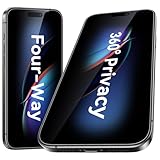
- [360-degree Privacy Protection] Esanik 4-way Anti-spy Screen Protector for iPhone 16 Plus/15 Plus will ensures complete privacy from ALL angles, preventing side-angle viewing of the screen. Safeguard your sensitive information and maintain confidentiality in public spaces.
- [Professional Design & Extraordinary Protection] Esanik tempered glass is made of 9H hardness and has further than 2.5D round edge to protect your 16 Plus/15 Plus screen from scratches, daily wear and drops.
- [No Problem with Brightness] Our upgrade version privacy screen protector for iPhone 16 Plus/15 Plus makes your screen look just a little dimmer than usual. You can effortlessly compensate for this by adjusting your screen brightness to your preference.
- [Easy Installation with Frame] It is equipped with Installation Frame to control the screen protector to be aligned to the correct position and the screen protector can be fitted automatically. Our screen protectors use self-healing new material, normally little bubbles can disappear automatically in 2 days.
- [Customer-Centric Support] Esanik is dedicated to continuous improvement and customer satisfaction. Our 24-hour customer service ensures any questions or concerns are addressed promptly.
What can be visible on Venmo?
Profile information and transactions
Venmo’s Privacy Statement says public personal-profile information can include a username, profile photo, first and last name, account-creation month and year, and public transactions. It says public information may be visible to anyone on the internet, with or without a Venmo account, and may be accessed, reshared, or downloaded through Venmo APIs or integrated third-party services.
Payments
Venmo offers three payment audiences: Public, Friends, and Private. The audience controls who can see a payment, but payment participants can always see its amount, note, participant names, and timestamp; only the sender can see the payment method. If the payment partners have chosen different audiences, Venmo says the more restrictive setting applies. See Venmo’s privacy-settings help page.
Friends list and discoverability
Friends-list visibility is a separate choice from payment privacy. Venmo says a friends list may be visible to other logged-in Venmo users, limited to the account holder’s Venmo friends, or made private. Its Adding & Removing Friends help page also says Venmo has not automatically added device contacts as friends since 2022; users must add friends manually, even if contacts are synced.
Rank #2

- 【28° Privacy Angle for Daily Protection】 Designed with a 28° narrow viewing angle, this privacy screen blocks side glances and keeps your information private in public spaces like buses, offices, and cafes.
- 【1-Second Auto Dust Removal & Alignment】 Pre-installed in a one-piece alignment frame, simply place your phone and press—dust is removed automatically while the protector aligns perfectly in seconds.
- 【9H+ Military-Grade Tempered Glass】 Made from double-strength 9H tempered glass, offering solid protection against scratches, drops, and daily wear—without compromising touch sensitivity.
- 【Anti-Fingerprint & Crystal Clarity】 Oleophobic coating resists fingerprints, smudges, and oil, maintaining a clean and clear screen for comfortable viewing and gaming.
- 【2-Pack with Case-Friendly Fit】 Includes two privacy protectors. Ultra-thin and precisely cut to be compatible with most phone cases, covering your screen edge-to-edge with no lifting.
How to make your Venmo activity more private
Venmo’s labels and app layout can change, so use its current help pages if a control has moved. These settings address different things: future payments, completed payments, friends-list visibility, and whether your profile appears in other users’ lists.
Do these 3 things before closing this tab:
1Clear out junk files and repair common Windows errors2Fix the driver behind crashes, sound loss and screen glitches3Repair Windows errors before they cause bigger problems- Set the default audience for future payments. In Venmo, go to Settings > Privacy and choose the default payment audience. Venmo’s Helpful Information says the initial default is Public, meaning payments can be seen by everyone on the internet. Choose a more restrictive audience if that is what you want.
- Review completed payments. Use Venmo’s Changing Payment Privacy & Hiding Past Payments instructions to change past payments to a more private audience or hide all past transactions. A past payment can be made more private than it originally was; the control does not make it more public.
- Change who can see your friends list. In the friends settings, choose whether the list is visible to other Venmo users, only your Venmo friends, or private. The exact current controls are described in Venmo’s friends help page.
- Review discoverability separately. Venmo’s friends guidance describes a setting that controls whether your profile appears in other users’ friends lists. Turning that off is distinct from making your own list private and from changing payment audiences.
Why the distinction matters
Payment privacy, profile visibility, friends-list visibility, and discoverability expose different information. Changing one does not automatically establish the audience for every other item. For example, hiding your friends list does not by itself change the privacy audience of payments, and setting future payments to Private does not by itself change the visibility of past transactions.
Exposed social connections can also carry risks beyond revealing individual payments. Jennifer Lynch, general counsel at the Electronic Frontier Foundation, told WIRED in its July 2024 report: “Access to anyone’s social connections can reveal sensitive private information and expose them to security risks.” This is a general warning about social-graph exposure, not evidence that a particular harm occurred to Vance or anyone connected to him.
Quick Recap
Product prices and availability are accurate as of the date/time indicated and are subject to change. Any price and availability information displayed on Amazon at the time of purchase will apply.




