Do these 3 things before closing this tab:
1Repair Windows errors before they cause bigger problems2Scan for outdated or missing drivers - takes under a minute3Clear out junk files and repair common Windows errorsThere is no single best recruiting software for every organization. Greenhouse is a strong fit for structured, repeatable hiring; Workable suits many small and midsize teams seeking a broad platform; Ashby stands out for data-oriented recruiting teams; Lever combines applicant tracking with candidate relationship management; and BambooHR is worth considering when recruiting is part of a broader HR-system decision. The right choice depends on hiring volume, sourcing needs, workflow complexity, existing systems, and total cost—not the length of a feature list.
Best recruiting software by use case
These are fit-based recommendations, not results of independent product testing. Enterprise and lightweight alternatives below are shortlist candidates; verify their fit against your own workflows before buying.


Greenhouse: best for structured hiring
Consider Greenhouse if you want consistent interview plans, scorecards, approvals, governance, reporting, and room to extend workflows as hiring grows. Its Core, Plus, and Pro plans are custom-priced, with capabilities arranged around increasing structure, automation, reporting, governance, security, and extensibility. More configuration can also mean more administration, so plan for an internal process owner and hiring-manager training. See Greenhouse pricing and its overview of structured interviewing and decision-making.
Ashby: best for data-oriented scaling teams
Ashby combines applicant tracking, sourcing and CRM, scheduling, and analytics. It may suit a startup or recruiting team that wants reporting closely connected to daily work and can support a more sophisticated system. The official pricing page showed Foundations for up to 100 employees at $400 per month, with a stated 10% discount for annual commitments; Growth and enterprise pricing is quote-based and depends on factors including company size, usage, and commitment. See Ashby pricing.
#1 Best Overall
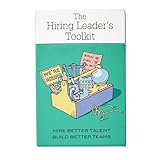
- Stop Winging Your Interviews. Start Hiring Better. - 50+ practical hiring cards covering the complete interview process: designing behavioral questions, probing for depth, assessing answers objectively, and making confident hiring decisions. No theory, just tools you use immediately.
- Behavioral Interview Questions Using CAR Method - Pre-written questions using Context-Action-Result technique plus follow-up probes to get past rehearsed answers. Assess real competencies and judgment, not just how well candidates interview or present themselves.
- Combat Hiring Bias With Structured Frameworks - Decision-making tools and assessment rubrics help you evaluate candidates objectively. Compare performance to performance, not gut feelings to charisma. Reduce costly mis-hires and build high-performing teams.
- Complete Hiring Process in Your Pocket - Job description design, resume screening, phone screens, technical interviews, reference checks, and final offer decisions. Compact deck fits in your desk drawer or laptop bag. Pull out during interview prep or candidate debriefs.
- For First-Time and Experienced Hiring Managers - Whether making your first hire or your hundredth, these cards provide structure and confidence. Used by startup founders, team leads, HR professionals, and leadership coaches. Proven with 70+ successful hires.
Lever: best when ATS and CRM workflows belong together
Lever positions its platform as an ATS plus recruiting CRM, making it a candidate for teams that nurture passive candidates as actively as they process applicants. Test real outreach campaigns, candidate history, reporting, and integrations in a demo. Pricing is quote-only, so request a complete estimate for your hiring needs. See Lever pricing.
Workable: best broad-market option for many SMBs
Workable brings together sourcing, job distribution, applicant tracking, scheduling, scorecards, reporting, and optional HR functionality. It is worth a look when a team wants a broad toolkit and visible published pricing. Its displayed plans use employee bands, some AI actions consume credits, and the pricing page qualifies “unlimited active jobs” with fair-use limits. Recruiting-only configurations and recruiting-plus-HR bundles are not interchangeable; confirm what the quoted plan includes. See Workable plans and pricing.
BambooHR: best when recruiting is part of an HR-system decision
BambooHR is a broader HR platform with employee records, workflows, reporting, hiring, and onboarding. It may make sense if the goal is to connect hiring with HR administration rather than buy a specialist ATS alone. Compare its recruiting depth with a dedicated recruiting platform, and confirm which functions are included in the chosen plan. See BambooHR pricing.
Enterprise platforms and lighter alternatives
For global, high-volume, or governance-heavy operations, put SmartRecruiters, iCIMS, and Workday Recruiting on an evaluation list—not an automatic shortlist. Check implementation needs, global controls, integrations, security, reporting, and the fit with your existing HR systems. Workday Recruiting is especially relevant when an organization already runs Workday HCM. See SmartRecruiters, iCIMS, and Workday Recruiting.
Quick wins for a faster PC:
Scan for outdated or missing drivers - takes under a minuteDriver Scan →Clear out junk files and repair common Windows errorsFree Scan →Smaller teams with simpler processes can also compare JazzHR, Breezy HR, Recruitee, or Zoho Recruit. Check active-job and user limits, reporting, integrations, and support rather than assuming a lower-complexity product will meet future needs. See JazzHR pricing, Breezy HR pricing, Recruitee pricing, and Zoho Recruit pricing. Staffing agencies should evaluate agency-oriented systems for client accounts, job orders, submissions, placements, and commissions; an internal-hiring ATS may not support those workflows.
ATS, recruiting CRM, or HRIS: what do you need?
“Recruiting software” is an umbrella term, not a single product type. A conventional ATS can manage requisitions, applications, pipeline stages, interview coordination, evaluations, offers, compliance records, reports, and integrations. Products vary: do not assume every capability is included in the base plan. Current ATS comparisons also show how often recruiting tools combine several of these categories.
| System type | Best suited to | Typical capabilities |
|---|---|---|
| Applicant tracking system (ATS) | Managing candidates once they apply or enter a formal hiring process | Requisitions, applications, screening stages, interviews, scorecards, offers, compliance records, and hiring reports |
| Recruiting CRM | Finding and nurturing candidates before they apply | Talent pools, sourcing projects, outreach, sequences, relationship history, campaigns, and candidate rediscovery |
| HRIS with recruiting | Connecting hiring to employee records and HR administration | Recruiting alongside employee data, onboarding, workflows, and other HR functions; recruiting depth varies by product |
| Enterprise talent-acquisition or HCM suite | Large or complex organizations with broad integration and governance requirements | Recruiting connected to enterprise HR, permissions, reporting, global operations, and wider system controls |
A standalone ATS may provide deeper recruiting workflows; an HRIS-based option may reduce duplicate data and administrative handoffs. BambooHR explicitly presents a broader HR platform, while Workable offers recruiting and HR packages. See Workable’s plans and BambooHR’s plans.
Features that matter in a real hiring workflow
Prioritize whether a product supports the way your team hires, not how many feature labels appear on a sales page.
Pipeline management and candidate experience
- Confirm that you can configure stages, search and filter candidates, tag profiles, detect duplicates, and assign candidate ownership.
- Check bulk actions, internal notes, permissions, rejection reasons, automated notifications, and stage-history audit trails.
- Review application length, mobile usability, candidate communication, and whether applicants can see useful status updates.
Structured hiring and interview coordination
Interview kits and scorecards can help teams assess candidates against consistent criteria. Look for competency-based plans, standard questions, required feedback, approval controls, and reporting on feedback completion. Consider whether interviewers can submit independent evaluations before a group debrief. Software can support a more consistent process, but it cannot guarantee fair outcomes. Greenhouse describes interview kits, scorecards, and related structured-hiring tools on its interviewing and decision-making page; Workable also lists interview kits and scorecards on its pricing page.
Sourcing and candidate relationships
If recruiters build talent pools or approach passive candidates, test browser-based sourcing, rediscovery, outreach sequences, referral campaigns, source attribution, and campaign reporting. Verify how the system handles email or LinkedIn workflows, consent, and opt-outs. An ATS that is excellent at applicant processing may not provide the CRM depth your sourcers need.
Scheduling, reports, and integrations
- Scheduling: test Google and Microsoft calendar synchronization, panel interviews, candidate self-scheduling, rescheduling, reminders, time zones, video tools, and coordinator visibility.
- Reports: check time to fill, time in stage, source of hire, funnel conversion, offer acceptance, requisition aging, recruiter workload, and hiring-manager responsiveness. “Analytics” may mean standard dashboards or configurable reporting and data connectors; ask to see the actual reports and export options.
- Integrations: map connections to HRIS and payroll, calendars, email, Slack or Microsoft Teams, job boards, LinkedIn Recruiter, background checks, assessments, video interviews, e-signature, SSO, onboarding, and data warehouses. A marketplace listing does not prove an integration is native, bidirectional, included, or deep enough for your needs.
AI in recruiting: useful assistance, not an automatic hiring authority
AI features may draft job descriptions or outreach, parse resumes, recommend candidates, surface past applicants, summarize interviews, assist with scheduling, create reports, or flag spam. The key question is what the feature actually does: summarize, rank, recommend, or reject. Do not treat a vendor’s claims about speed, match quality, or fairness as independently verified results.
Greenhouse describes AI across sourcing, application review, interviewing, and reporting, and says it retains human oversight and governance controls. Those are vendor statements, not independent proof of accuracy or fairness. Review its AI recruiting overview, then ask for evidence and product controls relevant to your use case.
The Tool Desk
Outbyte Driver Updater FREEScan for outdated or missing drivers - takes under a minuteDriver Scan →Outbyte PC Repair FREERepair Windows errors before they cause bigger problemsFix Now →Workable’s pricing page lists credit-metered AI-agent actions: candidate evaluation uses one credit, sourcing uses two, and candidate chat uses ten. The page says paid accounts receive an initial allocation and offers additional credit bundles; displayed bundles cost $600 for 5,000 credits, $1,000 for 10,000, and $4,750 for 50,000. The page states that credits expire after one year and are non-refundable. Confirm current terms and whether the feature is included in your proposed plan at Workable pricing.
Before enabling AI screening or recommendations, ask the vendor:
- Can administrators disable each AI feature, and can recruiters override its recommendations?
- What candidate data is sent to AI providers, how is it used, and how long is it retained?
- Can the system explain its recommendations and preserve an audit trail?
- Does the vendor document bias testing and governance, and can you inspect the documentation?
- Is there human review, a manual fallback, and a way to avoid automatic rejection based solely on a model?
Recruiting software pricing and total cost
Vendors may charge per employee, recruiter, user, active job, or requisition; offer flat tiers or annual contracts; meter AI use; or provide a custom quote. Published figures below are official pricing signals reported as available on August 18, 2026, not equivalent offers. Prices can vary by country, employee band, billing term, negotiated contract, modules, implementation, and taxes.
| Product | Official price signal | What the figure represents |
|---|---|---|
| Workable | Standard: $299/month or $3,588/year; Premier: $599/month or $7,188/year; Enterprise: $719/month or $8,628/year | Displayed recruiting-plus-HR bundle structure for 1–20 employees. Recruiting-only configurations, employee band, term, add-ons, and taxes can change the total. See Workable pricing. |
| Workable AI Agent | $600 for 5,000 credits; $1,000 for 10,000; $4,750 for 50,000 | Additional credit bundles displayed on the vendor page; credits expire after one year and are non-refundable according to that page. See Workable pricing. |
| Ashby | Foundations: $400/month for up to 100 employees | Official starting signal; the page states a 10% discount for annual commitments. Growth and enterprise pricing is quote-based. See Ashby pricing. |
| Greenhouse | Custom pricing for Core, Plus, and Pro | Price depends on hiring needs, volume, complexity, and selected capabilities. See Greenhouse pricing. |
| Lever | Custom quote | The vendor says pricing scales with team size and hiring needs. See Lever pricing. |
| BambooHR | Core: $10 per employee/month; Pro: $17; Elite: $25; for companies with 25 or fewer employees, flat rate starting at $250/month | Published prices for a broader HR platform, not necessarily the complete cost of every recruiting capability or add-on. See BambooHR pricing. |
Request a quote that itemizes the full cost of your intended setup. Ask whether hiring managers, interviewers, or candidates count as users; whether job-board postings, sourcing, texting, assessments, background checks, API access, SSO, sandboxes, and premium support cost extra; and whether implementation or data migration is billable. Also clarify annual prepayment, renewal increases, data export, and what happens to your data after cancellation. Workable’s help page explains that pricing depends on employee count and package selection: Workable plans, packages, and pricing.
Best Value
Choose by hiring model and existing systems
- Only a few hires per year: A full ATS may not justify its cost if one person handles a small number of openings. Consider a lightweight ATS or a recruiting module in your existing HRIS. If you use spreadsheets or shared inboxes, set access controls, retention rules, and a deletion process for sensitive candidate information.
- High-volume hourly hiring: Prioritize mobile applications, texting, fast screening, self-scheduling, location workflows, requisition templates, bulk actions, job distribution, no-show tracking, and compliance reporting.
- Agency recruiting: Confirm support for multiple clients and brands, job orders, candidate-to-job matching, client submissions, ownership rules, placement and commission tracking, business-development CRM, and consent or source tracking across clients.
- Global or regulated hiring: Verify regional data controls, consent, retention and deletion automation, accessibility, local languages and time zones, multi-entity permissions, audit logs, security certifications, data-processing terms, and relevant reporting. Compliance depends on jurisdiction, configuration, policy, and practice; no software alone ensures it.
- Existing HRIS: Compare the built-in recruiting module with a standalone ATS on source-of-truth ownership, duplicate records, offer-to-onboarding handoff, payroll or provisioning triggers, reporting, and integration maintenance. A specialist ATS may still be preferable if the embedded module lacks needed workflow or analytics.
- Referrals and internal mobility: Look for referral attribution, internal job boards, eligibility rules, internal-candidate privacy, approval workflows, and reporting by source or program.
How to compare vendors fairly
Use the same hiring scenario for every vendor, and score the product against your requirements rather than comparing sales demos. A useful starting scorecard is:
| Criterion | Suggested weight | What to assess |
|---|---|---|
| Workflow fit | 20% | Whether the system matches the actual process without workarounds |
| Candidate and hiring-manager experience | 15% | Application simplicity, communication, feedback, and usability |
| Structured hiring | 15% | Interview plans, scorecards, approvals, and consistency |
| Reporting and analytics | 15% | Standard reports, customization, data export, and auditability |
| Sourcing and CRM | 10% | Passive-candidate workflows, talent pools, sequences, and rediscovery |
| Integrations and extensibility | 10% | HRIS, calendars, job boards, API, SSO, and data-warehouse support |
| Security, privacy, and compliance | 10% | Permissions, retention, audit logs, regional controls, and vendor assurances |
| Total cost and contract fit | 5% | Base price, add-ons, implementation, usage fees, and renewal terms |
Adjust the weights to match the business: agencies should emphasize CRM, multi-client, job-order, and placement workflows; enterprises should emphasize security, governance, global support, integration, analytics, and implementation capacity.
Run this demo script
- Create a requisition, route it for approval, and publish it to the relevant job boards.
- Add a sourced candidate, record the source, and send an outreach sequence.
- Schedule a panel interview across time zones, then reschedule one participant.
- Require scorecards before the debrief and show how a manager sees overdue feedback.
- Move a candidate between requisitions and demonstrate duplicate handling and permissions.
- Build a funnel or source report, explain its definitions, and export the underlying data.
- Show candidate deletion or anonymization, retention settings, and audit history.
- Pass a hired candidate into the HRIS and identify which fields and events transfer.
- For any AI feature, review a recommendation, its explanation, data-use terms, and available audit information.
Before selecting a vendor, map your process and integrations, request an itemized quote, test a sandbox or trial where available, review migration and implementation requirements, and speak with customers similar in size and hiring model. Negotiate data export, termination terms, and renewal protections before signing.
Quick Recap
Product prices and availability are accurate as of the date/time indicated and are subject to change. Any price and availability information displayed on Amazon at the time of purchase will apply.




