Free tools Windows power users keep installed
One-click scans. No signup required.
You can turn Elecrow’s CrowPanel 5.79-inch ESP32 e-paper display into a desk-friendly Bitcoin price monitor using GxEPD2, ArduinoJson, Wi-Fi and a market-data API. The original project polls CoinGecko every 30 seconds and lets buttons switch between USD and EUR. Treat it as a periodically refreshed information display—not a trading terminal—and verify the panel revision and current CoinGecko access requirements before relying on the original code.
What the Bitcoin monitor does—and does not do
The build connects an ESP32-S3 to Wi-Fi, requests Bitcoin price data, parses the response and draws the selected currency on a monochrome e-paper screen. In the original implementation, the MENU and EXIT buttons select USD and EUR, respectively, and the sketch polls every 30 seconds. The original Hackster project was published January 7, 2025; its source identifies a creation date of January 6, 2024.
“Real-time” is too strong for this design. It displays a periodically refreshed quote from a third-party provider. Network delay, API caching, outages and aggregation differences can all make the displayed figure late or different from a particular exchange’s price. It is not a Bitcoin wallet, miner, node, trading terminal or source of executable quotes.
The project is a good fit for a readable ambient display and a useful ESP32/e-paper learning build. It is a poor fit for second-by-second trading, guaranteed uptime or rapidly animated charts: e-paper updates take time and can leave ghosting.
#1 Best Overall

- Built-in ESP32-S3 Controller & SPI Interface - Comes with ESP32-S3-WROOM-1-N8R8 as the main MCU (up to 240 MHz) and standard 3-/4-wire SPI (default 4-wire) for easy integration. Supports the classic e-ink reader feel and responsive development flow
- Ultra-Low Power & Power-Off Retention - This epaper display only consumes power during refresh. Static content stays visible without a continuous power supply — ideal for battery-powered devices, smart labels and always-on displays
- High-Resolution e-ink Display - This 5.79″ e-paper display with 272 × 792 resolution delivers sharp black/white contrast and a wide viewing angle. Provides crisp clarity and a paper-like reading experience for smart tags and DIY devices
- Reflective, Sunlight-Readable - The pure reflection mode means no backlight required; the content remains clearly readable even under strong sunlight. Hard-coated anti-glare surface ensures excellent visibility and durability
- Rich Interfaces & Ready for Development - Includes BAT interface (2.2 V-3.7 V), UART0, 2×10 pin GPIO header, back/menu/reset/boot buttons, hard-coated anti-glare surface. Compatible with Arduino IDE, and suitable for DIY makers alike
Parts and software you need
- Hardware: an Elecrow CrowPanel ESP32 5.79-inch black-and-white e-paper HMI display, a suitable USB cable and power source, a Wi-Fi network, and a computer for development. Check the official CrowPanel product page for the exact product and included accessories; availability and price are not established here.
- Development tools: Arduino IDE 2 and ESP32 board support appropriate to the CrowPanel’s ESP32-S3. See the Arduino IDE download page and the vendor’s current board documentation.
- Libraries: GxEPD2 for the e-paper panel, Adafruit_GFX for drawing and fonts, and ArduinoJson for parsing the API response. Install GxEPD2—not the older GxEPD library—and follow the GxEPD2 repository guidance for its current requirements. ArduinoJson documentation is at arduinojson.org.
The original source, including bitmap assets, is available in the CrowPanelEPD project directory. Use it as the starting point if your board matches the author’s setup, rather than assuming an old sketch will compile unchanged with every current board package, library version and API plan.
Confirm the panel and pinout before compiling
The project author matched the panel to Good Display’s GDEY0579T93, a 792 × 272 monochrome panel using an SSD1683 controller. That is an author-tested compatibility identification, not a guarantee for every CrowPanel revision. GxEPD2 provides panel/controller drivers; the CrowPanel is a complete ESP32-based product with additional power and control circuitry. Compare your board revision, schematic and display controller before selecting a driver. The Elecrow 5.79-inch schematic is the reference for the documented board.
| Signal or control | GPIO in the documented project |
|---|---|
| E-paper BUSY | 48 |
| E-paper RST | 47 |
| E-paper DC | 46 |
| E-paper CS | 45 |
| E-paper SCK | 12 |
| E-paper MOSI | 11 |
| Display power enable | 7; configure as output and drive HIGH |
| MENU button | 2 |
| EXIT button | 1 |
| Rotary up / down / push | 6 / 4 / 5 |
These are the project’s pin assignments, not universal CrowPanel pin definitions. The documented button inputs use pull-ups and are active-low: a press reads LOW. If your schematic differs, change the code to match the hardware rather than forcing the listed pins.
Set up Arduino and test the display first
- Install Arduino IDE 2 and the ESP32 board support required by your CrowPanel revision. Select the matching ESP32-S3 board configuration.
- Use Library Manager to install GxEPD2, accepting its Adafruit_GFX dependency, then install ArduinoJson.
- Open the project code or create a small display-only sketch using the matching GxEPD2 panel class. The original project’s driver declaration is:
GxEPD2_BW<GxEPD2_579_GDEY0579T93, GxEPD2_579_GDEY0579T93::HEIGHT> display(
  GxEPD2_579_GDEY0579T93(EINK_CS, EINK_DC, EINK_RST, EINK_BUSY)
);
Use this class only if your panel/controller identification is confirmed.
- In setup, enable display power before initialization: configure GPIO7 as an output and drive it HIGH. Initialize the display, clear it, and render a short test such as “Display OK” before adding Wi-Fi code.
- Compile and upload. If the panel remains blank, check power enable, panel driver, board selection, cable and every pin against the schematic. Check serial output from display initialization. Do not debug the API until the display-only test works.
The project source uses the same driver class and power-enable behavior. For the exact reference implementation, see the Hackster code and walkthrough.
Recommended Free Tools
Choose a refresh strategy that suits e-paper
Use a full refresh for initial rendering and periodic cleanup. GxEPD2 also allows a partial window, for example display.setPartialWindow(x, y, width, height), so a price change can update only its area. The original tutorial demonstrates an 80 × 40 region. Partial refresh can reduce whole-screen flicker, but it does not make e-paper behave like an LCD: refresh latency and ghosting remain panel-dependent. Schedule a full refresh periodically if repeated partial updates leave artifacts.
Rank #2

- Built-in ESP32-S3 Controller & SPI Interface - Comes with ESP32-S3 as the main MCU (up to 240 MHz) and standard 3-/4-wire SPI (default 4-wire) for easy integration. Supports the classic e-ink reader feel and responsive development flow
- Ultra-Low Power & Power-Off Retention - This epaper display only consumes power during refresh. Static content stays visible without a continuous power supply, ideal for battery-powered devices, smart labels and always-on displays
- Reflective, Sunlight-Readable - The pure reflection mode means no backlight required; the content remains clearly readable even under strong sunlight. Hard-coated anti-glare surface ensures excellent visibility and durability
- Rich Interfaces & Ready for Development - Includes BAT interface (2.2 V-3.7 V), UART0, GPIO header, back/menu/reset/boot buttons, hard-coated anti-glare surface. Compatible with Arduino IDE, and suitable for DIY makers alike
- High-Resolution e-ink Display - This 2.13″ e-paper display with 122x250 resolution delivers sharp black/white contrast and a wide viewing angle. Provides crisp clarity and a paper-like reading experience for smart tags and DIY devices
GxEPD2 supports paged drawing for devices where a full-screen buffer is undesirable. Its common pattern is display.firstPage(); do { /* draw page */ } while (display.nextPage());. Draw the complete screen content inside the loop because the library may render it in multiple passes. The original ESP32-S3 implementation uses a full-screen buffer, but paged rendering can help when adapting the design to a more memory-constrained board.
Connect to a price API without assuming the old URL still works
The original sketch requests Bitcoin in USD and EUR from CoinGecko’s simple-price endpoint:
https://api.coingecko.com/api/v3/simple/price?ids=bitcoin&vs_currencies=usd,eurIts expected response contains a nested object such as bitcoin.usd and bitcoin.eur. CoinGecko’s current Simple Price documentation describes the Pro endpoint and API-key header, while its pricing page separately advertises a free Demo plan and a keyless public API for prototyping. Consequently, do not assume the tutorial’s historical keyless URL is the correct current endpoint or authentication method. Select the endpoint and credentials required by the plan you use, then verify them against the provider’s documentation when building.
Outdated Drivers Are Slowing You Down
One free scan finds every outdated or missing driver and matches the right update for your exact hardware.Free scan · exact hardware matchPC Slower Than It Used to Be?
A free scan shows the junk files, broken settings and background clutter dragging Windows down - then fixes them in one click.Free scan · Windows 10 & 11The endpoint documentation supports optional 24-hour change and last-updated fields. Adding fields such as include_24hr_change=true and include_last_updated_at=true can help the display show context and freshness; update the parser to match the returned schema. Keep the fetch operation behind a function such as fetchBitcoinPrice(usd, eur), so changing provider or authentication does not require rewriting display drawing code.
Do not publish Wi-Fi passwords or private API keys in a public sketch repository. For a small personal build, keep credentials in a local ignored header file; a more developed device can use provisioning and nonvolatile storage. Never solve an HTTPS certificate error by disabling certificate validation as the normal configuration.
Rank #3
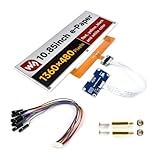
- No Backlight, Persistent Display: Retains the last displayed content for an extended period, even without power, thanks to the lack of backlight.
- Ultra-Low Power Consumption: Power is only needed for refreshing the screen, making it an energy-efficient solution for long-term use.
- Comprehensive Development Resources: Includes an online manual, e-Paper Driver HAT circuit diagram, and example code for Raspberry Pi, Arduino, and STM32, ensuring smooth integration.
- Raspberry Pi Compatibility: Features a standard 40PIN GPIO extension header, supporting Raspberry Pi boards and offering easy connection with peripherals.
- Flexible Interface & Voltage Support: Uses an SPI interface for compatibility with controllers like Raspberry Pi, ESP32, Arduino, and STM32, and includes an onboard voltage translator for 3.3V/5V MCU compatibility.
Validate responses and preserve the last good price
ArduinoJson can extract a value from a payload, but a reliable display should reject bad responses before updating the screen. The original tutorial’s simplest expected values are numeric; production code should handle API and network failures explicitly.
- Check that the HTTP request succeeded and inspect the status code. Handle authentication failures and rate limits rather than treating them as prices.
- Reject an empty body and check the result of
deserializeJson. - Confirm the selected nested value exists and is numeric. A missing field, null or parse failure must not become a displayed zero.
- If requesting an update timestamp, check it before labeling the quote current. Keep the last valid value and mark it stale after failures.
- Format output into a sufficiently large buffer. For example,
char formatted[32]; snprintf(formatted, sizeof(formatted), "$%.2f", btcUsd);avoids assuming a short fixed buffer can hold every value or error string.
A zero returned after a frequent request may indicate a malformed or limited response rather than a meaningful Bitcoin price. Distinguish that from a valid parse, log the error to Serial Monitor, and do not overwrite the last good reading with zero.
Poll sensibly and make stale data visible
The original interval is 30 * 1000 milliseconds, or 30 seconds. That is the sketch’s configured polling period, not a guarantee that the provider returns newly updated data every 30 seconds. CoinGecko’s pricing page, observed August 18, 2026, listed Demo data freshness from 60 seconds, so faster requests may repeat data and use calls without making the display fresher. Its listed Demo allocation was 10,000 monthly call credits, with a 100-calls-per-minute limit and attribution required; these are dated plan details, not permanent terms.
Use a non-blocking timer based on millis() rather than a long delay that prevents button handling. After a failed request, retry after a reasonable interval, then back off if failures persist. Keep the last valid price visible, show its last successful update time or age, and add a clear STALE indicator after repeated failures. Avoid frequent display updates when the value has not changed.
Handle currency buttons and layout deliberately
In the original behavior, MENU on GPIO2 selects USD and EXIT on GPIO1 selects EUR. Debounce the active-low inputs, and redraw only when the selected currency, valid price, freshness state or other displayed content changes. The button labels are project choices; the same controls could instead trigger a manual refresh or switch to another screen.
Rank #4

- 1.54inch E-ink display for Raspberry Pi, 200 * 200 pixels, can display three colors: red, black, and white
- 1.54 inch eink screen, SPI interface, minimal pin usage
- 1.54 inch e-paper module, onboard Voltage Translator, compatible with both 3.3V and 5V microcontroller interfaces
- Color E paper display, open-source example programs available for Raspberry Pi, Arduino, STM32 and ESP32 development boards
A useful screen layout separates the asset label, large price and currency from supporting information such as 24-hour change, update time and Wi-Fi/API status. A last-update time is especially useful because a static e-paper screen otherwise gives no indication that requests have stopped. Round the displayed number to a defined precision and treat it as informational, not as an executable trading quote.
What’s actually slowing this PC down?
Pick the symptom - the matching free tool is one click away.
Troubleshoot by symptom
- Blank or partial display: run the display-only test; verify GPIO7 power enable, all signal pins, the selected GxEPD2 driver and board package against your board revision. Try a full refresh before partial windows.
- Wi-Fi does not connect: check credentials, network availability and Serial Monitor output. A captive portal or unsupported network setup can prevent the device reaching the API.
- HTTP authentication error: confirm the endpoint and key/header required by your CoinGecko plan; the old public URL is not proof that current access is keyless.
- HTTP 429 or price becomes zero: reduce request frequency, respect provider limits, inspect the status and response body, and retain the previous valid value.
- JSON parse failure or missing price: log the response, verify the schema and requested currency names, and enlarge the JSON document if you added fields.
- HTTPS fails: check system time, current ESP32 board support, TLS compatibility and network access. Do not disable certificate checks as a routine fix.
- Ghosting or frequent flicker: reduce unnecessary redraws, constrain partial updates to the changing region and use occasional full refreshes.
- Buttons trigger repeatedly: confirm active-low wiring and pull-ups, then add debounce and act on state transitions rather than every loop pass.
Ways to extend the build
Once the base display and data path are stable, add a 24-hour change, additional currencies, a configurable polling interval, or a second screen for another asset. You can also feed data from a local MQTT/Home Assistant sensor or a small backend instead of calling a provider directly from the display. That can centralize credentials and caching, but introduces a server or home-automation dependency.
Alternative panels and boards—including Waveshare, Good Display and LILYGO products—are not drop-in replacements. Driver class, controller, wiring, voltage, refresh behavior and firmware may differ. Likewise, PlatformIO or ESP-IDF can provide different project-management or control trade-offs, but Arduino IDE with GxEPD2 is the closest route to the original build.
Is the project worth building?
Build it if you want an integrated ESP32-S3/e-paper information display with physical controls and are comfortable verifying board-specific wiring and adapting an API integration. The software libraries and source are available without a required purchase, but the hardware, connectivity and any API use are separate costs. It is not the right tool for time-critical market decisions or unattended service that requires guaranteed availability.
CoinGecko’s Demo plan details, including limits, freshness and attribution, can change; check the current pricing and terms before deployment. The device shows data returned by a provider, not a verified exchange execution price or information from the Bitcoin network itself.
Quick Recap
Product prices and availability are accurate as of the date/time indicated and are subject to change. Any price and availability information displayed on Amazon at the time of purchase will apply.




