Crashes, No Sound, or Screen Glitches?
Random freezes, missing sound and display glitches usually trace back to one bad driver. Find and replace yours safely.Free scan · under a minutePC Slower Than It Used to Be?
A free scan shows the junk files, broken settings and background clutter dragging Windows down - then fixes them in one click.Free scan · Windows 10 & 11To respond to a GST notice, first open the notice and identify its form, requested action and stated deadline. For a show-cause notice, the GST Portal lists DRC-06 as the taxpayer’s reply form; other communications may require a different action or may not accept an online reply. After filing, save the acknowledgement or reference number and check the relevant notice or case view for updates—there is no verified single tracking route for every notice type.
Find and read the complete notice
Check the email address and mobile number registered with GST, then sign in to the official GST Portal. GSTN’s October–December 2020 portal functionality compilation says tax-officer notices and orders are sent by SMS and email and placed on the taxpayer dashboard. It gives this navigation path: Services > User Services > View Additional Notices/Orders. Menu labels may change, so follow the current portal labels if they differ.
Open the notice and any attachments, and save a complete copy. Before replying, note:
- Who issued it and under which legal provision
- The form number, tax period and issue date
- What the notice asks you to do, including any payment or document request
- The reply due date and any hearing date or instructions for attending
- How and where the notice says to respond
Use the deadline and instructions in the specific notice; the available portal material does not establish one reply period for all GST notices.
Quick wins for a faster PC:
Scan for outdated or missing drivers - takes under a minuteDriver Scan →Clear out junk files and repair common Windows errorsFree Scan →#1 Best Overall

- All-in-One Yearly Tax Organizer System: This organizer features 【12 separate, non-adjacent】 envelopes, each with a blank front for labeling and a rear pocket for storing monthly receipts and documents. The spiral-bound design keeps them spaced for easy flipping and access, helping you stay organized and ready for tax season.
- Letter Size Compatible with Large Capacity Pockets: Perfectly fitting letter size papers, receipts, and forms with enough room to store multiple documents without folding. The large capacity pockets provide ample storage space to hold all your tax-related paperwork, keeping everything neat and secure throughout the year.
- 12 Color Index Tabs for Easy Sorting: The color-coded index tabs allow for quick identification of each month or tax category. This makes it easier than ever to locate documents when you need them, whether for tax filing, auditing, or general record-keeping. Stay organized and efficient with minimal effort.
- Ideal for Home and Small Business Use: Perfect for freelancers, households, and small business owners to manage yearly taxes, track receipts, and stay audit-ready all year long. This tax organizer system is versatile and works well for both personal and business-related tax documentation, simplifying the process for entrepreneurs and busy households.
- Durable & Professional Design: With its high-quality spiral binding and sturdy envelopes, this tax organizer book is built to last, even with regular use. The professional design offers both style and functionality, making it perfect for those looking to maintain an efficient, long-lasting filing system for tax documents, receipts, and other important paperwork.
Match the notice to the right action
Form numbers distinguish different steps. The GST Portal’s GST forms list describes DRC-01 as an official’s summary of a show-cause notice, DRC-06 as the taxpayer’s reply to a show-cause notice, and DRC-03 as a taxpayer’s intimation of voluntary payment or payment against a show-cause notice or statement. They are not interchangeable: a payment form is not a substitute for a substantive reply.
| Communication or form | What it means | Action to check |
|---|---|---|
| DRC-01 | Official’s summary of a show-cause notice | Read the underlying notice and its instructions; DRC-06 is the listed taxpayer reply form for a show-cause notice. |
| DRC-06 | Taxpayer’s reply to a show-cause notice | Prepare a response to the notice’s allegations and follow the stated filing instructions and deadline. |
| DRC-03 | Taxpayer’s intimation of voluntary payment or payment against a show-cause notice or statement | Use it for the payment situation described in the notice; do not treat it as the reply form. |
| DRC-01B | Liability-mismatch intimation workflow | Follow the specific DRC-01B procedure and conditions described in the portal FAQ; do not apply these steps to unrelated notices. |
| DRC-01D | Recovery intimation under section 79 | Read the recovery instructions carefully; the portal guidance says this communication does not accept an online reply. |
Reply to a show-cause notice
For a show-cause notice (SCN), DRC-06 is the taxpayer reply form identified in the GST Portal forms list. The notice itself determines what facts, explanation and supporting material are relevant; there is no universal reply template established by the cited portal material.
Rank #2
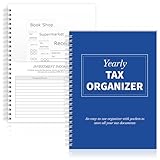
- Sufficient Quantity: you will receive 1 annual tax organizers to organize and store important tax records
- Spiral Binding: with spiral security binding, you can sort and access your monthly tax documents all year round; Help simplify tax time
- Durable: our tax document organizer is made of paper, which is very durable and convenient for you to use frequently in your daily work
- Large Capacity: this tax document organizer has 12 pockets, which makes it convenient for you to sort and file receipts and records and store them in a centralized manner; With this document organizer, you can organize various documents such as medical expenses, prescription drugs, charitable donations, etc. throughout the year, and face tax season confidently and efficiently
- Widely Applied: this annual tax organizer is suitable for managing annual taxes, tracking receipts and preparing for audits all year round, making your tax preparation more systematic and manageable, and it is very suitable for annual tax returns, document storage and filing, professional tax services and tax agencies
- Compare each allegation or issue with your records and the documents referenced in the notice.
- Write a clear response addressing the matters raised, and attach relevant supporting documents where the portal or notice permits.
- Submit using the notice-specific portal route and by the due date stated in the notice.
- Save the filing acknowledgement, ARN or other reference shown after submission, along with a copy of the filed reply and attachments.
Do not assume that receiving a notice means you must pay or concede the amount. Determine whether it asks for an explanation, evidence, payment, attendance at a hearing, or another action before deciding how to respond. If you dispute the demand or are uncertain about the applicable provision, consider having a qualified tax professional review the notice and proposed reply.
Follow the audit-specific process where applicable
Audit procedures have their own portal functionality; these steps should not be assumed to apply to every notice category. The GST Portal’s January–March 2021 functionality compilation describes online replies with supporting-document uploads and discrepancy-wise action for audit matters. It also describes requesting an adjournment or extension of an audit date from the officer.
Rank #3

- Comprehensive Tax Package Inclusions: The pack includes 1 all in one income tax organizer, 1 sheet of tax category pre printed label sticker, 1 common tax category list, 12 alphabet labels, giving you everything you need for tax preparation
- Build to last: Our tax record organizer is mainly made of plastic, waterproof, tear resistant, and resistant to deformation, while maintaining flexibility, secure button closure design facilitates access and placement of documents while ensuring safe placement of documents, and the closed bottom keeps the file in place
- Large capacity: This tax document organizer has 13 pockets, each holding about 40 sheets of paper, it can be flexibly expanded and shrunk as the number of files increases, holding a total of about 500 sheets of paper, ideal for organizing and protecting important documents, paperwork, bills, tax records, receipts, invoices and more
- Pre Printed Labels and Customizable labels: these pre printed label stickers have common tax categories, such as Medical Expenses, Employment Income, Rental Income, and more, we also included alphabet labels and customizable labels for your personal uses, please note that the customizable labels do not come with adhesive
- Broad uses: this expandable file folder organizer is proper for organizing various financial and tax related documents, with strippable labels and divider labels for sorting, making your tax preparation more systematic and managed, ideal for annual tax returns, document storage and filing, professional tax services, and tax agencies
If the notice concerns an audit, use the audit-related case or notice view and follow its prompts for each discrepancy and document upload. If you need more time or a different audit date, the portal material describes applying to the officer; it does not establish a general extension right for all GST notices.
Check whether the communication allows a reply
Not every portal communication is a reply-enabled show-cause notice. In particular, the GST Portal’s April–June 2024 functionality compilation describes DRC-01D as a recovery intimation under section 79, says an online reply cannot be filed to it, and specifies payment within seven days from issue to avoid recovery proceedings. This is a form-specific instruction in that 2024 portal guidance, not a general deadline for GST notices. Because recovery action can have serious consequences, check the actual notice and applicable law promptly; seek professional advice if the amount or basis is disputed.
Rank #4

- Great way to organize and store vital tax records
- Instruction sheet/checklist and preprinted labels included
- 12 pockets plus one large pocket in back provides ample storage
- Protective flap and elastic cord closure
- Contains 10% recycled content, 10% post-consumer material
DRC-01B has its own mismatch workflow
For a DRC-01B liability-mismatch intimation, the portal FAQ gives a specific route: Services > Returns > Return Compliance > Liability Mismatch DRC-01B. The GST Portal FAQ for Return Compliance in Form DRC-01B also sets conditions for using a DRC-03 ARN in Part B, including matching the relevant GSTIN, date, payment reason and tax period. Check the FAQ and the screen for that workflow rather than assuming a DRC-03 payment or ARN will satisfy requirements for another kind of notice.
Independent reader supportYour contribution helps us test, update, and keep practical guides available for everyone.Track what happened after filing
Once you submit, keep the acknowledgement or ARN, the submission date and the final copy of your reply. Return to the relevant notice, case or audit view in the GST Portal to check for an updated order, further communication or hearing information, and continue checking registered email and SMS. The official material cited here does not verify one universal status screen or tracking path for every type of GST notice, so use the view connected to the particular proceeding rather than a tracking feature intended for a different application.
Best Value

- Comprehensive Tax Package Inclusions: The pack includes 1 all in one income tax organizer, 1 sheet of tax category pre printed label sticker, 1 common tax category list, 12 alphabet labels, giving you everything you need for tax preparation
- Build to last: Our tax record organizer is mainly made of plastic, waterproof, tear resistant, and resistant to deformation, while maintaining flexibility, secure button closure design facilitates access and placement of documents while ensuring safe placement of documents, and the closed bottom keeps the file in place
- Large capacity: This tax document organizer has 13 pockets, each holding about 40 sheets of paper, it can be flexibly expanded and shrunk as the number of files increases, holding a total of about 500 sheets of paper, ideal for organizing and protecting important documents, paperwork, bills, tax records, receipts, invoices and more
- Pre Printed Labels and Customizable labels: these pre printed label stickers have common tax categories, such as Medical Expenses, Employment Income, Rental Income, and more, we also included alphabet labels and customizable labels for your personal uses, please note that the customizable labels do not come with adhesive
- Broad uses: this expandable file folder organizer is proper for organizing various financial and tax related documents, with strippable labels and divider labels for sorting, making your tax preparation more systematic and managed, ideal for annual tax returns, document storage and filing, professional tax services, and tax agencies
If no acknowledgement appears, or the portal shows no update, first confirm that the filing was completed and that you saved the reference number. Reopen the relevant case view and check for portal messages or further instructions. For a substantial demand, disputed facts, limitation concerns or recovery action, a qualified tax professional can help assess the notice and the response options.
Quick Recap
Product prices and availability are accurate as of the date/time indicated and are subject to change. Any price and availability information displayed on Amazon at the time of purchase will apply.




