Quick wins for a faster PC:
Clear out junk files and repair common Windows errorsFree Scan →Scan for outdated or missing drivers - takes under a minuteDriver Scan →Most Windows users do not need to pay for every application. Windows Security, VLC, free image editors and built-in file tools cover many everyday tasks. Paid software earns its place when it adds dependable automation, professional compatibility, privacy, support, a materially better workflow or access to a changing service.
This is a retrospective of PCWorld’s December 22, 2020 roundup of paid software for 2021, with current-status notes where plans, prices or product names have changed. Historical prices are labeled; check the vendor before buying.
Quick verdict: what was worth paying for?
| Category | 2021 pick | Best for | Historical price or plan | Current-status note | Free or cheaper option |
|---|---|---|---|---|---|
| Window management | Stardock Groupy | People managing many related windows | $5 in the PCWorld article | Groupy 2 lists $9.99 for a new consumer license, $5.99 for an upgrade, Windows 10/11 support and activation on up to five PCs: Stardock details | Windows Snap, virtual desktops and PowerToys |
| Password management | LastPass Premium | Cross-device credentials and sharing | Subscription; historical price not stated here | Premium and Families remain subscription plans with a 30-day trial; check current checkout pricing at LastPass | Bitwarden, KeePass-compatible tools and other managers |
| Creative work | Adobe Creative Cloud | Professional photo, design and video workflows | Subscription; historical price not stated here | Plans and prices vary by country and renewal terms: Adobe plan information | GIMP, Paint.NET, Krita and one-time-purchase editors |
| PC gaming | Xbox Game Pass for PC | Players who sample a large catalog | About $5–$10 per month in the original article | Xbox lists $13.99/month in the United States; Windows 10/11 version 22H2 or later and the Xbox app are required: Xbox plan page | Buy individual games during sales |
| VPN | Mullvad | Privacy on untrusted networks and travel | €5/month in the original article | Verify the current price and terms at Mullvad | A reputable free VPN may suffice for limited use, but business models and privacy vary |
| Home media | Plex Pass/DVR | Personal streaming and over-the-air recording | $5 monthly, $40 annually or $120 lifetime (historical) | Current plans and DVR terms require checking Plex | Free media players and broadcaster apps |
| Disc playback | CyberLink PowerDVD Ultra | Commercial DVD, Blu-ray and Ultra HD Blu-ray playback | About $100 for PowerDVD 20 Ultra (historical) | Current version and hardware support should be verified at CyberLink | VLC for ordinary files |
| Security suite | Norton 360 Deluxe | Bundled protection, storage and support | $49.99 first year; $124.99 renewal for five devices (historical) | Norton’s current table lists $124.99 annually for five devices and 50GB: Norton pricing | Windows Security |
| PDF editing | Adobe Acrobat Pro | Editing, OCR, forms and business workflows | About $19.90 monthly or $239.88 annually (historical) | Current plans vary by country and term: Acrobat Pro | Acrobat Reader and lower-cost editors |
| Cloud backup | IDrive | Managed off-site copies and versioning | Historical plan and price varied | IDrive lists a free 10GB Basic tier and 5TB at $11.99/month; promotions can change: IDrive pricing | Local plus off-site backups using cheaper storage |
| Drive imaging | Acronis True Image | Detailed system images and recovery control | Historical 2021 pricing varied | The product name and plans have evolved; check the current offering at Acronis | Windows backup tools and other imaging utilities |
| Operating system | Windows | Custom-built PC owners needing a legitimate license | Price not stated | Windows 11 edition, license type and transfer rights determine the purchase | Linux, where compatible |
The original selection and judgments come from PCWorld’s feature, “Software worth paying for: 10 programs you won’t regret buying,” published December 22, 2020: read the original article. It is useful as a 2021-era buying guide, not as an unchanged 2026 price list.
When paying for software makes sense
A purchase or subscription is easiest to justify when it buys something a free tool cannot reliably provide:
#1 Best Overall
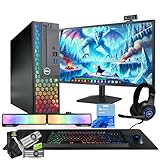
- 💻 Powerful Performance: Intel Core i5 processor with 16GB DDR4 RAM for smooth multitasking and gaming.
- ⚡ Fast Storage: 500GB SSD for rapid load times and quick system responsiveness.
- 🎮 Light Gaming Ready: NVIDIA GT 1030 2GB GPU handles light weight games and multimedia with ease.
- 🖥️ 24” Full HD Display (renewed): Crisp visuals and vivid colors for immersive gaming and work sessions.
- 🌈 RGB Accessories Included: Gaming keyboard, mouse, soundbar, headphones, webcam and deskpad for a complete, colorful setup.
- Ongoing security updates, support and vendor accountability.
- Automated, versioned or off-site backup that you will actually maintain.
- Cross-device synchronization and recovery.
- Professional file-format compatibility, collaboration or hardware support.
- A workflow that saves enough time to repay its cost.
- Privacy infrastructure that is expensive to operate sustainably for free.
- Access to a large, regularly changing content library.
Payment is often unnecessary for basic antivirus, ordinary video playback, occasional photo editing, simple file copying and reading or lightly commenting on PDFs. Buy for a recurring problem, not because a premium label sounds safer.
Best paid productivity utility: Stardock Groupy
Groupy puts multiple Windows applications and File Explorer windows into tabbed containers. A research project, client job or travel plan can stay in one organized group instead of spreading across a crowded taskbar.
Who benefits
Multitaskers, researchers, office workers and developers who repeatedly switch among related windows will notice the convenience immediately. Groupy is a focused quality-of-life purchase, not a replacement for every virtual-desktop or window-management feature in Windows.
Who should skip it
If Snap layouts, virtual desktops or PowerToys already solve your clutter, Groupy adds little. It is Windows-specific and its value depends on using many windows every day.
The Tool Desk
Outbyte Driver Updater FREEScan for outdated or missing drivers - takes under a minuteDriver Scan →Outbyte PC Repair FREERepair Windows errors before they cause bigger problemsFix Now →Best paid password manager: LastPass, with a current-trust caveat
PCWorld’s 2021 pick offered password generation, capture and autofill, cross-device synchronization, auditing, secure notes, payment storage and credential sharing. Those are still the right features to evaluate, but the old recommendation should not be treated as a current universal verdict.
Rank #2

- 【POWERFUL PROCESSOR & SUPERIOR STORAGE】Configured with top of the Intel Core i5 processor for lightning-fast, reliable and consistent performance to ensure an exceptional PC experience. 8GB RAM to smoothly run multiple applications and browser tabs all at once. 256GB SSD storage space to store apps, games, photos, music, and movies.
- 【NEW 23.8-INCH FHD (1920x1080) MONITOR】with High-Quality panel with quick refresh rate and response time. With 1080p resolution, you can enjoy a modern computing experience. 23.8-Inch monitor has a Smart Contrast to provide optimized image quality. Bezel and sleek design with glossy finish, crisp edge-to-edge visuals. Wide Viewing Angles for clarity from any viewpoint.
- 【CONNECTIVITY】USB 3.0 ports; USB 2.0 ports; RJ-45; HDMI; DisplayPorts
- 【FULL DESKTOP SET】This Dell desktop PC Set has everything you need to create superior productivity - Dell OptiPlex 5040 SFF Desktop Computer PC + Windows 11 Pro pre-installed + Keyboard & Mouse + 23.8" FHD Monitor
- 【WINDOWS 11 PRO】As Microsoft's latest and best OS to date, Windows 11 Pro 64 Bit will maximize the utility of each PC for years to come.
Questions to ask before subscribing
- Do you want cloud synchronization or local-first control?
- Are passkeys, breach monitoring, emergency access and family sharing included?
- Can you export your vault in a usable format if you leave?
- Has the provider published credible, independent security information?
LastPass still lists Premium and Families subscriptions with unlimited password storage, autofill, cross-device access and a 30-day trial. Displayed prices can be dynamic; check the current plan page and promotional terms at this offer page. Bitwarden, 1Password, Dashlane and KeePass-compatible tools may fit different trust and control preferences.
Best paid creative suite: Adobe Creative Cloud
Photoshop, Premiere, Illustrator, Lightroom and the surrounding ecosystem remain valuable when clients, colleagues or printers expect Adobe formats and workflows. Integration and collaboration can outweigh the existence of powerful free tools such as GIMP, Paint.NET and Krita.
Choose by workload
- Photography: compare Lightroom needs, catalog size and cloud storage.
- Video: consider Premiere, media storage and export requirements.
- Design: Illustrator and Photoshop compatibility may be a business requirement.
- Occasional editing: a free tool or one-time purchase is usually better value.
Adobe says availability, plan structure and pricing vary by country, and plan changes can affect future renewals. Check Adobe’s plan information before committing. A subscription ending can disrupt access to applications and cloud-dependent workflows, so keep editable exports and originals in portable formats.
PC Slower Than It Used to Be?
A free scan shows the junk files, broken settings and background clutter dragging Windows down - then fixes them in one click.Free scan · Windows 10 & 11Outdated Drivers Are Slowing You Down
One free scan finds every outdated or missing driver and matches the right update for your exact hardware.Free scan · exact hardware matchBest paid gaming subscription: PC Game Pass
The 2021 case for Game Pass was simple: one fee opened a large library containing Microsoft first-party games plus selected independent and third-party titles. It remains compelling for players who try many games.
Access is not ownership
Games can leave the catalog, and a subscription does not give you a permanent license. Someone who repeatedly plays one or two titles may spend less buying them during a sale.
Rank #3

- POWERFUL PROCESSOR - Configured with top of the line series processor for lightning fast, reliable and consistent performance to ensure an exceptional PC experience.
- SUPERIOR STORAGE AND MEMORY – Customized with 500GB HDD hard drive storage space to store apps, games, photos, music and movies. Loaded with 8GB of RAM to zip through multiple tasks in a hurry without lag.
- WiFi CONNECTIVITY - Stay connected to the WiFi Adapter. Play your favorite music files with stereo sound. Easily connect to large and multiple monitors through the installed onboard video connections.
- WINDOWS 11 LATEST RELEASE - A new installation of the latest Microsoft Windows 11 Professional 64 Bit Operating System software, free of bloatware commonly installed from other manufacturers. As Microsoft's latest and best OS to date, Windows 11 Professional 64 Bit will maximize the utility of each PC for years to come. Optional software such as Anti-Virus and Office 365 can also be easily downloaded through the Microsoft Windows App Store.
- BUY WITH CONFIDENCE - All Amazon Renewed computers come with a 90-day warranty and technical support to provide customers with unmatched quality and care
Current practical limits
- Xbox currently lists PC Game Pass at $13.99 per month in the United States.
- Windows 10/11 version 22H2 or later and the Xbox app are required.
- Titles, features and prices vary by region and plan; some games use separate launchers or accounts.
- Large downloads, hardware requirements and changing availability remain your responsibility.
See the current PC Game Pass page and Xbox’s April 2026 plan announcement at Xbox Wire.
Best paid privacy subscription: Mullvad VPN
PCWorld favored Mullvad’s flat pricing, account-number login, privacy positioning, speed and straightforward interface. A VPN encrypts traffic between your device and the VPN server; it does not make you anonymous or stop phishing, malware, weak passwords or unsafe downloads.
Recommended Free Tools
Match the service to the job
- Public Wi-Fi: useful when you do not trust the local network.
- Travel: can reduce exposure on unfamiliar networks.
- Streaming: access is unreliable and may conflict with a service’s terms.
- Privacy: you are shifting trust to the VPN provider, so its policies and technical record matter.
Users who only connect through trusted home networks may not need a subscription. Verify current pricing at Mullvad’s pricing page; the €5 monthly figure belonged to the original roundup.
Paid home-media tools: Plex Pass and PowerDVD
Plex Pass and DVR
Plex suits households that want to stream a personal library to several devices or record over-the-air broadcasts. DVR recording may require an antenna and compatible tuner; the server computer must remain available, and upload speed limits remote playback. Local broadcast availability determines whether DVR is useful at all.
The original article listed $5 monthly, $40 annually and $120 lifetime. Those are historical figures. A lifetime plan only makes sense if you expect years of use and accept the risk of future platform changes. Check current terms at Plex Pass.
Rank #4

- Professional Podcast Equipment Bundle - The Podcast Equipment Bundle is equipped with BM-800 microphone, Mic adjustable suspension scissor arm stand, Shock mount, Pop filter, Anti-wind foam Cap, Power cable, Live sound card. This professional recording studio package was designed for podcasting, streaming and recording music and short video. What you get is a complete set of professional podcast equipment bundle.
- Excellent Sound Quality - The condenser microphone bundle has been designed with 2021 professional sound chipset, ensuring your voice is captured in high detail. The cardioid pickup pattern is more suitable for recording podcasts, vocals and other voice works. The condenser microphone records the sound source in front of the microphone directly and provides a rich, mellow sound.
- High Compatibility Podcast Kit - The podcast equipment bundle can be used in most mainstream operating systems such as Windows and Mac OS, in addition, the voice changer is compatible with smartphones (Android and IOS). This audio interface can be used on any mobile phone, computer, tablet iPad, PS4, Xbox, Switch and any game platform.
- Functional Recording Studio Package - This voice changer has multiple sound effects. You can connect to different devices (computer/ mobile phone/ laptop) by using different connection methods. Change your voice anytime, anywhere, call with friends, chat on for WeChat, live and sing, take video on TikTok, Youtube, etc. The podcast equipment bundle will bring more fun to you and make your recording more creative.
- PAY ATTENTION - After you get the condenser microphone bundle, please charge it first. We are a company dedicated to the research and development of podcast kit, if you have any questions in the process of use, please contact us in time, we will solve any problems for you within 12 hours.
CyberLink PowerDVD Ultra
PowerDVD’s paid value is concentrated among people with commercial DVDs, Blu-ray discs or Ultra HD Blu-ray discs. Disc playback can depend on the drive, codecs, digital rights management, region and supported hardware. Streaming-only households gain little.
Free tools Windows power users keep installed
One-click scans. No signup required.
VLC remains excellent for ordinary video files, but it is not automatically an equivalent replacement for every commercial-disc workflow. PowerDVD 20 Ultra’s roughly $100 price was historical; check the current product at CyberLink.
Independent reader supportYour contribution helps us test, update, and keep practical guides available for everyone.Paid antivirus: Norton 360 Deluxe
Windows Security can provide solid baseline malware protection for many people. Norton’s argument is breadth: browser, email, phishing and malware protection bundled with password management, cloud storage, cleanup tools, secure erasure and customer support.
Watch the renewal price
The original article cited $49.99 for the first year and $124.99 at renewal for five devices. Norton’s current pricing table lists Norton 360 Deluxe at $124.99 annually for five devices with 50GB of storage, effective March 2026. Promotional prices and renewal prices are different; read both before paying.
Norton is a poor fit if you only need baseline protection and already use Windows Security. Paying more does not automatically mean stronger protection.
Best Value

- 【After-sales service】One-year quality warranty, 24-hour customer service to answer your questions anytime.30-Day no-Hassle Returns.
- 【Podcast Equipment Bundle】Elevate your studio with our all-in-one podcast equipment bundle, featuring a professional audio mixer and 1/4”(6.35mm) dynamic microphone. Engineered with a high-fidelity preamp.The gaming equipment unlocks crystal-clear vocal capture for broadcast-ready audio. With an excellent signal-to-noise ratio of 70, equipped with sound card noise reduction and a vocal dynamic microphone, it can effectively block out most background noise
- 【Stream Quick】No software setup required—just plug and play for instant live streaming. The sound board features straightforward controls, including one‑touch mute, multi‑channel volume adjustment, one‑switch Karaoke mode, DUCKING, LOOPBACK, and more. Designed to help you stay calm and in full command of your stream with ease.Compatible with major streaming platforms such as YouTube, Twitch, OBS, and Discord.
- 【Interesting live streaming equipment】4 customizable sound pads,each supporting up to 25 seconds of recording. Mimic hilarious sounds and playful voices to tease and entertain your audience. Plus, with 6 voice changers and 2 preset sound effects, you can instantly elevate the energy of your stream and keep viewers engaged.
- 【Gaming Audio Mixer】Professional Streaming Mixer Bundle features individual mute controls, headphone monitoring, and volume faders for precise audio management of specific input and output channels. Streamlined controls enable a faster, more efficient operation. Multiple entertainment modes create added fun for team collaboration or live streaming. Integrated RGB lighting enhances the visual atmosphere, perfectly matching the dynamic theme of your gaming and streaming setup.
Best professional PDF editor: Adobe Acrobat Pro
Free Acrobat Reader covers reading, printing, commenting and basic signing. Acrobat Pro becomes useful when work requires editing existing text and images, OCR, redaction, form creation, batch processing, Office conversion, advanced signatures or controlled collaboration.
PCWorld cited about $19.90 per month or $239.88 per year, both historical. Check the current Acrobat Pro page for your country and billing term. If you sign a document a few times a year, Reader or a lower-cost editor is usually enough.
Backup: IDrive for cloud convenience, Acronis for imaging control
IDrive
IDrive combines managed off-site backup with local backup, synchronization, snapshots and recovery options. Its current page lists a free Basic tier with 10GB and a 5TB plan at $11.99 per month; promotional first-year discounts may apply. Windows 10 and Windows 11 are supported according to IDrive’s plan page.
Do not confuse synchronization with backup. Sync mirrors changes, while versioned backup preserves earlier states. A complete strategy may include local, off-site and offline copies.
Acronis True Image
Acronis is the better fit when you want whole-drive or partition images, incremental and differential backups, retention rules, schedules, validation, throttling and multiple destinations. The 2021 version also bundled malware protection. Product branding and plans have changed, so check Acronis’s current offering.
Recovery checks no paid plan can replace
- Restore a sample file and periodically perform a larger test restore.
- Keep at least one copy disconnected or otherwise protected from ransomware.
- Use more than one destination; a single external drive cannot survive theft, fire or drive failure.
- Confirm that the backup set includes the folders and applications you actually need.
Windows licensing: the unavoidable purchase for some PCs
Windows was PCWorld’s deliberately practical recommendation: a prebuilt computer usually includes a license, while a self-built PC may not. Windows 11 is the current context, but Home, Pro, retail, OEM and volume licenses are not interchangeable.
- Check hardware eligibility before buying.
- Understand whether the license can move to another computer.
- Buy from Microsoft or an authorized retailer, not a suspiciously cheap key marketplace.
- Choose Home or Pro based on features you actually need.
No current Microsoft consumer license price is stated here because edition, region and promotions change.
What you probably should not pay for
- Basic antivirus: Windows Security may be sufficient.
- Ordinary playback: VLC handles most local video files.
- Casual image editing: GIMP, Paint.NET or Krita can be enough.
- Simple copying: Windows tools work for basic file moves, though they lack dedicated backup automation.
- Occasional PDFs: Reader covers reading, comments and basic signing.
- A VPN for “anonymity”: no VPN delivers that by itself.
How to spend a limited software budget
- Build and test a backup system. Protect irreplaceable files before buying convenience features.
- Use a reputable password manager. Prioritize unique passwords, passkeys where supported and recovery options.
- Pay for professional tools only when work requires them. Client compatibility can justify recurring fees.
- Add security extras when their bundled services matter. Compare renewal pricing with Windows Security.
- Buy convenience utilities last. Groupy is useful, but not more important than recoverable data.
- Treat entertainment subscriptions as optional. Cancel when the catalog no longer matches your play habits.
The best paid software is the product that removes a recurring problem. You do not need to buy this entire list.
Do these 3 things before closing this tab:
1Repair Windows errors before they cause bigger problems2Fix the driver behind crashes, sound loss and screen glitches3Clear out junk files and repair common Windows errorsQuick Recap
Product prices and availability are accurate as of the date/time indicated and are subject to change. Any price and availability information displayed on Amazon at the time of purchase will apply.




