The best check scanner is the one your bank’s remote deposit capture (RDC) service supports and that fits your volume and document workflow. Confirm the exact model with your bank before buying; then compare feed style, batch capacity, document handling, endorsements, and computer and driver requirements. The models below illustrate different use cases, not a universal ranking.
Check bank compatibility first
RDC lets a business scan checks at its location and send electronic images through the bank’s software. A scanner that works with one bank’s service may not work with another’s. J.P. Morgan, for example, maintains service-specific recommended and supported model lists, while Panini says compatibility depends on the selected RDC solution.
Before purchasing, check the bank’s current supported-model list and confirm the exact model, configuration, operating system, connection method, and required software. J.P. Morgan says its supported desktop scanners require installation of two separate drivers for its Remote Capture workflow. Ask the bank or seller about current driver support, warranty, maintenance, consumables, and availability.
Choose single-feed or multi-feed based on workflow
Single-feed scanners for lower-volume use
A single-feed scanner may suit a business that processes checks in smaller quantities. BMO lists the Digital Check CheXpress CX35 as a single-feed option at $427 with a two-year extended warranty; those are BMO’s published terms and may change. Panini describes its Vision 1 as a single-feed scanner for small-to-medium business RDC or low-volume teller image capture. It supports magnetic or optical code-line reading, duplex images, and physical endorsement.
Crashes, No Sound, or Screen Glitches?
Random freezes, missing sound and display glitches usually trace back to one bad driver. Find and replace yours safely.Free scan · under a minuteWindows Errors? Fix Them Before They Spread
Repair common Windows errors and clear accumulated junk for a smoother, more stable PC - no reinstall needed.Free scan · no reinstall#1 Best Overall

- Check Scanner with Printing Capability
Multi-feed scanners for batches
For regular batches, compare feeder capacity and the amount of time required to process a batch—not just the advertised speed. BMO lists the Digital Check Teller Scan TS250-55 at 55 checks per minute and a 100-check batch capacity, with a published price of $864. BMO also lists TS250-75 and TS250-120 configurations. These figures and prices come from BMO’s offering, not an independent test.
Compare daily volume, speed, and batch capacity
Published speed and volume figures describe different limits: a maximum daily volume does not tell you how many items fit in one scan, and items per minute do not guarantee the same result in every setup. Consider all three when sizing a scanner.
Rank #2
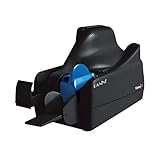
- Best-in-class reliability, superior image quality
- Flawless Document Handling, MICR Read Accuracy
| Model | Published daily volume | Published speed | Items per scan or batch | Source and qualification |
|---|---|---|---|---|
| Epson WorkForce DS-770 II | 5,000 checks | 45 items per minute | 50 items per scan | J.P. Morgan comparison guide; publication date not stated. These are guide specifications, not independent test results. |
| Digital Check SmartSource Adaptive | 3,000 checks | 70 checks or 30 documents per minute | 50 items per scan | J.P. Morgan comparison guide; publication date not stated. These are guide specifications, not independent test results. |
| Digital Check Teller Scan TS250-55 | Not stated | 55 checks per minute | 100 checks per batch | BMO’s published offering; page publication date not stated. |
Use the bank’s current specifications for the configuration you intend to buy. A model name alone may not identify the exact feed capacity or operating configuration.
Decide whether you need check-only or document capture
Some RDC workflows handle checks only; others also capture coupons, remittance documents, or other paper. J.P. Morgan lists the Panini EverneXt and Epson CaptureOne S1000II for check-only capture, and the Epson DS-790WN for check-plus-document capture. Its comparison guide describes the Epson WorkForce DS-770 II as supporting checks, coupons, and remittance documents. Confirm that the specific bank service accepts the documents you plan to scan.
Rank #3

- Digital Check
- Part #: TS240-50IJ
- Check Scanner - 50 DPM with Inkjet
Match image capture and endorsement features to requirements
Duplex imaging captures both sides of an item; MICR reading captures the magnetic-ink character line used on checks. Endorsement options address how a check is marked during processing. These are distinct functions, and the required method may depend on the bank and your process.
Epson announced the S1000II and S1000II-NW for RDC and back-office capture on September 4, 2024. Epson stated a 99.9% MICR accuracy rate and listed two exit pockets, built-in franking, and electronic endorsement. The accuracy figure is Epson’s published claim, not an independently verified result or a guarantee that a deposit will be accepted.
Rank #4
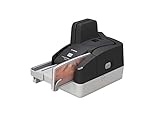
- Sharper images with less distortion
Canon describes its imageFORMULA CR-L1 for high-volume batch RDC and remote lockbox processing. Its listed features include infrared double-feed detection, a physical printer, virtual endorsement, image-handling functions, and device logs. A feature list does not establish overall security or fraud-prevention performance.
Independent reader supportYour contribution helps us test, update, and keep practical guides available for everyone.Understand what scanner features do—and do not—say about security
MICR reading, image capture, endorsements, double-feed detection, and device logs can support particular steps in a capture workflow. The reviewed product information does not show that any one scanner prevents fraud, is categorically more secure, or guarantees successful deposits. Follow your bank’s procedures and your organization’s internal controls; treat manufacturer specifications as attributed claims rather than independent security evidence.
Quick wins for a faster PC:
Scan for outdated or missing drivers - takes under a minuteDriver Scan →Repair Windows errors before they cause bigger problemsFix Now →Fix the driver behind crashes, sound loss and screen glitchesFind Drivers →Quick Recap
Best Value

- Item Package Quantity - 1
- Product Type - Scanner
- Connectivity Technology - Ethernet
- Operating System - Windows 10
Use a practical purchase checklist
- Verify the exact scanner model and configuration against your bank’s current supported list.
- Confirm computer, operating-system, browser, connection, software, and driver requirements.
- Estimate normal daily volume and the largest batch you need to process; compare daily limits, speed, and feeder capacity.
- Check whether the workflow includes checks only or also coupons, remittance documents, or other paper.
- Confirm whether you need duplex imaging, MICR reading, physical endorsement, electronic or virtual endorsement, output pockets, or double-feed handling.
- Ask about warranty, maintenance, consumables, current availability, and any service-specific setup requirements.
Sources and product details
- BMO remote deposit capture scanner offerings
- J.P. Morgan Remote Capture Resource Center
- J.P. Morgan scanner comparison guide
- Epson announcement, September 4, 2024
- Panini scanner selection guidance
- Panini Vision 1 product information
- Canon imageFORMULA CR-L1 product information
Product prices and availability are accurate as of the date/time indicated and are subject to change. Any price and availability information displayed on Amazon at the time of purchase will apply.




